تسجيل الدخول مطلوب
سجّل الدخول بحساب iOSGods للمتابعة.
Hack Features:
- PREMIUM
قم بتنزيل LingoDeer - Learn Languages iOS Mod IPA من الروابط أعلاه. اضغط على زر التثبيت واتبع التعليمات لتثبيت هذا التعديل لـ iOS على iPhone أو iPad أو Apple Silicon.
هل تحتاج إلى مزيد من المساعدة؟ راجع الأسئلة الشائعة لتطبيق iOSGods للحصول على إجابات مفصلة ونصائح لاستكشاف الأخطاء.
#1 app for learning Asian languages and more! Over 20 million people choose to learn with LingoDeer. Why? Our structured lessons created by language teachers make learning easy and effective.
From the alphabet, LingoDeer will get you to a conversational level in 20 languages: Korean, Japanese, Chinese, Arabic, French, German, Greek, Hindi, Indonesian, Italian, Malay, Polish, Brazilian Portuguese, Russian, Spanish(Latin American or European), Thai, Turkish, Ukrainian, Vietnamese, and English.
Download LingoDeer Today!
⎓⎓⎓⎓⎓⎓⎓⎓⎓⎓⎓⎓⎓⎓⎓⎓⎓⎓⎓⎓
What will you get on LingoDeer?
※ Short, interactive lessons
Easy 5-min lessons that fit into your daily plan
※ Clear learning path
Each course is tailored to your target language
※ Customized for Asian languages
Read & write in a unique alphabet system like Korean or Japanese
※ Better understanding of the grammar
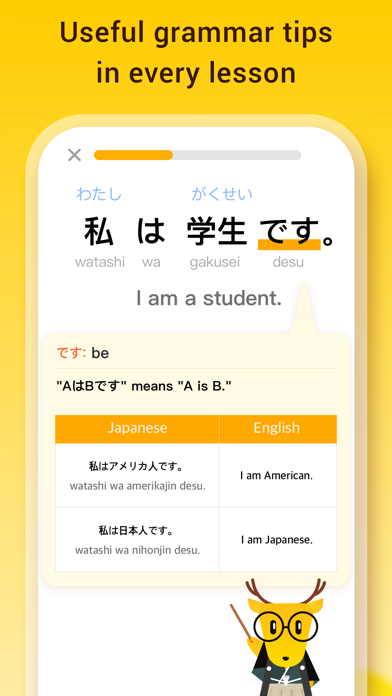
Tips & notes within lessons to help you build sentences confidently
※ Listen, imitate, and speak
Studio-recorded audio from native speakers
※ Reinforce what you learn
Flashcards, quizzes, target training, and more
※ Offline learning
Take lessons everywhere you go
Powerful features you'll love:
• Fluent: real-life conversations! Practice reading, writing, listening, speaking, and get cultural tips as you learn.
• Travel Phrasebook: audio phrasebook! Get ready for your trip to your dream country.
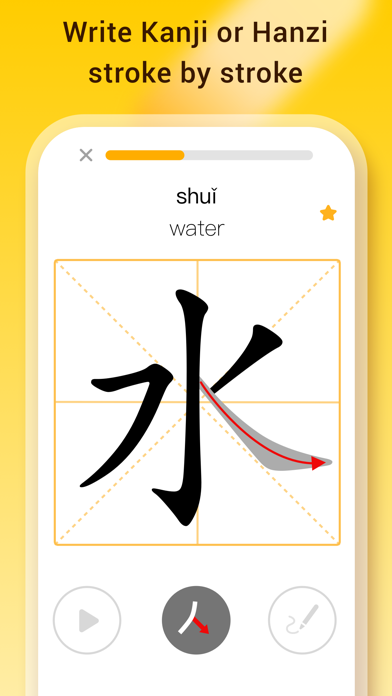
• Character Drill: writing practices for Japanese kanji and Chinese characters.
• Story: mini stories with captions! Expand what you learned in lessons.
• Knowledge Cards: printable grammar flashcards! Keep essential grammar concepts at your desk.
*Fluent is only available for Japanese, Korean, Chinese, Spanish, and French courses at the moment.
⎓⎓⎓⎓⎓⎓⎓⎓⎓⎓⎓⎓⎓⎓⎓⎓⎓⎓⎓⎓
Find tips, guides, and resources on language learning:
※ LingoDeer Blog: https://blog.lingodeer.com
※ YouTube: https://www.youtube.com/lingodeer
Come chat with us on social media! Follow us for language learning advice, support, and memes:
※ Instagram: https://www.instagram.com/lingodeerapp
※ Facebook: https://www.facebook.com/LingoDeer
※ Twitter: https://twitter.com/lingodeer
⎓⎓⎓⎓⎓⎓⎓⎓⎓⎓⎓⎓⎓⎓⎓⎓⎓⎓⎓⎓
You will need a subscription in order to get full access to all courses and features.
The subscription price starts at $14.99/month. Prices are in US dollars, may vary by country, can be converted to local currency depending on the country of residence, and are subject to change without notice.
Subscription automatically renews unless auto-renew is turned off at least 24 hours before the end of the current period. Your iTunes account will be automatically charged at the same price for renewal within the 24-hour period prior to the end of the current payment period unless you change your subscription preferences in your iTunes Account Settings. When a subscription is canceled, access to the app's courses and features will expire at the end of the current payment period. Any unused portion of a free trial period, if offered, will be forfeited when you purchase a LingoDeer subscription, where applicable.
- Terms of Use: https://www.lingodeer.com/terms-conditions-html
- Privacy Policy: https://www.lingodeer.com/privacypolicy-html
CONTACT US:
Got ideas you want to share or feedback for the app? Email us at [email protected]
⎓⎓⎓⎓⎓⎓⎓⎓⎓⎓⎓⎓⎓⎓⎓⎓⎓⎓⎓⎓
Real reviews from the LingoDeer community:
"This has been helping me study Japanese way better than any book can!"
"LingoDeer is worth every penny and more, it is an essential tool in the shed for anyone learning any of their offered languages, in or out of a classroom."
YOUR JOURNEY TO FLUENCY STARTS HERE:
• Learn Korean
• Learn Japanese
• Learn Mandarin Chinese
• Learn Arabic
• Learn French
• Learn German
• Learn Greek
• Learn Hindi
• Learn Indonesian
• Learn Italian
• Learn Malay
• Learn Polish
• Learn Brazilian Portuguese
• Learn Russian
• Learn Spanish (Latin American or European)
• Learn Thai
• Learn Turkish
• Learn Ukrainian
• Learn Vietnamese
• Learn English
- iPhone أو iPad بجيلبريك أو بدون جيلبريك.
- Sideloadly أو بدائلها.
- كمبيوتر يعمل بنظام Windows/macOS/Linux مع تثبيت iTunes.
الخطوة 1: قم بتنزيل ملف .IPA المعدّل مسبقًا من الرابط أعلاه إلى الكمبيوتر الخاص بك. للتنزيل من تطبيق iOSGods App، اطلع على دليل تنزيل IPA من تطبيق iOSGods App الذي يتضمن مثالًا بالفيديو.
الخطوة 2: قم بتنزيل Sideloadly وتثبيته على جهاز Windows أو Mac.
الخطوة 3: افتح Sideloadly على الكمبيوتر، ووصّل جهاز iOS الخاص بك، وانتظر حتى يظهر اسم جهازك داخل Sideloadly.
الخطوة 4: بمجرد التعرّف على جهاز iDevice الخاص بك، اسحب ملف .IPA المعدّل الذي قمت بتنزيله وأفلِته داخل تطبيق Sideloadly.
الخطوة 5: أدخل البريد الإلكتروني لحساب Apple Account الخاص بك، ثم اضغط على «Start». سيُطلب منك بعد ذلك إدخال كلمة المرور. تابع وأدخل المعلومات المطلوبة.
الخطوة 6: انتظر حتى ينتهي Sideloadly من تحميل/تثبيت ملف IPA المعدّل. في حال واجهت أي مشاكل أثناء التثبيت، يرجى قراءة الملاحظة أدناه.
الخطوة 7: بعد اكتمال التثبيت ورؤية التطبيق على الشاشة الرئيسية، انتقل إلى Settings → General → Profiles / VPN & Device Management. ثم اضغط على البريد الإلكتروني الذي أدخلته في الخطوة 6، ثم اضغط على «الوثوق بـ [email protected]».
الخطوة 8: الآن انتقل إلى الشاشة الرئيسية وافتح التطبيق الذي تم تثبيته للتو وسيعمل كل شيء بشكل صحيح. قد تحتاج إلى اتباع تعليمات إضافية خاصة بكل تطبيق داخل النافذة المنبثقة للتعديل أثناء اللعب.
ملاحظة: بدءًا من iOS/iPadOS 16 وما بعده، يجب تفعيل وضع المطور (Developer Mode). بالنسبة لحسابات Apple Developer المجانية، ستحتاج إلى تكرار هذه العملية كل 7 أيام. إذا كانت لديك أي أسئلة أو مشاكل، يرجى قراءة قسم الأسئلة الشائعة حول Sideloadly في الموضوع.