تسجيل الدخول مطلوب
سجّل الدخول بحساب iOSGods للمتابعة.
سجّل الدخول بحساب iOSGods للمتابعة.
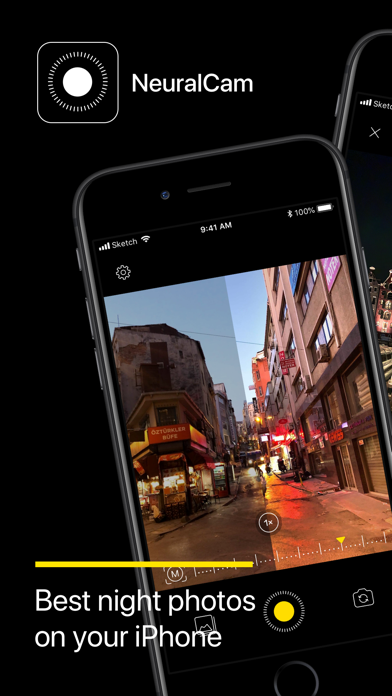
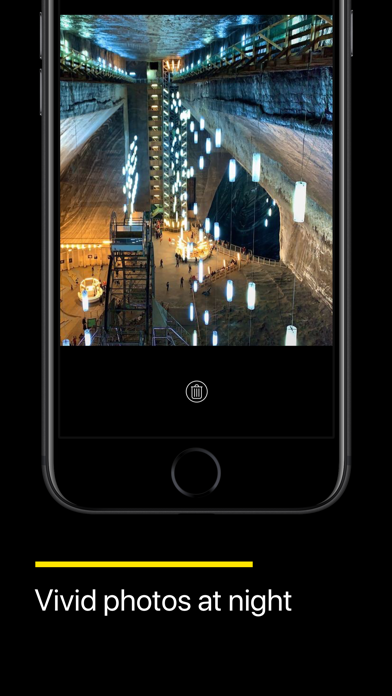
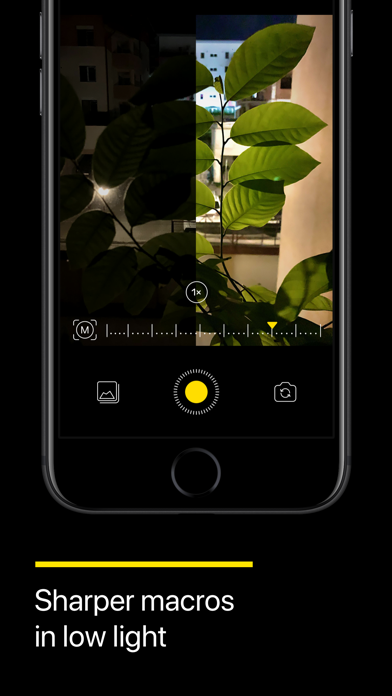
التقط صورًا ليلية مذهلة على جهاز iPhone الخاص بك باستخدام تقنية التصوير منخفض الإضاءة المدعومة بالذكاء الاصطناعي من NeuralCam - Night Mode Camera، والآن متاحة مجانًا كـ Mod IPA. تم الإشادة بهذا التطبيق الكاميرا المشهور من قبل 9to5Mac باعتباره أفضل أداة تصوير ليلي لـ iPhone، حيث يستخدم معالجة عصبية متقدمة لتحويل المشاهد المظلمة إلى صور حادة وحيوية تتفوق بكثير على كاميرا iPhone القياسية. احصل على ميزات وضع الليل المميزة بدون حواجز الدفع.
يأتي هذا التطبيق أيضًا مع iGameGod، مما يتيح لك الوصول إلى Auto Touch لأتمتة المهام المتكررة، وApp Speed Manager لضبط سرعة اللعب، وتعديل القيم عبر Memory Engine، والمزيد من أدوات ألعاب iOS القوية.
قم بتنزيل NeuralCam - Night Mode Camera modded IPA من الروابط أعلاه. اضغط على زر التثبيت واتبع التعليمات لتثبيت هذا التعديل لـ iOS على iPhone أو iPad أو Apple Silicon.
هل تحتاج إلى مزيد من المساعدة؟ راجع الأسئلة الشائعة لتطبيق iOSGods للحصول على إجابات مفصلة ونصائح لاستكشاف الأخطاء.
Create stunning portraits and master DSLR-level photography with AI-driven features that help you capture remarkable shots in any lighting condition.
NEW - Photo Coach: Your pocket portrait expert—blends ChatGPT's intelligence with NeuralCam's pro tools to guide you through composing, capturing, and perfecting professional portraits and other shots in real-time while building lasting skills.
Auto-mode for multiple features:
Auto-Portrait Mode: A fully AI-powered Portrait Mode without the limitations of the built-in portrait mode. Add professional depth to any portrait—works with all lenses, subjects, and distances, even in low light—with adjustable intensity for the perfect feel.
Auto Night Mode on All iPhones, All camera lenses with manual brightness optimization for skin tones
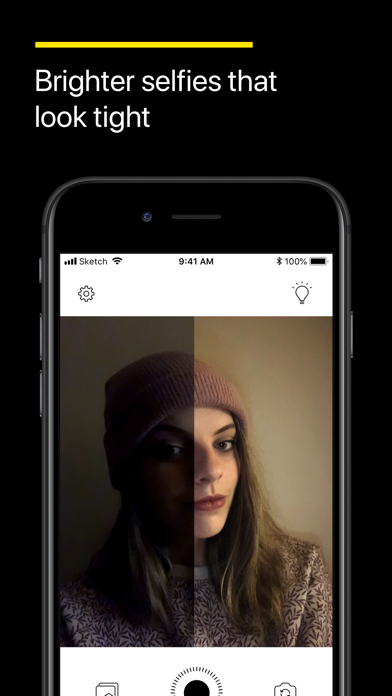
Auto AI Illumination: Brighter portraits without the flat HDR look
Quick-Editing mode: Perfect your portraits with a few taps before saving
AI & Classic editing controls:
AI Portrait Blur strength
AI Face Illumination strength
AI Style type and strength with skin tone preservation
Classic editing controls including exposure, contrast, shadows, highlights, and more
------ MAIN FEATURES: PERFECT PORTRAITS, NIGHT & DAY -------
Best-in-class Night Mode: The original NeuralCam feature - now optimized for portraits on All iPhones, All Cameras
Enhanced Daytime HDR: Capture brighter portraits with more detail and less noise
48 Megapixel AI Upscaled Photos: Professional-grade detail in every portrait
AI-Enhanced Macro Mode: Perfect for creative portrait details
Smart Color Grading: Elevate your portraits with AI styles based on professional photography
Auto-Remove People: Clean backgrounds for your portraits
Auto-Background Replacement: Studio-quality portrait backgrounds instantly
Lock screen Widget: Never miss the perfect portrait moment
------- ADDITIONAL FEATURES -------
Auto and Manual Night Mode
Auto and Manual Daytime Mode
AI Enhanced Macro Mode (including Night Macro Mode)
Manual Computational Photography Controls
Multiple Capturing Modes: High Detail, Low Noise, Unprocessed
Merging of 1-12 frames
24MP & 48MP AI Super-Resolution
12MP AI Detail Enhancement
Multiple AI Brightening Modes - now including NeuralHDR specially tailored for daytime photos
Classic Manual Photography Controls for White Balance, Exposure, and Focus
Timer
Tripod Mode - allows longer exposure time in really dark situations
Gentle Torch - so you can lightly illuminate your scene if needed, in very low light
Photo Format (HEIC/JPEG/TIFF)
Grid Options
Happy capturing!
Send us any feedback and feature requests either by leaving a comment on this store page, or by writing us at: [email protected] Enjoy!
Terms of Use: https://neural.cam/terms.html
- iPhone أو iPad بجيلبريك أو بدون جيلبريك.
- Sideloadly أو بدائلها.
- كمبيوتر يعمل بنظام Windows/macOS/Linux مع تثبيت iTunes.
الخطوة 1: قم بتنزيل ملف .IPA المعدّل مسبقًا من الرابط أعلاه إلى الكمبيوتر الخاص بك. للتنزيل من تطبيق iOSGods App، اطلع على دليل تنزيل IPA من تطبيق iOSGods App الذي يتضمن مثالًا بالفيديو.
الخطوة 2: قم بتنزيل Sideloadly وتثبيته على جهاز Windows أو Mac.
الخطوة 3: افتح Sideloadly على الكمبيوتر، ووصّل جهاز iOS الخاص بك، وانتظر حتى يظهر اسم جهازك داخل Sideloadly.
الخطوة 4: بمجرد التعرّف على جهاز iDevice الخاص بك، اسحب ملف .IPA المعدّل الذي قمت بتنزيله وأفلِته داخل تطبيق Sideloadly.
الخطوة 5: أدخل البريد الإلكتروني لحساب Apple Account الخاص بك، ثم اضغط على «Start». سيُطلب منك بعد ذلك إدخال كلمة المرور. تابع وأدخل المعلومات المطلوبة.
الخطوة 6: انتظر حتى ينتهي Sideloadly من تحميل/تثبيت ملف IPA المعدّل. في حال واجهت أي مشاكل أثناء التثبيت، يرجى قراءة الملاحظة أدناه.
الخطوة 7: بعد اكتمال التثبيت ورؤية التطبيق على الشاشة الرئيسية، انتقل إلى Settings → General → Profiles / VPN & Device Management. ثم اضغط على البريد الإلكتروني الذي أدخلته في الخطوة 6، ثم اضغط على «الوثوق بـ [email protected]».
الخطوة 8: الآن انتقل إلى الشاشة الرئيسية وافتح التطبيق الذي تم تثبيته للتو وسيعمل كل شيء بشكل صحيح. قد تحتاج إلى اتباع تعليمات إضافية خاصة بكل تطبيق داخل النافذة المنبثقة للتعديل أثناء اللعب.
ملاحظة: بدءًا من iOS/iPadOS 16 وما بعده، يجب تفعيل وضع المطور (Developer Mode). بالنسبة لحسابات Apple Developer المجانية، ستحتاج إلى تكرار هذه العملية كل 7 أيام. إذا كانت لديك أي أسئلة أو مشاكل، يرجى قراءة قسم الأسئلة الشائعة حول Sideloadly في الموضوع.