تسجيل الدخول مطلوب
سجّل الدخول بحساب iOSGods للمتابعة.
سجّل الدخول بحساب iOSGods للمتابعة.
تعلم لغة أجنبية بـ 10 كلمات يومياً باستخدام easy ten Modded، وهو تهكير IPA متميز يفتح جميع الميزات المدفوعة. أتقن اللغة الإسبانية والإنجليزية والبرتغالية والإيطالية والفرنسية والألمانية والروسية من أي مستوى ابتدائي بمجرد 5 دقائق يومياً، ادرس 70 كلمة جديدة أسبوعياً، 3,650 سنوياً، وصل إلى مفردات متحدث أصلي. تم اختيار هذا التطبيق من قبل Apple وحظي بثقة أكثر من 5 ملايين مستخدم حول العالم.
- Premium مفتوح → الوصول إلى جميع الميزات المدفوعة
يأتي هذا التطبيق أيضًا مع iGameGod، مما يتيح لك الوصول إلى Auto Touch لأتمتة المهام المتكررة، وApp Speed Manager لضبط سرعة اللعب، وتعديل القيم عبر Memory Engine، والمزيد من أدوات ألعاب iOS القوية.
قم بتنزيل easy ten Modded modded IPA من الروابط أعلاه. اضغط على زر التثبيت واتبع التعليمات لتثبيت هذا التعديل لـ iOS على iPhone أو iPad أو Apple Silicon.
هل تحتاج إلى مزيد من المساعدة؟ راجع الأسئلة الشائعة لتطبيق iOSGods للحصول على إجابات مفصلة ونصائح لاستكشاف الأخطاء.
Easy ten — learn a foreign language with 10 words a day
Learn Spanish, English, Portuguese, Italian, French, German & Russian.
Any starting level.
- Apple Featured App (2014-2015)
- Best new App (December 2014)
- More than 5 000 000 users
10 new words a day is 70 new words a week, 300 new words a month, 3650 new words a year. Wherein a native speaker uses an average of 3000 words in his everyday life.
5 minutes a day is all it takes to succeed with easy ten.
All features and content library is available with paid Easy Ten Subscription for free 7 day trial. After your free trial ends, you’ll still have access to everything Easy Ten Subscription has to offer through the paid subscription. Non-subscribers can access select content for free, as well as basic manual word learning options.
FEATURES
Up to 20 new words a day.
Frequency vocabulary of 10 000 most commonly used words.
All words are voiced.
Twitter examples for all words.
Smart notifications.
BrainBoost memorisation technique
Storing your progress in Calendar
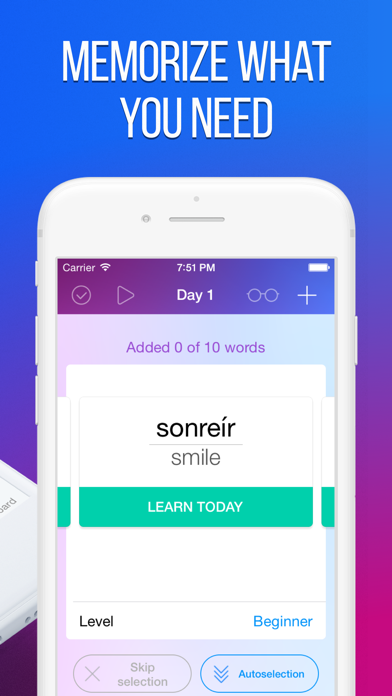
Total personalisation
Pronunciation training
Cool tests
Achievements
You’ll love to study with easy ten!
SUBSCRIPTION PRICING AND TERMS
Easy Ten currently offers several auto-renewing subscription options:
$29.99 per Month
$9.99 per Week
These prices are for United States customers. Pricing in other countries may vary and actual charges may be converted to your local currency depending on the country of residence.
The subscription will automatically renew unless turned off in your iTunes Account Settings at least 24 hours before current period ends. You can go to your iTunes Account settings to manage your subscription and turn off auto-renew. Your iTunes Account will be charged when the purchase is confirmed. If you subscribe before your free trial ends, the rest of your free trial period will be forfeited as soon as your purchase is confirmed.
Please see the Terms of Use and our Privacy Policy:
http://legal.easy10.com/privacy/
http://legal.easy10.com/terms/

- iPhone أو iPad بجيلبريك أو بدون جيلبريك.
- Sideloadly أو بدائلها.
- كمبيوتر يعمل بنظام Windows/macOS/Linux مع تثبيت iTunes.
الخطوة 1: قم بتنزيل ملف .IPA المعدّل مسبقًا من الرابط أعلاه إلى الكمبيوتر الخاص بك. للتنزيل من تطبيق iOSGods App، اطلع على دليل تنزيل IPA من تطبيق iOSGods App الذي يتضمن مثالًا بالفيديو.
الخطوة 2: قم بتنزيل Sideloadly وتثبيته على جهاز Windows أو Mac.
الخطوة 3: افتح Sideloadly على الكمبيوتر، ووصّل جهاز iOS الخاص بك، وانتظر حتى يظهر اسم جهازك داخل Sideloadly.
الخطوة 4: بمجرد التعرّف على جهاز iDevice الخاص بك، اسحب ملف .IPA المعدّل الذي قمت بتنزيله وأفلِته داخل تطبيق Sideloadly.
الخطوة 5: أدخل البريد الإلكتروني لحساب Apple Account الخاص بك، ثم اضغط على «Start». سيُطلب منك بعد ذلك إدخال كلمة المرور. تابع وأدخل المعلومات المطلوبة.
الخطوة 6: انتظر حتى ينتهي Sideloadly من تحميل/تثبيت ملف IPA المعدّل. في حال واجهت أي مشاكل أثناء التثبيت، يرجى قراءة الملاحظة أدناه.
الخطوة 7: بعد اكتمال التثبيت ورؤية التطبيق على الشاشة الرئيسية، انتقل إلى Settings → General → Profiles / VPN & Device Management. ثم اضغط على البريد الإلكتروني الذي أدخلته في الخطوة 6، ثم اضغط على «الوثوق بـ [email protected]».
الخطوة 8: الآن انتقل إلى الشاشة الرئيسية وافتح التطبيق الذي تم تثبيته للتو وسيعمل كل شيء بشكل صحيح. قد تحتاج إلى اتباع تعليمات إضافية خاصة بكل تطبيق داخل النافذة المنبثقة للتعديل أثناء اللعب.
ملاحظة: بدءًا من iOS/iPadOS 16 وما بعده، يجب تفعيل وضع المطور (Developer Mode). بالنسبة لحسابات Apple Developer المجانية، ستحتاج إلى تكرار هذه العملية كل 7 أيام. إذا كانت لديك أي أسئلة أو مشاكل، يرجى قراءة قسم الأسئلة الشائعة حول Sideloadly في الموضوع.