ต้องเข้าสู่ระบบ
เข้าสู่ระบบด้วยบัญชี iOSGods เพื่อดำเนินการต่อ
เข้าสู่ระบบด้วยบัญชี iOSGods เพื่อดำเนินการต่อ
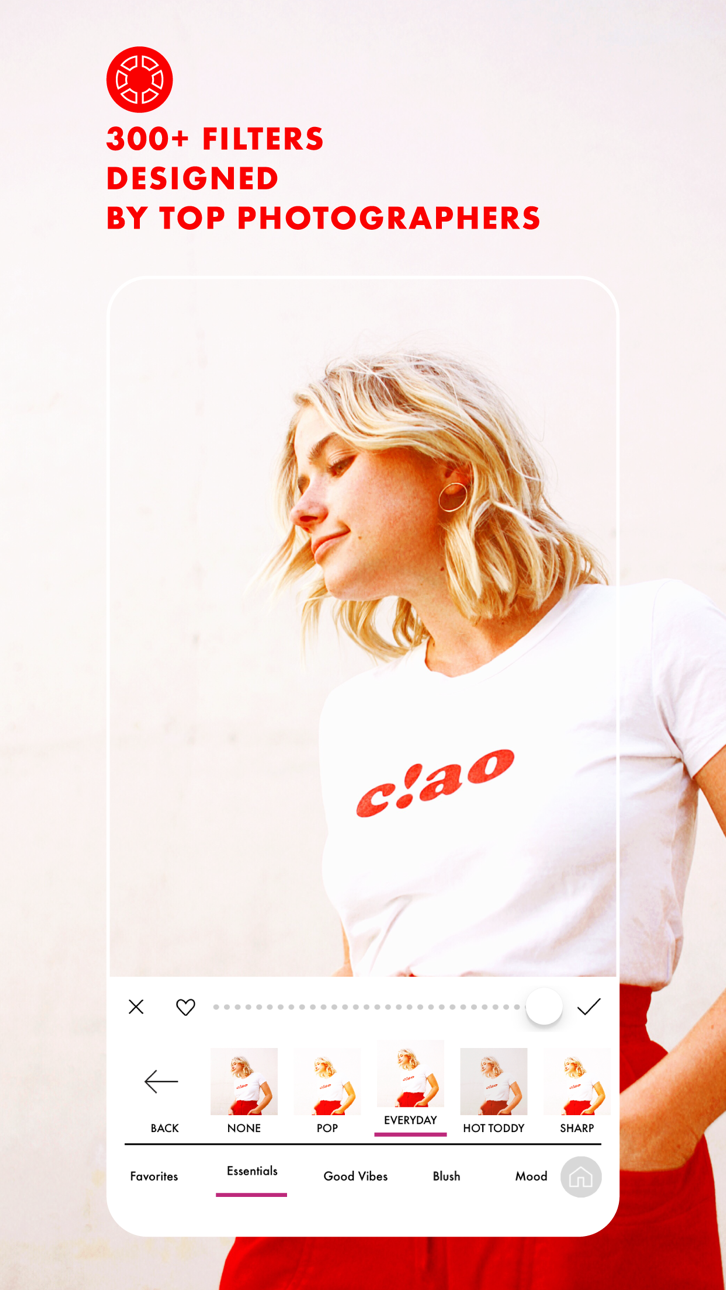
ปลดล็อกตัวกรองพรีเมียม เอฟเฟกต์ และเครื่องมือแก้ไขขั้นสูงทั้งหมดได้ฟรีด้วย A Color Story Mod IPA hack นี้ ตัวกรองดีไซเนอร์กว่า 300 รายการ เอฟเฟกต์ที่เคลื่อนย้ายได้กว่า 100 รายการ และชุดแก้ไขระดับมืออาชีพ ซึ่งปกติถูกล็อกไว้หลังการซื้อในแอป ตอนนี้สามารถเข้าถึงได้อย่างเต็มที่ ให้คุณสร้างรูปภาพและวิดีโอที่สวยงามโดยไม่ต้องใช้เงินเพิ่มเติม
- ซื้อในแอปฟรี (เปิดใช้งานภายใน iOSGods Mod Menu ก่อน) → ลบข้อจำกัดการซื้อในแอป
แอปนี้ยังมาพร้อมกับ iGameGod ซึ่งช่วยให้คุณเข้าถึง Auto Touch สำหรับการทำงานซ้ำ ๆ โดยอัตโนมัติ, App Speed Manager สำหรับปรับความเร็วของเกม, การแก้ไขค่าด้วย Memory Engine และเครื่องมือสำหรับเกม iOS ที่ทรงพลังอื่น ๆ อีกมากมาย
ดาวน์โหลด A Color Story Modded modded IPA จากลิงก์ด้านบน แตะปุ่มติดตั้งและทำตามคำแนะนำบนหน้าจอเพื่อติดตั้งแฮ็กแอป iOS นี้บน iPhone, iPad หรือ Apple Silicon
ต้องการความช่วยเหลือเพิ่มเติม? ดู คำถามที่พบบ่อยของแอป iOSGods สำหรับคำตอบโดยละเอียดและเคล็ดลับการแก้ไขปัญหา
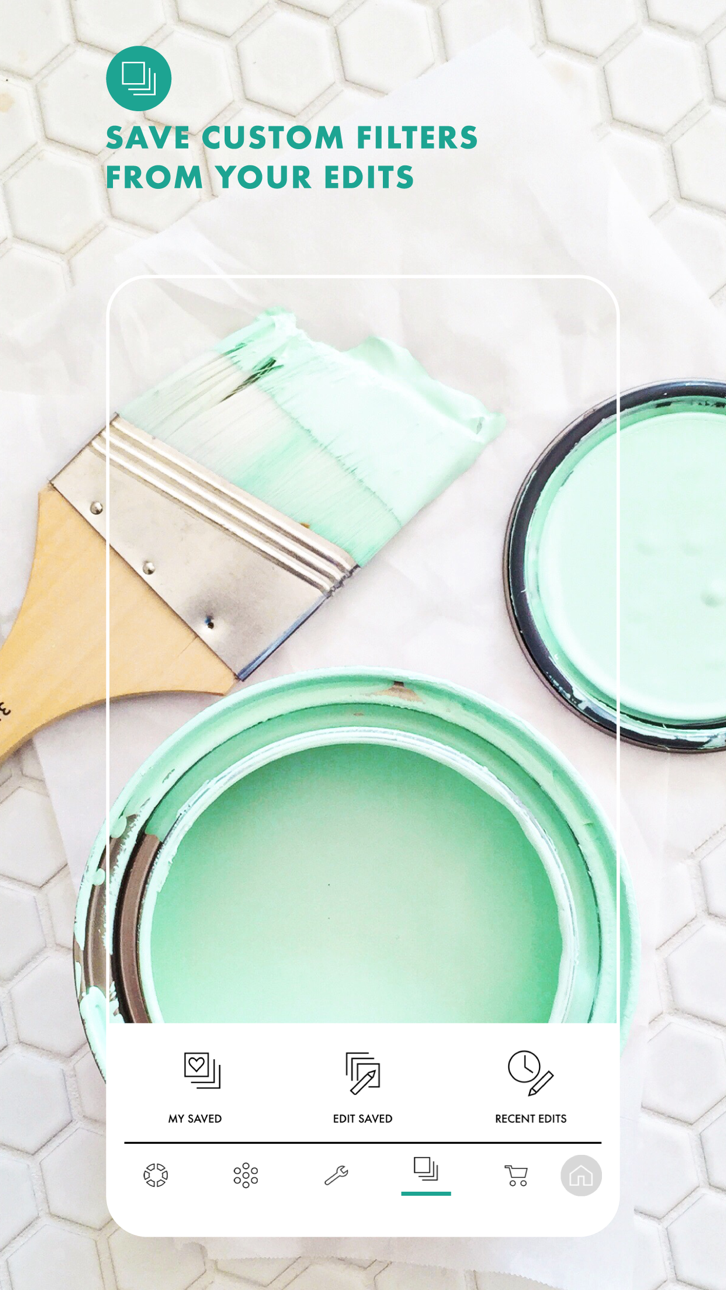
There's a reason it's been downloaded over 20 million times! Photo and video editing has never been easier than with A Color Story. Add trending Styles to your photos in just one tap or choose from over 500 stackable filters and 120 customizable effects designed by top influencers and photographers. Found a combination that you love? Save it as a custom preset and use it over and over again on your photos or videos.
Plan out your Instagram grid right in the app! Select the right filters and effects in the photo editor and preview before you post. Batch editing allows you to edit multiple photos at once, making it easier than ever to add effects to a queue of photos.
Use object removal and multiple color and tone adjustment tools to edit and perfect your photo. No more painstakingly tracing objects - remove background objects with ease! HSL sliders and curves let you adjust the color and tone of your photo or video to emphasize that golden hour glow.
A Color Story has a variety of touch tools for precise, easy editing and effects, saving you time without sacrificing professional, polished results.
Start editing your photos and videos like a pro and download A Color Story today!
TONS OF EDITING TOOLS:
• Recreate trending looks in one tap with Styles
• Over 500 filters designed by top photographers and influencers to pick from
• Choose from over 120 movable effects to emphasize and add to your photos
• Utilize over 20 advanced tools, including HSL, curves and selective editing
• Object Removal tool lets you remove background objects
EDIT HOW YOU WANT, WHEN YOU WANT
• Create your own editing presets, based on your favorite filters and effects
• Instagram grid preview and planning, right in the app
• Edit multiple photos at once with batch editing
• Edit photos and videos quickly and easily
• Touch tools for more precise editing
Get complete access with ACS+ Membership, which includes—
• Unlimited access to all our filters & effects
• Access to our Color+ tool
• Unlimited accounts added to grid planning
MEMBERSHIP PRICING, TERMS, & CONDITIONS
ACS+ Yearly:
The ACS+ Yearly membership is $29.99 USD per year. Pricing in other countries may vary, and charges may be converted to your local currency depending on the country you live in.
The ACS+ Yearly membership starts with a free 7-day trial period. Once the trial is over, you'll be charged $29.99 USD per year. Your ACS+ Yearly membership will automatically renew unless auto-renew is turned off at least 24 hours before the end of the current period. You can go to your Settings > iTunes Account & App Store > Apple ID > Subscriptions to manage your membership and turn auto-renew off. Your iTunes Account will be charged when the purchase is confirmed. Any unused portion of a free trial period will be forfeited when the user purchases a subscription during free trial.
ACS+ Monthly:
The ACS+ Monthly membership is $4.99 USD per month. Pricing in other countries may vary, and charges may be converted to your local currency depending on the country you live in.
The ACS+ Monthly membership automatically starts upon subscription and you'll be charged $4.99 USD per month. Your ACS+ Monthly membership will automatically renew unless auto-renew is turned off at least 24 hours before the end of the current period. You can go to your Settings > iTunes Account & App Store > Apple ID > Subscriptions to manage your membership and turn auto-renew off. Your iTunes Account will be charged when the purchase is confirmed. Any unused portion of a free trial period will be forfeited when the user purchases a subscription during free trial.
Read our full Terms of Use here:
https://acolorstory.com/terms-conditions/
Read our full Privacy Policy here:
https://acolorstory.com/privacy/
ภาพหน้าจอ © เจ้าของแต่ละราย · App Store


iOSGods ไม่มีความเกี่ยวข้อง ไม่ได้รับการรับรอง และไม่ได้รับการสนับสนุนจาก Apple Inc., Google LLC หรือผู้พัฒนาแอปที่แสดงไว้ที่นี่ Apple, iOS และ App Store เป็นเครื่องหมายการค้าของ Apple Inc. Android และ Google Play เป็นเครื่องหมายการค้าของ Google LLC ชื่อแอป ไอคอน ภาพ และเครื่องหมายการค้าอื่นทั้งหมดเป็นทรัพย์สินของเจ้าของแต่ละราย

- iPhone หรือ iPad ที่ไม่ได้เจลเบรก/ไม่ได้เจลเบรก หรือเจลเบรกแล้ว
- Sideloadly หรือทางเลือกอื่น
- คอมพิวเตอร์ที่ใช้ Windows/macOS/Linux และติดตั้ง iTunes ไว้
ขั้นตอนที่ 1: ดาวน์โหลดไฟล์ .IPA ที่แฮกไว้ล่วงหน้าจากลิงก์ด้านบนลงในคอมพิวเตอร์ของคุณ หากต้องการดาวน์โหลดจากแอป iOSGods โปรดดู วิธีดาวน์โหลด IPA ในแอป iOSGods ซึ่งมีตัวอย่างวิดีโอประกอบ
ขั้นตอนที่ 2: ดาวน์โหลด Sideloadly แล้วติดตั้งบน Windows หรือ Mac ของคุณ
ขั้นตอนที่ 3: เปิด Sideloadly บนคอมพิวเตอร์ เชื่อมต่ออุปกรณ์ iOS แล้วรอจนกว่าชื่ออุปกรณ์ของคุณจะปรากฏใน Sideloadly
ขั้นตอนที่ 4: เมื่อ iDevice ของคุณถูกตรวจพบแล้ว ให้ลากไฟล์ .IPA ที่ม็อดมาวางลงในโปรแกรม Sideloadly
ขั้นตอนที่ 5: กรอกอีเมล Apple Account ของคุณ จากนั้นกด "Start" ระบบจะถามรหัสผ่าน กรอกข้อมูลที่จำเป็นให้เรียบร้อย
ขั้นตอนที่ 6: รอจนกว่า Sideloadly จะ sideload/ติดตั้งไฟล์ IPA ที่แฮกเสร็จ หากเกิดปัญหาระหว่างติดตั้ง โปรดอ่านหมายเหตุด้านล่าง
ขั้นตอนที่ 7: เมื่อการติดตั้งเสร็จสิ้นและเห็นแอปบนหน้าจอหลักแล้ว ให้ไปที่ การตั้งค่า → ทั่วไป → โปรไฟล์ / VPN และการจัดการอุปกรณ์ จากนั้นแตะที่อีเมลที่คุณกรอกในขั้นตอนที่ 6 แล้วแตะ "เชื่อถือ [email protected]"
ขั้นตอนที่ 8: จากนั้นไปที่หน้าจอหลักและเปิดแอปที่ติดตั้งใหม่ ทุกอย่างควรทำงานได้ปกติ คุณอาจต้องทำตามคำแนะนำเพิ่มเติมเฉพาะแอปในป๊อปอัปของม็อดในเกม
หมายเหตุ: สำหรับ iOS/iPadOS 16 ขึ้นไป คุณต้อง เปิดโหมดนักพัฒนา (Developer Mode) สำหรับบัญชี Apple Developer แบบฟรี คุณต้องทำขั้นตอนนี้ซ้ำทุก 7 วัน หากมีคำถามหรือพบปัญหา โปรดอ่าน หัวข้อ FAQ ของ Sideloadly ในกระทู้
Game Name iOS Mod IPA is an action adventure game enhanced with powerful gameplay boosts and quality-of-life improvements. Win battles faster, earn rewards quicker, and enjoy uninterrupted play without ads.
- Unlimited Gold - spend freely to unlock premium content
- Damage Multiplier - deal significantly more damage in combat
- Defense Multiplier - take less damage and survive longer
- Reward Multiplier - earn more loot from every battle
- Max Level - instantly reach the highest player rank
- No Ads - play without interruptions or advertisements
This app also comes with iGameGod, giving you access to Auto Touch to automate repetitive tasks, App Speed Manager for adjustable gameplay speed, Memory Engine value editing, and more powerful iOS game tools.
ดาวน์โหลด Game Name Mod IPA จากลิงก์ด้านบน แตะปุ่มติดตั้งและทำตามคำแนะนำบนหน้าจอเพื่อติดตั้งแฮ็กแอป iOS นี้บน iPhone, iPad หรือ Apple Silicon
ต้องการความช่วยเหลือเพิ่มเติม ดู คำถามที่พบบ่อยของแอป iOSGods สำหรับคำตอบโดยละเอียดและเคล็ดลับการแก้ไขปัญหา
----------------------------------------------------------
--------------------------------------------------