Cần đăng nhập
Đăng nhập bằng tài khoản iOSGods để tiếp tục.
Đăng nhập bằng tài khoản iOSGods để tiếp tục.
- Instant Win → Battle Setting → Resign
- Freeze Battle Gold
- Freeze Mana
- No Skills Cooldown
Ứng dụng này cũng đi kèm với iGameGod, cho phép bạn truy cập Auto Touch để tự động hóa các thao tác lặp lại, App Speed Manager để điều chỉnh tốc độ chơi game, chỉnh sửa giá trị bằng Memory Engine, và nhiều công cụ mạnh mẽ khác cho game iOS.
Tải Stick War: Saga Hack modded IPA từ các liên kết ở trên. Nhấn nút cài đặt và làm theo hướng dẫn để cài bản hack iOS lên iPhone, iPad hoặc Apple Silicon.
Cần thêm trợ giúp? Hãy xem Câu hỏi thường gặp ứng dụng iOSGods để có câu trả lời chi tiết và mẹo khắc phục sự cố.
Real-Time Multiplayer Strategy
PVP Matches.
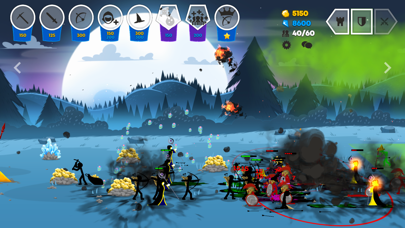
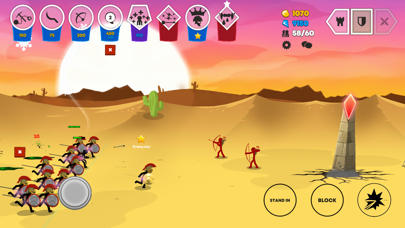
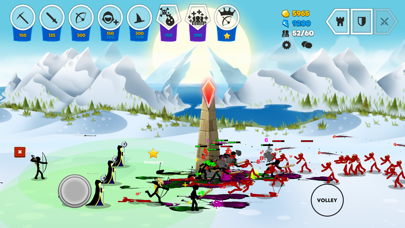
• Take control of any unit at any time!
• No “Pay for Power”!
Team up with friends!
• 2v2 Matches
• Add your friends and battle it out!
Single Player Modes:
• Huge ever expanding campaign!
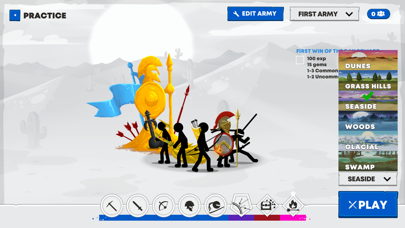
• Practice your strategies vs AI’s
Custom Armies
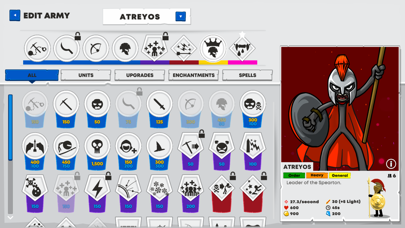
Build your own Battle Decks
• Collect and unlock from a growing selection of Army types.
• Add Upgrades to your deck and research powerful army bonuses.
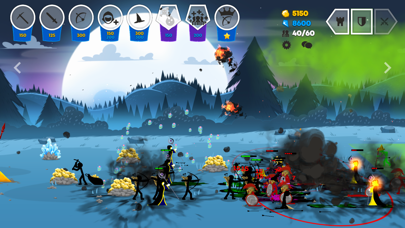
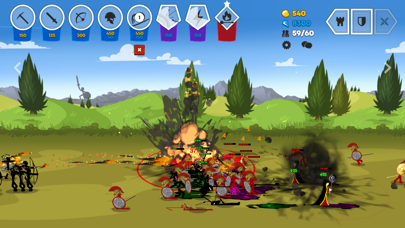
• Enhancements such as the “Rune of Reanimation”: will cause any poisoned enemy units to respawn as Zombies! Or as you will know them “Deads!”.
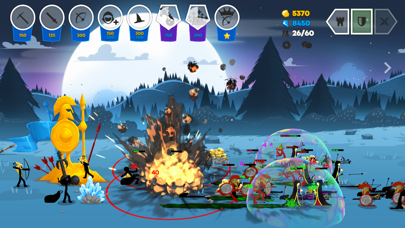
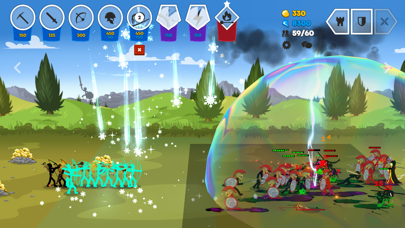
• Choose from spells such as a giant bubble that blocks incoming projectiles, or “Snow Squall” to freeze entire legions!
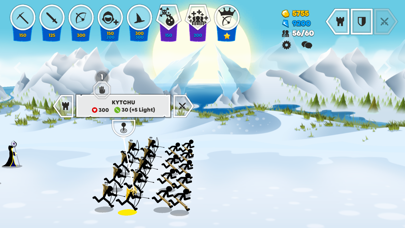
• Generals of each of the major nations are now available to add. Play as “Prince Atreyos” leader of the Speartons or “Princess Kytchu” bowmaster of the Archidons.
Customize your Battlefield
• Custom your troops with unique Skins!
• Custom Statues! Shiny Gold!
• Custom voice-lines and Emotes.
Live Replays
• Watch and share games.
• Pause, rewind, fast forward replays.
• Watch games from any of the players' views.
Massive Growing Campaign *In Development for release early 2022*
• An expansive campaign with multiple chapters being developed
• Fully animated comic book, music video style cut scenes.
Huge Storylines and in-depth world:
• The Order Empire led by King Zarek and brother, Zilaros the Royal Hand, have finally defeated the Chaos Empire. Together you discover Medusa has been slain. What lay hidden in the depths of her keep will set you on the adventure of a lifetime. Your reward: strategy, and war!
In a world called Inamorta where weapons are religion the struggle for dominance continues. The classic cast of nations still thrive. The Swordwrath, Speartons, Archidons, Magikill, and the Giants are joined by many other nations, each with their own unique fighting style such as the “Sicklewrath", from simple farmers to deadly splash damage warriors. The Chaos Empires, ranged unit “Eclipsors” are flying bat-like creatures raining arrows from above. “Shadowrath” are ninja assassins and these are only a small taste.

- iPhone hoặc iPad chưa jailbreak/đã đóng hoặc đã jailbreak.
- Sideloadly hoặc các lựa chọn thay thế.
- Máy tính chạy Windows/macOS/Linux đã cài iTunes.
BƯỚC 1: Tải tệp .IPA đã được hack sẵn từ liên kết phía trên về máy tính của bạn. Để tải từ iOSGods App, hãy xem Hướng dẫn tải IPA bằng iOSGods App của chúng tôi, có kèm ví dụ bằng video.
BƯỚC 2: Tải Sideloadly và cài đặt trên Windows hoặc Mac của bạn.
BƯỚC 3: Mở Sideloadly trên máy tính, kết nối thiết bị iOS của bạn và chờ cho đến khi tên thiết bị hiển thị trong Sideloadly.
BƯỚC 4: Khi thiết bị iOS của bạn đã được nhận diện, hãy kéo tệp .IPA đã chỉnh sửa mà bạn tải về và thả vào ứng dụng Sideloadly.
BƯỚC 5: Nhập email Apple Account của bạn, sau đó nhấn "Start." Bạn sẽ được yêu cầu nhập mật khẩu. Hãy cung cấp các thông tin cần thiết.
BƯỚC 6: Chờ Sideloadly hoàn tất quá trình sideload/cài đặt tệp IPA đã hack. Nếu gặp sự cố trong quá trình cài đặt, vui lòng đọc lưu ý bên dưới.
BƯỚC 7: Khi cài đặt hoàn tất và bạn thấy ứng dụng trên Màn hình chính, bạn cần truy cập Cài đặt → Cài đặt chung → Hồ sơ / VPN & Quản lý thiết bị. Tại đó, nhấn vào email bạn đã nhập ở bước 6, rồi nhấn "Tin cậy [email protected]".
BƯỚC 8: Bây giờ hãy về Màn hình chính và mở ứng dụng vừa cài đặt, mọi thứ sẽ hoạt động bình thường. Bạn có thể cần làm theo hướng dẫn riêng của từng ứng dụng trong cửa sổ popup của bản hack trong game.
LƯU Ý: Trên iOS/iPadOS 16 trở lên, bạn phải bật Chế độ nhà phát triển. Với tài khoản Apple Developer miễn phí, bạn sẽ cần lặp lại quy trình này mỗi 7 ngày. Nếu bạn có thắc mắc hoặc gặp sự cố, hãy đọc mục FAQ về Sideloadly trong chủ đề của chúng tôi.