تسجيل الدخول مطلوب
سجّل الدخول بحساب iOSGods للمتابعة.
سجّل الدخول بحساب iOSGods للمتابعة.
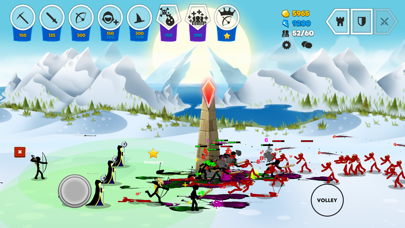
- Instant Win → Battle Setting → Resign
- Freeze Battle Gold
- Freeze Mana
- No Skills Cooldown
يأتي هذا التطبيق أيضًا مع iGameGod، مما يتيح لك الوصول إلى Auto Touch لأتمتة المهام المتكررة، وApp Speed Manager لضبط سرعة اللعب، وتعديل القيم عبر Memory Engine، والمزيد من أدوات ألعاب iOS القوية.
قم بتنزيل Stick War: Saga Hack modded IPA من الروابط أعلاه. اضغط على زر التثبيت واتبع التعليمات لتثبيت هذا التعديل لـ iOS على iPhone أو iPad أو Apple Silicon.
هل تحتاج إلى مزيد من المساعدة؟ راجع الأسئلة الشائعة لتطبيق iOSGods للحصول على إجابات مفصلة ونصائح لاستكشاف الأخطاء.
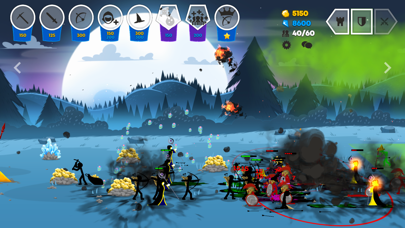
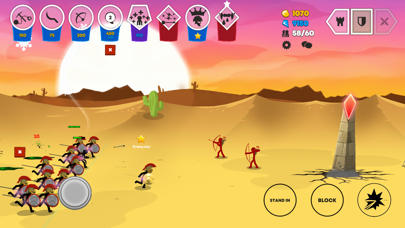
Real-Time Multiplayer Strategy
PVP Matches.
• Take control of any unit at any time!
• No “Pay for Power”!
Team up with friends!
• 2v2 Matches
• Add your friends and battle it out!
Single Player Modes:
• Huge ever expanding campaign!
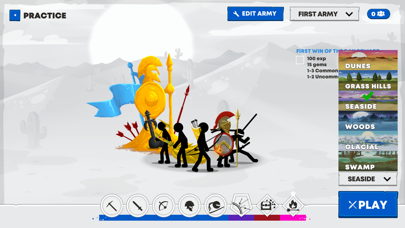
• Practice your strategies vs AI’s
Custom Armies
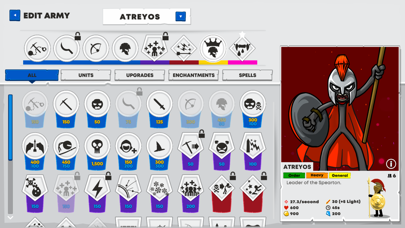
Build your own Battle Decks
• Collect and unlock from a growing selection of Army types.
• Add Upgrades to your deck and research powerful army bonuses.
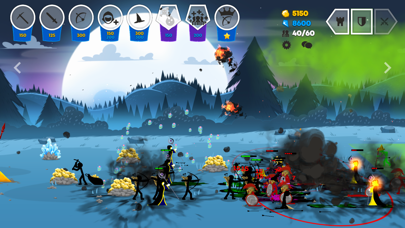
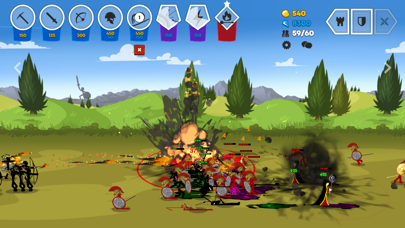
• Enhancements such as the “Rune of Reanimation”: will cause any poisoned enemy units to respawn as Zombies! Or as you will know them “Deads!”.
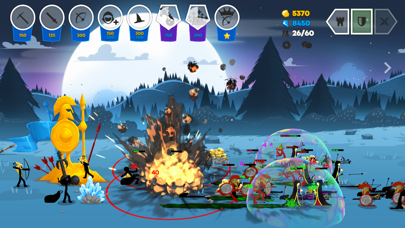
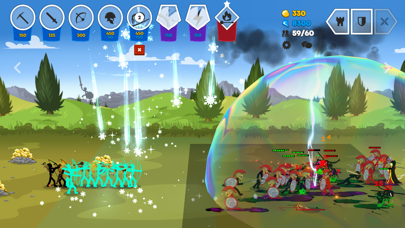
• Choose from spells such as a giant bubble that blocks incoming projectiles, or “Snow Squall” to freeze entire legions!
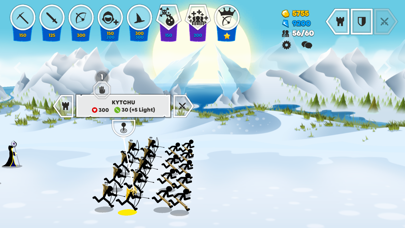
• Generals of each of the major nations are now available to add. Play as “Prince Atreyos” leader of the Speartons or “Princess Kytchu” bowmaster of the Archidons.
Customize your Battlefield
• Custom your troops with unique Skins!
• Custom Statues! Shiny Gold!
• Custom voice-lines and Emotes.
Live Replays
• Watch and share games.
• Pause, rewind, fast forward replays.
• Watch games from any of the players' views.
Massive Growing Campaign *In Development for release early 2022*
• An expansive campaign with multiple chapters being developed
• Fully animated comic book, music video style cut scenes.
Huge Storylines and in-depth world:
• The Order Empire led by King Zarek and brother, Zilaros the Royal Hand, have finally defeated the Chaos Empire. Together you discover Medusa has been slain. What lay hidden in the depths of her keep will set you on the adventure of a lifetime. Your reward: strategy, and war!
In a world called Inamorta where weapons are religion the struggle for dominance continues. The classic cast of nations still thrive. The Swordwrath, Speartons, Archidons, Magikill, and the Giants are joined by many other nations, each with their own unique fighting style such as the “Sicklewrath", from simple farmers to deadly splash damage warriors. The Chaos Empires, ranged unit “Eclipsors” are flying bat-like creatures raining arrows from above. “Shadowrath” are ninja assassins and these are only a small taste.

- iPhone أو iPad بجيلبريك أو بدون جيلبريك.
- Sideloadly أو بدائلها.
- كمبيوتر يعمل بنظام Windows/macOS/Linux مع تثبيت iTunes.
الخطوة 1: قم بتنزيل ملف .IPA المعدّل مسبقًا من الرابط أعلاه إلى الكمبيوتر الخاص بك. للتنزيل من تطبيق iOSGods App، اطلع على دليل تنزيل IPA من تطبيق iOSGods App الذي يتضمن مثالًا بالفيديو.
الخطوة 2: قم بتنزيل Sideloadly وتثبيته على جهاز Windows أو Mac.
الخطوة 3: افتح Sideloadly على الكمبيوتر، ووصّل جهاز iOS الخاص بك، وانتظر حتى يظهر اسم جهازك داخل Sideloadly.
الخطوة 4: بمجرد التعرّف على جهاز iDevice الخاص بك، اسحب ملف .IPA المعدّل الذي قمت بتنزيله وأفلِته داخل تطبيق Sideloadly.
الخطوة 5: أدخل البريد الإلكتروني لحساب Apple Account الخاص بك، ثم اضغط على «Start». سيُطلب منك بعد ذلك إدخال كلمة المرور. تابع وأدخل المعلومات المطلوبة.
الخطوة 6: انتظر حتى ينتهي Sideloadly من تحميل/تثبيت ملف IPA المعدّل. في حال واجهت أي مشاكل أثناء التثبيت، يرجى قراءة الملاحظة أدناه.
الخطوة 7: بعد اكتمال التثبيت ورؤية التطبيق على الشاشة الرئيسية، انتقل إلى Settings → General → Profiles / VPN & Device Management. ثم اضغط على البريد الإلكتروني الذي أدخلته في الخطوة 6، ثم اضغط على «الوثوق بـ [email protected]».
الخطوة 8: الآن انتقل إلى الشاشة الرئيسية وافتح التطبيق الذي تم تثبيته للتو وسيعمل كل شيء بشكل صحيح. قد تحتاج إلى اتباع تعليمات إضافية خاصة بكل تطبيق داخل النافذة المنبثقة للتعديل أثناء اللعب.
ملاحظة: بدءًا من iOS/iPadOS 16 وما بعده، يجب تفعيل وضع المطور (Developer Mode). بالنسبة لحسابات Apple Developer المجانية، ستحتاج إلى تكرار هذه العملية كل 7 أيام. إذا كانت لديك أي أسئلة أو مشاكل، يرجى قراءة قسم الأسئلة الشائعة حول Sideloadly في الموضوع.