تسجيل الدخول مطلوب
سجّل الدخول بحساب iOSGods للمتابعة.
Hack Features:
- Unlimited Studs -> Die and you'll gain loads of studs.
- God Mode
- Free In-App Purchases
يأتي هذا التطبيق مع iGameGod، مما يتيح لك الوصول إلى Auto Touch لأتمتة المهام المتكررة، وApp Speed Manager لضبط سرعة اللعب، وتعديل القيم عبر Memory Engine، والمزيد من أدوات ألعاب iOS القوية.
قم بتنزيل LEGO® Star Wars™: TCS Hack modded IPA من الروابط أعلاه. اضغط على زر التثبيت واتبع التعليمات لتثبيت هذا التعديل لـ iOS على iPhone أو iPad أو Apple Silicon.
هل تحتاج إلى مزيد من المساعدة؟ راجع الأسئلة الشائعة لتطبيق iOSGods للحصول على إجابات مفصلة ونصائح لاستكشاف الأخطاء.
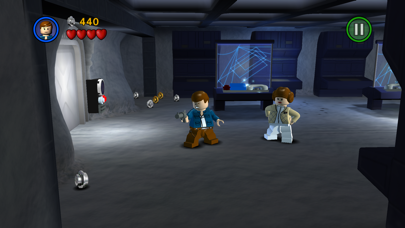
LEGO® Star Wars™: The Complete Saga is available on iOS for the first time!
***Episode I Story Mode is FREE for a limited time.***
**Episodes II – VI and other content available via in-app purchases.**
Experience the entire collection that combines the original LEGO Star Wars: The Video Game and the sequel LEGO Star Wars II: The Original Trilogy for hours of epic Star Wars content and fun gameplay all from your iOS device! Begin your adventure in Star Wars: Episode I The Phantom Menace and journey through all six episodes in the whimsical style and humor of LEGO. May the bricks be with you!
This game is filled with content! You’ll need 1.44gb of available space on your device if you install over wifi, but only 735mb of space if you download on your computer and then sync.
As with many large app installations, we advise that you restart your device after installing as this will resolve some stability issues. Also make sure you have installed the most recent firmware.
When re-installing the App, please select ‘Restore All Purchases’ from the main menu and allow a few moments to ensure your purchases have become active.
This is a high memory usage app. If you have performance issues, try closing down background apps or restarting the device.
FEATURES:
36 STORY MODE LEVELS + BONUS CONTENT
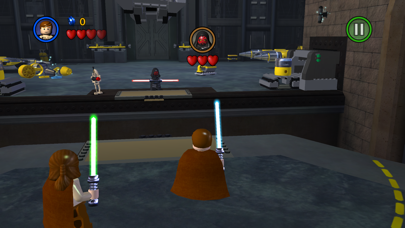
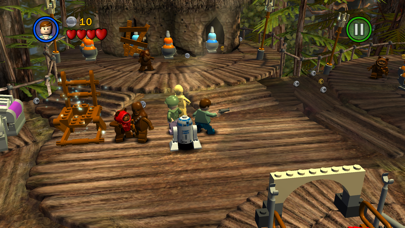
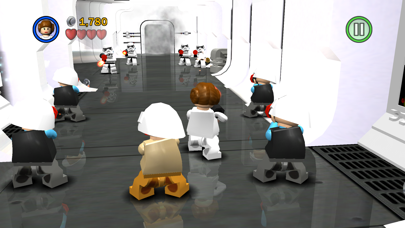
From the Trade Federation’s “negotiations” with Obi-Wan Kenobi and Qui-Gon Jinn in The Phantom Menace to the space battle above Endor in Return of the Jedi, play the most memorable and exhilarating scenes from your favorite episodes. Also unlock special bonus content featuring Bounty Hunter missions, a special Challenge Mode, Arcade Levels, and more!
OVER 120 CHARACTERS
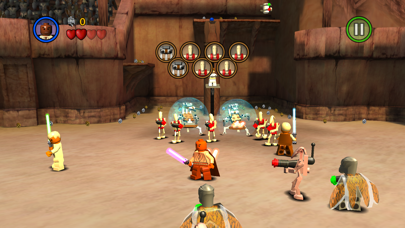
Play as your favorite Jedi Knight or Sith Lord! There are over 120 playable characters to unlock, including Luke Skywalker, Darth Vader, Han Solo, and Boba Fett.
FORCE POWERS
Which side of the Force will you use? Both dark and light side characters have their own unique Force abilities. Will you use a Force Throw to defeat the Jedi or choose your Lightsaber and Force Push to take down the evil Empire?
LEGO STYLE GAMEPLAY
Smash objects into LEGO bricks and switch characters on the fly as you play through different story levels. Create your own Star Wars character mash-ups like Han Windu and Lando Amidala!
DYNAMIC CONTROL STYLES
Switch between “Classic” and “Touch Screen” controls to find the play-style that suits you best.
If you enjoy LEGO games, be sure to check out LEGO Batman: DC Super Heroes, LEGO The Lord of the Rings, LEGO Harry Potter: Years 1-4 and Years 5-7, and LEGO Friends.
- iPhone أو iPad بجيلبريك أو بدون جيلبريك.
- Sideloadly أو بدائلها.
- كمبيوتر يعمل بنظام Windows/macOS/Linux مع تثبيت iTunes.
الخطوة 1: قم بتنزيل ملف .IPA المعدّل مسبقًا من الرابط أعلاه إلى الكمبيوتر الخاص بك. للتنزيل من تطبيق iOSGods App، اطلع على دليل تنزيل IPA من تطبيق iOSGods App الذي يتضمن مثالًا بالفيديو.
الخطوة 2: قم بتنزيل Sideloadly وتثبيته على جهاز Windows أو Mac.
الخطوة 3: افتح Sideloadly على الكمبيوتر، ووصّل جهاز iOS الخاص بك، وانتظر حتى يظهر اسم جهازك داخل Sideloadly.
الخطوة 4: بمجرد التعرّف على جهاز iDevice الخاص بك، اسحب ملف .IPA المعدّل الذي قمت بتنزيله وأفلِته داخل تطبيق Sideloadly.
الخطوة 5: أدخل البريد الإلكتروني لحساب Apple Account الخاص بك، ثم اضغط على «Start». سيُطلب منك بعد ذلك إدخال كلمة المرور. تابع وأدخل المعلومات المطلوبة.
الخطوة 6: انتظر حتى ينتهي Sideloadly من تحميل/تثبيت ملف IPA المعدّل. في حال واجهت أي مشاكل أثناء التثبيت، يرجى قراءة الملاحظة أدناه.
الخطوة 7: بعد اكتمال التثبيت ورؤية التطبيق على الشاشة الرئيسية، انتقل إلى Settings → General → Profiles / VPN & Device Management. ثم اضغط على البريد الإلكتروني الذي أدخلته في الخطوة 6، ثم اضغط على «الوثوق بـ [email protected]».
الخطوة 8: الآن انتقل إلى الشاشة الرئيسية وافتح التطبيق الذي تم تثبيته للتو وسيعمل كل شيء بشكل صحيح. قد تحتاج إلى اتباع تعليمات إضافية خاصة بكل تطبيق داخل النافذة المنبثقة للتعديل أثناء اللعب.
ملاحظة: بدءًا من iOS/iPadOS 16 وما بعده، يجب تفعيل وضع المطور (Developer Mode). بالنسبة لحسابات Apple Developer المجانية، ستحتاج إلى تكرار هذه العملية كل 7 أيام. إذا كانت لديك أي أسئلة أو مشاكل، يرجى قراءة قسم الأسئلة الشائعة حول Sideloadly في الموضوع.