Inicio de sesión requerido
Inicia sesión con tu cuenta de iOSGods para continuar.
Hack Features:
- Unlimited Studs -> Die and you'll gain loads of studs.
- God Mode
- Free In-App Purchases
Descarga LEGO® Star Wars™: TCS Hack modded IPA desde los enlaces de arriba. Toca el botón de instalación y sigue las instrucciones para instalar este hack iOS en tu iPhone, iPad o Mac con Apple Silicon.
¿Necesitas más ayuda? Consulta nuestras Preguntas frecuentes de la app iOSGods para respuestas detalladas y consejos de solución de problemas.
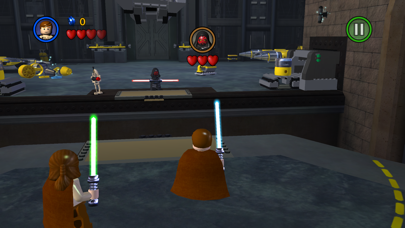
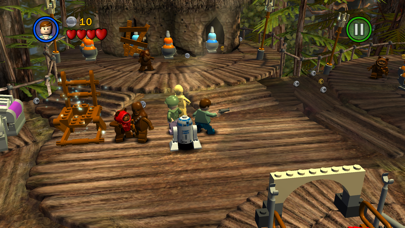
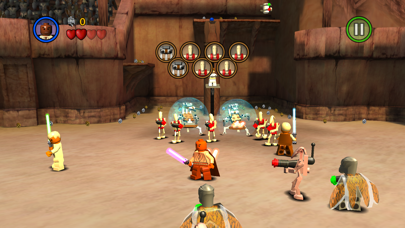
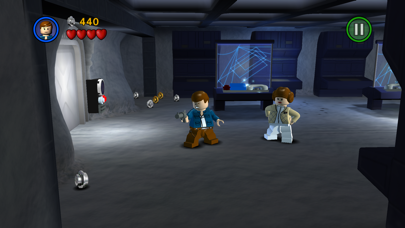
LEGO® Star Wars™: The Complete Saga is available on iOS for the first time!
***Episode I Story Mode is FREE for a limited time.***
**Episodes II – VI and other content available via in-app purchases.**
Experience the entire collection that combines the original LEGO Star Wars: The Video Game and the sequel LEGO Star Wars II: The Original Trilogy for hours of epic Star Wars content and fun gameplay all from your iOS device! Begin your adventure in Star Wars: Episode I The Phantom Menace and journey through all six episodes in the whimsical style and humor of LEGO. May the bricks be with you!
This game is filled with content! You’ll need 1.44gb of available space on your device if you install over wifi, but only 735mb of space if you download on your computer and then sync.
As with many large app installations, we advise that you restart your device after installing as this will resolve some stability issues. Also make sure you have installed the most recent firmware.
When re-installing the App, please select ‘Restore All Purchases’ from the main menu and allow a few moments to ensure your purchases have become active.
This is a high memory usage app. If you have performance issues, try closing down background apps or restarting the device.
FEATURES:
36 STORY MODE LEVELS + BONUS CONTENT
From the Trade Federation’s “negotiations” with Obi-Wan Kenobi and Qui-Gon Jinn in The Phantom Menace to the space battle above Endor in Return of the Jedi, play the most memorable and exhilarating scenes from your favorite episodes. Also unlock special bonus content featuring Bounty Hunter missions, a special Challenge Mode, Arcade Levels, and more!
OVER 120 CHARACTERS
Play as your favorite Jedi Knight or Sith Lord! There are over 120 playable characters to unlock, including Luke Skywalker, Darth Vader, Han Solo, and Boba Fett.
FORCE POWERS
Which side of the Force will you use? Both dark and light side characters have their own unique Force abilities. Will you use a Force Throw to defeat the Jedi or choose your Lightsaber and Force Push to take down the evil Empire?
LEGO STYLE GAMEPLAY
Smash objects into LEGO bricks and switch characters on the fly as you play through different story levels. Create your own Star Wars character mash-ups like Han Windu and Lando Amidala!
DYNAMIC CONTROL STYLES
Switch between “Classic” and “Touch Screen” controls to find the play-style that suits you best.
If you enjoy LEGO games, be sure to check out LEGO Batman: DC Super Heroes, LEGO The Lord of the Rings, LEGO Harry Potter: Years 1-4 and Years 5-7, and LEGO Friends.
- iPhone o iPad con o sin Jailbreak.
- Sideloadly u otras alternativas.
- Ordenador con Windows/macOS/Linux e iTunes instalado.
PASO 1: Descargue el archivo .IPA pre-modificado desde el enlace de arriba a su ordenador. Para descargarlo desde la iOSGods App, consulte nuestro Tutorial de descarga del IPA desde la iOSGods App, que incluye un ejemplo en vídeo.
PASO 2: Descargue Sideloadly e instálelo en su Windows o Mac.
PASO 3: Abra Sideloadly en su ordenador, conecte su dispositivo iOS y espere hasta que el nombre del dispositivo aparezca en Sideloadly.
PASO 4: Una vez que su iDevice sea reconocido, arrastre el archivo .IPA modificado que descargó y suéltelo en la aplicación Sideloadly.
PASO 5: Introduzca el correo electrónico de su Apple Account y, a continuación, pulse «Start». Le pedirá que introduzca su contraseña. Proporcione la información solicitada.
PASO 6: Espere a que Sideloadly termine de hacer sideload/instalar el IPA modificado. Si surgen problemas durante la instalación, por favor lea la nota a continuación.
PASO 7: Una vez completada la instalación y al ver la app en la pantalla de inicio, deberá ir a Ajustes → General → Perfiles / VPN y Gestión de Dispositivos. Una vez allí, toque el correo electrónico que introdujo en el paso 6 y, después, toque en «Confiar en [email protected]».
PASO 8: Ahora vaya a la pantalla de inicio y abra la app recién instalada; todo debería funcionar correctamente. Es posible que tenga que seguir instrucciones adicionales específicas de cada app dentro del popup del hack en el juego.
NOTA: En iOS/iPadOS 16 y posteriores, debe activar el Modo Desarrollador. Para cuentas gratuitas de Apple Developer, deberá repetir este proceso cada 7 días. Si tiene alguna pregunta o problema, lea nuestra sección de Preguntas Frecuentes de Sideloadly del tema.