Anmeldung erforderlich
Melden Sie sich mit Ihrem iOSGods-Konto an, um fortzufahren.
Hack Features:
- Unlimited Studs -> Die and you'll gain loads of studs.
- God Mode
- Free In-App Purchases
Laden Sie LEGO® Star Wars™: TCS Hack modded IPA über die obigen Links herunter. Tippen Sie auf den Installations-Button und folgen Sie den Anweisungen, um diese iOS-App auf Ihrem iPhone, iPad oder Apple Silicon zu installieren.
Brauchen Sie mehr Hilfe? In unseren iOSGods App häufig gestellten Fragen finden Sie ausführliche Antworten und Tipps zur Fehlerbehebung.
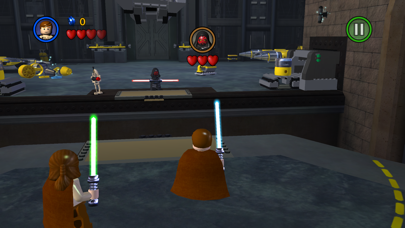
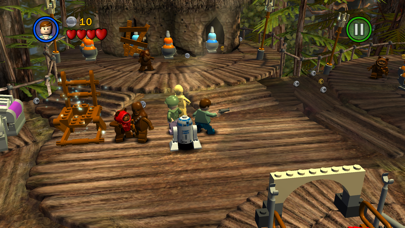
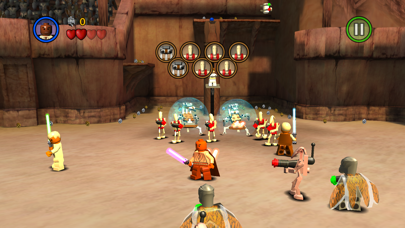
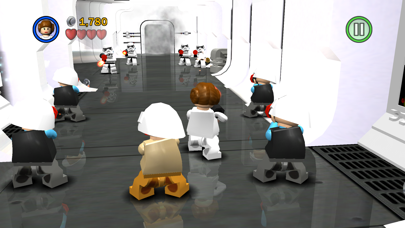
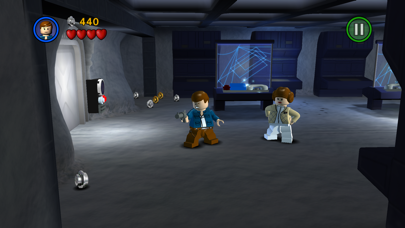
LEGO® Star Wars™: The Complete Saga is available on iOS for the first time!
***Episode I Story Mode is FREE for a limited time.***
**Episodes II – VI and other content available via in-app purchases.**
Experience the entire collection that combines the original LEGO Star Wars: The Video Game and the sequel LEGO Star Wars II: The Original Trilogy for hours of epic Star Wars content and fun gameplay all from your iOS device! Begin your adventure in Star Wars: Episode I The Phantom Menace and journey through all six episodes in the whimsical style and humor of LEGO. May the bricks be with you!
This game is filled with content! You’ll need 1.44gb of available space on your device if you install over wifi, but only 735mb of space if you download on your computer and then sync.
As with many large app installations, we advise that you restart your device after installing as this will resolve some stability issues. Also make sure you have installed the most recent firmware.
When re-installing the App, please select ‘Restore All Purchases’ from the main menu and allow a few moments to ensure your purchases have become active.
This is a high memory usage app. If you have performance issues, try closing down background apps or restarting the device.
FEATURES:
36 STORY MODE LEVELS + BONUS CONTENT
From the Trade Federation’s “negotiations” with Obi-Wan Kenobi and Qui-Gon Jinn in The Phantom Menace to the space battle above Endor in Return of the Jedi, play the most memorable and exhilarating scenes from your favorite episodes. Also unlock special bonus content featuring Bounty Hunter missions, a special Challenge Mode, Arcade Levels, and more!
OVER 120 CHARACTERS
Play as your favorite Jedi Knight or Sith Lord! There are over 120 playable characters to unlock, including Luke Skywalker, Darth Vader, Han Solo, and Boba Fett.
FORCE POWERS
Which side of the Force will you use? Both dark and light side characters have their own unique Force abilities. Will you use a Force Throw to defeat the Jedi or choose your Lightsaber and Force Push to take down the evil Empire?
LEGO STYLE GAMEPLAY
Smash objects into LEGO bricks and switch characters on the fly as you play through different story levels. Create your own Star Wars character mash-ups like Han Windu and Lando Amidala!
DYNAMIC CONTROL STYLES
Switch between “Classic” and “Touch Screen” controls to find the play-style that suits you best.
If you enjoy LEGO games, be sure to check out LEGO Batman: DC Super Heroes, LEGO The Lord of the Rings, LEGO Harry Potter: Years 1-4 and Years 5-7, and LEGO Friends.
- Nicht-Jailbroken/Jailed oder Jailbroken iPhone oder iPad.
- Sideloadly oder Alternativen.
- Computer mit Windows/macOS/Linux und installiertem iTunes.
SCHRITT 1: Laden Sie die vorinstallierte .IPA-Datei über den obigen Link auf Ihren Computer herunter. Zum Herunterladen aus der iOSGods-App siehe unser iOSGods App IPA Download-Tutorial mit Videobeispiel.
SCHRITT 2: Laden Sie Sideloadly herunter und installieren Sie es auf Ihrem Windows oder Mac.
SCHRITT 3: Öffnen Sie Sideloadly auf Ihrem Computer, verbinden Sie Ihr iOS-Gerät und warten Sie, bis Ihr Gerätename in Sideloadly erscheint.
SCHRITT 4: Sobald Ihr iDevice erkannt wird, ziehen Sie die heruntergeladene gemoddete .IPA-Datei in die Sideloadly-Anwendung.
SCHRITT 5: Geben Sie Ihre Apple-Account-E-Mail ein und drücken Sie „Start". Sie werden dann nach Ihrem Passwort gefragt. Geben Sie die erforderlichen Informationen ein.
SCHRITT 6: Warten Sie, bis Sideloadly das Sideloading/Installieren der gehackten IPA abgeschlossen hat. Bei Problemen während der Installation lesen Sie bitte den Hinweis unten.
SCHRITT 7: Sobald die Installation abgeschlossen ist und die App auf Ihrem Home-Bildschirm angezeigt wird, müssen Sie zu Einstellungen → Allgemein → Profile / VPN & Geräteverwaltung gehen. Tippen Sie dort auf die E-Mail, die Sie in Schritt 6 eingegeben haben, und dann auf „Trust [email protected]".
SCHRITT 8: Gehen Sie nun zu Ihrem Home-Bildschirm und öffnen Sie die neu installierte App – alles sollte einwandfrei funktionieren. Möglicherweise müssen Sie weitere App-spezifische Anweisungen im Hack-Popup im Spiel befolgen.
HINWEIS: iOS/iPadOS 16 und höher: Sie müssen den Entwicklermodus aktivieren. Bei kostenlosen Apple Developer-Accounts müssen Sie diesen Vorgang alle 7 Tage wiederholen. Bei Fragen oder Problemen lesen Sie bitte unsere Sideloadly-FAQ-Sektion im Thema.