Anmeldung erforderlich
Melde dich mit deinem iOSGods-Konto an, um fortzufahren.
Melde dich mit deinem iOSGods-Konto an, um fortzufahren.

Lerne schneller Klavier spielen mit Simply Piano: Learn Piano Fast iOS Mod IPA, einem kostenlosen Hack, der Premium-Kurse für beschleuunigtes Musiklernen freischaltet. Diese modifizierte Version entfernt Kurs-Paywalls und ermöglicht dir sofortigen Zugriff auf den vollständigen Lehrplan, damit du in deinem eigenen Tempo üben kannst, ohne Abonnementbarrieren.
- Alle Kurse freigeschaltet (Aktiviere zuerst im Mod-Menü) → Zugriff auf den kompletten Lehrplan ohne Paywalls
HINWEIS: Du musst dich in deinem Simply Piano-Konto anmelden, damit es funktioniert. Ein Gastkonto funktioniert nicht. Wenn du Absturzprobleme hast, verwende Sideloadly
https://www.youtube.com/watch?v=hjbi8BsBLi8
Diese App wird zusätzlich mit iGameGod geliefert und bietet dir Zugriff auf Auto Touch zur Automatisierung sich wiederholender Aufgaben, App Speed Manager für eine anpassbare Spielgeschwindigkeit, Memory Engine zur Wertbearbeitung und weitere leistungsstarke iOS-Spielwerkzeuge.
Lade Simply Piano: Learn Piano Fast iOS Mod IPA über die obigen Links herunter. Tippe auf den Installations-Button und folge den Anweisungen, um diese iOS-App auf deinem iPhone, iPad oder Apple Silicon zu installieren.
Brauchst du mehr Hilfe? In unseren iOSGods App häufig gestellten Fragen findest du ausführliche Antworten und Tipps zur Fehlerbehebung.
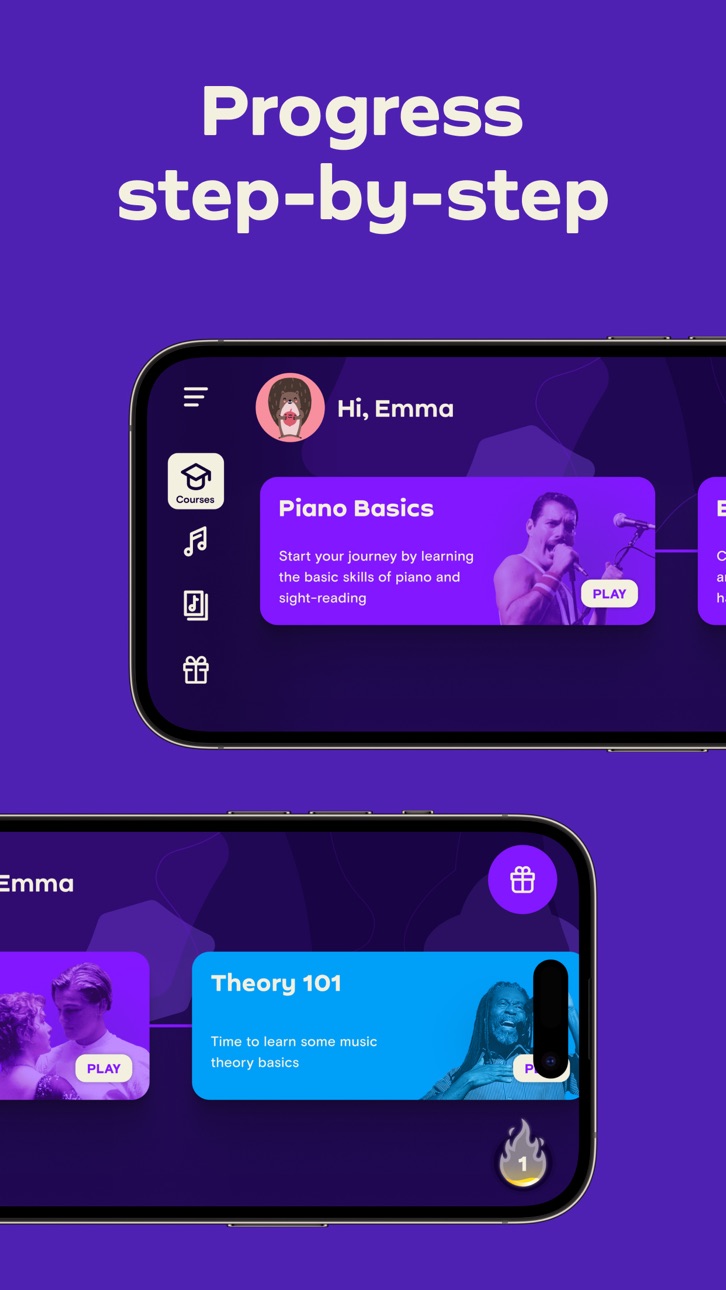
Simply Piano is a fast and fun way to learn piano, from beginner to pro. Works with any piano or keyboard. Chosen as one of the best iPhone apps.
- Tons of fun songs like Imagine, Chandelier, All Of Me and Counting Stars, also J.S. Bach
- Includes courses for different musical tastes and playing levels
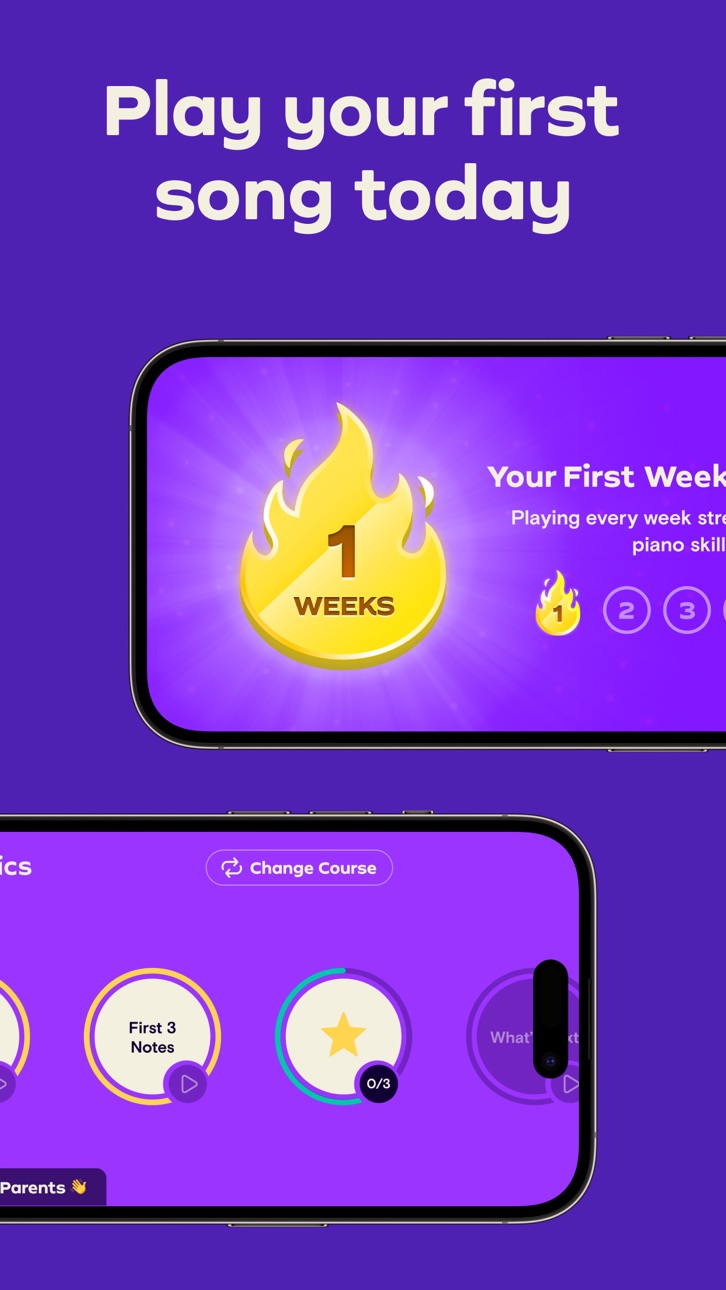
- Learn the basics step-by-step from reading sheet music to playing with both hands
- Slow down library songs to choose your own pace for easy learning
- Personalized 5-Min Workouts ensuring you progress fast and always succeed
- Suitable for all ages, no previous knowledge required to learn piano
No Piano? Try the Touch Courses with 3D Touch to turn your device into an on-screen keyboard!
How it works:
- Place your device (iPhone/iPad/iPod) on your acoustic/MIDI piano or keyboard and play; the app will immediately recognize what you are playing
- Get instant feedback on your playing to quickly learn and improve your piano skills
- Discover the magic of music with fun songs in the Library and complete courses to start sounding like a pro
How the Subscription Works:
- All app users can play two free courses. Upgrade to a premium subscription package at any time.
- Subscribers will receive full access to ALL courses. New courses and songs added every month!
- All recurring subscriptions will auto-renew unless auto-renewal is turned off at least 24 hours before the end of the current period.
- Account will be charged for renewal within 24-hours prior to the end of the current period, at the cost of the chosen package.
- Any unused portion of a free trial period, if offered, will be forfeited when the user purchases a subscription to that publication, where applicable.
- Subscriptions may be managed by the user and auto-renewal may be turned off by going to the user's Account Settings after purchase.
- Your subscription is for your iTunes account and can be used on your iOS device.
- Payments will be charged to your iTunes account at confirmation of purchase.
- Subscriptions cannot be cancelled during the active subscription period.
Simply Piano is developed by Simply, creators of award-winning apps Simply Guitar, Simply Sing, Piano Maestro and Piano Dust Buster. Created by music educators, the apps are used by tens of thousands of music teachers worldwide with over 1 million songs learned every week. Simply are experts in creating educational and fun music apps for learning piano quickly and easily.
Awards & Recognition -
- ""EMI’s Innovation Challenge”
- ""World Summit Award"", by the United Nations
- “Best Tools for Beginners”, NAMM
- ""Best Tablet Game"", GameIS
- “Parents' Choice Award”
- “Golden App”, Apps for Homeschooling
Have questions, feedback or suggestions? Reach out to us via the in-app chat, just tap on Settings and ‘Have a Question’.
Enjoy Playing!
Screenshots © der jeweiligen Inhaber · App Store


iOSGods ist nicht mit Apple Inc., Google LLC oder den Entwicklern der hier aufgeführten Apps verbunden und wird von ihnen weder unterstützt noch gesponsert. Apple, iOS und App Store sind Marken von Apple Inc. Android und Google Play sind Marken von Google LLC. Alle weiteren App-Namen, Symbole, Grafiken und Marken gehören ihren jeweiligen Inhabern.
- Nicht-Jailbroken/Jailed oder Jailbroken iPhone oder iPad.
- Sideloadly oder Alternativen.
- Computer mit Windows/macOS/Linux und installiertem iTunes.
SCHRITT 1: Lade die vorinstallierte .IPA-Datei über den obigen Link auf deinen Computer herunter. Zum Herunterladen aus der iOSGods-App siehe unser iOSGods App IPA Download-Tutorial mit Videobeispiel.
SCHRITT 2: Lade Sideloadly herunter und installiere es auf deinem Windows oder Mac.
SCHRITT 3: Öffne Sideloadly auf deinem Computer, verbinde dein iOS-Gerät und warte, bis dein Gerätename in Sideloadly erscheint.
SCHRITT 4: Sobald dein iDevice erkannt wird, ziehe die heruntergeladene gemoddete .IPA-Datei in die Sideloadly-Anwendung.
SCHRITT 5: Gib deine Apple-Account-E-Mail ein und drücke „Start". Du wirst dann nach deinem Passwort gefragt. Gib die erforderlichen Informationen ein.
SCHRITT 6: Warte, bis Sideloadly das Sideloading/Installieren der gehackten IPA abgeschlossen hat. Bei Problemen während der Installation lies bitte den Hinweis unten.
SCHRITT 7: Sobald die Installation abgeschlossen ist und die App auf deinem Home-Bildschirm angezeigt wird, musst du zu Einstellungen → Allgemein → Profile / VPN & Geräteverwaltung gehen. Tippe dort auf die E-Mail, die du in Schritt 6 eingegeben hast, und dann auf „Trust [email protected]".
SCHRITT 8: Gehe nun zu deinem Home-Bildschirm und öffne die neu installierte App – alles sollte einwandfrei funktionieren. Möglicherweise musst du weitere App-spezifische Anweisungen im Hack-Popup im Spiel befolgen.
HINWEIS: iOS/iPadOS 16 und höher: Du musst den Entwicklermodus aktivieren. Bei kostenlosen Apple Developer-Accounts musst du diesen Vorgang alle 7 Tage wiederholen. Bei Fragen oder Problemen lies bitte unsere Sideloadly-FAQ-Sektion im Thema.
Game Name iOS Mod IPA is an action adventure game enhanced with powerful gameplay boosts and quality-of-life improvements. Win battles faster, earn rewards quicker, and enjoy uninterrupted play without ads.
- Unlimited Gold - spend freely to unlock premium content
- Damage Multiplier - deal significantly more damage in combat
- Defense Multiplier - take less damage and survive longer
- Reward Multiplier - earn more loot from every battle
- Max Level - instantly reach the highest player rank
- No Ads - play without interruptions or advertisements
This app also comes with iGameGod, giving you access to Auto Touch to automate repetitive tasks, App Speed Manager for adjustable gameplay speed, Memory Engine value editing, and more powerful iOS game tools.
Lade Game Name Mod IPA über die obigen Links herunter. Tippe auf den Installations-Button und folge den Anweisungen, um diese iOS-App auf deinem iPhone, iPad oder Apple Silicon zu installieren.
Brauchst du mehr Hilfe In unseren iOSGods App häufig gestellten Fragen findest du ausführliche Antworten und Tipps zur Fehlerbehebung.
----------------------------------------------------------
--------------------------------------------------