Требуется вход
Войдите в учётную запись iOSGods, чтобы продолжить.
Войдите в учётную запись iOSGods, чтобы продолжить.

Учитесь играть на пианино быстрее с Simply Piano: Learn Piano Fast iOS Mod IPA, бесплатным взломом, который открывает доступ к премиум-курсам для ускоренного музыкального обучения. Эта модифицированная версия убирает платные ограничения на курсы, позволяя вам получить доступ ко всей программе обучения мгновенно и практиковаться в удобном для вас темпе без подписки.
- Разблокированы все курсы (сначала включите в меню модификации) → получите доступ ко всей программе обучения без платных ограничений
ПРИМЕЧАНИЕ: вам необходимо войти в свой аккаунт Simply Piano, чтобы это работало. Гостевой аккаунт не подойдет. Если у вас возникают проблемы с крахами, используйте Sideloadly
https://www.youtube.com/watch?v=hjbi8BsBLi8
Это приложение также поставляется с iGameGod, который открывает доступ к Auto Touch для автоматизации повторяющихся действий, App Speed Manager для регулируемой скорости игры, редактированию значений Memory Engine и другим мощным инструментам для iOS-игр.
Скачайте Simply Piano: Learn Piano Fast iOS Mod IPA по ссылкам выше. Нажмите кнопку установки и следуйте инструкциям, чтобы установить этот хак iOS на iPhone, iPad или Mac с Apple Silicon.
Нужна помощь? Посмотрите наши Часто задаваемые вопросы по приложению iOSGods, чтобы получить подробные ответы и советы по устранению неполадок.
Simply Piano is a fast and fun way to learn piano, from beginner to pro. Works with any piano or keyboard. Chosen as one of the best iPhone apps.
- Tons of fun songs like Imagine, Chandelier, All Of Me and Counting Stars, also J.S. Bach
- Includes courses for different musical tastes and playing levels
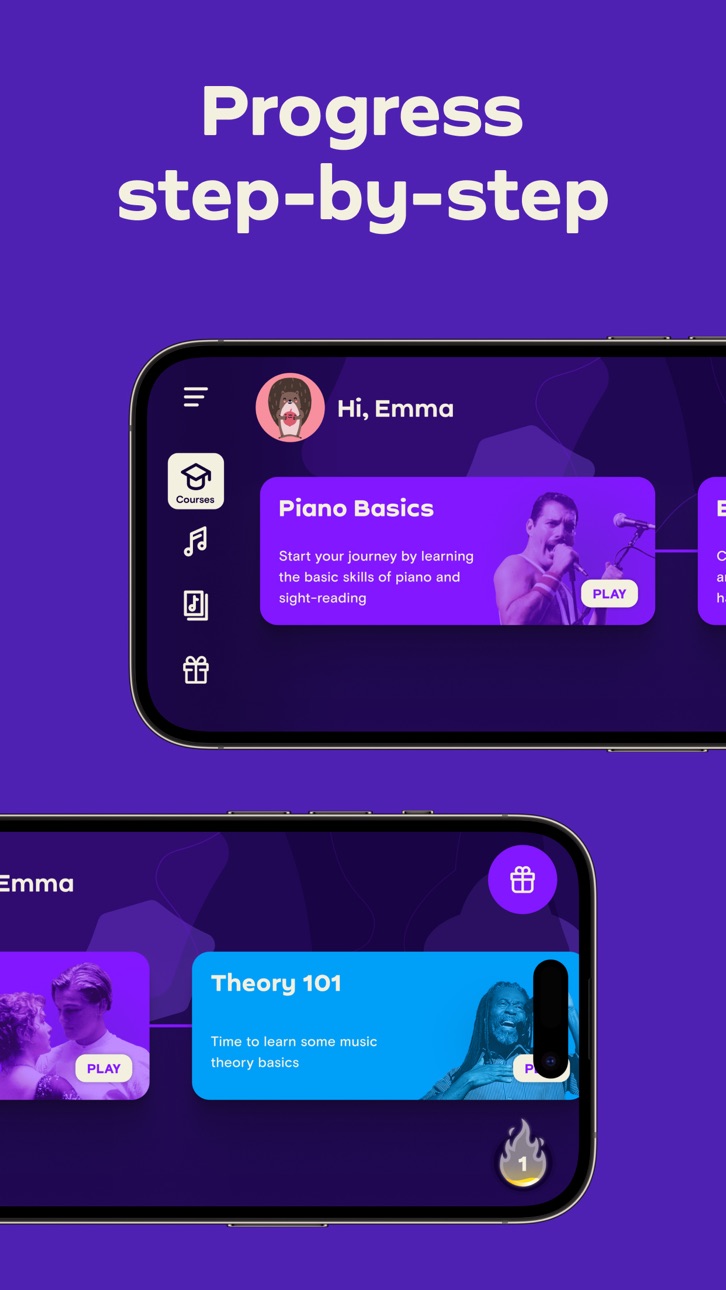
- Learn the basics step-by-step from reading sheet music to playing with both hands
- Slow down library songs to choose your own pace for easy learning
- Personalized 5-Min Workouts ensuring you progress fast and always succeed
- Suitable for all ages, no previous knowledge required to learn piano
No Piano? Try the Touch Courses with 3D Touch to turn your device into an on-screen keyboard!
How it works:
- Place your device (iPhone/iPad/iPod) on your acoustic/MIDI piano or keyboard and play; the app will immediately recognize what you are playing
- Get instant feedback on your playing to quickly learn and improve your piano skills
- Discover the magic of music with fun songs in the Library and complete courses to start sounding like a pro
How the Subscription Works:
- All app users can play two free courses. Upgrade to a premium subscription package at any time.
- Subscribers will receive full access to ALL courses. New courses and songs added every month!
- All recurring subscriptions will auto-renew unless auto-renewal is turned off at least 24 hours before the end of the current period.
- Account will be charged for renewal within 24-hours prior to the end of the current period, at the cost of the chosen package.
- Any unused portion of a free trial period, if offered, will be forfeited when the user purchases a subscription to that publication, where applicable.
- Subscriptions may be managed by the user and auto-renewal may be turned off by going to the user's Account Settings after purchase.
- Your subscription is for your iTunes account and can be used on your iOS device.
- Payments will be charged to your iTunes account at confirmation of purchase.
- Subscriptions cannot be cancelled during the active subscription period.
Simply Piano is developed by Simply, creators of award-winning apps Simply Guitar, Simply Sing, Piano Maestro and Piano Dust Buster. Created by music educators, the apps are used by tens of thousands of music teachers worldwide with over 1 million songs learned every week. Simply are experts in creating educational and fun music apps for learning piano quickly and easily.
Awards & Recognition -
- ""EMI’s Innovation Challenge”
- ""World Summit Award"", by the United Nations
- “Best Tools for Beginners”, NAMM
- ""Best Tablet Game"", GameIS
- “Parents' Choice Award”
- “Golden App”, Apps for Homeschooling
Have questions, feedback or suggestions? Reach out to us via the in-app chat, just tap on Settings and ‘Have a Question’
Enjoy Playing!
Скриншоты © их владельцев · App Store


iOSGods не связана с Apple Inc., Google LLC или разработчиками перечисленных здесь приложений, не одобрена и не спонсируется ими. Apple, iOS и App Store — товарные знаки Apple Inc. Android и Google Play — товарные знаки Google LLC. Все остальные названия приложений, значки, изображения и товарные знаки принадлежат их владельцам.
- iPhone или iPad без джейлбрейка/в обычном режиме или с джейлбрейком.
- Sideloadly или альтернативы.
- Компьютер с Windows/macOS/Linux и установленным iTunes.
ШАГ 1: Скачайте предварительно взломанный файл .IPA по ссылке выше на свой компьютер. Чтобы скачать его из приложения iOSGods, посмотрите наш Туториал по скачиванию IPA в приложении iOSGods, в котором есть видеопример.
ШАГ 2: Скачайте Sideloadly и установите его на Windows или Mac.
ШАГ 3: Откройте Sideloadly на компьютере, подключите iOS-устройство и дождитесь, пока его имя появится в Sideloadly.
ШАГ 4: Когда устройство будет распознано, перетащите скачанный модифицированный файл .IPA в окно Sideloadly.
ШАГ 5: Введите адрес электронной почты вашего Apple Account, затем нажмите «Start». После этого вас попросят ввести пароль. Укажите необходимые данные.
ШАГ 6: Дождитесь, пока Sideloadly завершит sideload/установку взломанного IPA. При возникновении проблем во время установки ознакомьтесь с примечанием ниже.
ШАГ 7: После завершения установки и появления приложения на главном экране перейдите в Настройки → Основные → Профили / VPN и управление устройством. Там нажмите на email, который вы ввели на шаге 6, а затем нажмите «Доверять [email protected]».
ШАГ 8: Теперь перейдите на главный экран и откройте установленное приложение — всё должно работать. Возможно, потребуется выполнить дополнительные инструкции в попапе мода внутри игры.
ПРИМЕЧАНИЕ: На iOS/iPadOS 16 и новее необходимо включить режим разработчика. Для бесплатных учётных записей Apple Developer этот процесс нужно повторять каждые 7 дней. Если возникнут вопросы или проблемы, ознакомьтесь с нашим разделом FAQ по Sideloadly в теме.
Game Name iOS Mod IPA is an action adventure game enhanced with powerful gameplay boosts and quality-of-life improvements. Win battles faster, earn rewards quicker, and enjoy uninterrupted play without ads.
- Unlimited Gold - spend freely to unlock premium content
- Damage Multiplier - deal significantly more damage in combat
- Defense Multiplier - take less damage and survive longer
- Reward Multiplier - earn more loot from every battle
- Max Level - instantly reach the highest player rank
- No Ads - play without interruptions or advertisements
This app also comes with iGameGod, giving you access to Auto Touch to automate repetitive tasks, App Speed Manager for adjustable gameplay speed, Memory Engine value editing, and more powerful iOS game tools.
Скачайте Game Name Mod IPA по ссылкам выше. Нажмите кнопку установки и следуйте инструкциям, чтобы установить этот хак iOS на iPhone, iPad или Mac с Apple Silicon.
Нужна помощь Посмотрите наши Часто задаваемые вопросы по приложению iOSGods, чтобы получить подробные ответы и советы по устранению неполадок.
----------------------------------------------------------
--------------------------------------------------