Потрібен вхід
Увійдіть у свій обліковий запис iOSGods, щоб продовжити.
Увійдіть у свій обліковий запис iOSGods, щоб продовжити.

Навчайтеся грати на піаніно швидше за допомогою Simply Piano: Learn Piano Fast iOS Mod IPA, безплатного модифікованого додатка, який розблоковує преміум-курси для прискореної музичної освіти. Ця модифікована версія видаляє платні обмеження курсів, дозволяючи вам отримати доступ до повної програми навчання миттєво та практикуватися у своєму темпі без підписки.
- Розблоковані всі курси (спочатку увімкніть з меню модифікацій) → доступ до повної програми навчання без платних обмежень
ПРИМІТКА: вам потрібно увійти в свій обліковий запис Simply Piano, щоб це працювало. Гостьовий обліковий запис не буде працювати. Якщо у вас виникають проблеми з падінням додатка, використовуйте Sideloadly
https://www.youtube.com/watch?v=hjbi8BsBLi8
Цей застосунок також постачається з iGameGod, який надає доступ до Auto Touch для автоматизації повторюваних дій, App Speed Manager для регулювання швидкості гри, редагування значень за допомогою Memory Engine та інших потужних інструментів для iOS-ігор.
Завантажте Simply Piano: Learn Piano Fast iOS Mod IPA за посиланнями вище. Натисніть кнопку встановлення та дотримуйтесь інструкцій, щоб встановити цей хак iOS на iPhone, iPad або Apple Silicon.
Потрібна додаткова допомога? Перегляньте наш Поширені запитання про застосунок iOSGods для детальних відповідей та порад з усунення несправностей.
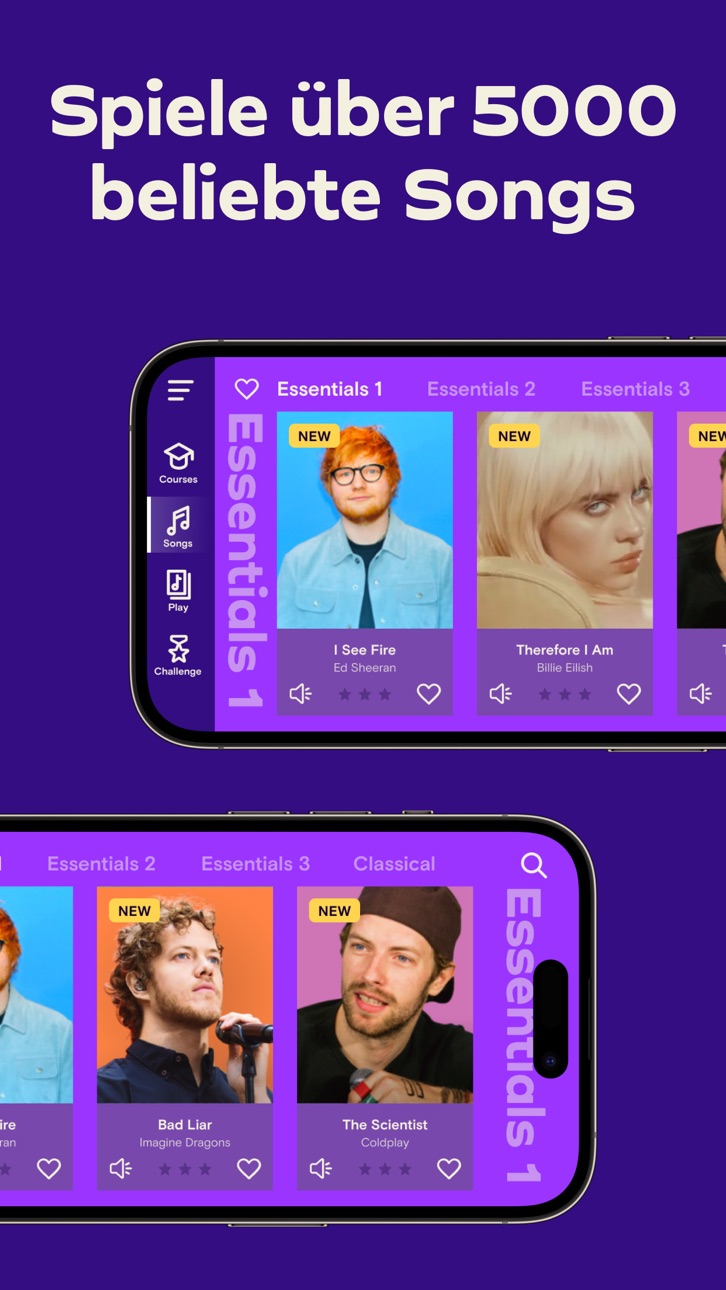
Simply Piano ist ein schneller und unterhaltsamer Weg, Klavier spielen zu lernen, vom Anfänger bis hin zum Profi. Funktioniert mit jedem Klavier oder Keyboard. Zu einer der besten iPhone Apps gewählt.
- Jede Menge unterhaltsamer Songs wie Imagine, Chandelier, All Of Me und Counting Stars, sowie J.S. Bach
- Beinhaltet Kurse für verschiedene musikalische Vorlieben und Spielniveaus
- Lerne die Grundlagen Schritt für Schritt, vom Lesen von Notenblättern bis hin zum Spielen mit beiden Händen
- Verlangsame Songs aus der Bibliothek für einfaches Lernen
- Personalisierte 5-Min-Übungen stellen sicher, dass du schnell voranschreitest und immer erfolgreich bist
- Passend für alle Altersgruppen, kein Vorwissen erforderlich, um das Klavierspielen zu lernen
Kein Klavier? Probiere die Touch-Kurse mit 3D Touch aus, um dein Gerät in ein Keyboard zu verwandeln!
Wie es funktioniert:
- Platziere dein Gerät (iPhone/iPad/iPod) auf deinem akustischen/MIDI-Klavier oder Keyboard und spiele; die App erkennt sofort, was du spielst
- Erhalte sofortiges Feedback auf dein Spielen, um schnell zu lernen und deine Fähigkeiten am Klavier zu verbessern
- Entdecke die Magie der Musik mit unterhaltsamen Songs in der Songbibliothek und beende Kurse, um zu klingen wie ein Profi
Wie das Abonnement funktioniert:
- Alle Nutzer der App können zwei kostenlose Kurse spielen. Upgrade jederzeit auf ein Premium-Abonnementpaket.
- Abonnenten erhalten vollständigen Zugriff auf ALLE Kurse. Neue Kurse und Songs werden jeden Monat hinzugefügt!
- Alle wiederkehrenden Abonnements werden automatisch verlängert, sofern die automatische Verlängerung nicht zumindest 24 Stunden vor Ende der aktuellen Periode deaktiviert wird.
- Das Konto wird innerhalb 24 Stunden vor Ende des aktuellen Zeitraums für zum Preis des gewählten Pakets belastet.
- Jede unverbrauchte Zeit der kostenlose Testphase, wenn angeboten, verfällt, sobald der Benutzer ein Abonnement für diese Veröffentlichung, wo anwendbar, kauft.
- Abonnements können vom Nutzer verwaltet werden, und die automatische Verlängerung kann in den Benutzerkontoeinstellungen nach dem Kauf deaktiviert werden.
- Dein Abonnement gilt für dein iTunes-Konto und kann auf deinem iOS-Gerät verwendet werden.
- Zahlungen werden deinem iTunes-Konto bei Bestätigung des Kaufs in Rechnung gestellt.
- Abonnements können während der aktiven Abonnementperiode nicht gekündigt werden.
Simply Piano wird von Simply früher (JoyTunes) entwickelt, den Schöpfern der preisgekrönten Apps Simply Guitar, Simply Tuner, Simply Sing, Piano Maestro und Piano Dust Buster. Entwickelt von Musiklehrern werden die Apps von zehntausenden Musiklehrern weltweit verwendet, und wöchentlich werden über 1 Million Songs gelernt. Simply ist Experte im Erschaffen von edukativen und unterhaltsamen Musikapps zum schnellen und einfachen Erlernen des Klavierspielens.
Preise & Anerkennungen -
- ""EMI’s Innovation Challenge”
- ""World Summit Award"" der Vereinten Nationen
- “Beste Tools für Anfänger”, NAMM
- ""Bestes Tabletspiel"", GameIS
- “Parents' Choice Award”
- “Golden App”, Apps für Homeschooling
Haben Sie Fragen, Feedback oder Anregungen? Kontaktieren Sie uns über den In-App-Chat, tippen Sie einfach auf Einstellungen und dann auf 'Habe eine Frage'.
Viel Spaß beim Spielen!
Datenschutzerklärung: https://www.hellosimply.com/legal/privacy
Nutzungsbedingungen: https://www.hellosimply.com/legal/terms
Знімки екрана © їхніх власників · App Store


iOSGods не пов’язана з Apple Inc., Google LLC або розробниками перелічених тут застосунків, не схвалена та не спонсорується ними. Apple, iOS і App Store — торгові марки Apple Inc. Android і Google Play — торгові марки Google LLC. Усі інші назви застосунків, іконки, зображення й торгові марки належать їхнім власникам.
- iPhone або iPad без джейлбрейку/у заводському стані або з джейлбрейком.
- Sideloadly або альтернативи.
- Комп'ютер під керуванням Windows/macOS/Linux із встановленим iTunes.
КРОК 1: Завантажте попередньо зламаний .IPA-файл за посиланням вище на свій комп'ютер. Щоб завантажити з iOSGods App, перегляньте наш Посібник із завантаження IPA в iOSGods App, який містить відеоприклад.
КРОК 2: Завантажте Sideloadly і встановіть його на своєму Windows або Mac.
КРОК 3: Відкрийте Sideloadly на комп'ютері, підключіть свій iOS-пристрій і зачекайте, поки назва пристрою з'явиться у Sideloadly.
КРОК 4: Коли ваш iDevice буде розпізнано, перетягніть завантажений модифікований .IPA-файл і відпустіть його в застосунок Sideloadly.
КРОК 5: Введіть електронну пошту вашого Apple Account, потім натисніть «Start». Після цього вас попросять ввести пароль. Введіть необхідні дані.
КРОК 6: Зачекайте, доки Sideloadly завершить sideload/встановлення зламаного IPA. Якщо під час встановлення виникнуть проблеми, прочитайте примітку нижче.
КРОК 7: Коли встановлення завершено й ви побачите застосунок на головному екрані, перейдіть до Налаштування → Загальні → Профілі / VPN і керування пристроєм. Там натисніть на електронну пошту, яку ви ввели на кроці 6, а потім натисніть «Довіряти [email protected]».
КРОК 8: Тепер перейдіть на головний екран і відкрийте щойно встановлений застосунок — усе має працювати належним чином. Можливо, доведеться виконати додаткові інструкції для конкретного застосунку в спливаючому вікні хака в грі.
ПРИМІТКА: У iOS/iPadOS 16 і пізніших версіях потрібно увімкнути режим розробника. Для безкоштовних облікових записів Apple Developer цей процес доведеться повторювати кожні 7 днів. Якщо у вас є запитання або проблеми, прочитайте наш розділ FAQ зі Sideloadly у темі.
Game Name iOS Mod IPA is an action adventure game enhanced with powerful gameplay boosts and quality-of-life improvements. Win battles faster, earn rewards quicker, and enjoy uninterrupted play without ads.
- Unlimited Gold - spend freely to unlock premium content
- Damage Multiplier - deal significantly more damage in combat
- Defense Multiplier - take less damage and survive longer
- Reward Multiplier - earn more loot from every battle
- Max Level - instantly reach the highest player rank
- No Ads - play without interruptions or advertisements
This app also comes with iGameGod, giving you access to Auto Touch to automate repetitive tasks, App Speed Manager for adjustable gameplay speed, Memory Engine value editing, and more powerful iOS game tools.
Завантажте Game Name Mod IPA за посиланнями вище. Натисніть кнопку встановлення та дотримуйтесь інструкцій, щоб встановити цей хак iOS на iPhone, iPad або Apple Silicon.
Потрібна додаткова допомога Перегляньте наш Поширені запитання про застосунок iOSGods для детальних відповідей та порад з усунення несправностей.
----------------------------------------------------------
--------------------------------------------------