Inloggning krävs
Logga in med ditt iOSGods-konto för att fortsätta.
Hack Features:
- PREMIUM
Ladda ner MOLDIV VideoLab Hack modded IPA från länkarna ovan. Tryck på installationsknappen och följ instruktionerna för att installera denna iOS-apphack på iPhone, iPad eller Apple Silicon.
Behöver du mer hjälp? Se våra iOSGods-appens vanliga frågor för detaljerade svar och felsökningstips.
Easy Video Editing App, MOLDIV VideoLab!
Create awesome videos using trendy video editing effects on your Vlogs, YouTube videos, short videos!
With MOLDIV VideoLab, anybody easily edits videos by using subtitles, music, animated stickers, transitions, clip editing, video filters, slideshow, and so on.
* Video Review: http://youtu.be/lX8KDr3ppgE
ANIMATED TEXT & CAPTIONS
+ Hundreds of fonts, patterns & color palette
+ Add multiple animated texts anywhere on the video
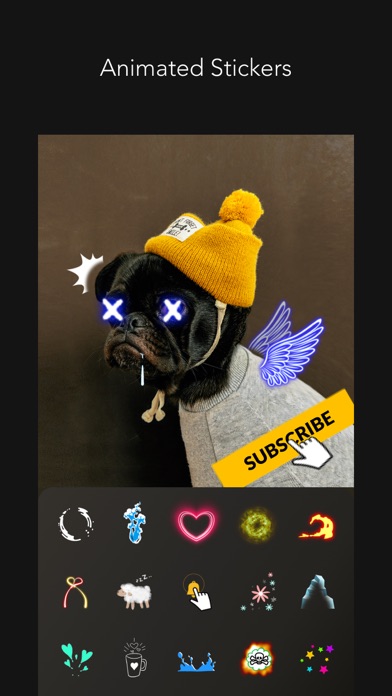
ANIMATED STICKERS
+ Sticker color change available
+ Fade in/ Fade out animation setting available
+ 500+ types of motion stickers
MUSIC
+ MOLDIV VideoLab original soundtrack list that will add the right mood to your videos
+ Add a soundtrack from your iTunes library
+ Audio extraction from videos available
FILTERS
+ 250+ Filters in 15 themes
+ Professional effects that take selfies, daily moments, travel memories, food videos to the next level
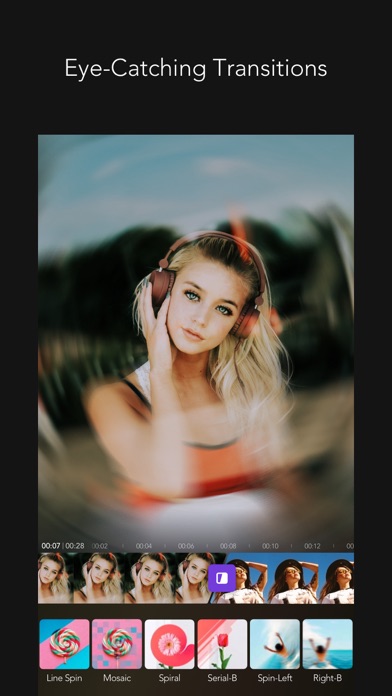
EYE-CATCHING VARIOUS TRANSITIONS
PIP
+ Picture in picture feature can be used to place a video on top of another. So, two or more videos can be played at the same time with one on the main screen and one on the inset screen.
ANIMATION
+ You can create a slideshow using photos and videos
CANVAS
+ You can freely adjust the ratio, position, and angle of the video
+ Animated backgrounds (heart, twinkle, doodles, etc.)
+ 230+ Design backgrounds (colors, gradients, patterns, etc.)
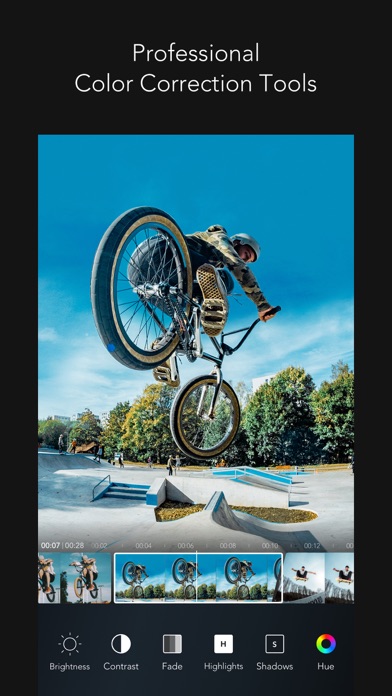
PROFESSIONAL EDITING TOOLS
+ Clip editing tools - trim, cut, split
+ Color correction tools - brightness, hue, saturation, vibrance, white balance, vignetting, sharpen etc
+ Rotate, adjust playback speed
+ Export full HD video
VIDEO CAMERA
+ 252 Live filters
+ Unlimited video recording
+ Take videos in multiple cuts
+ Various camera options
STUDIO
+ Auto-save & store drafts in Studio
We will continue to reflect your various feedbacks in our updates!
Instagram: @MOLDIV_VideoLab
YouTube: youtube.com/JellyBus
MOLDIV VideoLab Premium Subscription
- VideoLab Premium: You can subscribe for unlimited access to all features and content offered for purchase within MOLDIV VideoLab.
- Subscriptions are billed monthly or annually at the rate selected depending on the subscription plan. Alternatively, a one-time payment plan is available (this is not a subscription).
- Subscriptions auto-renew at the cost of the chosen package, unless canceled 24-hours in advance prior to the end of the current period. The subscription fee is charged to your iTunes account at confirmation of purchase. You may manage your subscription and turn off auto-renewal by going to your Account Settings after purchase. Per Apple policy, no cancellation of the current subscription is allowed during active subscription period. Once purchased, refunds will not be provided for any unused portion of the term.
Terms of Use: http://www.jellybus.com/policy/terms_videolab.html
Privacy Policy: http://www.jellybus.com/policy/privacy_videolab.html
- iPhone eller iPad utan jailbreak/jailad eller med jailbreak.
- Sideloadly eller alternativ.
- Dator med Windows/macOS/Linux och iTunes installerat.
STEG 1: Ladda ner den förhackade .IPA-filen från länken ovan till din dator. För att ladda ner från iOSGods App, se vår Guide för att ladda ner IPA i iOSGods App som även innehåller ett videoexempel.
STEG 2: Ladda ner Sideloadly och installera det på din Windows eller Mac.
STEG 3: Öppna Sideloadly på din dator, anslut din iOS-enhet och vänta tills enhetens namn visas i Sideloadly.
STEG 4: När din iEnhet känns igen drar du den moddade .IPA-filen du laddat ner och släpper den i Sideloadly-programmet.
STEG 5: Ange e-postadressen till ditt Apple Account och tryck sedan på ”Start”. Du ombeds sedan ange ditt lösenord. Fyll i de uppgifter som krävs.
STEG 6: Vänta tills Sideloadly är klar med att sideloada/installera den hackade IPA-filen. Om problem uppstår under installationen, läs noten nedan.
STEG 7: När installationen är klar och du ser appen på din hemskärm behöver du gå till Inställningar → Allmänt → Profiler / VPN & enhetshantering. Tryck där på e-postadressen du angav i steg 6 och tryck sedan på ”Lita på [email protected]”.
STEG 8: Gå nu till din hemskärm och öppna den nyligen installerade appen — allt ska fungera som det ska. Du kan behöva följa ytterligare app-specifika instruktioner i hackets popup inne i spelet.
OBS: På iOS/iPadOS 16 och senare måste du aktivera Utvecklarläge. För gratis Apple Developer-konton behöver du upprepa processen var sjunde dag. Om du har frågor eller problem, läs vår Sideloadly FAQ-avsnitt i tråden.