Accesso richiesto
Accedi con il tuo account iOSGods per continuare.
Hack Features:
- PREMIUM
Scarica MOLDIV VideoLab Hack modded IPA dai link sopra. Tocca il pulsante di installazione e segui le istruzioni per installare questo hack iOS sul tuo iPhone, iPad o Mac con Apple Silicon.
Hai bisogno di altro aiuto? Consulta le nostre Domande frequenti sull'app iOSGods per risposte dettagliate e consigli per la risoluzione dei problemi.
Easy Video Editing App, MOLDIV VideoLab!
Create awesome videos using trendy video editing effects on your Vlogs, YouTube videos, short videos!
With MOLDIV VideoLab, anybody easily edits videos by using subtitles, music, animated stickers, transitions, clip editing, video filters, slideshow, and so on.
* Video Review: http://youtu.be/lX8KDr3ppgE
ANIMATED TEXT & CAPTIONS
+ Hundreds of fonts, patterns & color palette
+ Add multiple animated texts anywhere on the video
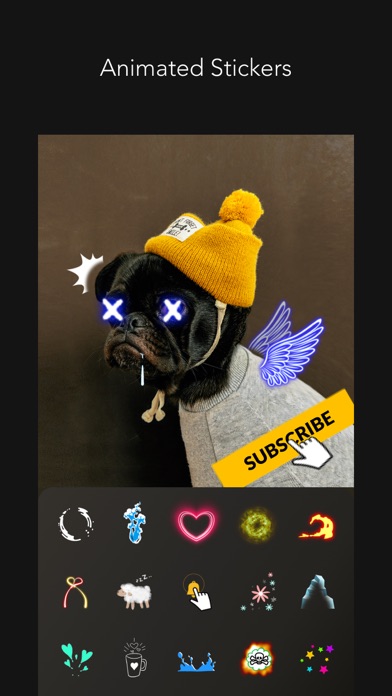
ANIMATED STICKERS
+ Sticker color change available
+ Fade in/ Fade out animation setting available
+ 500+ types of motion stickers
MUSIC
+ MOLDIV VideoLab original soundtrack list that will add the right mood to your videos
+ Add a soundtrack from your iTunes library
+ Audio extraction from videos available
FILTERS
+ 250+ Filters in 15 themes
+ Professional effects that take selfies, daily moments, travel memories, food videos to the next level
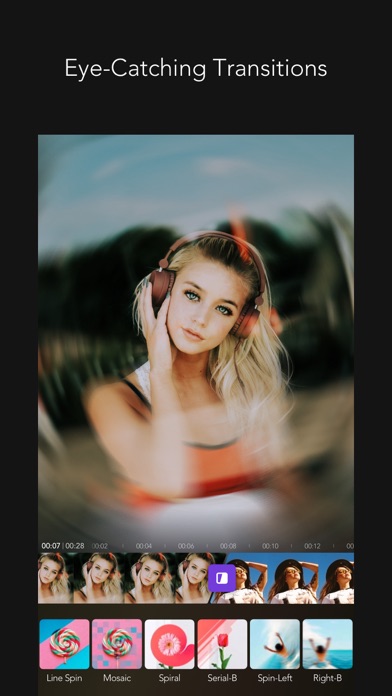
EYE-CATCHING VARIOUS TRANSITIONS
PIP
+ Picture in picture feature can be used to place a video on top of another. So, two or more videos can be played at the same time with one on the main screen and one on the inset screen.
ANIMATION
+ You can create a slideshow using photos and videos
CANVAS
+ You can freely adjust the ratio, position, and angle of the video
+ Animated backgrounds (heart, twinkle, doodles, etc.)
+ 230+ Design backgrounds (colors, gradients, patterns, etc.)
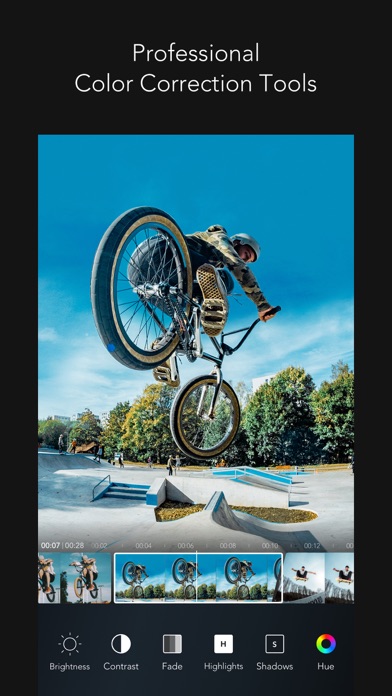
PROFESSIONAL EDITING TOOLS
+ Clip editing tools - trim, cut, split
+ Color correction tools - brightness, hue, saturation, vibrance, white balance, vignetting, sharpen etc
+ Rotate, adjust playback speed
+ Export full HD video
VIDEO CAMERA
+ 252 Live filters
+ Unlimited video recording
+ Take videos in multiple cuts
+ Various camera options
STUDIO
+ Auto-save & store drafts in Studio
We will continue to reflect your various feedbacks in our updates!
Instagram: @MOLDIV_VideoLab
YouTube: youtube.com/JellyBus
MOLDIV VideoLab Premium Subscription
- VideoLab Premium: You can subscribe for unlimited access to all features and content offered for purchase within MOLDIV VideoLab.
- Subscriptions are billed monthly or annually at the rate selected depending on the subscription plan. Alternatively, a one-time payment plan is available (this is not a subscription).
- Subscriptions auto-renew at the cost of the chosen package, unless canceled 24-hours in advance prior to the end of the current period. The subscription fee is charged to your iTunes account at confirmation of purchase. You may manage your subscription and turn off auto-renewal by going to your Account Settings after purchase. Per Apple policy, no cancellation of the current subscription is allowed during active subscription period. Once purchased, refunds will not be provided for any unused portion of the term.
Terms of Use: http://www.jellybus.com/policy/terms_videolab.html
Privacy Policy: http://www.jellybus.com/policy/privacy_videolab.html
- iPhone o iPad non jailbroken/jailed oppure jailbroken.
- Sideloadly o alternative.
- Computer con Windows/macOS/Linux con iTunes installato.
PASSO 1: Scarica il file .IPA pre-modificato dal link sopra sul tuo computer. Per scaricarlo dall'iOSGods App, consulta il nostro Tutorial download IPA dell'iOSGods App, che include un esempio video.
PASSO 2: Scarica Sideloadly e installalo sul tuo Windows o Mac.
PASSO 3: Apri Sideloadly sul tuo computer, collega il tuo dispositivo iOS e attendi finché il nome del dispositivo non appare in Sideloadly.
PASSO 4: Una volta riconosciuto il tuo iDevice, trascina il file .IPA moddato che hai scaricato e rilascialo nell'applicazione Sideloadly.
PASSO 5: Inserisci l'email del tuo Apple Account, poi premi “Start”. Ti verrà quindi chiesto di inserire la password. Procedi e fornisci le informazioni richieste.
PASSO 6: Attendi che Sideloadly completi il sideload/installazione dell'IPA modificata. Se ci sono problemi durante l'installazione, leggi la nota qui sotto.
PASSO 7: Una volta completata l'installazione e vista l'app sulla schermata Home, dovrai andare in Impostazioni → Generali → Profili / Gestione VPN e dispositivi. Una volta lì, tocca l'email inserita al passo 6 e poi tocca “Autorizza [email protected]”.
PASSO 8: Ora vai sulla schermata Home e apri l'app appena installata: tutto dovrebbe funzionare correttamente. Potrebbe essere necessario seguire ulteriori istruzioni specifiche all'interno del popup dell'hack nel gioco.
NOTA: Per iOS/iPadOS 16 e versioni successive, devi attivare la Modalità sviluppatore. Per gli account Apple Developer gratuiti, dovrai ripetere questa procedura ogni 7 giorni. Se hai domande o problemi, leggi la nostra sezione FAQ Sideloadly del topic.