Inloggen vereist
Log in met je iOSGods-account om door te gaan.
Hack Features:
- PREMIUM
Download MOLDIV VideoLab Hack modded IPA via de bovenstaande links. Tik op de installatieknop en volg de instructies om deze iOS-app-hack op je iPhone, iPad of Apple Silicon te installeren.
Meer hulp nodig? Bekijk onze Veelgestelde vragen over de iOSGods-app voor uitgebreide antwoorden en probleemoplossingstips.
Easy Video Editing App, MOLDIV VideoLab!
Create awesome videos using trendy video editing effects on your Vlogs, YouTube videos, short videos!
With MOLDIV VideoLab, anybody easily edits videos by using subtitles, music, animated stickers, transitions, clip editing, video filters, slideshow, and so on.
* Video Review: http://youtu.be/lX8KDr3ppgE
ANIMATED TEXT & CAPTIONS
+ Hundreds of fonts, patterns & color palette
+ Add multiple animated texts anywhere on the video
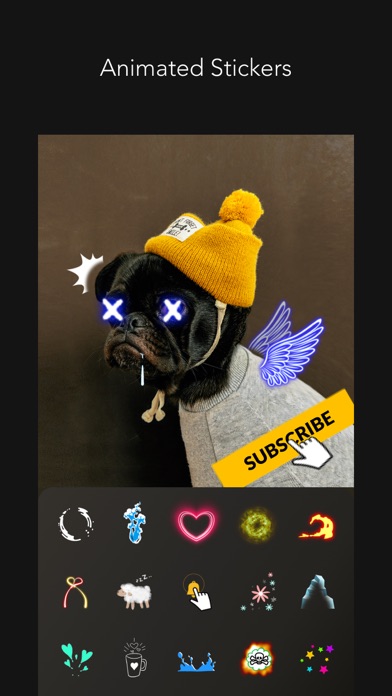
ANIMATED STICKERS
+ Sticker color change available
+ Fade in/ Fade out animation setting available
+ 500+ types of motion stickers
MUSIC
+ MOLDIV VideoLab original soundtrack list that will add the right mood to your videos
+ Add a soundtrack from your iTunes library
+ Audio extraction from videos available
FILTERS
+ 250+ Filters in 15 themes
+ Professional effects that take selfies, daily moments, travel memories, food videos to the next level
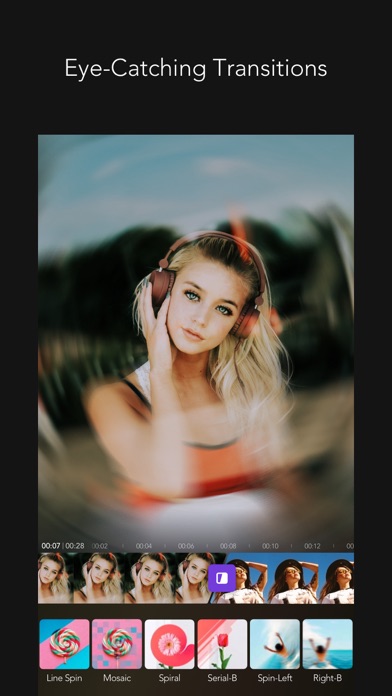
EYE-CATCHING VARIOUS TRANSITIONS
PIP
+ Picture in picture feature can be used to place a video on top of another. So, two or more videos can be played at the same time with one on the main screen and one on the inset screen.
ANIMATION
+ You can create a slideshow using photos and videos
CANVAS
+ You can freely adjust the ratio, position, and angle of the video
+ Animated backgrounds (heart, twinkle, doodles, etc.)
+ 230+ Design backgrounds (colors, gradients, patterns, etc.)
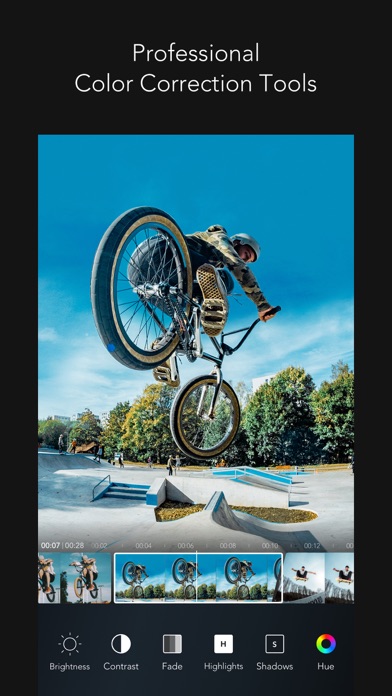
PROFESSIONAL EDITING TOOLS
+ Clip editing tools - trim, cut, split
+ Color correction tools - brightness, hue, saturation, vibrance, white balance, vignetting, sharpen etc
+ Rotate, adjust playback speed
+ Export full HD video
VIDEO CAMERA
+ 252 Live filters
+ Unlimited video recording
+ Take videos in multiple cuts
+ Various camera options
STUDIO
+ Auto-save & store drafts in Studio
We will continue to reflect your various feedbacks in our updates!
Instagram: @MOLDIV_VideoLab
YouTube: youtube.com/JellyBus
MOLDIV VideoLab Premium Subscription
- VideoLab Premium: You can subscribe for unlimited access to all features and content offered for purchase within MOLDIV VideoLab.
- Subscriptions are billed monthly or annually at the rate selected depending on the subscription plan. Alternatively, a one-time payment plan is available (this is not a subscription).
- Subscriptions auto-renew at the cost of the chosen package, unless canceled 24-hours in advance prior to the end of the current period. The subscription fee is charged to your iTunes account at confirmation of purchase. You may manage your subscription and turn off auto-renewal by going to your Account Settings after purchase. Per Apple policy, no cancellation of the current subscription is allowed during active subscription period. Once purchased, refunds will not be provided for any unused portion of the term.
Terms of Use: http://www.jellybus.com/policy/terms_videolab.html
Privacy Policy: http://www.jellybus.com/policy/privacy_videolab.html
- Niet-jailbroken/jailed of jailbroken iPhone of iPad.
- Sideloadly of alternatieven.
- Computer met Windows/macOS/Linux en iTunes geïnstalleerd.
STAP 1: Download het vooraf gehackte .IPA-bestand via de link hierboven naar uw computer. Om het te downloaden vanuit de iOSGods App, bekijk onze iOSGods App IPA-downloadhandleiding met een videovoorbeeld.
STAP 2: Download Sideloadly en installeer het op uw Windows of Mac.
STAP 3: Open Sideloadly op uw computer, sluit uw iOS-apparaat aan en wacht tot de naam van uw apparaat in Sideloadly verschijnt.
STAP 4: Zodra uw iDevice is herkend, sleept u het gedownloade gemodde .IPA-bestand naar de Sideloadly-applicatie.
STAP 5: Voer het e-mailadres van uw Apple Account in en druk op “Start”. U wordt vervolgens gevraagd om uw wachtwoord in te voeren. Geef de gevraagde informatie op.
STAP 6: Wacht tot Sideloadly het sideloaden/installeren van de gehackte IPA heeft voltooid. Als er problemen zijn tijdens de installatie, lees dan onderstaande opmerking.
STAP 7: Zodra de installatie is voltooid en u de app op uw beginscherm ziet, gaat u naar Instellingen → Algemeen → Profielen / VPN- en apparaatbeheer. Tik daar op het e-mailadres dat u in stap 6 hebt ingevoerd en tik vervolgens op “Vertrouw [email protected]”.
STAP 8: Ga nu naar uw beginscherm en open de zojuist geïnstalleerde app; alles zou correct moeten werken. Mogelijk moet u verdere app-specifieke instructies volgen in de hack-popup in het spel.
OPMERKING: Op iOS/iPadOS 16 en later moet u Ontwikkelaarsmodus inschakelen. Voor gratis Apple Developer-accounts moet u dit proces elke 7 dagen herhalen. Als u vragen of problemen hebt, lees dan onze Sideloadly FAQ-sectie van het onderwerp.