Потрібен вхід
Увійдіть у свій обліковий запис iOSGods, щоб продовжити.
Увійдіть у свій обліковий запис iOSGods, щоб продовжити.

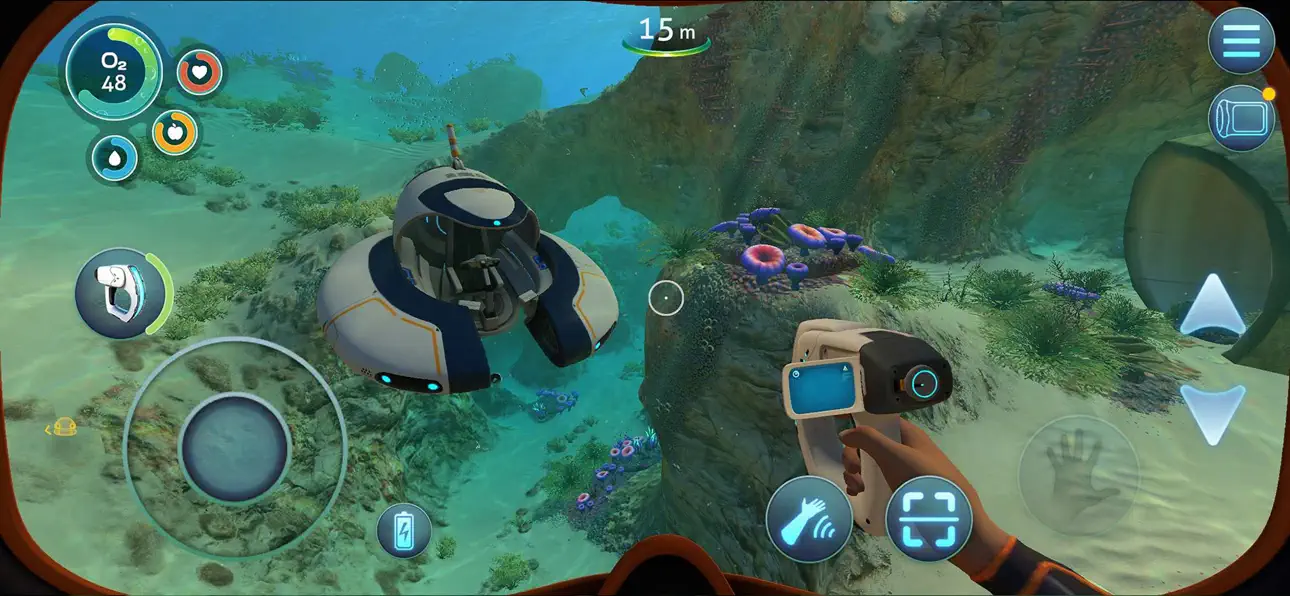
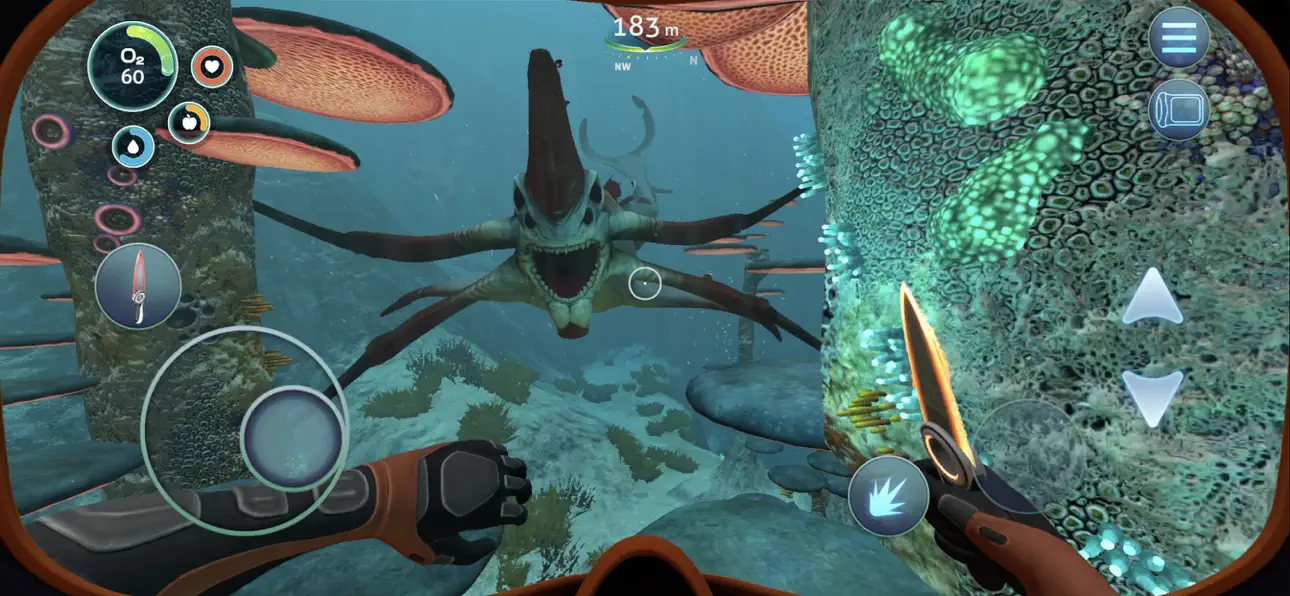
Subnautica, це підводна пригодницька гра, де ви досліджуєте океан чужої планети, виготовляєте обладнання та виживаєте серед ворожих істот у величезному відкритому світі. Цей Mod IPA розблоковує меню розробника під час гри, надаючи вам доступ до розширених команд та читів для налаштування вашого досвіду.
- Меню розробника (призупиніть гру, і ви побачите кнопку меню розробника) → Доступ до розширених команд та читів
Для всіх команд розробника перейдіть сюди.
Цей застосунок також постачається з iGameGod, який надає доступ до Auto Touch для автоматизації повторюваних дій, App Speed Manager для регулювання швидкості гри, редагування значень за допомогою Memory Engine та інших потужних інструментів для iOS-ігор.
Завантажте Subnautica iOS Mod IPA за посиланнями вище. Натисніть кнопку встановлення та дотримуйтесь інструкцій, щоб встановити цей хак iOS на iPhone, iPad або Apple Silicon.
Потрібна додаткова допомога? Перегляньте наш Поширені запитання про застосунок iOSGods для детальних відповідей та порад з усунення несправностей.
*Make sure to check if your device is supported before playing Subnautica!*
Subnautica is an underwater adventure game set on an alien ocean planet. A massive, open world full of wonder and peril awaits you!
Descend into the depths, craft equipment, pilot submarines and out-smart wildlife to explore lush coral reefs, volcanoes, cave systems, and more - all while trying to survive. Unravel the mystery of this world teeming with creatures, both friendly and hostile, scattered with clues from a previous time.
Play in Survival mode to experience the original challenge, or switch to Freedom or Creative mode to discover this oceanic planet without the pressures of thirst, hunger, or oxygen.
FEATURES
• SURVIVE - After crash landing on a vast underwater planet, the clock is ticking to find water, food, and to develop the equipment you need to explore.
• EXPLORE - Manage your hunger, thirst, and oxygen supply as you dive into towering kelp forests, sunlit plateaus, bio-luminescent reefs, and winding cave systems.
• SCAVENGE - Collect resources from the ocean around you. Venture deeper and further to find rarer resources, allowing you to craft more advanced items.
• CRAFT - Build bases to shelter in, vehicles to pilot, tools for survival to aid you in navigating and adapting to this subaquatic landscape.
• DISCOVER - What happened to this planet? What caused you to crash? Can you find a way to make it off the planet alive?
• CUSTOMIZE - Play in Survival mode to experience the original challenge, or switch to Freedom or Creative mode to discover this oceanic planet without the pressures of thirst, hunger, or oxygen.
CAREFULLY REDESIGNED FOR MOBILE
• Revamped interface – exclusive mobile UI with complete touch control
• Game Center achievements
• Cloud Save – Share your progress between iOS devices
• Compatible with MFi controllers
• iPhone 16 Optimization (including Pro Max)
-----
*DEVICES NOT SUPPORTED (THE GAME WON'T WORK)*:
- iPhone Xr, iPhone SE Gen 2 (2020)
- iPad Mini Gen 5, iPad Air Gen 3, iPad Gen 8, iPad Gen 9
*SUPPORTED DEVICES ON LOW RESOLUTION ONLY*:
- iPhone Xs, iPhone Xs Max, iPhone 11, iPhone 11 Pro, iPhone 11 Pro Max, iPhone 12, iPhone 12 Mini, iPhone 13, iPhone 13 Mini, iPhone SE Gen 3 (2022)
- iPad Pro 10.5", iPad Mini Gen 6, iPad Air Gen 4, iPad Gen 10, iPad Pro 11" Gen 1, iPad Pro 12.9" Gen 3
*SUPPORTED DEVICES* :
- iPhone 12 Pro, iPhone 12 Pro Max, iPhone 13 Pro, iPhone 13 Pro Max, iPhone 14 AND ABOVE
- iPad Pro 11" Gen 2, iPad Pro 12.9" Gen 4, iPad Air Gen 5, iPad Pro 11" Gen 3, iPad Pro 11" Gen 4, iPad Pro 12.9" Gen 5, iPad Pro 12.9" Gen 6 AND ABOVE
Знімки екрана © їхніх власників · App Store


iOSGods не пов’язана з Apple Inc., Google LLC або розробниками перелічених тут застосунків, не схвалена та не спонсорується ними. Apple, iOS і App Store — торгові марки Apple Inc. Android і Google Play — торгові марки Google LLC. Усі інші назви застосунків, іконки, зображення й торгові марки належать їхнім власникам.
- iPhone або iPad без джейлбрейку/у заводському стані або з джейлбрейком.
- Sideloadly або альтернативи.
- Комп'ютер під керуванням Windows/macOS/Linux із встановленим iTunes.
КРОК 1: Завантажте попередньо зламаний .IPA-файл за посиланням вище на свій комп'ютер. Щоб завантажити з iOSGods App, перегляньте наш Посібник із завантаження IPA в iOSGods App, який містить відеоприклад.
КРОК 2: Завантажте Sideloadly і встановіть його на своєму Windows або Mac.
КРОК 3: Відкрийте Sideloadly на комп'ютері, підключіть свій iOS-пристрій і зачекайте, поки назва пристрою з'явиться у Sideloadly.
КРОК 4: Коли ваш iDevice буде розпізнано, перетягніть завантажений модифікований .IPA-файл і відпустіть його в застосунок Sideloadly.
КРОК 5: Введіть електронну пошту вашого Apple Account, потім натисніть «Start». Після цього вас попросять ввести пароль. Введіть необхідні дані.
КРОК 6: Зачекайте, доки Sideloadly завершить sideload/встановлення зламаного IPA. Якщо під час встановлення виникнуть проблеми, прочитайте примітку нижче.
КРОК 7: Коли встановлення завершено й ви побачите застосунок на головному екрані, перейдіть до Налаштування → Загальні → Профілі / VPN і керування пристроєм. Там натисніть на електронну пошту, яку ви ввели на кроці 6, а потім натисніть «Довіряти [email protected]».
КРОК 8: Тепер перейдіть на головний екран і відкрийте щойно встановлений застосунок — усе має працювати належним чином. Можливо, доведеться виконати додаткові інструкції для конкретного застосунку в спливаючому вікні хака в грі.
ПРИМІТКА: У iOS/iPadOS 16 і пізніших версіях потрібно увімкнути режим розробника. Для безкоштовних облікових записів Apple Developer цей процес доведеться повторювати кожні 7 днів. Якщо у вас є запитання або проблеми, прочитайте наш розділ FAQ зі Sideloadly у темі.
Game Name iOS Mod IPA is an action adventure game enhanced with powerful gameplay boosts and quality-of-life improvements. Win battles faster, earn rewards quicker, and enjoy uninterrupted play without ads.
- Unlimited Gold - spend freely to unlock premium content
- Damage Multiplier - deal significantly more damage in combat
- Defense Multiplier - take less damage and survive longer
- Reward Multiplier - earn more loot from every battle
- Max Level - instantly reach the highest player rank
- No Ads - play without interruptions or advertisements
This app also comes with iGameGod, giving you access to Auto Touch to automate repetitive tasks, App Speed Manager for adjustable gameplay speed, Memory Engine value editing, and more powerful iOS game tools.
Завантажте Game Name Mod IPA за посиланнями вище. Натисніть кнопку встановлення та дотримуйтесь інструкцій, щоб встановити цей хак iOS на iPhone, iPad або Apple Silicon.
Потрібна додаткова допомога Перегляньте наш Поширені запитання про застосунок iOSGods для детальних відповідей та порад з усунення несправностей.
----------------------------------------------------------
--------------------------------------------------


![Goose Goose Duck iOS Mod IPA [ ESP Boxes, Lines ]](https://is1-ssl.mzstatic.com/image/thumb/Purple211/v4/26/91/07/269107a5-88fd-644d-f6fd-89ce22dbb3ce/AppIcon-0-0-1x_U007emarketing-0-8-0-85-220.png/100x100bb.jpg)


![Rapid Reload iOS Mod IPA [ Debug Menu ]](https://is1-ssl.mzstatic.com/image/thumb/Purple221/v4/d4/7d/f8/d47df8df-b3dd-0bc0-d977-cf28ee64a3e0/AppIcon-0-0-1x_U007emarketing-0-8-0-85-220.png/100x100bb.jpg)


