Inloggning krävs
Logga in med ditt iOSGods-konto för att fortsätta.
Logga in med ditt iOSGods-konto för att fortsätta.

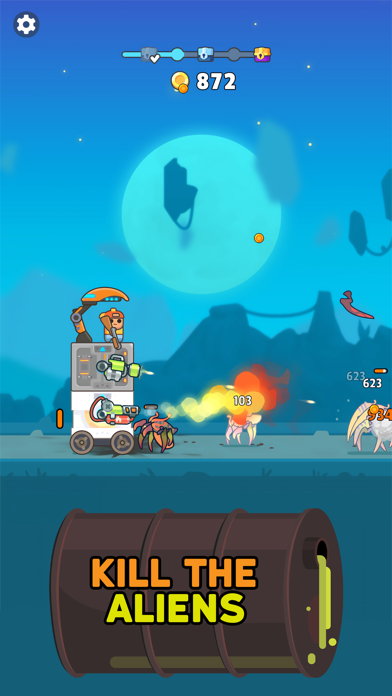
Tornadvarsling möter zombie-apokalyps i TDS - Tower Destiny Survive, ett modifierat iOS-spel där du bygger och försvarar din fästning mot oändliga odöda vågor. Denna hack låser upp gudläge och omedelbar dödning, så att du kan fokusera på tornkonstruktion och strategi utan slitandet.
Med obegränsad valuta och resurser till dina fingertoppar kan du experimentera fritt med vapenlokalisering och tornlayouter, och förvandla det som kunde vara ett resurshanterings-pussel till ren kreativ försvarsupplevelse.
- Felsökningsmeny → få åtkomst till avancerade alternativ
- Obegränsad valuta → spendera utan gränser
- Obegränsade resurser → bygg utan begränsningar
- Gudläge → ta ingen skada
- Omedelbar dödning → eliminera zombies direkt
Den här appen levereras även med iGameGod, vilket ger dig tillgång till Auto Touch för att automatisera repetitiva uppgifter, App Speed Manager för justerbar spelhastighet, värdesredigering med Memory Engine och fler kraftfulla verktyg för iOS-spel.
Ladda ner TDS - Tower Destiny Survive Hack modded IPA från länkarna ovan. Tryck på installationsknappen och följ instruktionerna för att installera denna iOS-apphack på iPhone, iPad eller Apple Silicon.
Behöver du mer hjälp? Se våra iOSGods-appens vanliga frågor för detaljerade svar och felsökningstips.
► KING OF THE CASTLE
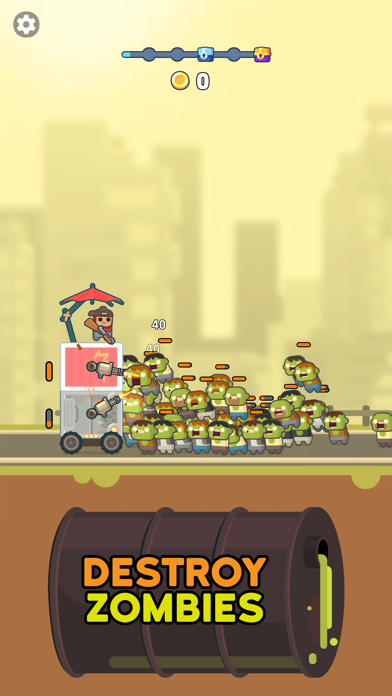
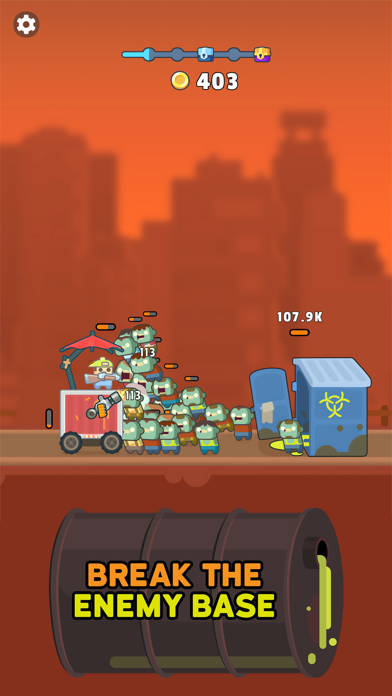
Well technically it’s a tower, but still. It’s yours, as long as you can keep the zombies away from it in this tower defense strategy game. It appears the zombie apocalypse is upon us based on how many of them are roaming the streets, so keep your gun nearby as you work to build your tower and keep it moving despite the waves of zombies.
► CONSTRUCT AND DEFEND
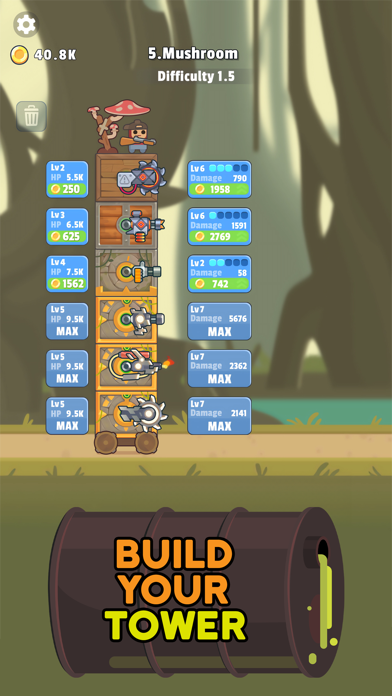
To build your tower, you’ll need to collect different blocks as you travel, which you can then assemble to form your fortress. Within each of the levels you can add different weapons that will help keep you safe and on the go despite the masses of zombies that are trying to get in to eat your brains. Be careful, once your defenses are breached, you’re as good as dead so keep building and moving!
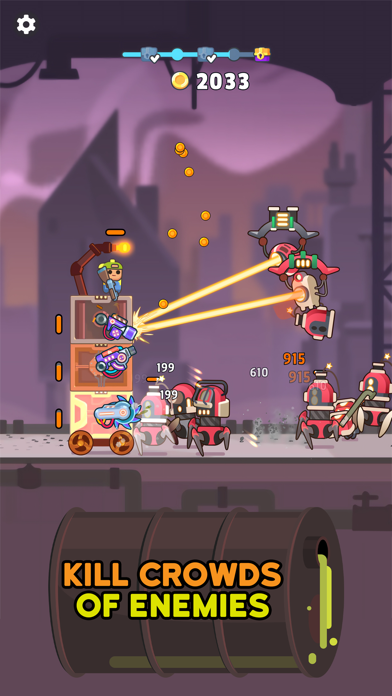
● Ready, aim, fire – It’s a zombie tsunami! This RPG shooter will keep you busy blasting zombies as you work to build and protect your mobile castle. Wage war on the undead to avoid becoming one with them. Collect new and exciting weapons along the way, and make sure you upgrade them so that your shooter skills remain top notch.
● Strategize – Use strategy to plow through your enemies as you roam in search of blocks to add to your tower. While there may be a lot of idle game play and zombie shooting, you will need to plan ahead and think about how and where you want to add weapons and more to your fortress. You’ll need all the guns and protection you can find as you advance through the levels and encounter more and more enemies!
● Level up – Progress through levels in this tower defense RPG, and gain access to more exciting upgrades, weapons, tower parts, and more! The Earth is your oyster if you can remain a survivor and avoid becoming zombified, so fight for your life and keep exploring.
● So lively – The graphics, not the zombies. Dive into this world of vibrant and cute characters and delightful animations that really bring everything to life. Who knew fighting off zombie waves could be so adorable? Even as you work to come up with the winning strategy you’ll be able to relax and have some fun thanks to the chill vibes.
► LAND OF THE LIVING DEAD
So come on then, survivor, build your tower and wage war on the zombies in this fun and engaging strategy shooter game! Use your tower to travel across the lands as you explore and take out enemies, and have fun customizing all the different levels with neat guns and other weapons that will help you in your fight against the undead.
Download Tower Destiny Survive today to test your survival skills now!
- iPhone eller iPad utan jailbreak/jailad eller med jailbreak.
- Sideloadly eller alternativ.
- Dator med Windows/macOS/Linux och iTunes installerat.
STEG 1: Ladda ner den förhackade .IPA-filen från länken ovan till din dator. För att ladda ner från iOSGods App, se vår Guide för att ladda ner IPA i iOSGods App som även innehåller ett videoexempel.
STEG 2: Ladda ner Sideloadly och installera det på din Windows eller Mac.
STEG 3: Öppna Sideloadly på din dator, anslut din iOS-enhet och vänta tills enhetens namn visas i Sideloadly.
STEG 4: När din iEnhet känns igen drar du den moddade .IPA-filen du laddat ner och släpper den i Sideloadly-programmet.
STEG 5: Ange e-postadressen till ditt Apple Account och tryck sedan på ”Start”. Du ombeds sedan ange ditt lösenord. Fyll i de uppgifter som krävs.
STEG 6: Vänta tills Sideloadly är klar med att sideloada/installera den hackade IPA-filen. Om problem uppstår under installationen, läs noten nedan.
STEG 7: När installationen är klar och du ser appen på din hemskärm behöver du gå till Inställningar → Allmänt → Profiler / VPN & enhetshantering. Tryck där på e-postadressen du angav i steg 6 och tryck sedan på ”Lita på [email protected]”.
STEG 8: Gå nu till din hemskärm och öppna den nyligen installerade appen — allt ska fungera som det ska. Du kan behöva följa ytterligare app-specifika instruktioner i hackets popup inne i spelet.
OBS: På iOS/iPadOS 16 och senare måste du aktivera Utvecklarläge. För gratis Apple Developer-konton behöver du upprepa processen var sjunde dag. Om du har frågor eller problem, läs vår Sideloadly FAQ-avsnitt i tråden.





![[VIP] Andy Volcano: Tile Match Story Hack](https://is1-ssl.mzstatic.com/image/thumb/Purple211/v4/50/c5/d0/50c5d0f8-a137-ade7-9074-f3fb9544d525/AppIcon-0-0-1x_U007emarketing-0-8-0-85-220.png/100x100bb.jpg)


![[VIP] Brave Merge - Battle & Defense Hack](https://is1-ssl.mzstatic.com/image/thumb/Purple211/v4/81/8d/ce/818dcea0-a5a9-1bd5-f04a-068336537336/AppIcon-0-0-1x_U007emarketing-0-8-0-85-220.png/100x100bb.jpg)


