Inicio de sesión requerido
Inicia sesión con tu cuenta de iOSGods para continuar.
Inicia sesión con tu cuenta de iOSGods para continuar.

La estrategia de defensa de torres se encuentra con la supervivencia en apocalipsis zombie en TDS - Tower Destiny Survive, un juego iOS modificado donde construyes y defiendes tu fortaleza contra oleadas infinitas de no-muertos. Este hack desbloquea modo dios y ataques de un golpe, permitiéndote enfocarte en la construcción de torres y la estrategia sin la necesidad de grindear.
Con moneda infinita y recursos al alcance de tu mano, puedes experimentar libremente con la colocación de armas y diseños de torres, convirtiendo lo que podría ser un rompecabezas de gestión de recursos en puro gameplay defensivo creativo.
- Menú de Depuración → accede a opciones avanzadas
- Moneda Infinita → gasta sin límites
- Recursos Infinitos → construye sin restricciones
- Modo Dios → no recibas daño
- Ataque de Un Golpe → elimina zombies instantáneamente
Esta app también incluye iGameGod, que te ofrece acceso a Auto Touch para automatizar tareas repetitivas, App Speed Manager para ajustar la velocidad del juego, edición de valores con Memory Engine y más potentes herramientas para juegos de iOS.
Descarga TDS - Tower Destiny Survive Hack modded IPA desde los enlaces de arriba. Toca el botón de instalación y sigue las instrucciones para instalar este hack iOS en tu iPhone, iPad o Mac con Apple Silicon.
¿Necesitas más ayuda? Consulta nuestras Preguntas frecuentes de la app iOSGods para respuestas detalladas y consejos de solución de problemas.
► EL REY DEL CASTILLO
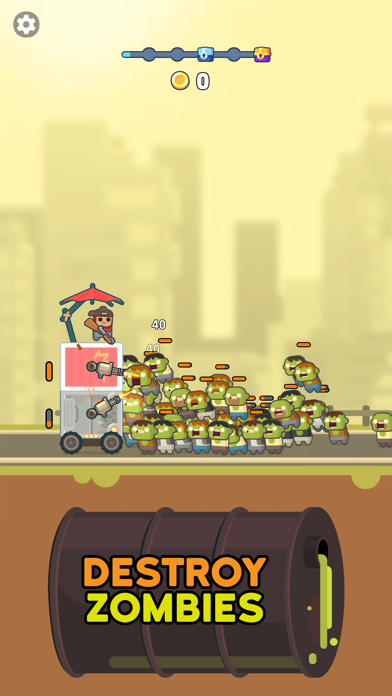
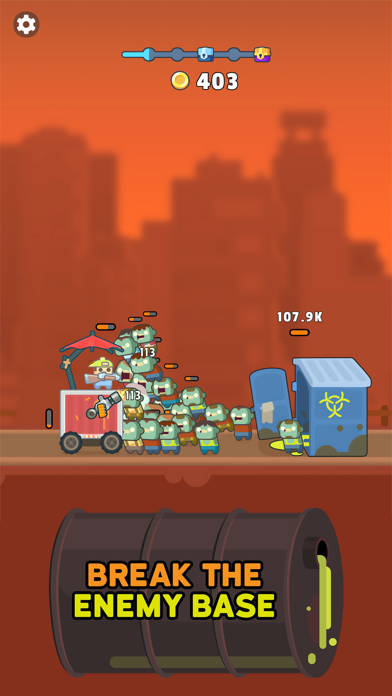
Técnicamente es una torre, pero eso es lo de menos. Es tuya, siempre y cuando logres mantener a los zombis alejados de ella en este juego estratégico de defensa de torres. Por la cantidad de zombis que vagan por las calles, parece que el apocalipsis nuclear se cierne sobre nosotros, así que ten tu arma a mano mientras construyes tu torre y la mantienes en movimiento a pesar de las oleadas de zombis.
► CONSTRUYE Y DEFIENDE
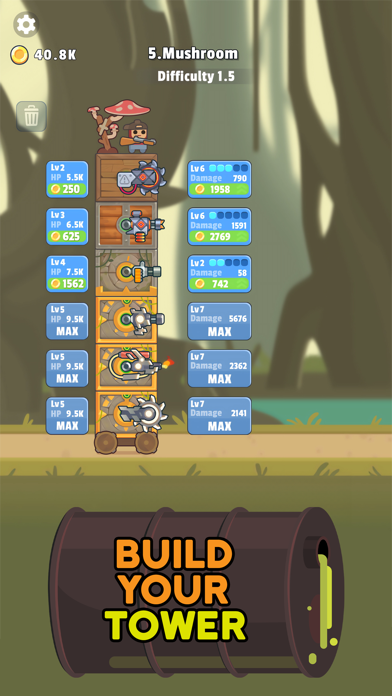
Para construir tu torre, tendrás que conseguir diferentes bloques a medida que avances, que luego podrás montar para levantar tu fortaleza y luchar por tu supervivencia. Dentro de cada uno de los niveles puedes añadir diferentes armas que te ayudarán a mantenerte a salvo y en movimiento a pesar de las masas de zombis que intentarán entrar para comerte el cerebro. ¡Ten cuidado! Una vez que tus defensas caigan, la muerte estará a un paso, ¡así que sigue construyendo y moviéndote!
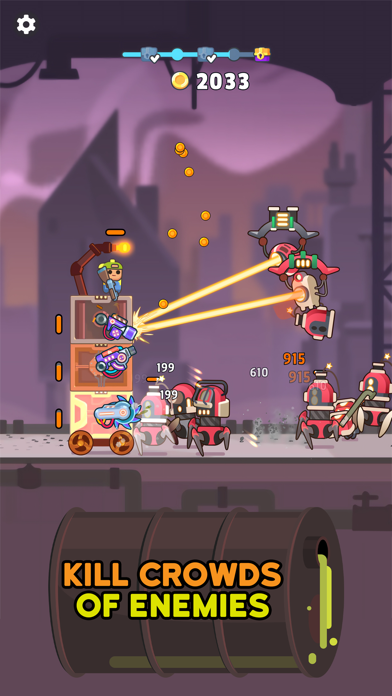
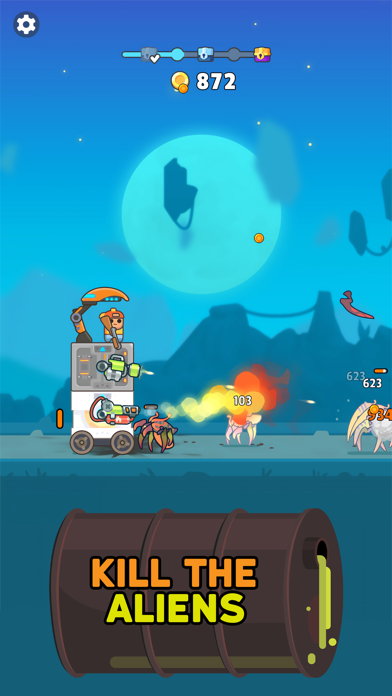
● Preparen, apunten, fuego: ¡tsunami zombi! Este juego de rol y disparos te mantendrá alerta destruyendo zombis mientras levantas y proteges tu castillo móvil. Libra una guerra contra los no muertos para evitar convertirte en uno de ellos. Consigue armas nuevas e interesantes a lo largo del camino y asegúrate de mejorarlas para que tus habilidades de disparo sigan siendo de primera.
● Planea una estrategia: usa la estrategia para acabar con tus enemigos mientras recorres la zona en busca de bloques que añadir a tu torre. Aunque puede haber mucho juego inactivo y disparos a zombis, tendrás que planificar con antelación y pensar cómo y dónde quieres añadir armas y mucho más a tu fortaleza. ¡Necesitarás todas las armas y la protección que puedas encontrar a medida que avances por los niveles y te vayas encontrando con más y más enemigos!
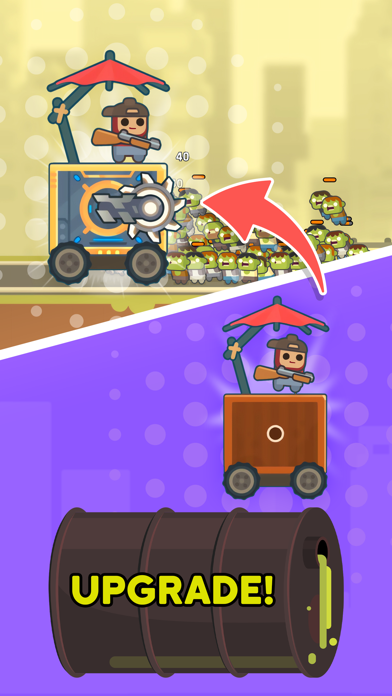
● Sube de nivel: avanza por los niveles en este juego de rol de defensa de torres y obtén acceso a más mejoras emocionantes, armas, partes de torres y mucho más. La Tierra estará a tus pies si consigues seguir siendo un superviviente y evitas convertirte en un zombi, así que lucha por tu vida en este entorno nuclear y continúa explorando.
● Muy animado: los gráficos, no los zombis. Adéntrate en este mundo de personajes vibrantes y adorables y animaciones cautivadoras que le darán vida a todo. ¿Quién hubiera pensado que luchar contra oleadas de zombis podía ser tan adorable? Mientras te esfuerzas ideando la estrategia ganadora, podrás tomarte un respiro y divertirte gracias a la atmósfera relajante.
► TIERRA DE MUERTOS VIVIENTES
¡Así que, ven aquí, superviviente, construye tu torre y declara la guerra a los zombis en este divertido y atractivo juego estratégico de disparos! Usa tu torre para viajar por las tierras mientras exploras y eliminas enemigos, y diviértete personalizando los diferentes niveles con pistolas y otras armas estupendas que te ayudarán en tu lucha contra los no muertos.
¡Descárgate ya Tower Destiny Survive para poner a prueba tus habilidades de supervivencia!
Política de privacidad: https://say.games/privacy-policy
Condiciones de uso: https://say.games/terms-of-use
- iPhone o iPad con o sin Jailbreak.
- Sideloadly u otras alternativas.
- Ordenador con Windows/macOS/Linux e iTunes instalado.
PASO 1: Descargue el archivo .IPA pre-modificado desde el enlace de arriba a su ordenador. Para descargarlo desde la iOSGods App, consulte nuestro Tutorial de descarga del IPA desde la iOSGods App, que incluye un ejemplo en vídeo.
PASO 2: Descargue Sideloadly e instálelo en su Windows o Mac.
PASO 3: Abra Sideloadly en su ordenador, conecte su dispositivo iOS y espere hasta que el nombre del dispositivo aparezca en Sideloadly.
PASO 4: Una vez que su iDevice sea reconocido, arrastre el archivo .IPA modificado que descargó y suéltelo en la aplicación Sideloadly.
PASO 5: Introduzca el correo electrónico de su Apple Account y, a continuación, pulse «Start». Le pedirá que introduzca su contraseña. Proporcione la información solicitada.
PASO 6: Espere a que Sideloadly termine de hacer sideload/instalar el IPA modificado. Si surgen problemas durante la instalación, por favor lea la nota a continuación.
PASO 7: Una vez completada la instalación y al ver la app en la pantalla de inicio, deberá ir a Ajustes → General → Perfiles / VPN y Gestión de Dispositivos. Una vez allí, toque el correo electrónico que introdujo en el paso 6 y, después, toque en «Confiar en [email protected]».
PASO 8: Ahora vaya a la pantalla de inicio y abra la app recién instalada; todo debería funcionar correctamente. Es posible que tenga que seguir instrucciones adicionales específicas de cada app dentro del popup del hack en el juego.
NOTA: En iOS/iPadOS 16 y posteriores, debe activar el Modo Desarrollador. Para cuentas gratuitas de Apple Developer, deberá repetir este proceso cada 7 días. Si tiene alguna pregunta o problema, lea nuestra sección de Preguntas Frecuentes de Sideloadly del tema.




![[VIP] Andy Volcano: Tile Match Story Hack](https://is1-ssl.mzstatic.com/image/thumb/Purple211/v4/50/c5/d0/50c5d0f8-a137-ade7-9074-f3fb9544d525/AppIcon-0-0-1x_U007emarketing-0-8-0-85-220.png/100x100bb.jpg)


![[VIP] Brave Merge - Battle & Defense Hack](https://is1-ssl.mzstatic.com/image/thumb/Purple211/v4/81/8d/ce/818dcea0-a5a9-1bd5-f04a-068336537336/AppIcon-0-0-1x_U007emarketing-0-8-0-85-220.png/100x100bb.jpg)


