Accesso richiesto
Accedi con il tuo account iOSGods per continuare.
Hack Features:
- Infinite Currencies
- Infinite Gadgets
- Premium
Questa app include iGameGod, che ti offre accesso ad Auto Touch per automatizzare attività ripetitive, App Speed Manager per regolare la velocità di gioco, modifica dei valori con Memory Engine e altri potenti strumenti per giochi iOS.
Scarica Gallery: Coloring Book & Decor Hack modded IPA dai link sopra. Tocca il pulsante di installazione e segui le istruzioni per installare questo hack iOS sul tuo iPhone, iPad o Mac con Apple Silicon.
Hai bisogno di altro aiuto? Consulta le nostre Domande frequenti sull'app iOSGods per risposte dettagliate e consigli per la risoluzione dei problemi.
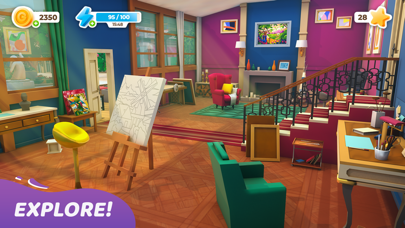
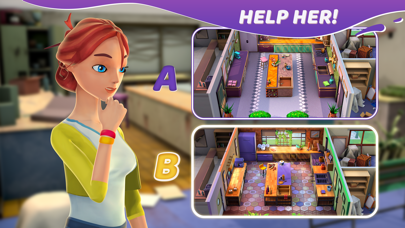
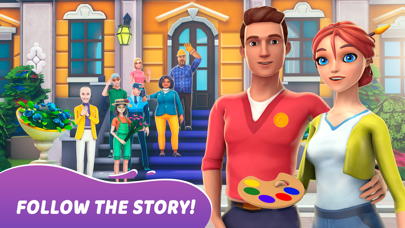
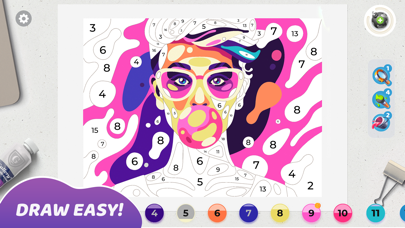
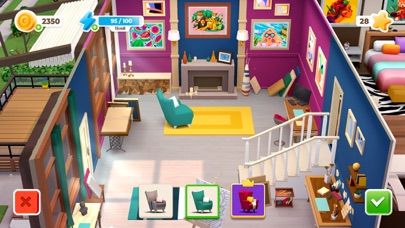
Mia is a passionate painter, who left her boring job to do what she really likes - draw pictures side by side with her boyfriend Leo. Join them in amazing colorful adventure: color a beautiful masterpieces, get stars to renovate the old house and abandoned Art Gallery.
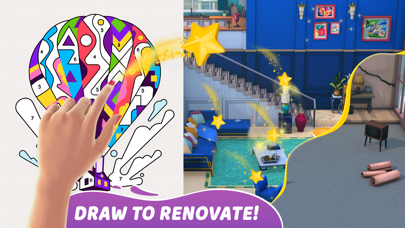
Discover hundreds of unique, high quality paintings, made by the best modern illustrators exclusively for Gallery: Coloring book and Decor. Draw, renovate, decorate and follow the love story - this is the first artbook game where you can color by number and do home design in a one game.
Meet next special features:
- original gameplay: combination of coloring book and home design - creative game for real designers
- hundreds of beautiful pictures to colour
- different art styles of illustrations: geometric art, flat art, pixelart, low poly
- different choices of decor
- unique 3D graphics for the mansion and characters;
- relaxing pictures recoloring;
- regular updates
SUBSCRIPTION PRICING AND TERMS
Premium Subscription
Subscription options, prices and durations:
Weekly Premium Subscription for 7.99 USD with 3 days of a free trial period that offers a weekly subscription for getting daily free coins’ and boosters’ rewards, making decor options free, 2x extending energy bar and removing ADS.
Subscription renewal:
- Payment will be charged to iTunes Account at confirmation of purchase;
- Subscription automatically renews with the price and duration period as the original “1 week” package unless auto-renew is turned off at least 24-hours before the end of the current period;
- Account will be charged for renewal within 24-hours prior to the end of the current period at the cost of the chosen package (weekly, monthly or yearly package);
- Subscriptions may be managed by the user and auto-renewal may be turned off by going to the user’s iTunes Account Settings after purchase;
- No cancellation of the current subscription is allowed during active subscription period;
Please visit http://support.apple.com/kb/ht4098 for more information.
Canceling subscription:
- You may turn off the auto-renewal of your subscription via your iTunes Account Settings. However, you are not able to cancel the current subscription during its active period;
Links to our Terms of Service and Privacy Policy can be found below:
Privacy Policy: https://beresnev.games/privacyPolicy/
Terms of Use: https://beresnev.games/termofuse/
For all the questions please contact us at [email protected]
* Prices are equal to the value that «Apple’s App Store Pricing Matrix» determines as the equivalent of the subscription price in $ USD
- iPhone o iPad non jailbroken/jailed oppure jailbroken.
- Sideloadly o alternative.
- Computer con Windows/macOS/Linux con iTunes installato.
PASSO 1: Scarica il file .IPA pre-modificato dal link sopra sul tuo computer. Per scaricarlo dall'iOSGods App, consulta il nostro Tutorial download IPA dell'iOSGods App, che include un esempio video.
PASSO 2: Scarica Sideloadly e installalo sul tuo Windows o Mac.
PASSO 3: Apri Sideloadly sul tuo computer, collega il tuo dispositivo iOS e attendi finché il nome del dispositivo non appare in Sideloadly.
PASSO 4: Una volta riconosciuto il tuo iDevice, trascina il file .IPA moddato che hai scaricato e rilascialo nell'applicazione Sideloadly.
PASSO 5: Inserisci l'email del tuo Apple Account, poi premi “Start”. Ti verrà quindi chiesto di inserire la password. Procedi e fornisci le informazioni richieste.
PASSO 6: Attendi che Sideloadly completi il sideload/installazione dell'IPA modificata. Se ci sono problemi durante l'installazione, leggi la nota qui sotto.
PASSO 7: Una volta completata l'installazione e vista l'app sulla schermata Home, dovrai andare in Impostazioni → Generali → Profili / Gestione VPN e dispositivi. Una volta lì, tocca l'email inserita al passo 6 e poi tocca “Autorizza [email protected]”.
PASSO 8: Ora vai sulla schermata Home e apri l'app appena installata: tutto dovrebbe funzionare correttamente. Potrebbe essere necessario seguire ulteriori istruzioni specifiche all'interno del popup dell'hack nel gioco.
NOTA: Per iOS/iPadOS 16 e versioni successive, devi attivare la Modalità sviluppatore. Per gli account Apple Developer gratuiti, dovrai ripetere questa procedura ogni 7 giorni. Se hai domande o problemi, leggi la nostra sezione FAQ Sideloadly del topic.