需要登录
请使用您的 iOSGods 账户登录以继续。
从上方链接下载 Gallery: Coloring Book & Decor Hack modded IPA。点击安装按钮并按照屏幕提示在 iPhone、iPad 或 Apple Silicon 上安装此 iOS 应用修改版。
需要更多帮助?请查看我们的 iOSGods 应用常见问题解答 获取详细解答和故障排除技巧。
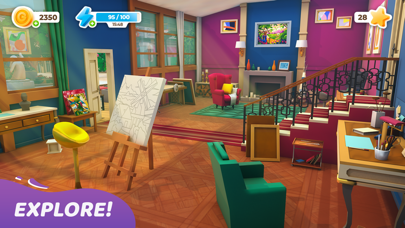
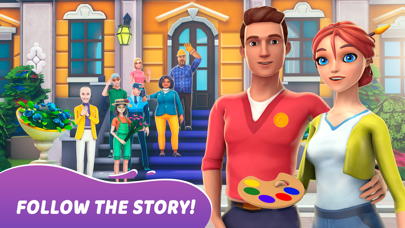
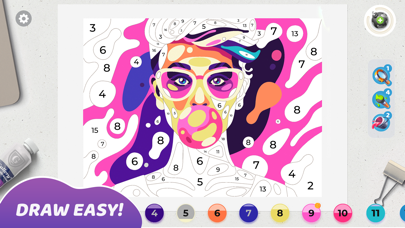
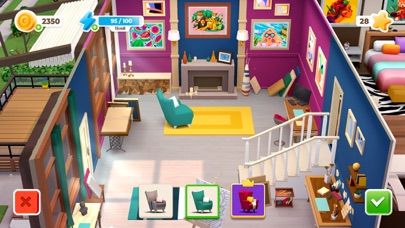
Mia is a passionate painter, who left her boring job to do what she really likes - draw pictures side by side with her boyfriend Leo. Join them in amazing colorful adventure: color a beautiful masterpieces, get stars to renovate the old house and abandoned Art Gallery.
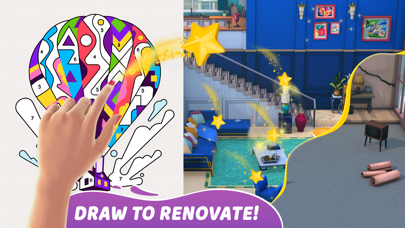
Discover hundreds of unique, high quality paintings, made by the best modern illustrators exclusively for Gallery: Coloring book and Decor. Draw, renovate, decorate and follow the love story - this is the first artbook game where you can color by number and do home design in a one game.
Meet next special features:
- original gameplay: combination of coloring book and home design - creative game for real designers
- hundreds of beautiful pictures to colour
- different art styles of illustrations: geometric art, flat art, pixelart, low poly
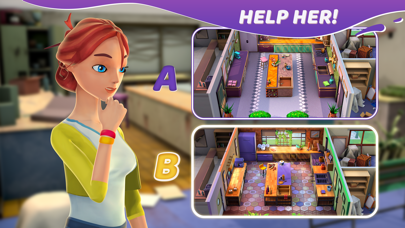
- different choices of decor
- unique 3D graphics for the mansion and characters;
- relaxing pictures recoloring;
- regular updates
SUBSCRIPTION PRICING AND TERMS
Premium Subscription
Subscription options, prices and durations:
Weekly Premium Subscription for 7.99 USD with 3 days of a free trial period that offers a weekly subscription for getting daily free coins’ and boosters’ rewards, making decor options free, 2x extending energy bar and removing ADS.
Subscription renewal:
- Payment will be charged to iTunes Account at confirmation of purchase;
- Subscription automatically renews with the price and duration period as the original “1 week” package unless auto-renew is turned off at least 24-hours before the end of the current period;
- Account will be charged for renewal within 24-hours prior to the end of the current period at the cost of the chosen package (weekly, monthly or yearly package);
- Subscriptions may be managed by the user and auto-renewal may be turned off by going to the user’s iTunes Account Settings after purchase;
- No cancellation of the current subscription is allowed during active subscription period;
Please visit http://support.apple.com/kb/ht4098 for more information.
Canceling subscription:
- You may turn off the auto-renewal of your subscription via your iTunes Account Settings. However, you are not able to cancel the current subscription during its active period;
Links to our Terms of Service and Privacy Policy can be found below:
Privacy Policy: https://beresnev.games/privacyPolicy/
Terms of Use: https://beresnev.games/termofuse/
For all the questions please contact us at [email protected]
* Prices are equal to the value that «Apple’s App Store Pricing Matrix» determines as the equivalent of the subscription price in $ USD
- 未越狱/受限或已越狱的 iPhone 或 iPad。
- Sideloadly 或替代方案。
- 运行 Windows/macOS/Linux 且已安装 iTunes 的电脑。
步骤 1: 通过上方链接将已破解的 .IPA 文件下载到您的电脑。如需从 iOSGods App 下载,请参阅我们的 iOSGods App IPA 下载教程,其中包含视频示例。
步骤 2: 下载 Sideloadly 并将其安装到您的 Windows 或 Mac 上。
步骤 3: 在电脑上打开 Sideloadly,连接您的 iOS 设备,等待设备名称在 Sideloadly 中显示。
步骤 4: 当 Sideloadly 识别到您的 iOS 设备后,将下载好的修改版 .IPA 文件拖放到 Sideloadly 应用中。
步骤 5: 输入您的 Apple Account 邮箱,然后点击 "Start"。系统会提示您输入密码,请按要求填写信息。
步骤 6: 等待 Sideloadly 完成已破解 IPA 的旁加载/安装。如果安装过程中出现问题,请阅读下方的注意事项。
步骤 7: 安装完成并在主屏幕上看到该应用后,您需要前往 设置 → 通用 → 描述文件 / VPN 与设备管理。进入后,点击您在第 6 步中输入的邮箱,然后点击 "信任 [email protected]"。
步骤 8: 现在返回主屏幕并打开新安装的应用,一切应可正常运行。您可能需要按照游戏内修改弹窗中的具体说明执行进一步操作。
注意: 在 iOS/iPadOS 16 及更高版本上,您必须 启用开发者模式。对于免费的 Apple Developer 账户,您需要每 7 天重复一次此操作。如有任何疑问或问题,请阅读我们的 主题中的 Sideloadly 常见问题部分。