Inloggning krävs
Logga in med ditt iOSGods-konto för att fortsätta.
Hack Features:
- Infinite Currencies
- Infinite Gadgets
- Premium
Ladda ner Gallery: Coloring Book & Decor Hack modded IPA från länkarna ovan. Tryck på installationsknappen och följ instruktionerna för att installera denna iOS-apphack på iPhone, iPad eller Apple Silicon.
Behöver du mer hjälp? Se våra iOSGods-appens vanliga frågor för detaljerade svar och felsökningstips.
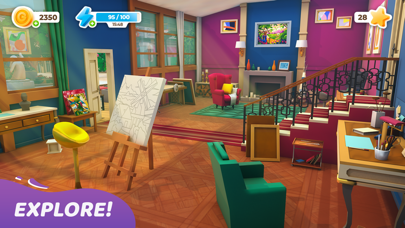
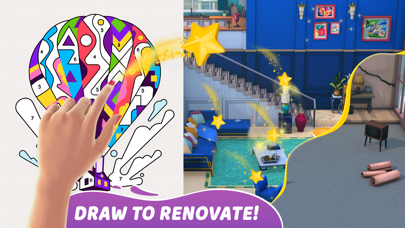
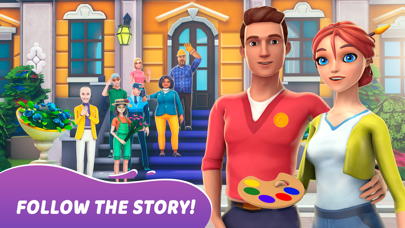
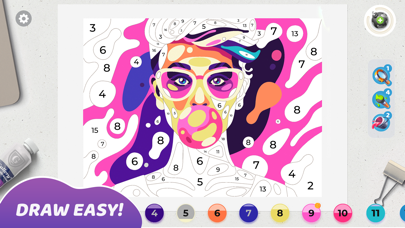
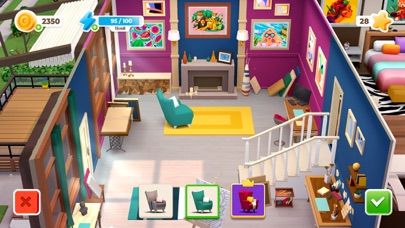
Mia is a passionate painter, who left her boring job to do what she really likes - draw pictures side by side with her boyfriend Leo. Join them in amazing colorful adventure: color a beautiful masterpieces, get stars to renovate the old house and abandoned Art Gallery.
Discover hundreds of unique, high quality paintings, made by the best modern illustrators exclusively for Gallery: Coloring book and Decor. Draw, renovate, decorate and follow the love story - this is the first artbook game where you can color by number and do home design in a one game.
Meet next special features:
- original gameplay: combination of coloring book and home design - creative game for real designers
- hundreds of beautiful pictures to colour
- different art styles of illustrations: geometric art, flat art, pixelart, low poly
- different choices of decor
- unique 3D graphics for the mansion and characters;
- relaxing pictures recoloring;
- regular updates
SUBSCRIPTION PRICING AND TERMS
Premium Subscription
Subscription options, prices and durations:
Weekly Premium Subscription for 7.99 USD with 3 days of a free trial period that offers a weekly subscription for getting daily free coins’ and boosters’ rewards, making decor options free, 2x extending energy bar and removing ADS.
Subscription renewal:
- Payment will be charged to iTunes Account at confirmation of purchase;
- Subscription automatically renews with the price and duration period as the original “1 week” package unless auto-renew is turned off at least 24-hours before the end of the current period;
- Account will be charged for renewal within 24-hours prior to the end of the current period at the cost of the chosen package (weekly, monthly or yearly package);
- Subscriptions may be managed by the user and auto-renewal may be turned off by going to the user’s iTunes Account Settings after purchase;
- No cancellation of the current subscription is allowed during active subscription period;
Please visit http://support.apple.com/kb/ht4098 for more information.
Canceling subscription:
- You may turn off the auto-renewal of your subscription via your iTunes Account Settings. However, you are not able to cancel the current subscription during its active period;
Links to our Terms of Service and Privacy Policy can be found below:
Privacy Policy: https://beresnev.games/privacyPolicy/
Terms of Use: https://beresnev.games/termofuse/
For all the questions please contact us at [email protected]
* Prices are equal to the value that «Apple’s App Store Pricing Matrix» determines as the equivalent of the subscription price in $ USD
- iPhone eller iPad utan jailbreak/jailad eller med jailbreak.
- Sideloadly eller alternativ.
- Dator med Windows/macOS/Linux och iTunes installerat.
STEG 1: Ladda ner den förhackade .IPA-filen från länken ovan till din dator. För att ladda ner från iOSGods App, se vår Guide för att ladda ner IPA i iOSGods App som även innehåller ett videoexempel.
STEG 2: Ladda ner Sideloadly och installera det på din Windows eller Mac.
STEG 3: Öppna Sideloadly på din dator, anslut din iOS-enhet och vänta tills enhetens namn visas i Sideloadly.
STEG 4: När din iEnhet känns igen drar du den moddade .IPA-filen du laddat ner och släpper den i Sideloadly-programmet.
STEG 5: Ange e-postadressen till ditt Apple Account och tryck sedan på ”Start”. Du ombeds sedan ange ditt lösenord. Fyll i de uppgifter som krävs.
STEG 6: Vänta tills Sideloadly är klar med att sideloada/installera den hackade IPA-filen. Om problem uppstår under installationen, läs noten nedan.
STEG 7: När installationen är klar och du ser appen på din hemskärm behöver du gå till Inställningar → Allmänt → Profiler / VPN & enhetshantering. Tryck där på e-postadressen du angav i steg 6 och tryck sedan på ”Lita på [email protected]”.
STEG 8: Gå nu till din hemskärm och öppna den nyligen installerade appen — allt ska fungera som det ska. Du kan behöva följa ytterligare app-specifika instruktioner i hackets popup inne i spelet.
OBS: På iOS/iPadOS 16 och senare måste du aktivera Utvecklarläge. För gratis Apple Developer-konton behöver du upprepa processen var sjunde dag. Om du har frågor eller problem, läs vår Sideloadly FAQ-avsnitt i tråden.