Inicio de sesión requerido
Inicia sesión con tu cuenta de iOSGods para continuar.
Inicia sesión con tu cuenta de iOSGods para continuar.
Domina Pokémon Shuffle Mobile con este Mod IPA gratuito que elimina todas las limitaciones de puzzles y garantiza la victoria. Disfruta de movimientos ilimitados, logros automáticos de rango S, Mega Evolución permanente y sin presión de tiempo mientras avanzas fácilmente por cada etapa ganando 3,000 monedas por victoria.
- Movimientos Ilimitados → resuelve puzzles sin quedarte sin acciones
- Siempre Rango S → consigue la puntuación más alta en cada nivel
- Siempre Mega → mantén la Mega Evolución activa durante las batallas
- Sin Límite de Tiempo → juega a tu propio ritmo sin presión
- 3,000 Monedas cada vez → gana moneda máxima al completar cada etapa
Dispositivos iDevices x64 o ARM64: iPhone 5s, 6, 6 Plus, 6s, 6s Plus, 7, 7 Plus, 8, 8 Plus, X, Xr, Xs, Xs Max, SE, iPod Touch 6G, iPad Air, Air 2, Pro e iPad Mini 2, 3, 4 y posteriores.
Esta app también incluye iGameGod, que te ofrece acceso a Auto Touch para automatizar tareas repetitivas, App Speed Manager para ajustar la velocidad del juego, edición de valores con Memory Engine y más potentes herramientas para juegos de iOS.
Descarga Pokémon Shuffle Mobile Hack modded IPA desde los enlaces de arriba. Toca el botón de instalación y sigue las instrucciones para instalar este hack iOS en tu iPhone, iPad o Mac con Apple Silicon.
¿Necesitas más ayuda? Consulta nuestras Preguntas frecuentes de la app iOSGods para respuestas detalladas y consejos de solución de problemas.
Pokémon Shuffle is a whole new puzzle game! Line up three or more Pokémon vertically or horizontally to battle against wild Pokémon.
■ Introduction
- A whole new puzzle game where you solve puzzles to battle Pokémon
Pokémon Shuffle Mobile is a puzzle game where you line up three or more Pokémon vertically or horizontally to battle against wild Pokémon.
You can play it casually—but battling, collecting, and leveling up Pokémon can also provide hours of fun.
- Lots of stages and lots of Pokémon
On top of the Pokémon available at the initial release of Pokémon Shuffle Mobile, additional stages and Pokémon are planned, but this game already has a lot to offer! Both puzzle beginners and experts will have fun with Pokémon Shuffle Mobile’s various levels of challenges.
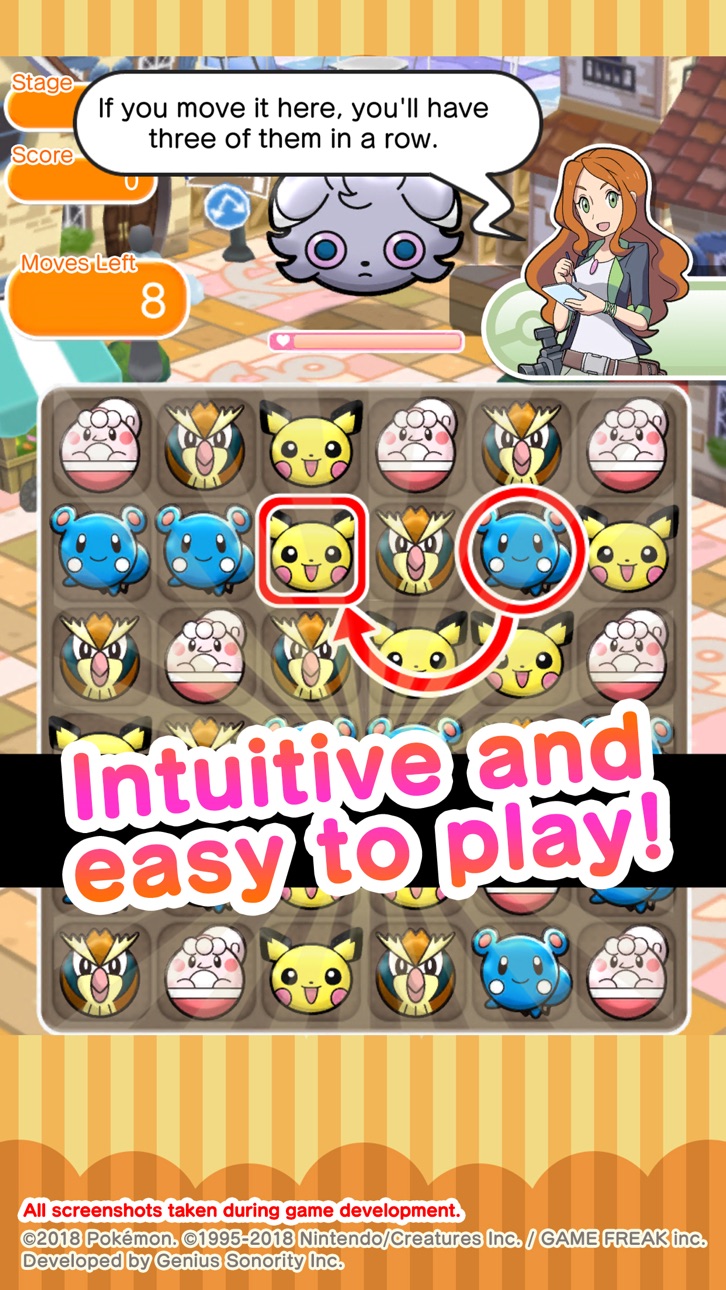
- Intuitive and easy game play
All you have to do in Pokémon Shuffle Mobile is select a Pokémon and its destination in the puzzle area to cause combos automatically—anyone can play it!
Its simple gameplay blends with challenging strategic aspects to appeal to a full spectrum of players from beginners to experts.
■ Notes
- Terms of Use
Please read the Terms of Use before using this application.
- Device settings
You may not be able to launch this application, depending on your device’s settings and/or how it is used. In order to maintain fairness among players, some functions may become inaccessible if certain operations (such as jailbreaking) have been performed.
- Connection environment
If you use this application in locations where reception is poor, your game data may become corrupted or lost.
Please make sure to play this game in locations where reception is good.
If communication is lost momentarily, you may be able to resume play in some cases by pressing the Retry button.
Please note that we are unable to assist you if you experience problems due to communication errors.
- Before making purchases
iOS version 12 or higher is required for this application. Available features may depend on your device’s iOS version.
Please make sure that you can use the free-of-charge features of this product with no issues on your device before you make purchases.
Certain devices and/or configurations may also cause the application to fail to work.
- For inquiries
Please visit support.pokemon.com to report issues about Pokémon Shuffle Mobile.
Capturas © sus respectivos dueños · App Store

iOSGods no está afiliado, avalado ni patrocinado por Apple Inc., Google LLC ni por los desarrolladores de las apps que aparecen aquí. Apple, iOS y App Store son marcas comerciales de Apple Inc. Android y Google Play son marcas comerciales de Google LLC. Todos los demás nombres de apps, iconos, imágenes y marcas pertenecen a sus respectivos dueños.

- iPhone o iPad con o sin Jailbreak.
- Sideloadly u otras alternativas.
- Ordenador con Windows/macOS/Linux e iTunes instalado.
PASO 1: Descargue el archivo .IPA pre-modificado desde el enlace de arriba a su ordenador. Para descargarlo desde la iOSGods App, consulte nuestro Tutorial de descarga del IPA desde la iOSGods App, que incluye un ejemplo en vídeo.
PASO 2: Descargue Sideloadly e instálelo en su Windows o Mac.
PASO 3: Abra Sideloadly en su ordenador, conecte su dispositivo iOS y espere hasta que el nombre del dispositivo aparezca en Sideloadly.
PASO 4: Una vez que su iDevice sea reconocido, arrastre el archivo .IPA modificado que descargó y suéltelo en la aplicación Sideloadly.
PASO 5: Introduzca el correo electrónico de su Apple Account y, a continuación, pulse «Start». Le pedirá que introduzca su contraseña. Proporcione la información solicitada.
PASO 6: Espere a que Sideloadly termine de hacer sideload/instalar el IPA modificado. Si surgen problemas durante la instalación, por favor lea la nota a continuación.
PASO 7: Una vez completada la instalación y al ver la app en la pantalla de inicio, deberá ir a Ajustes → General → Perfiles / VPN y Gestión de Dispositivos. Una vez allí, toque el correo electrónico que introdujo en el paso 6 y, después, toque en «Confiar en [email protected]».
PASO 8: Ahora vaya a la pantalla de inicio y abra la app recién instalada; todo debería funcionar correctamente. Es posible que tenga que seguir instrucciones adicionales específicas de cada app dentro del popup del hack en el juego.
NOTA: En iOS/iPadOS 16 y posteriores, debe activar el Modo Desarrollador. Para cuentas gratuitas de Apple Developer, deberá repetir este proceso cada 7 días. Si tiene alguna pregunta o problema, lea nuestra sección de Preguntas Frecuentes de Sideloadly del tema.
Game Name iOS Mod IPA is an action adventure game enhanced with powerful gameplay boosts and quality-of-life improvements. Win battles faster, earn rewards quicker, and enjoy uninterrupted play without ads.
- Unlimited Gold - spend freely to unlock premium content
- Damage Multiplier - deal significantly more damage in combat
- Defense Multiplier - take less damage and survive longer
- Reward Multiplier - earn more loot from every battle
- Max Level - instantly reach the highest player rank
- No Ads - play without interruptions or advertisements
This app also comes with iGameGod, giving you access to Auto Touch to automate repetitive tasks, App Speed Manager for adjustable gameplay speed, Memory Engine value editing, and more powerful iOS game tools.
Descarga Game Name Mod IPA desde los enlaces de arriba. Toca el botón de instalación y sigue las instrucciones para instalar este hack iOS en tu iPhone, iPad o Mac con Apple Silicon.
¿Necesitas más ayuda Consulta nuestras Preguntas frecuentes de la app iOSGods para respuestas detalladas y consejos de solución de problemas.
----------------------------------------------------------
--------------------------------------------------