Accesso richiesto
Accedi con il tuo account iOSGods per continuare.
Accedi con il tuo account iOSGods per continuare.
Domina Pokémon Shuffle Mobile con questo Mod IPA gratuito che rimuove tutti i limiti dei puzzle e garantisce la vittoria. Goditi mosse illimitate, risultati automatici di rango S, Mega Evoluzione permanente e nessuna pressione di tempo mentre avanzi facilmente in ogni livello guadagnando 3.000 monete per ogni vittoria.
- Mosse Illimitate → risolvi i puzzle senza esaurire le azioni
- Sempre Rango S → ottieni il punteggio più alto in ogni livello
- Sempre Mega → mantieni la Mega Evoluzione attiva durante le battaglie
- Nessun Limite di Tempo → gioca al tuo ritmo senza pressione
- 3.000 Monete ogni volta → guadagna la valuta massima al completamento di ogni livello
Dispositivi iDevices x64 o ARM64: iPhone 5s, 6, 6 Plus, 6s, 6s Plus, 7, 7 Plus, 8, 8 Plus, X, Xr, Xs, Xs Max, SE, iPod Touch 6G, iPad Air, Air 2, Pro e iPad Mini 2, 3, 4 e successivi.
Questa app include anche iGameGod, che ti offre accesso ad Auto Touch per automatizzare attività ripetitive, App Speed Manager per regolare la velocità di gioco, modifica dei valori con Memory Engine e altri potenti strumenti per giochi iOS.
Scarica Pokémon Shuffle Mobile Hack modded IPA dai link sopra. Tocca il pulsante di installazione e segui le istruzioni per installare questo hack iOS sul tuo iPhone, iPad o Mac con Apple Silicon.
Hai bisogno di altro aiuto? Consulta le nostre Domande frequenti sull'app iOSGods per risposte dettagliate e consigli per la risoluzione dei problemi.
Panoramica
Lotta con i Pokémon in questo nuovo gioco di abbinamento!
In Pokémon Shuffle Mobile dovrai allineare tre o più Pokémon in verticale o in orizzontale per sconfiggere i Pokémon che incontrerai lungo la tua strada. Gioca per rilassarti nel tempo libero, oppure scopri tutto il divertimento di questo gioco lottando contro i Pokémon, catturandoli e potenziandoli!
Tantissimi livelli e tantissimi Pokémon
Oltre ai tantissimi Pokémon presenti fin dall'uscita di Pokémon Shuffle Mobile, ti aspettano molti altri livelli che saranno aggiunti in futuro: scopri via via tutto ciò che questo gioco ha da offrirti!
Le sfide contro i Pokémon sono pensate per ogni esigenza e sapranno divertire sia i principianti che gli esperti dei giochi di abbinamento.
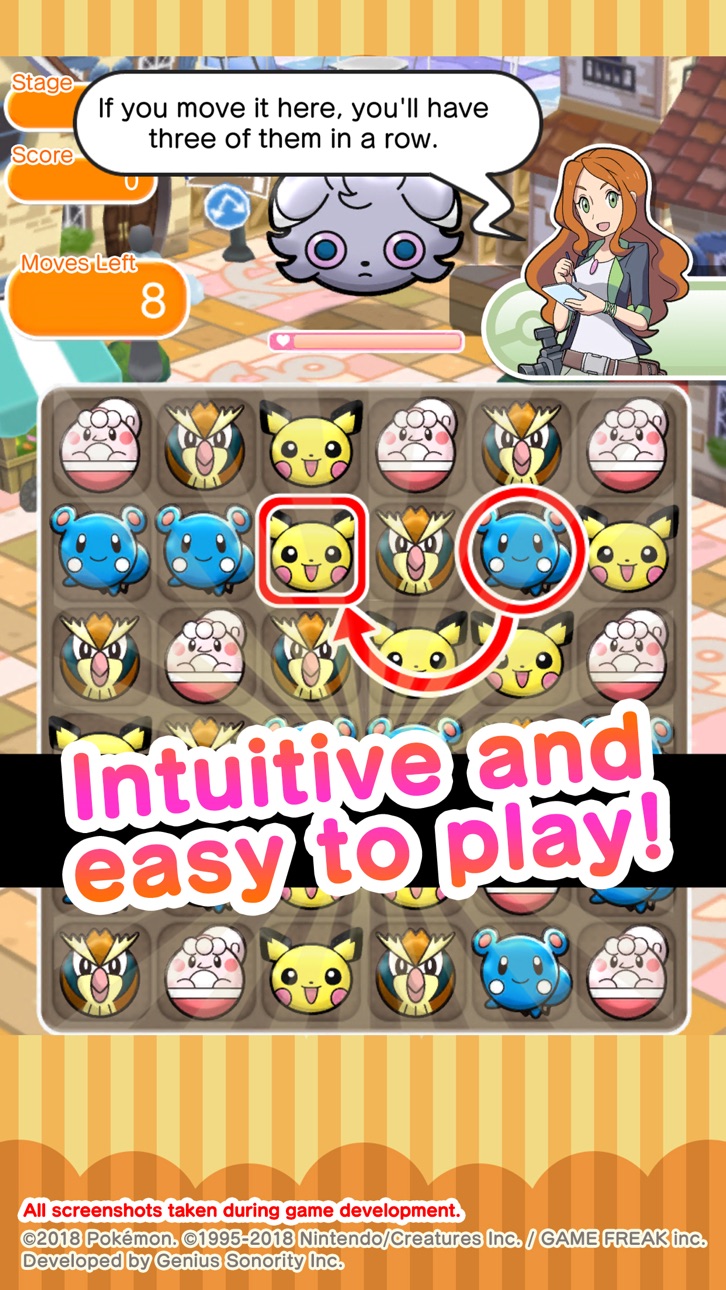
Un gioco semplice e intuitivo
Pokémon Shuffle Mobile è un gioco alla portata di tutti: per realizzare una combinazione, basta selezionare un Pokémon e trascinarlo nel punto dell'area di gioco in cui si desidera spostarlo.
E per i giocatori più esperti sono previsti anche stimolanti elementi strategici!
Avvertenze
Termini di utilizzo
Prima di usare quest'applicazione è necessario leggere i termini di utilizzo.
Impostazioni del dispositivo
Le impostazioni del dispositivo o l'uso che ne fai potrebbero impedirti di avviare questa applicazione. Per garantire l'equo svolgimento delle competizioni, alcune funzioni potrebbero essere rese inaccessibili se sul dispositivo viene rilevata traccia di operazioni come il jailbreaking o simili.
Connessione
Se usi l'applicazione con una connessione Internet poco stabile, i dati di gioco potrebbero risultarne danneggiati o andare persi.
Assicurati di avere una connessione Internet stabile.
Se si verifica una temporanea interruzione della connessione, a volte potrai riprendere a giocare selezionando ""Riprova"".
Ricorda che non sarà possibile fornire assistenza per problemi dovuti a errori di comunicazione.
Prima di effettuare acquisti
Questa applicazione è compatibile con il sistema operativo iOS 12 o versioni superiori. Le funzioni disponibili potrebbero dipendere dalla versione del sistema operativo.
Prima di effettuare acquisti, assicurati di poter usare senza problemi le funzioni gratuite dell'applicazione con il tuo dispositivo.
Con alcuni dispositivi e/o impostazioni, l'applicazione potrebbe non funzionare correttamente.
Supporto tecnico
Visita il sito support-it.pokemon.com per contattarci in caso di problemi relativi a Pokémon Shuffle Mobile.
Screenshot © rispettivi proprietari · App Store

iOSGods non è affiliata, approvata né sponsorizzata da Apple Inc., Google LLC o dagli sviluppatori delle app elencate qui. Apple, iOS e App Store sono marchi di Apple Inc. Android e Google Play sono marchi di Google LLC. Tutti gli altri nomi delle app, icone, immagini e marchi appartengono ai rispettivi proprietari.

- iPhone o iPad non jailbroken/jailed oppure jailbroken.
- Sideloadly o alternative.
- Computer con Windows/macOS/Linux con iTunes installato.
PASSO 1: Scarica il file .IPA pre-modificato dal link sopra sul tuo computer. Per scaricarlo dall'iOSGods App, consulta il nostro Tutorial download IPA dell'iOSGods App, che include un esempio video.
PASSO 2: Scarica Sideloadly e installalo sul tuo Windows o Mac.
PASSO 3: Apri Sideloadly sul tuo computer, collega il tuo dispositivo iOS e attendi finché il nome del dispositivo non appare in Sideloadly.
PASSO 4: Una volta riconosciuto il tuo iDevice, trascina il file .IPA moddato che hai scaricato e rilascialo nell'applicazione Sideloadly.
PASSO 5: Inserisci l'email del tuo Apple Account, poi premi “Start”. Ti verrà quindi chiesto di inserire la password. Procedi e fornisci le informazioni richieste.
PASSO 6: Attendi che Sideloadly completi il sideload/installazione dell'IPA modificata. Se ci sono problemi durante l'installazione, leggi la nota qui sotto.
PASSO 7: Una volta completata l'installazione e vista l'app sulla schermata Home, dovrai andare in Impostazioni → Generali → Profili / Gestione VPN e dispositivi. Una volta lì, tocca l'email inserita al passo 6 e poi tocca “Autorizza [email protected]”.
PASSO 8: Ora vai sulla schermata Home e apri l'app appena installata: tutto dovrebbe funzionare correttamente. Potrebbe essere necessario seguire ulteriori istruzioni specifiche all'interno del popup dell'hack nel gioco.
NOTA: Per iOS/iPadOS 16 e versioni successive, devi attivare la Modalità sviluppatore. Per gli account Apple Developer gratuiti, dovrai ripetere questa procedura ogni 7 giorni. Se hai domande o problemi, leggi la nostra sezione FAQ Sideloadly del topic.
Game Name iOS Mod IPA is an action adventure game enhanced with powerful gameplay boosts and quality-of-life improvements. Win battles faster, earn rewards quicker, and enjoy uninterrupted play without ads.
- Unlimited Gold - spend freely to unlock premium content
- Damage Multiplier - deal significantly more damage in combat
- Defense Multiplier - take less damage and survive longer
- Reward Multiplier - earn more loot from every battle
- Max Level - instantly reach the highest player rank
- No Ads - play without interruptions or advertisements
This app also comes with iGameGod, giving you access to Auto Touch to automate repetitive tasks, App Speed Manager for adjustable gameplay speed, Memory Engine value editing, and more powerful iOS game tools.
Scarica Game Name Mod IPA dai link sopra. Tocca il pulsante di installazione e segui le istruzioni per installare questo hack iOS sul tuo iPhone, iPad o Mac con Apple Silicon.
Hai bisogno di altro aiuto Consulta le nostre Domande frequenti sull'app iOSGods per risposte dettagliate e consigli per la risoluzione dei problemi.
----------------------------------------------------------
--------------------------------------------------