需要登入
請使用您的 iOSGods 帳戶登入以繼續。
請使用您的 iOSGods 帳戶登入以繼續。
無限金幣、無限琥珀和最大化的攻擊力統計數據將 Viking Hero TD: Roguelike RTS 轉變為一場權力幻想,讓你跳過磨練並從一開始就主宰每場定居點防禦。這個 Mod IPA 消除了資源瓶頸,讓你專注於策略和英雄戰鬥,而不是農場。
無論你是在追求完美的構建、嘗試不同的英雄和武器,還是只是想體驗完整的英雄陣容而不用重複無盡的遊戲,這個破解版都能加速你前往瓦爾哈拉的道路,讓你測試遊戲提供的每一種組合。
- 無限金幣 → 自由花費升級和經濟
- 無限琥珀 → 無限制地解鎖特性和加成
- 無限鑰匙 +3 → 存取高級內容和寶箱
- 無限提升 → 無限制地升級英雄和裝備
- 生命值最大 → 英雄的最大生命值
- 攻擊力最大 → 最大攻擊力
- 攻擊範圍 → 戰鬥中的延伸攻擊距離
此應用程式也內建 iGameGod,讓你可以使用 Auto Touch 自動執行重複操作、透過 App Speed Manager 調整遊戲速度、使用 Memory Engine 修改記憶體數值,以及更多強大的 iOS 遊戲工具。
從上方連結下載 Viking Hero TD: Roguelike RTS Hack modded IPA。點選安裝按鈕並依照畫面指示在 iPhone、iPad 或 Apple Silicon 上安裝此 iOS 應用程式修改版。
需要更多協助?請查看我們的 iOSGods 應用程式常見問題 以獲得詳細解答與疑難排解。
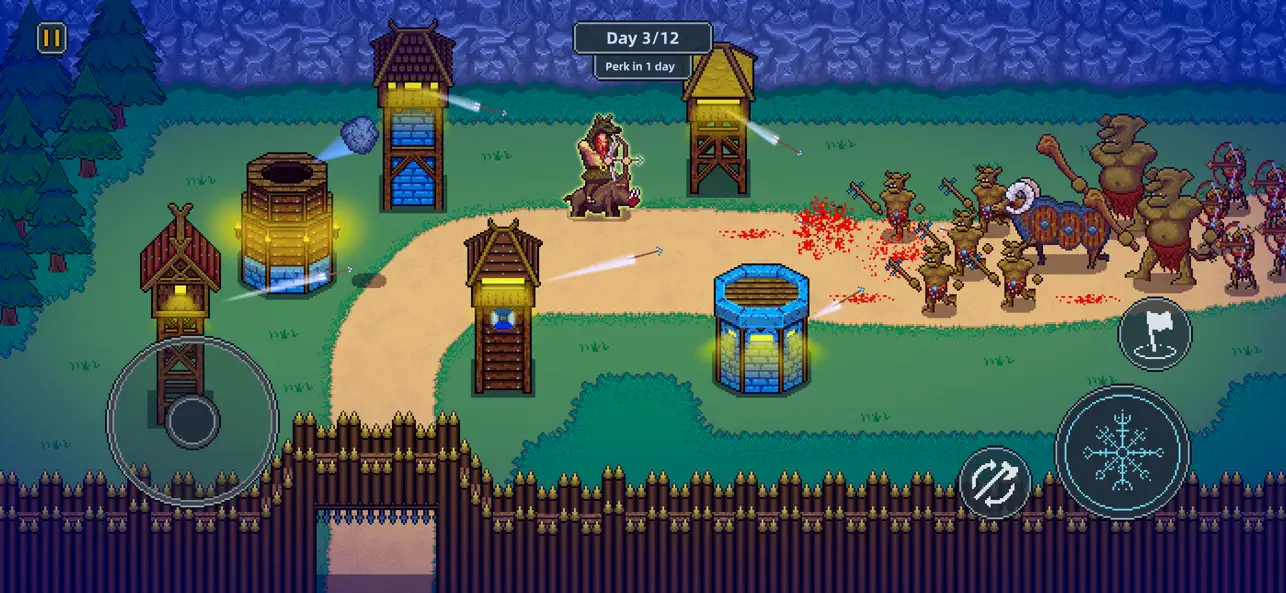
The Jotun, ancient giants and sworn enemies of the gods, have seized control of the Nine Realms. Now, as a mighty Viking god, it’s your destiny to save Valhalla and reclaim your home.
Each level challenges you to build and defend a new settlement. Build up your economy and defenses by day, then at night take control of your hero and soldiers to fight off the enemy invaders.
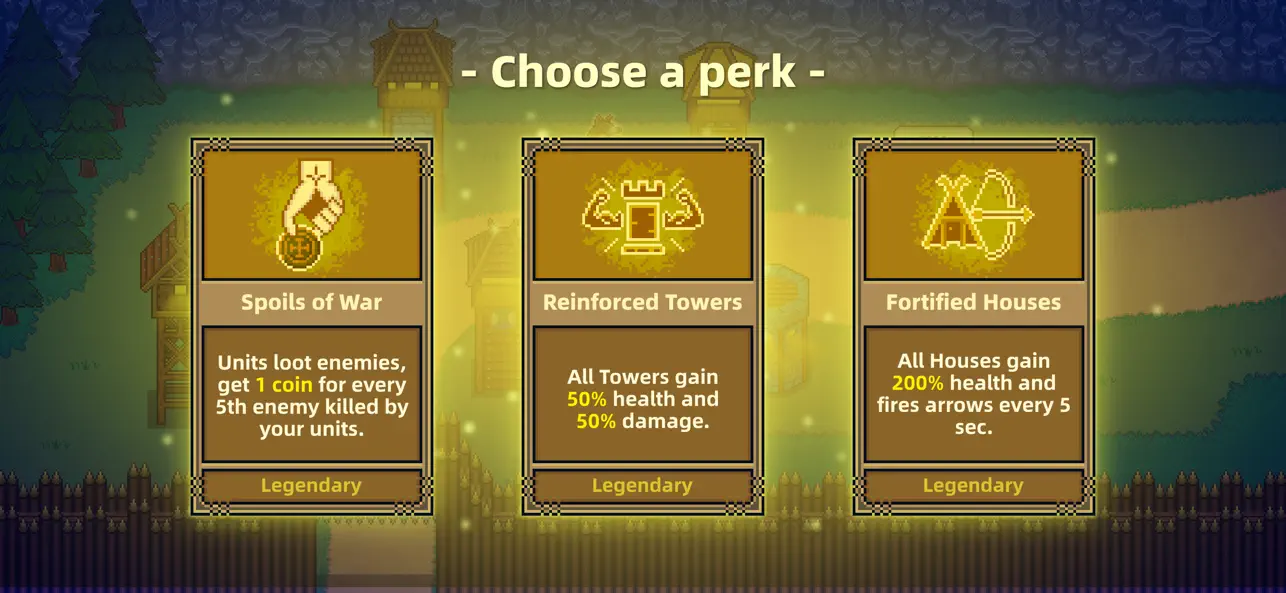
Random perks shake up every run, giving temporary powers and unique boosts to change the way you play.
As you progress, unlock a wide variety of heroes, weapons, and gear, each with unique abilities and powerful passives that can dramatically change how you play. Experiment with different combinations to discover the setup that suits your strengths.
Will you be the one to save the world from Ragnarok?
Key Features:
* Epic Viking Adventure: Take on the Jotun and reclaim the Nine Realms.
* Build & Defend: Construct settlements by day, defend them by night.
* Heroes & Gear: Unlock powerful heroes, weapons, and equipment with unique abilities.
* Random Perks: In each level you draw new perks, making every run unique.
* Play Offline: Take your Viking adventure anywhere.
* No Forced Ads: Play without interruptions.

- 未越獄/受限或已越獄的 iPhone 或 iPad。
- Sideloadly 或替代方案。
- 執行 Windows/macOS/Linux 且已安裝 iTunes 的電腦。
步驟 1: 透過上方連結將已破解的 .IPA 檔案下載到您的電腦。若要從 iOSGods App 下載,請參閱我們的 iOSGods App IPA 下載教學,其中包含影片範例。
步驟 2: 下載 Sideloadly 並將其安裝在您的 Windows 或 Mac 上。
步驟 3: 在電腦上開啟 Sideloadly,連接您的 iOS 裝置,並等待裝置名稱出現在 Sideloadly 中。
步驟 4: 當 Sideloadly 辨識到您的 iOS 裝置後,將下載好的修改版 .IPA 檔案拖曳並放到 Sideloadly 應用程式中。
步驟 5: 輸入您的 Apple Account 電子郵件,然後按下「Start」。系統會要求您輸入密碼,請依指示提供所需資訊。
步驟 6: 等待 Sideloadly 完成已破解 IPA 的旁載/安裝。如果安裝過程中發生問題,請閱讀下方的注意事項。
步驟 7: 安裝完成並在主畫面上看到該應用程式後,您需要前往 設定 → 一般 → 描述檔 / VPN 與裝置管理。進入後,點選您在步驟 6 中輸入的電子郵件,然後點選「信任 [email protected]」。
步驟 8: 現在回到主畫面並開啟新安裝的應用程式,一切應該都能正常運作。您可能需要依照遊戲內破解彈出視窗中的進一步指示操作。
注意: 在 iOS/iPadOS 16 及更新版本上,您必須 啟用開發者模式。若使用免費的 Apple Developer 帳號,您將需要每 7 天重複此程序。如有任何疑問或問題,請閱讀我們的 主題中的 Sideloadly 常見問題區段。