ログインが必要
iOSGodsアカウントでサインインして続けてください。
iOSGodsアカウントでサインインして続けてください。

無制限コイン、無制限アンバー、そして最大化されたATK能力値により、Viking Hero TD: Roguelike RTS Hackはグラインドをスキップして最初から全ての集落防衛を支配する究極のパワーファンタジーへと変わります。このMod IPAはリソースの制限を取り除き、農業ではなく戦略とヒーロー戦闘に集中できるようにします。
完璧なビルドを追求したり、異なるヒーローと武器を試したり、単に無限のランをやり直さずに全ロスターを体験したいだけでも、このHackはヴァルハラへの道を加速させ、ゲームが提供するあらゆる組み合わせをテストできるようにします。
- 無制限コイン → アップグレードと経済に自由に使用
- 無制限アンバー → 制限なくパークとブーストをアンロック
- 無制限キー +3 → プレミアムコンテンツとチェストにアクセス
- 無制限アセンド → 制限なくヒーローとギアをレベルアップ
- HP最大 → ヒーローの最大ヘルスポイント
- ATK最大 → 最大攻撃力
- ATK範囲 → 戦闘での攻撃範囲拡大
このアプリにはiGameGodも搭載されており、繰り返し作業を自動化するAuto Touch、ゲーム速度を調整できるApp Speed Manager、Memory Engineによる値の編集など、強力なiOSゲーム用ツールをご利用いただけます。
Viking Hero TD: Roguelike RTS Hack modded IPAを上のリンクからダウンロードします。インストールボタンをタップし、画面の指示に従ってiPhone、iPad、Apple SiliconにこのiOSアプリハックをインストールします。
さらにヘルプが必要ですか? 詳しい回答とトラブルシューティングはiOSGodsアプリ よくある質問をご覧ください。
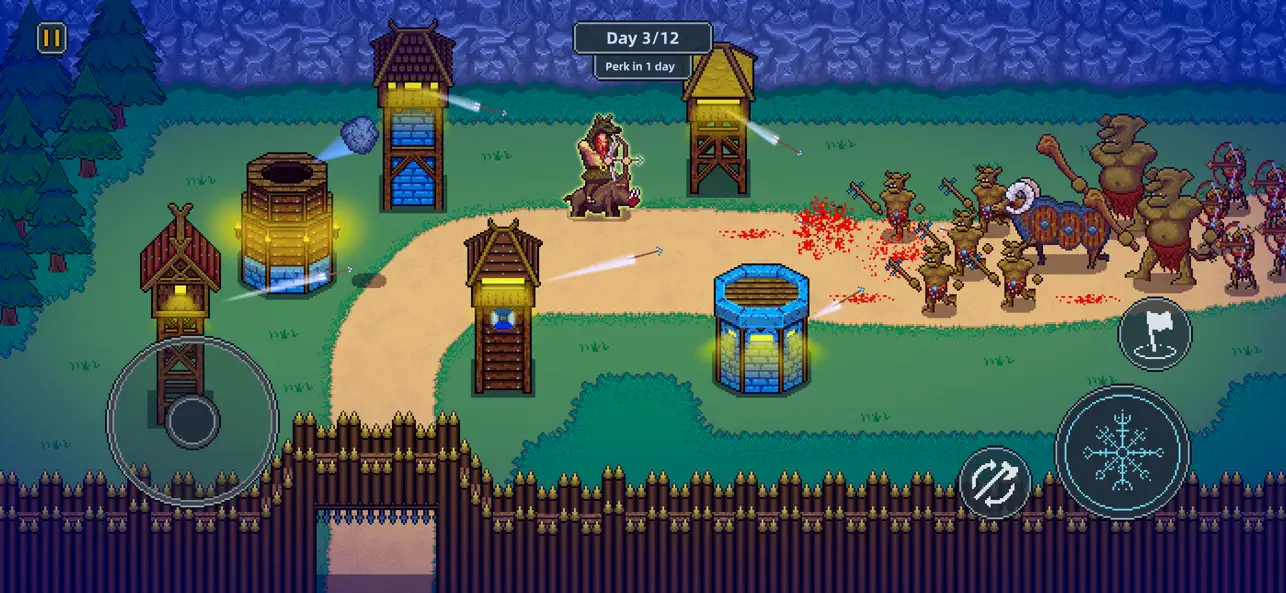
The Jotun, ancient giants and sworn enemies of the gods, have seized control of the Nine Realms. Now, as a mighty Viking god, it’s your destiny to save Valhalla and reclaim your home.
Each level challenges you to build and defend a new settlement. Build up your economy and defenses by day, then at night take control of your hero and soldiers to fight off the enemy invaders.
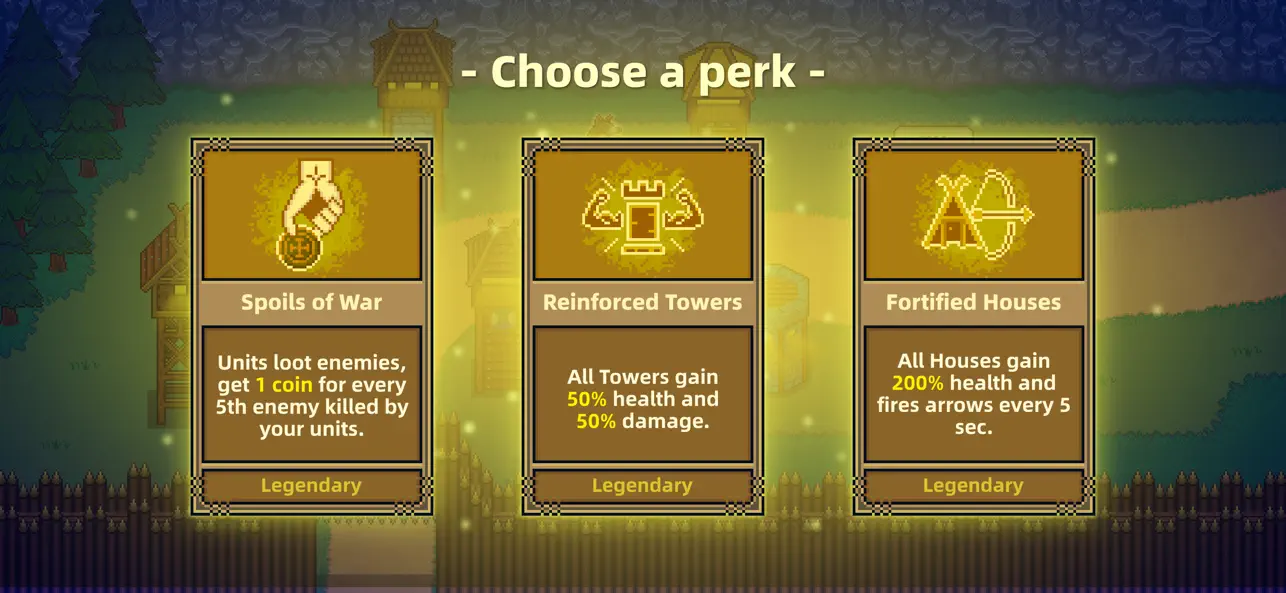
Random perks shake up every run, giving temporary powers and unique boosts to change the way you play.
As you progress, unlock a wide variety of heroes, weapons, and gear, each with unique abilities and powerful passives that can dramatically change how you play. Experiment with different combinations to discover the setup that suits your strengths.
Will you be the one to save the world from Ragnarok?
Key Features:
* Epic Viking Adventure: Take on the Jotun and reclaim the Nine Realms.
* Build & Defend: Construct settlements by day, defend them by night.
* Heroes & Gear: Unlock powerful heroes, weapons, and equipment with unique abilities.
* Random Perks: In each level you draw new perks, making every run unique.
* Play Offline: Take your Viking adventure anywhere.
* No Forced Ads: Play without interruptions.
- 脱獄/Jailed済みまたは脱獄済みのiPhoneまたはiPad。
- Sideloadlyまたは代替手段。
- iTunesがインストールされているWindows/macOS/Linuxを実行しているコンピュータ。
ステップ1: 上のリンクから事前にハックされた.IPAファイルをコンピュータにダウンロードします。iOSGodsアプリからダウンロードする方法は、ビデオ例付きのiOSGodsアプリIPAダウンロードチュートリアルをご覧ください。
ステップ2: SideloadlyをダウンロードしてWindowsまたはMacにインストールします。
ステップ3: コンピュータでSideloadlyを開き、iOSデバイスを接続して、デバイス名がSideloadlyに表示されるまで待ちます。
ステップ4: iDeviceが認識されたら、ダウンロードしたModされた.IPAファイルをSideloadlyアプリにドラッグ&ドロップします。
ステップ5: Apple Accountのメールアドレスを入力し、「Start」を押します。次にパスワードの入力を求められます。必要な情報を入力してください。
ステップ6: Sideloadlyがハックされたipaのサイドロード/インストールを完了するのを待ちます。インストール中に問題が発生した場合は、以下の注意事項をお読みください。
ステップ7: インストールが完了し、ホーム画面にアプリが表示されたら、設定 → 一般 → プロファイル / VPNとデバイス管理に移動する必要があります。そこで、ステップ6で入力したメールをタップし、「Trust [email protected]」をタップします。
ステップ8: ホーム画面に戻り、新しくインストールされたアプリを開けば、すべて正常に動作するはずです。ゲーム内のハックのポップアップで、アプリごとの追加指示に従う必要がある場合があります。
注意: iOS/iPadOS 16以降では、デベロッパモードを有効にするが必要です。無料のApple Developerアカウントの場合、このプロセスを7日ごとに繰り返す必要があります。質問や問題がある場合は、トピックのSideloadly FAQセクションをお読みください。