Login necessário
Entre com sua conta iOSGods para continuar.
Entre com sua conta iOSGods para continuar.

Eterspire: Fantasy MMORPG iOS Mod IPA oferece truques poderosos para dominar batalhas de fantasia com multiplicador de dano, multiplicador de defesa e modo deus para uma aventura inarrável.
- Multiplicador de Dano → amplifique seu poder de ataque em combate
- Multiplicador de Defesa → aumente sua força defensiva contra inimigos
- Modo Deus → torne-se invencível em batalha
Este app também vem com iGameGod, oferecendo acesso ao Auto Touch para automatizar tarefas repetitivas, App Speed Manager para ajustar a velocidade do jogo, edição de valores com Memory Engine e outras ferramentas avançadas para jogos iOS.
Baixe Eterspire: Fantasy MMORPG iOS Mod IPA dos links acima. Toque no botão de instalação e siga as instruções para instalar este hack iOS no seu iPhone, iPad ou Apple Silicon.
Precisa de mais ajuda? Confira nossas Perguntas frequentes sobre o app iOSGods para respostas detalhadas e dicas de solução de problemas.
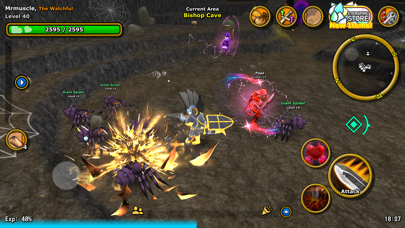
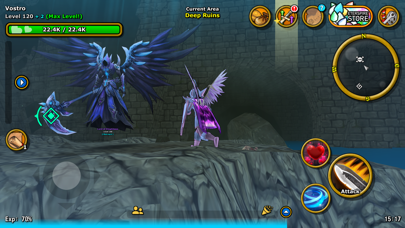
Eterspire es el mejor MMORPG indie para móviles. Sin auto-play, con juego cruzado con PC, progreso realmente free-to-play y compatibilidad total con mandos, ofrece una auténtica experiencia MMO que puedes disfrutar en cualquier lugar.
Explora un vasto mundo de fantasía lleno de personajes encantadores, forma grupo con amigos para batallas cooperativas y sube de nivel con grindeo real. Únete a una de las comunidades más amistosas de cualquier MMO y descubre nuevas actualizaciones de contenido cada dos semanas.
CONSIGUE EQUIPO A BASE DE ESFUERZO
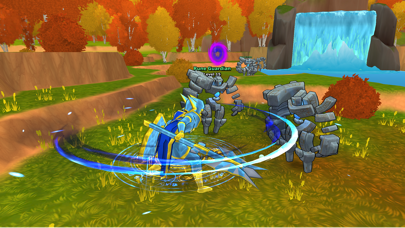
Sube de nivel derrotando monstruos, completando misiones y recogiendo botín. No hay armas de nivel superior de pago ni atajos: tu fuerza depende solo de tu estrategia, constancia y habilidad. Es el MMORPG que se gana con esfuerzo.
DOMINA LAS PRUEBAS JCE CON AMIGOS
Forma grupos de hasta 4 jugadores para enfrentarte a las Pruebas: desafíos JcE por oleadas con botín raro, EXP y jefes poderosos. Coordina a tu grupo, conquista los mayores retos de Aetera y reclama tus recompensas.
PERSONALIZA A TU AVENTURERO
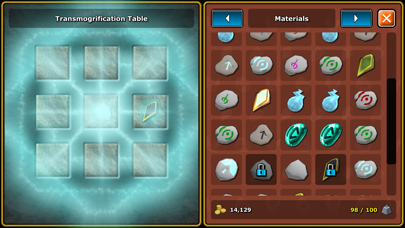
Elige tu clase y define tu estilo. Usa la artesanía para convertir equipo en aspectos, y viste tu armadura y armas favoritas sin perder estadísticas. Crea un look único sin importar cómo luches.
DESAFÍA A LOS REMANENTES POR BOTÍN ÉPICO
Enfréntate a los Remanentes: enormes monstruos de final de juego que sueltan equipo EX, familiares raros y aspectos valiosos. Con estrategia y trabajo en equipo podrás conseguir botín legendario o un gran aumento de poder.
JUEGA EN CUALQUIER LUGAR CON CROSSPLAY
Ya sea en PC, Mac o móvil, tu progreso siempre estará contigo. Eterspire ofrece crossplay completo y soporte para mandos, brindando una de las mejores experiencias MMORPG en todas las plataformas.
ÚNETE A UNA VERDADERA COMUNIDAD MMORPG
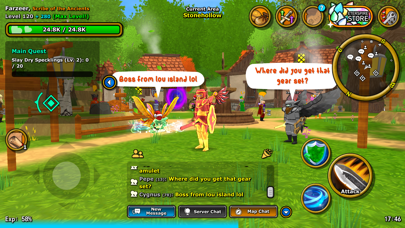
Eterspire no es solo un RPG, es un mundo de fantasía vivo y en constante crecimiento. Chatea, comercia, únete a gremios y explora junto a aventureros de todo el mundo. Participa en concursos, eventos del juego y sesiones de preguntas con los desarrolladores en Discord.
DESCUBRE EL MUNDO DE AETERA
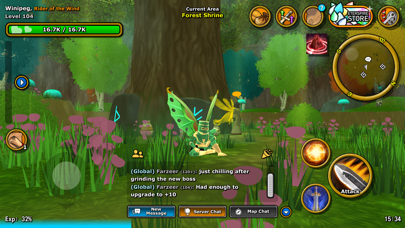
Desde verdes valles y frondosos bosques hasta ruinas ancestrales y tundras heladas, Aetera está repleta de mazmorras, secretos y personajes inolvidables. Forja tu propia leyenda mientras exploras este vasto mundo MMO.
NUEVO CONTENIDO CADA 2 SEMANAS
Con actualizaciones quincenales, nuevas funciones y eventos regulares, Eterspire evoluciona junto a su comunidad. Cada parche trae nuevas aventuras, desafíos y recompensas.
- iPhone ou iPad sem jailbreak/jailed ou com jailbreak.
- Sideloadly ou alternativas.
- Computador com Windows/macOS/Linux e iTunes instalado.
PASSO 1: Baixe o arquivo .IPA pré-hackeado do link acima para o seu computador. Para baixar pelo iOSGods App, veja nosso Tutorial de download de IPA do iOSGods App, que inclui um exemplo em vídeo.
PASSO 2: Baixe o Sideloadly e instale-o no seu Windows ou Mac.
PASSO 3: Abra o Sideloadly no seu computador, conecte seu dispositivo iOS e aguarde até que o nome do dispositivo apareça no Sideloadly.
PASSO 4: Assim que seu iDevice for reconhecido, arraste o arquivo .IPA modificado que você baixou e solte-o no aplicativo Sideloadly.
PASSO 5: Digite o e-mail da sua Apple Account e pressione “Start”. Em seguida, será solicitada a sua senha. Prossiga e forneça as informações solicitadas.
PASSO 6: Aguarde o Sideloadly finalizar o sideload/instalação do IPA hackeado. Se houver problemas durante a instalação, leia a observação abaixo.
PASSO 7: Quando a instalação estiver concluída e você vir o app na Tela de Início, será necessário acessar Ajustes → Geral → Perfis / Gerenciamento de VPN e Dispositivo. Lá, toque no e-mail que você inseriu no passo 6 e, em seguida, toque em “Confiar em [email protected]”.
PASSO 8: Agora vá para a Tela de Início e abra o app recém-instalado; tudo deve funcionar normalmente. Você pode precisar seguir instruções adicionais específicas no popup do hack dentro do jogo.
OBSERVAÇÃO: No iOS/iPadOS 16 e versões posteriores, você deve ativar o Modo de Desenvolvedor. Para contas Apple Developer gratuitas, será necessário repetir este processo a cada 7 dias. Se tiver dúvidas ou problemas, leia nossa seção de FAQ do Sideloadly no tópico.