Inicio de sesión requerido
Inicia sesión con tu cuenta de iOSGods para continuar.
Inicia sesión con tu cuenta de iOSGods para continuar.

Controla a Cloud y sus aliados a través del vasto mundo de Midgar en FINAL FANTASY VII, un RPG legendario ahora disponible como un hack gratuito en iOS con trucos que cambian el juego y te permiten subir de nivel más rápido y luchar de forma más inteligente.
Con enormes recompensas de Gil y AP después de cada batalla, materias instantáneas y curación automática en menús, puedes enfocarte en la historia y la estrategia en lugar de hacer grinding, perfecto para jugadores que desean experimentar esta aventura clásica sin invertir tanto tiempo.
- Enorme pago de Gil después de la batalla → gana moneda rápidamente
- Enorme pago de AP después de la batalla (materias maestras instantáneas) → sube de nivel en habilidades al instante
- HP se restablece después de la batalla → mantente listo para el próximo encuentro
- MP se restablece después de la batalla → lanza hechizos sin agotarte
- La curación en menús no cuesta MP → restaura salud libremente
¡Hecho por Sterling0x1!
Esta app también incluye iGameGod, que te ofrece acceso a Auto Touch para automatizar tareas repetitivas, App Speed Manager para ajustar la velocidad del juego, edición de valores con Memory Engine y más potentes herramientas para juegos de iOS.
Descarga FINAL FANTASY VII FREE Hack modded IPA desde los enlaces de arriba. Toca el botón de instalación y sigue las instrucciones para instalar este hack iOS en tu iPhone, iPad o Mac con Apple Silicon.
¿Necesitas más ayuda? Consulta nuestras Preguntas frecuentes de la app iOSGods para respuestas detalladas y consejos de solución de problemas.
----------------------------------------------------
- Esta es una aplicación de gran tamaño y tardará un tiempo en descargarse.
- Esta aplicación ocupa unos 2GB de memoria. Necesitas tener al menos 4GB de espacio libre para descargarla; asegúrate de contar con memoria suficiente antes de intentarlo.
----------------------------------------------------
Hardware recomendado:
iPhone 5s o posterior, iPad de 3ª generación o posterior, iPad mini 2 o posterior, iPod touch 6
Sistemas operativos compatibles:
iOS 8.0 o posterior
*Ten en cuenta que es posible que se produzcan problemas y que el juego se ejecute con lentitud en aquellos dispositivos que no estén incluidos en la sección de hardware recomendado. Dichos dispositivos no son adecuados para jugar a este juego y podrían darse errores inesperados al ejecutar la aplicación en ellos.
Descripción
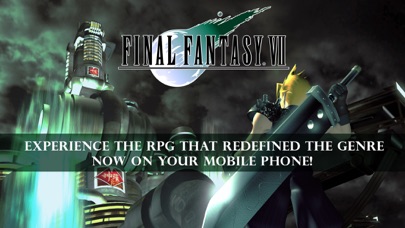
¡Por fin llega a iOS Final Fantasy VII, el célebre juego de rol que ha vendido más de 11 millones de unidades* en todo el mundo!
*Esta cifra incluye unidades físicas y descargas digitales.
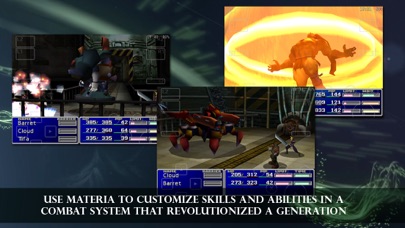
Esta emocionante historia que ocupa un lugar muy especial en el corazón de todos sus fans fue en su día también el primer Final Fantasy en incluir escenarios en 3D y escenas cinemáticas generadas por ordenador. ¡Disfruta ahora por primera vez de espectaculares combates en 3D!
Personaliza a tus personajes como quieras usando el genial sistema de materias que ofrece infinitas combinaciones de hechizos y habilidades.
Este producto es un port basado en Final Fantasy VII para PC y la historia no presenta adiciones ni cambios.
Historia
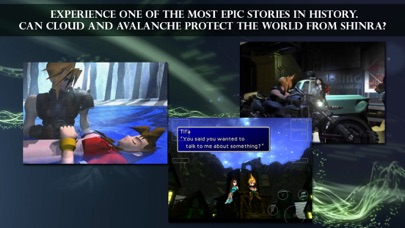
La malvada Shinra Electric Power Company, con su monopolio sobre la producción de Mako-energía, disfruta de un poder capaz de dominar el mundo.
Un día, un Mako-reactor de la creciente metrópolis de Midgar es atacado y destruido por un grupo de rebeldes que se hacen llamar AVALANCHE.
Cloud Strife, un antiguo miembro de las fuerzas de combate de élite de Shinra, SOLDIER, participa en el asalto como un mercenario contratado por AVALANCHE y desencadena una serie de acontecimientos que lo llevarán a él y a sus amigos a iniciar una lucha épica en la que el destino del planeta está en juego.
Funciones especiales de la versión para iOS
- Juega usando un mando virtual diseñado para que la acción esté siempre visible y en el que podrás escoger entre una cruceta analógica virtual o cuatro botones de dirección fijos. La opacidad de los controles en la pantalla puede ajustarse en el menú config.
- ¡Dos opciones nuevas para que jugar sea más fácil!
La versión para iOS incluye la opción de desactivar los encuentros en la pantalla de campo (no es posible evitar los combates de eventos) y una función de potenciación que te volverá todopoderoso en un instante.
Controles principales
Movimiento: cruceta virtual (es posible escoger entre los modos analógico y digital)
Navegación del menú: botones digitales fijos
Confirmar: botón A
Cancelar: botón B
Abrir menú: botón Y
- iPhone o iPad con o sin Jailbreak.
- Sideloadly u otras alternativas.
- Ordenador con Windows/macOS/Linux e iTunes instalado.
PASO 1: Descargue el archivo .IPA pre-modificado desde el enlace de arriba a su ordenador. Para descargarlo desde la iOSGods App, consulte nuestro Tutorial de descarga del IPA desde la iOSGods App, que incluye un ejemplo en vídeo.
PASO 2: Descargue Sideloadly e instálelo en su Windows o Mac.
PASO 3: Abra Sideloadly en su ordenador, conecte su dispositivo iOS y espere hasta que el nombre del dispositivo aparezca en Sideloadly.
PASO 4: Una vez que su iDevice sea reconocido, arrastre el archivo .IPA modificado que descargó y suéltelo en la aplicación Sideloadly.
PASO 5: Introduzca el correo electrónico de su Apple Account y, a continuación, pulse «Start». Le pedirá que introduzca su contraseña. Proporcione la información solicitada.
PASO 6: Espere a que Sideloadly termine de hacer sideload/instalar el IPA modificado. Si surgen problemas durante la instalación, por favor lea la nota a continuación.
PASO 7: Una vez completada la instalación y al ver la app en la pantalla de inicio, deberá ir a Ajustes → General → Perfiles / VPN y Gestión de Dispositivos. Una vez allí, toque el correo electrónico que introdujo en el paso 6 y, después, toque en «Confiar en [email protected]».
PASO 8: Ahora vaya a la pantalla de inicio y abra la app recién instalada; todo debería funcionar correctamente. Es posible que tenga que seguir instrucciones adicionales específicas de cada app dentro del popup del hack en el juego.
NOTA: En iOS/iPadOS 16 y posteriores, debe activar el Modo Desarrollador. Para cuentas gratuitas de Apple Developer, deberá repetir este proceso cada 7 días. Si tiene alguna pregunta o problema, lea nuestra sección de Preguntas Frecuentes de Sideloadly del tema.