需要登入
請使用您的 iOSGods 帳戶登入以繼續。
請使用您的 iOSGods 帳戶登入以繼續。
使用 Whorl 這款圖形設計應用程式建立有趣的生成藝術和動畫,現已透過此 Mod IPA 破解版本完全解鎖。探索 35 種獨特風格、超過一百種形狀變化和自訂色彩組合,設計原創藝術作品以放鬆身心並分享,所有高級功能無限制地可用。
- 完全解鎖 → 所有高級功能和風格均可使用
此應用程式也內建 iGameGod,讓你可以使用 Auto Touch 自動執行重複操作、透過 App Speed Manager 調整遊戲速度、使用 Memory Engine 修改記憶體數值,以及更多強大的 iOS 遊戲工具。
從上方連結下載 Whorl, Playful Art & Design Hack modded IPA。點選安裝按鈕並依照畫面指示在 iPhone、iPad 或 Apple Silicon 上安裝此 iOS 應用程式修改版。
需要更多協助?請查看我們的 iOSGods 應用程式常見問題 以獲得詳細解答與疑難排解。
Playfully create original graphic images, generative art, and animation. Explore shapes, styles, textures, colors, patterns, and symmetry for fun, relaxation and online sharing.
STYLES
35 unique, carefully crafted generative styles to express yourself. Combine with any of the shapes and colors to play without end.
SHAPES
Explore over a hundred variations. Customize your whorl with square, triangle, round, number & letter shapes.
COLORS
Whorl’s coloring system has a unique way of applying colors to a style. Select the colors yourself or let whorl choose superb color combinations.
SCULPT
Change volume, twist, rotate and glitch. Physical manipulation, as fun and easy as playing with clay.
PATTERN
Wander the sphere of geometric patterns. Try each of the 4 different pattern types using your whorl image as the source. Each pattern type can be resized and rotated in real-time to create a wealth of variations.
REFLECT
Create symmetrical spectacle using whorl's multi-axis mirror. Select up to 4 mirror options and rotate the axis lines to reflect your Whorl.
PHOTO
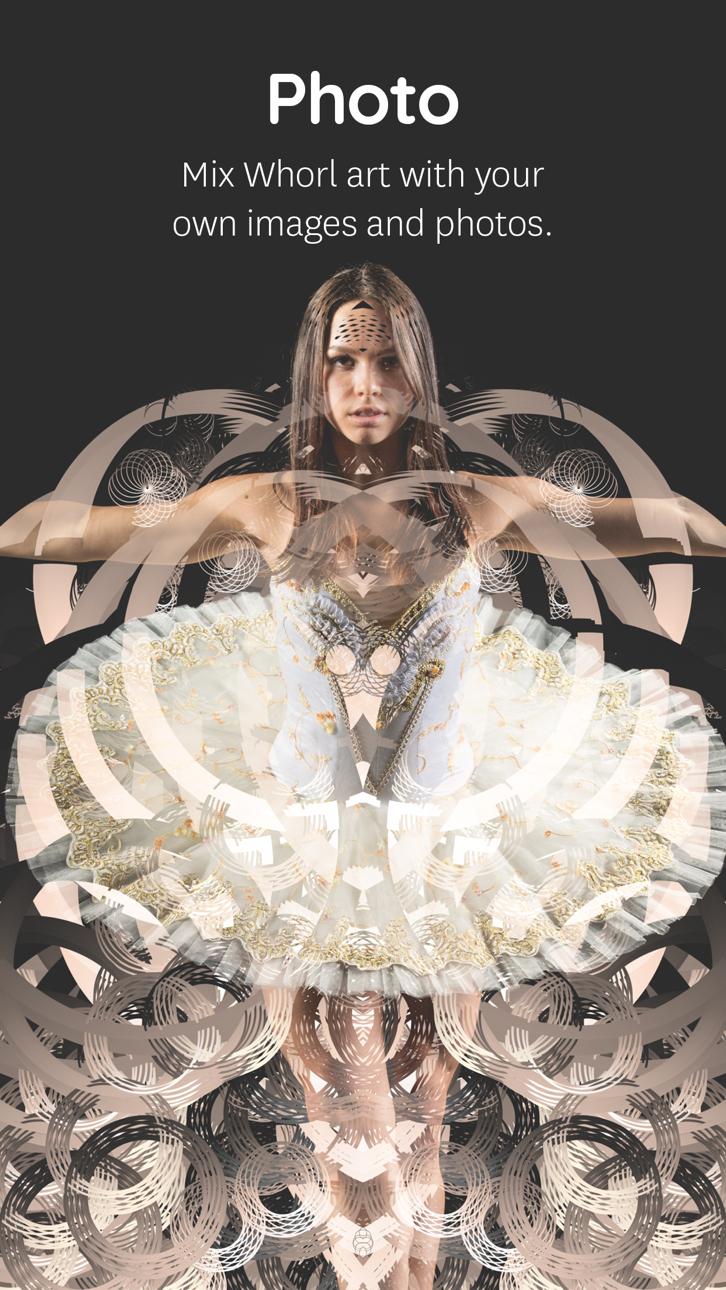
Mix your own image or photo with a Whorl creation right in the app. Choose out of 8 blend modes, change Contrast, Brightness, and Grayscale levels to tune your photo into wicked art. Use the Whorl Photo feature to create artistic photos, mix two whorl images, overlay textures, patterns, logo’s, and whatever one comes up with.
The Photo overlay and pattern feature requires iOS 11 or newer. Due to hardware limitations, the devices that don’t support the Photo feature are iPhone 5s, iPad Air, iPad mini 2, iPad mini 3.
HIGH RESOLUTION
With a Whorl Pro subscription, you have unlimited access to save a 4k image of your beautiful whorl creations. High-res images are great to find beautiful cut-outs & details to post online, high-res projections and making your own prints.
RECORD
Record and conduct your whorl in motion! Toggle volume, rotation, and glitch to change how your whorl will be automatically animated. Record directly inside whorl to export a video. The Screen Recording feature requires iOS 11 or newer.
SHARE
Save your image as a better rendered 1024 x 1024 pixel image to share online. We’re sharing regularly on Instagram. Find and connect with us @whorl or tag your shared whorl creations using #whorl. We love to see what you create.
PRO
Try the app as long as you like using the free styles and shapes. You get to play with the Pro elements for a certain amount of actions. To continue using all shapes, styles, colors, remove watermarks and export high-res images please consider purchasing Whorl Pro. You can purchase Whorl Pro once, or you can purchase a subscription and get Whorl Pro for a limited time.
The subscription length is either per month or per year. A yearly subscription gives you a substantial discount. Payment will be charged to iTunes Account at confirmation of purchase
. Subscription automatically renews unless auto-renew is turned off at least 24-hours before the end of the current period
. Your account will be charged for renewal within 24-hours prior to the end of the current period, and identify the cost of the renewal
. Subscriptions may be managed by the user and auto-renewal may be turned off by going to the user’s Account Settings after purchase.
GET IN TOUCH
For any questions or comments, we love to hear from you.
Email: [email protected]
Instagram: Follow us @whorl for regular examples and inspiration.
螢幕截圖 © 各自所有者 · App Store



iOSGods 與 Apple Inc.、Google LLC 及此處列出應用程式的開發者並無關聯,亦未獲其認可或贊助。Apple、iOS 與 App Store 為 Apple Inc. 的商標。Android 與 Google Play 為 Google LLC 的商標。其他所有應用程式名稱、圖示、圖片與商標均屬其各自所有者。
- 未越獄/受限或已越獄的 iPhone 或 iPad。
- Sideloadly 或替代方案。
- 執行 Windows/macOS/Linux 且已安裝 iTunes 的電腦。
步驟 1: 透過上方連結將已破解的 .IPA 檔案下載到您的電腦。若要從 iOSGods App 下載,請參閱我們的 iOSGods App IPA 下載教學,其中包含影片範例。
步驟 2: 下載 Sideloadly 並將其安裝在您的 Windows 或 Mac 上。
步驟 3: 在電腦上開啟 Sideloadly,連接您的 iOS 裝置,並等待裝置名稱出現在 Sideloadly 中。
步驟 4: 當 Sideloadly 辨識到您的 iOS 裝置後,將下載好的修改版 .IPA 檔案拖曳並放到 Sideloadly 應用程式中。
步驟 5: 輸入您的 Apple Account 電子郵件,然後按下「Start」。系統會要求您輸入密碼,請依指示提供所需資訊。
步驟 6: 等待 Sideloadly 完成已破解 IPA 的旁載/安裝。如果安裝過程中發生問題,請閱讀下方的注意事項。
步驟 7: 安裝完成並在主畫面上看到該應用程式後,您需要前往 設定 → 一般 → 描述檔 / VPN 與裝置管理。進入後,點選您在步驟 6 中輸入的電子郵件,然後點選「信任 [email protected]」。
步驟 8: 現在回到主畫面並開啟新安裝的應用程式,一切應該都能正常運作。您可能需要依照遊戲內破解彈出視窗中的進一步指示操作。
注意: 在 iOS/iPadOS 16 及更新版本上,您必須 啟用開發者模式。若使用免費的 Apple Developer 帳號,您將需要每 7 天重複此程序。如有任何疑問或問題,請閱讀我們的 主題中的 Sideloadly 常見問題區段。
Game Name iOS Mod IPA is an action adventure game enhanced with powerful gameplay boosts and quality-of-life improvements. Win battles faster, earn rewards quicker, and enjoy uninterrupted play without ads.
- Unlimited Gold - spend freely to unlock premium content
- Damage Multiplier - deal significantly more damage in combat
- Defense Multiplier - take less damage and survive longer
- Reward Multiplier - earn more loot from every battle
- Max Level - instantly reach the highest player rank
- No Ads - play without interruptions or advertisements
This app also comes with iGameGod, giving you access to Auto Touch to automate repetitive tasks, App Speed Manager for adjustable gameplay speed, Memory Engine value editing, and more powerful iOS game tools.
從上方連結下載 Game Name Mod IPA。點選安裝按鈕並依照畫面指示在 iPhone、iPad 或 Apple Silicon 上安裝此 iOS 應用程式修改版。
需要更多協助請查看我們的 iOSGods 應用程式常見問題 以獲得詳細解答與疑難排解。
----------------------------------------------------------
--------------------------------------------------