Требуется вход
Войдите в учётную запись iOSGods, чтобы продолжить.
Войдите в учётную запись iOSGods, чтобы продолжить.
Создавайте забавное генеративное искусство и анимации с помощью Whorl, приложения для графического дизайна, полностью разблокированного через этот Mod IPA. Исследуйте 35 уникальных стилей, более сотни вариаций форм и пользовательские комбинации цветов для создания оригинальных произведений искусства для релаксации и обмена, все премиум-функции доступны без ограничений.
- Полная разблокировка → все премиум-функции и стили доступны
Это приложение также поставляется с iGameGod, который открывает доступ к Auto Touch для автоматизации повторяющихся действий, App Speed Manager для регулируемой скорости игры, редактированию значений Memory Engine и другим мощным инструментам для iOS-игр.
Скачайте Whorl, Playful Art & Design Hack modded IPA по ссылкам выше. Нажмите кнопку установки и следуйте инструкциям, чтобы установить этот хак iOS на iPhone, iPad или Mac с Apple Silicon.
Нужна помощь? Посмотрите наши Часто задаваемые вопросы по приложению iOSGods, чтобы получить подробные ответы и советы по устранению неполадок.
Playfully create original graphic images, generative art, and animation. Explore shapes, styles, textures, colors, patterns, and symmetry for fun, relaxation and online sharing.
STYLES
35 unique, carefully crafted generative styles to express yourself. Combine with any of the shapes and colors to play without end.
SHAPES
Explore over a hundred variations. Customize your whorl with square, triangle, round, number & letter shapes.
COLORS
Whorl’s coloring system has a unique way of applying colors to a style. Select the colors yourself or let whorl choose superb color combinations.
SCULPT
Change volume, twist, rotate and glitch. Physical manipulation, as fun and easy as playing with clay.
PATTERN
Wander the sphere of geometric patterns. Try each of the 4 different pattern types using your whorl image as the source. Each pattern type can be resized and rotated in real-time to create a wealth of variations.
REFLECT
Create symmetrical spectacle using whorl's multi-axis mirror. Select up to 4 mirror options and rotate the axis lines to reflect your Whorl.
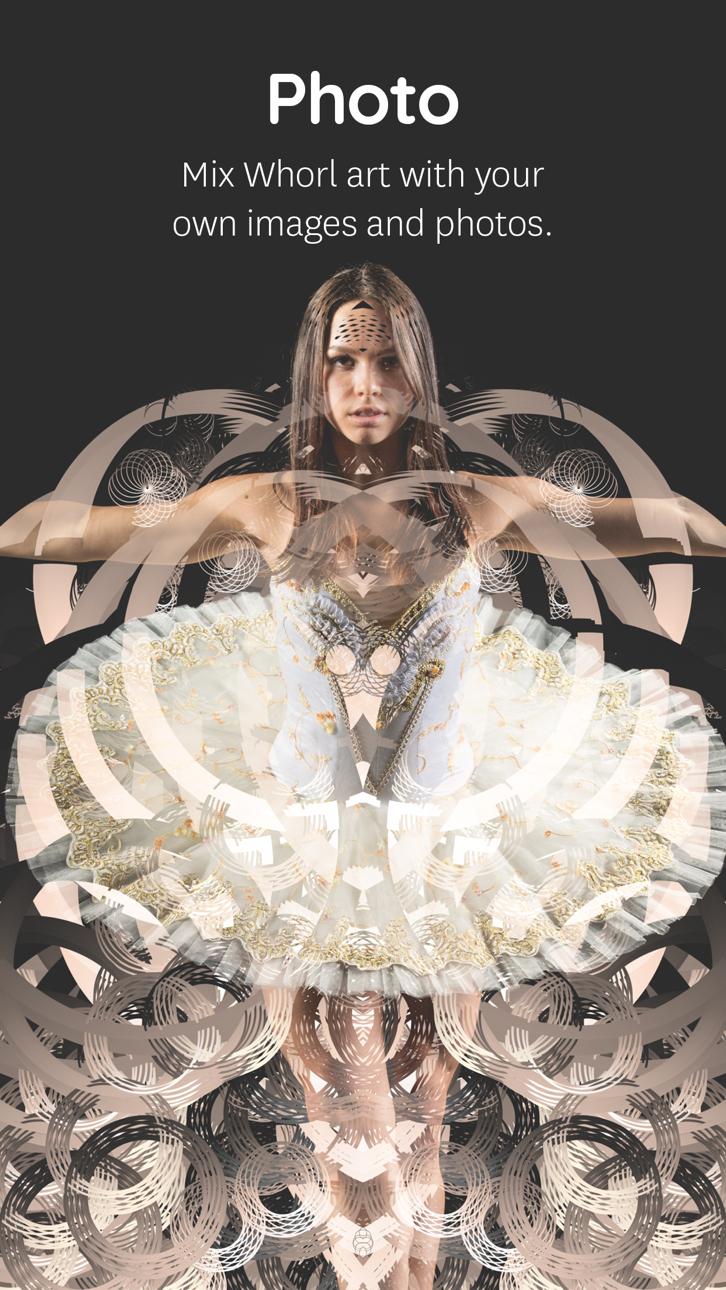
PHOTO
Mix your own image or photo with a Whorl creation right in the app. Choose out of 8 blend modes, change Contrast, Brightness, and Grayscale levels to tune your photo into wicked art. Use the Whorl Photo feature to create artistic photos, mix two whorl images, overlay textures, patterns, logo’s, and whatever one comes up with.
The Photo overlay and pattern feature requires iOS 11 or newer. Due to hardware limitations, the devices that don’t support the Photo feature are iPhone 5s, iPad Air, iPad mini 2, iPad mini 3.
HIGH RESOLUTION
With a Whorl Pro subscription, you have unlimited access to save a 4k image of your beautiful whorl creations. High-res images are great to find beautiful cut-outs & details to post online, high-res projections and making your own prints.
RECORD
Record and conduct your whorl in motion! Toggle volume, rotation, and glitch to change how your whorl will be automatically animated. Record directly inside whorl to export a video. The Screen Recording feature requires iOS 11 or newer.
SHARE
Save your image as a better rendered 1024 x 1024 pixel image to share online. We’re sharing regularly on Instagram. Find and connect with us @whorl or tag your shared whorl creations using #whorl. We love to see what you create.
PRO
Try the app as long as you like using the free styles and shapes. You get to play with the Pro elements for a certain amount of actions. To continue using all shapes, styles, colors, remove watermarks and export high-res images please consider purchasing Whorl Pro. You can purchase Whorl Pro once, or you can purchase a subscription and get Whorl Pro for a limited time.
The subscription length is either per month or per year. A yearly subscription gives you a substantial discount. Payment will be charged to iTunes Account at confirmation of purchase
. Subscription automatically renews unless auto-renew is turned off at least 24-hours before the end of the current period
. Your account will be charged for renewal within 24-hours prior to the end of the current period, and identify the cost of the renewal
. Subscriptions may be managed by the user and auto-renewal may be turned off by going to the user’s Account Settings after purchase.
GET IN TOUCH
For any questions or comments, we love to hear from you.
Email: [email protected]
Instagram: Follow us @whorl for regular examples and inspiration.
Скриншоты © их владельцев · App Store



iOSGods не связана с Apple Inc., Google LLC или разработчиками перечисленных здесь приложений, не одобрена и не спонсируется ими. Apple, iOS и App Store — товарные знаки Apple Inc. Android и Google Play — товарные знаки Google LLC. Все остальные названия приложений, значки, изображения и товарные знаки принадлежат их владельцам.
- iPhone или iPad без джейлбрейка/в обычном режиме или с джейлбрейком.
- Sideloadly или альтернативы.
- Компьютер с Windows/macOS/Linux и установленным iTunes.
ШАГ 1: Скачайте предварительно взломанный файл .IPA по ссылке выше на свой компьютер. Чтобы скачать его из приложения iOSGods, посмотрите наш Туториал по скачиванию IPA в приложении iOSGods, в котором есть видеопример.
ШАГ 2: Скачайте Sideloadly и установите его на Windows или Mac.
ШАГ 3: Откройте Sideloadly на компьютере, подключите iOS-устройство и дождитесь, пока его имя появится в Sideloadly.
ШАГ 4: Когда устройство будет распознано, перетащите скачанный модифицированный файл .IPA в окно Sideloadly.
ШАГ 5: Введите адрес электронной почты вашего Apple Account, затем нажмите «Start». После этого вас попросят ввести пароль. Укажите необходимые данные.
ШАГ 6: Дождитесь, пока Sideloadly завершит sideload/установку взломанного IPA. При возникновении проблем во время установки ознакомьтесь с примечанием ниже.
ШАГ 7: После завершения установки и появления приложения на главном экране перейдите в Настройки → Основные → Профили / VPN и управление устройством. Там нажмите на email, который вы ввели на шаге 6, а затем нажмите «Доверять [email protected]».
ШАГ 8: Теперь перейдите на главный экран и откройте установленное приложение — всё должно работать. Возможно, потребуется выполнить дополнительные инструкции в попапе мода внутри игры.
ПРИМЕЧАНИЕ: На iOS/iPadOS 16 и новее необходимо включить режим разработчика. Для бесплатных учётных записей Apple Developer этот процесс нужно повторять каждые 7 дней. Если возникнут вопросы или проблемы, ознакомьтесь с нашим разделом FAQ по Sideloadly в теме.
Game Name iOS Mod IPA is an action adventure game enhanced with powerful gameplay boosts and quality-of-life improvements. Win battles faster, earn rewards quicker, and enjoy uninterrupted play without ads.
- Unlimited Gold - spend freely to unlock premium content
- Damage Multiplier - deal significantly more damage in combat
- Defense Multiplier - take less damage and survive longer
- Reward Multiplier - earn more loot from every battle
- Max Level - instantly reach the highest player rank
- No Ads - play without interruptions or advertisements
This app also comes with iGameGod, giving you access to Auto Touch to automate repetitive tasks, App Speed Manager for adjustable gameplay speed, Memory Engine value editing, and more powerful iOS game tools.
Скачайте Game Name Mod IPA по ссылкам выше. Нажмите кнопку установки и следуйте инструкциям, чтобы установить этот хак iOS на iPhone, iPad или Mac с Apple Silicon.
Нужна помощь Посмотрите наши Часто задаваемые вопросы по приложению iOSGods, чтобы получить подробные ответы и советы по устранению неполадок.
----------------------------------------------------------
--------------------------------------------------