需要登入
請使用您的 iOSGods 帳戶登入以繼續。
請使用您的 iOSGods 帳戶登入以繼續。
在 NOMO CAM 中解鎖所有相機,這是一款經過修改的 iOS 相機應用程式,讓你能夠使用真實的類比預設進行拍攝,無需逐個購買。這個破解版本讓你即時存取所有可用的相機、相框和膠片效果,讓你可以專注於構圖和捕捉精彩時刻。
- 所有相機已擁有 → 存取商店中的每台相機
此應用程式也內建 iGameGod,讓你可以使用 Auto Touch 自動執行重複操作、透過 App Speed Manager 調整遊戲速度、使用 Memory Engine 修改記憶體數值,以及更多強大的 iOS 遊戲工具。
從上方連結下載 NOMO CAM - Point and Shoot Modded modded IPA。點選安裝按鈕並依照畫面指示在 iPhone、iPad 或 Apple Silicon 上安裝此 iOS 應用程式修改版。
需要更多協助?請查看我們的 iOSGods 應用程式常見問題 以獲得詳細解答與疑難排解。
NOMO is now NOMO CAM. Except the name, everything else is still the same. We're announcing more NOMO apps soon and make the NOMO PRO membership more valueable. Please stay tuned.
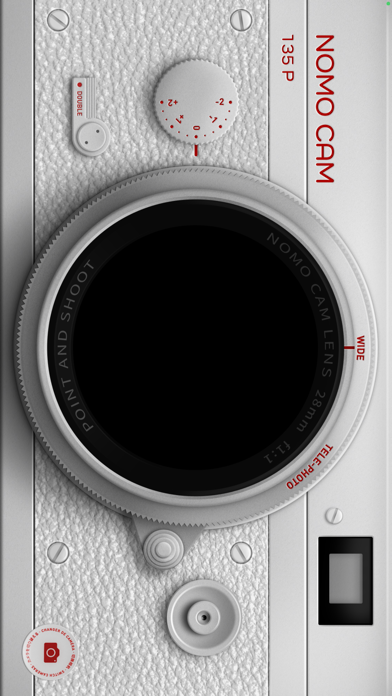
Here are your new cameras! NOMO CAM was designed to help casual photographers to focus on taking pictures, instead of all the post-production retouches.
# AUTHENTIC CAMERAS
Tap on the yellow "Camera" button and the "Shop" button, you will find all the cameras that you can purchase, download and use.
After taking a picture, random analog presets -- including curves, grains, dust, light leak, vignette, sharpening, frames, etc. -- will be added to the image. It's just like what a real 35mm film camera does.
Press the double exposure button and take two photos for our fantastic "double exposure" effect. There are unlimited possibilities. Keep playing it to discover.
# NOMO PRO
We will continuously release new cameras. With a NOMO PRO membership, you can use them all unlimitedly. Meanwhile, we will announce exclusive membership-only cameras.
A NOMO PRO membership will activate exclusive pro tools, including importing photos, turning off the film development time of INS cameras, and other upcoming features.
# ABOUT SUBSCRIPTION
Subscription service conditions:
- NOMO PRO provides 1-year membership for you to purchase;
- Payment will be charged to your iTunes Account at confirmation of purchase;
- Your subscription automatically renews unless auto-renew is turned off at least 24-hours before the end of the current period;
- Your account will be charged for renewal within 24-hours prior to the end of the current period;
- The renewal price for 1-year membership is USD 24.99.
- You can manage your subscription and switch off the auto-renewal by accessing your Account Settings after purchase;
- Any unused portion of a free trial period, if offered, will be forfeited if you purchase a subscription to that publication;
- All personal data is handled under the terms and conditions of NOMO CAM’s privacy policy. More details can be found here:
https://terms.alicdn.com/legal-agreement/terms/platform_service/20220620162325709/20220620162325709.html
https://terms.alicdn.com/legal-agreement/terms/privacy/20220704103203877/20220704103203877.html
- 未越獄/受限或已越獄的 iPhone 或 iPad。
- Sideloadly 或替代方案。
- 執行 Windows/macOS/Linux 且已安裝 iTunes 的電腦。
步驟 1: 透過上方連結將已破解的 .IPA 檔案下載到您的電腦。若要從 iOSGods App 下載,請參閱我們的 iOSGods App IPA 下載教學,其中包含影片範例。
步驟 2: 下載 Sideloadly 並將其安裝在您的 Windows 或 Mac 上。
步驟 3: 在電腦上開啟 Sideloadly,連接您的 iOS 裝置,並等待裝置名稱出現在 Sideloadly 中。
步驟 4: 當 Sideloadly 辨識到您的 iOS 裝置後,將下載好的修改版 .IPA 檔案拖曳並放到 Sideloadly 應用程式中。
步驟 5: 輸入您的 Apple Account 電子郵件,然後按下「Start」。系統會要求您輸入密碼,請依指示提供所需資訊。
步驟 6: 等待 Sideloadly 完成已破解 IPA 的旁載/安裝。如果安裝過程中發生問題,請閱讀下方的注意事項。
步驟 7: 安裝完成並在主畫面上看到該應用程式後,您需要前往 設定 → 一般 → 描述檔 / VPN 與裝置管理。進入後,點選您在步驟 6 中輸入的電子郵件,然後點選「信任 [email protected]」。
步驟 8: 現在回到主畫面並開啟新安裝的應用程式,一切應該都能正常運作。您可能需要依照遊戲內破解彈出視窗中的進一步指示操作。
注意: 在 iOS/iPadOS 16 及更新版本上,您必須 啟用開發者模式。若使用免費的 Apple Developer 帳號,您將需要每 7 天重複此程序。如有任何疑問或問題,請閱讀我們的 主題中的 Sideloadly 常見問題區段。