ログインが必要
iOSGodsアカウントでサインインして続けてください。

Free Game
FINAL FANTASY VIII Remastered modded IPAを上のリンクからダウンロードします。インストールボタンをタップし、画面の指示に従ってiPhone、iPad、Apple SiliconにこのiOSアプリハックをインストールします。
さらにヘルプが必要ですか? 詳しい回答とトラブルシューティングはiOSGodsアプリ よくある質問をご覧ください。
------------------------------
・ This application requires approximately 2.55GB to download. Please be sure to allocate the necessary amount of time and space on your device before proceeding.
・ Only one download with a large amount of data will be required while progressing through the game.
・ Since it is a large application, it will take time to download. We strongly recommend connecting to Wi-Fi when downloading.
------------------------------
[Please read before playing]
* Entering or leaving vehicles such as cars and the Garden may occasionally get your character stuck between the vehicle and terrain features, or freeze the vehicle in place. This seems to happen more often when you leave your vehicle in close proximity to impassable terrain, or when you try to enter or leave your vehicle during certain scripted events. Currently, the only fix for this is to reload a previously saved game, so please make sure to save your progress often.
* Some locations may be difficult to navigate using the Speed Boost (x3). We advise you to turn off this feature in such cases.
* Make sure to check the FAQ section of our support page for solutions to common issues:
https://support.na.square-enix.com/main.php?la=1&id=442
We apologize for any inconvenience these issues may cause, and thank you again for your interest in our product.
■Summary
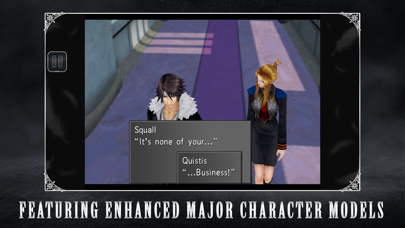
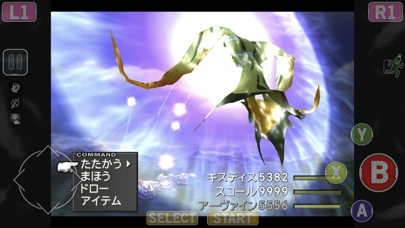
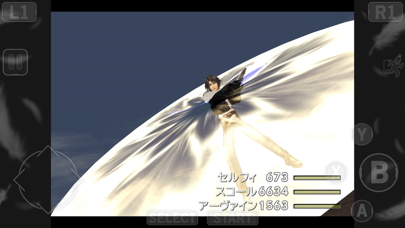
FINAL FANTASY VIII was first released on February 11, 1999. Beloved by fans, this title has garnered a great deal of popularity even compared to other installments in the FINAL FANTASY franchise, selling more than 9.6 million units worldwide. And now players can enjoy FINAL FANTASY VIII on their smartphone! With renewed character CG, the world of FINAL FANTASY VIII is now more beautiful than ever before.
This installment is a remaster of FINAL FANTASY VIII for PC. This application is a one-time purchase. There will be no additional charge incurred after downloading.
■Story
It is a time of war.
The Republic of Galbadia, under the influence of the sorceress Edea, mobilizes its great armies against the other nations of the world.
Squall and other members of SeeD, an elite mercenary force, join hands with Rinoa, a resistance fighter, to fight against Galbadia's tyrannical rule and to prevent Edea from fulfilling her ultimate goal.
■FINAL FANTASY VIII: Release Features
・Guardian Force(G.F.)
G.F. are summoned creatures in FFVIII used to protect the protagonists. Call upon them in battle to unleash their might and to increase their power alongside player characters. By junctioning G.F., players will be able to enjoy greater freedom in how they approach battles.
・Drawing
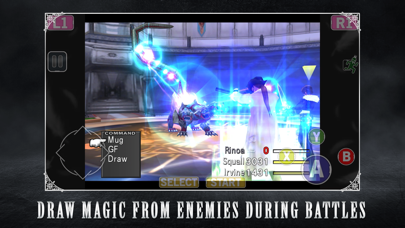
Obtain magic in FFVIII by drawing (extracting) it in battle. MP does not exist and players are limited to the number they have in their possession. Magic that has been extracted can be released on the spot or stocked for later use.
・ Junctioning
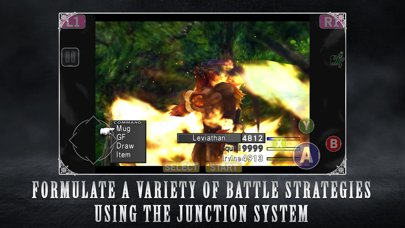
This system allows players to equip G.F. and stocked magic to characters in order to increase their power.
■ Additional Features
・ Battle Assist
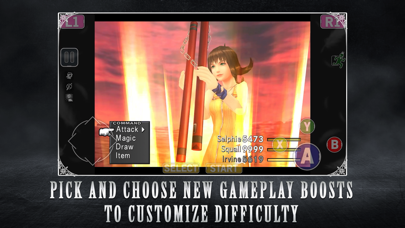
Max out HP and ATB gauge during battle and activate Limit Breaks at any time.
・ No Encounters
Players can choose to turn Battle Encounters on or off.
・ 3x Speed
With the exception of certain cutscenes, players can choose to proceed through the game at 3x speed.
[Minimum Requirements]
iOS 13.0 or higher
- 脱獄/Jailed済みまたは脱獄済みのiPhoneまたはiPad。
- Sideloadlyまたは代替手段。
- iTunesがインストールされているWindows/macOS/Linuxを実行しているコンピュータ。
ステップ1: 上のリンクから事前にハックされた.IPAファイルをコンピュータにダウンロードします。iOSGodsアプリからダウンロードする方法は、ビデオ例付きのiOSGodsアプリIPAダウンロードチュートリアルをご覧ください。
ステップ2: SideloadlyをダウンロードしてWindowsまたはMacにインストールします。
ステップ3: コンピュータでSideloadlyを開き、iOSデバイスを接続して、デバイス名がSideloadlyに表示されるまで待ちます。
ステップ4: iDeviceが認識されたら、ダウンロードしたModされた.IPAファイルをSideloadlyアプリにドラッグ&ドロップします。
ステップ5: Apple Accountのメールアドレスを入力し、「Start」を押します。次にパスワードの入力を求められます。必要な情報を入力してください。
ステップ6: Sideloadlyがハックされたipaのサイドロード/インストールを完了するのを待ちます。インストール中に問題が発生した場合は、以下の注意事項をお読みください。
ステップ7: インストールが完了し、ホーム画面にアプリが表示されたら、設定 → 一般 → プロファイル / VPNとデバイス管理に移動する必要があります。そこで、ステップ6で入力したメールをタップし、「Trust [email protected]」をタップします。
ステップ8: ホーム画面に戻り、新しくインストールされたアプリを開けば、すべて正常に動作するはずです。ゲーム内のハックのポップアップで、アプリごとの追加指示に従う必要がある場合があります。
注意: iOS/iPadOS 16以降では、デベロッパモードを有効にするが必要です。無料のApple Developerアカウントの場合、このプロセスを7日ごとに繰り返す必要があります。質問や問題がある場合は、トピックのSideloadly FAQセクションをお読みください。