تسجيل الدخول مطلوب
سجّل الدخول بحساب iOSGods للمتابعة.
قم بتنزيل FINAL FANTASY VIII Remastered modded IPA من الروابط أعلاه. اضغط على زر التثبيت واتبع التعليمات لتثبيت هذا التعديل لـ iOS على iPhone أو iPad أو Apple Silicon.
هل تحتاج إلى مزيد من المساعدة؟ راجع الأسئلة الشائعة لتطبيق iOSGods للحصول على إجابات مفصلة ونصائح لاستكشاف الأخطاء.

------------------------------
・ This application requires approximately 2.55GB to download. Please be sure to allocate the necessary amount of time and space on your device before proceeding.
・ Only one download with a large amount of data will be required while progressing through the game.
・ Since it is a large application, it will take time to download. We strongly recommend connecting to Wi-Fi when downloading.
------------------------------
[Please read before playing]
* Entering or leaving vehicles such as cars and the Garden may occasionally get your character stuck between the vehicle and terrain features, or freeze the vehicle in place. This seems to happen more often when you leave your vehicle in close proximity to impassable terrain, or when you try to enter or leave your vehicle during certain scripted events. Currently, the only fix for this is to reload a previously saved game, so please make sure to save your progress often.
* Some locations may be difficult to navigate using the Speed Boost (x3). We advise you to turn off this feature in such cases.
* Make sure to check the FAQ section of our support page for solutions to common issues:
https://support.na.square-enix.com/main.php?la=1&id=442
We apologize for any inconvenience these issues may cause, and thank you again for your interest in our product.
■Summary
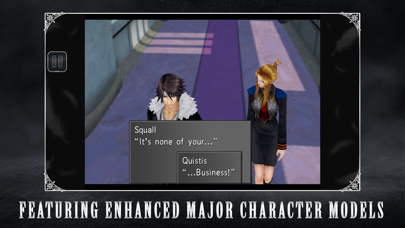
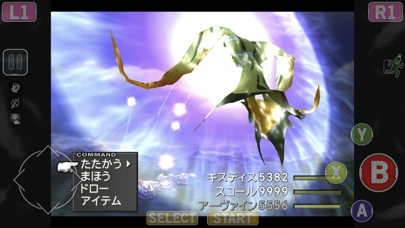
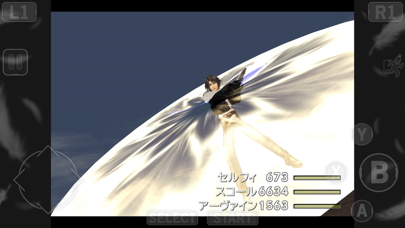
FINAL FANTASY VIII was first released on February 11, 1999. Beloved by fans, this title has garnered a great deal of popularity even compared to other installments in the FINAL FANTASY franchise, selling more than 9.6 million units worldwide. And now players can enjoy FINAL FANTASY VIII on their smartphone! With renewed character CG, the world of FINAL FANTASY VIII is now more beautiful than ever before.
This installment is a remaster of FINAL FANTASY VIII for PC. This application is a one-time purchase. There will be no additional charge incurred after downloading.
■Story
It is a time of war.
The Republic of Galbadia, under the influence of the sorceress Edea, mobilizes its great armies against the other nations of the world.
Squall and other members of SeeD, an elite mercenary force, join hands with Rinoa, a resistance fighter, to fight against Galbadia's tyrannical rule and to prevent Edea from fulfilling her ultimate goal.
■FINAL FANTASY VIII: Release Features
・Guardian Force(G.F.)
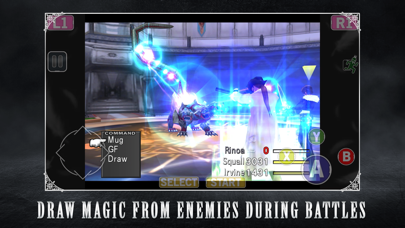
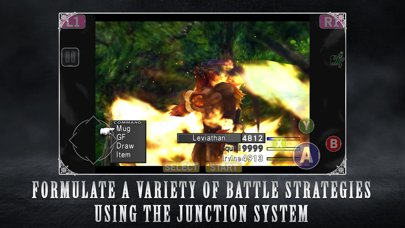
G.F. are summoned creatures in FFVIII used to protect the protagonists. Call upon them in battle to unleash their might and to increase their power alongside player characters. By junctioning G.F., players will be able to enjoy greater freedom in how they approach battles.
・Drawing
Obtain magic in FFVIII by drawing (extracting) it in battle. MP does not exist and players are limited to the number they have in their possession. Magic that has been extracted can be released on the spot or stocked for later use.
・ Junctioning
This system allows players to equip G.F. and stocked magic to characters in order to increase their power.
■ Additional Features
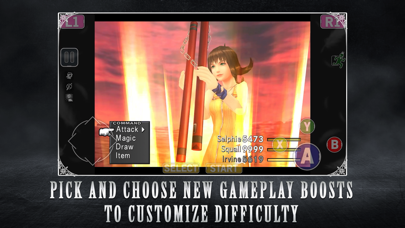
・ Battle Assist
Max out HP and ATB gauge during battle and activate Limit Breaks at any time.
・ No Encounters
Players can choose to turn Battle Encounters on or off.
・ 3x Speed
With the exception of certain cutscenes, players can choose to proceed through the game at 3x speed.
[Minimum Requirements]
iOS 13.0 or higher
- iPhone أو iPad بجيلبريك أو بدون جيلبريك.
- Sideloadly أو بدائلها.
- كمبيوتر يعمل بنظام Windows/macOS/Linux مع تثبيت iTunes.
الخطوة 1: قم بتنزيل ملف .IPA المعدّل مسبقًا من الرابط أعلاه إلى الكمبيوتر الخاص بك. للتنزيل من تطبيق iOSGods App، اطلع على دليل تنزيل IPA من تطبيق iOSGods App الذي يتضمن مثالًا بالفيديو.
الخطوة 2: قم بتنزيل Sideloadly وتثبيته على جهاز Windows أو Mac.
الخطوة 3: افتح Sideloadly على الكمبيوتر، ووصّل جهاز iOS الخاص بك، وانتظر حتى يظهر اسم جهازك داخل Sideloadly.
الخطوة 4: بمجرد التعرّف على جهاز iDevice الخاص بك، اسحب ملف .IPA المعدّل الذي قمت بتنزيله وأفلِته داخل تطبيق Sideloadly.
الخطوة 5: أدخل البريد الإلكتروني لحساب Apple Account الخاص بك، ثم اضغط على «Start». سيُطلب منك بعد ذلك إدخال كلمة المرور. تابع وأدخل المعلومات المطلوبة.
الخطوة 6: انتظر حتى ينتهي Sideloadly من تحميل/تثبيت ملف IPA المعدّل. في حال واجهت أي مشاكل أثناء التثبيت، يرجى قراءة الملاحظة أدناه.
الخطوة 7: بعد اكتمال التثبيت ورؤية التطبيق على الشاشة الرئيسية، انتقل إلى Settings → General → Profiles / VPN & Device Management. ثم اضغط على البريد الإلكتروني الذي أدخلته في الخطوة 6، ثم اضغط على «الوثوق بـ [email protected]».
الخطوة 8: الآن انتقل إلى الشاشة الرئيسية وافتح التطبيق الذي تم تثبيته للتو وسيعمل كل شيء بشكل صحيح. قد تحتاج إلى اتباع تعليمات إضافية خاصة بكل تطبيق داخل النافذة المنبثقة للتعديل أثناء اللعب.
ملاحظة: بدءًا من iOS/iPadOS 16 وما بعده، يجب تفعيل وضع المطور (Developer Mode). بالنسبة لحسابات Apple Developer المجانية، ستحتاج إلى تكرار هذه العملية كل 7 أيام. إذا كانت لديك أي أسئلة أو مشاكل، يرجى قراءة قسم الأسئلة الشائعة حول Sideloadly في الموضوع.