تسجيل الدخول مطلوب
سجّل الدخول بحساب iOSGods للمتابعة.
Hack Features:
- PREMIUM
قم بتنزيل KineMaster Hack modded IPA من الروابط أعلاه. اضغط على زر التثبيت واتبع التعليمات لتثبيت هذا التعديل لـ iOS على iPhone أو iPad أو Apple Silicon.
هل تحتاج إلى مزيد من المساعدة؟ راجع الأسئلة الشائعة لتطبيق iOSGods للحصول على إجابات مفصلة ونصائح لاستكشاف الأخطاء.
Learn more about the latest version of KineMaster at KineMaster.com!
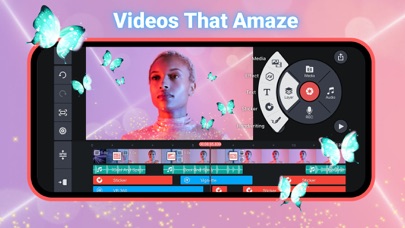
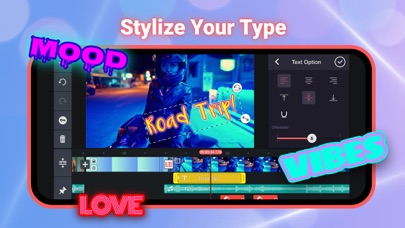
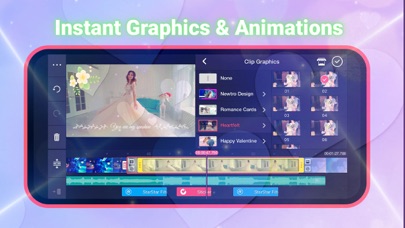
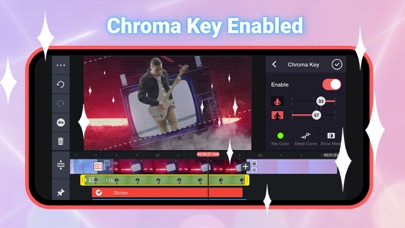
KineMaster makes video editing fun on your iPhone, iPad, or M1 computer! KineMaster makes it easy to edit videos with lots of powerful tools, downloadable assets, and much more:
• Search assets in the Asset Store (NEW!)
• Automatically apply previously used font to newly added text (NEW!)
• Take control of video speed with the SpeedRamp button (NEW!)
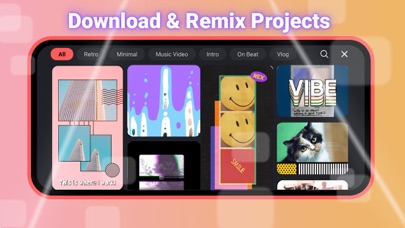
• Download and re-edit over 300 projects from the Get Projects menu
• Import and export project files
• Tools to cut, splice, and crop your videos
• Combine and edit videos, images, stickers, special effects, text, and more
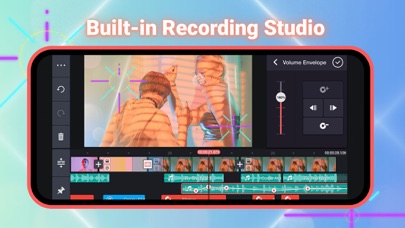
• Add music, voiceovers, sound effects, and voice changers
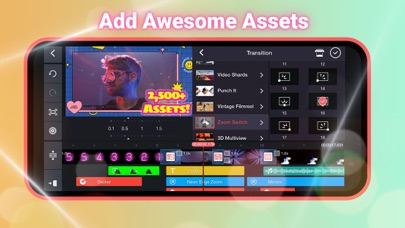
• More than 2,500 downloadable transitions, effects, videos & images, stickers, fonts, and animations from the KineMaster Asset Store
• Create amazing visual effects by reversing, speeding up, adding slow-mo, and applying blending modes
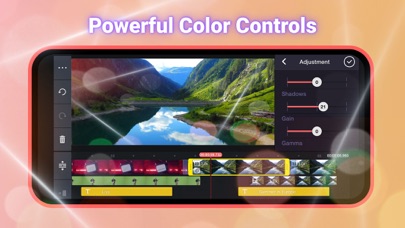
• Use color filters and color adjustments to make your video stand out
• Color adjustment tools to correct and enhance videos and images
• EQ presets, ducking, and volume envelope tools for immersive audio
• Keyframe animation tool to add motion to layers
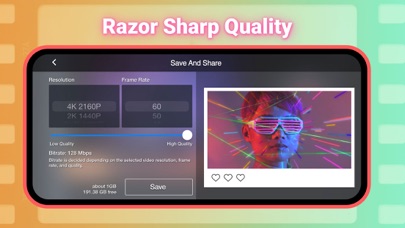
• Save your video in 4K 2160p at 30FPS
• Share on YouTube, TikTok, Facebook Feed and Stories, Instagram Feed, Reels, Stories, and more!
• Many, many more features, options, and settings!
KineMaster is completely free to use, but you can unlock even more with a KineMaster Premium subscription! A subscription removes the KineMaster watermark, offers an ad-free experience and gives you unlimited access to the entire Asset Store. Learn more by tapping the crown button on the main screen.
Find out why creators love KineMaster for YouTube, TikTok, and Instagram and why journalists, educators, marketers, and vloggers use it professionally! Download KineMaster to edit and share your own amazing videos!
Subscriptions to KineMaster Premium automatically renew, unless auto-renew is turned off in Account Settings at least 24 hours before the end of the current payment period.
KineMaster and KineMaster Asset Store Terms of Service: https://www.kinemaster.com/tos/ios
For more information, please tap the FAQ button on the KineMaster main screen. If you cannot find the solution you're looking for, contact KineMaster by tapping the E-mail Support button at the bottom of any FAQ article.
- iPhone أو iPad بجيلبريك أو بدون جيلبريك.
- Sideloadly أو بدائلها.
- كمبيوتر يعمل بنظام Windows/macOS/Linux مع تثبيت iTunes.
الخطوة 1: قم بتنزيل ملف .IPA المعدّل مسبقًا من الرابط أعلاه إلى الكمبيوتر الخاص بك. للتنزيل من تطبيق iOSGods App، اطلع على دليل تنزيل IPA من تطبيق iOSGods App الذي يتضمن مثالًا بالفيديو.
الخطوة 2: قم بتنزيل Sideloadly وتثبيته على جهاز Windows أو Mac.
الخطوة 3: افتح Sideloadly على الكمبيوتر، ووصّل جهاز iOS الخاص بك، وانتظر حتى يظهر اسم جهازك داخل Sideloadly.
الخطوة 4: بمجرد التعرّف على جهاز iDevice الخاص بك، اسحب ملف .IPA المعدّل الذي قمت بتنزيله وأفلِته داخل تطبيق Sideloadly.
الخطوة 5: أدخل البريد الإلكتروني لحساب Apple Account الخاص بك، ثم اضغط على «Start». سيُطلب منك بعد ذلك إدخال كلمة المرور. تابع وأدخل المعلومات المطلوبة.
الخطوة 6: انتظر حتى ينتهي Sideloadly من تحميل/تثبيت ملف IPA المعدّل. في حال واجهت أي مشاكل أثناء التثبيت، يرجى قراءة الملاحظة أدناه.
الخطوة 7: بعد اكتمال التثبيت ورؤية التطبيق على الشاشة الرئيسية، انتقل إلى Settings → General → Profiles / VPN & Device Management. ثم اضغط على البريد الإلكتروني الذي أدخلته في الخطوة 6، ثم اضغط على «الوثوق بـ [email protected]».
الخطوة 8: الآن انتقل إلى الشاشة الرئيسية وافتح التطبيق الذي تم تثبيته للتو وسيعمل كل شيء بشكل صحيح. قد تحتاج إلى اتباع تعليمات إضافية خاصة بكل تطبيق داخل النافذة المنبثقة للتعديل أثناء اللعب.
ملاحظة: بدءًا من iOS/iPadOS 16 وما بعده، يجب تفعيل وضع المطور (Developer Mode). بالنسبة لحسابات Apple Developer المجانية، ستحتاج إلى تكرار هذه العملية كل 7 أيام. إذا كانت لديك أي أسئلة أو مشاكل، يرجى قراءة قسم الأسئلة الشائعة حول Sideloadly في الموضوع.