需要登入
請使用您的 iOSGods 帳戶登入以繼續。
請使用您的 iOSGods 帳戶登入以繼續。

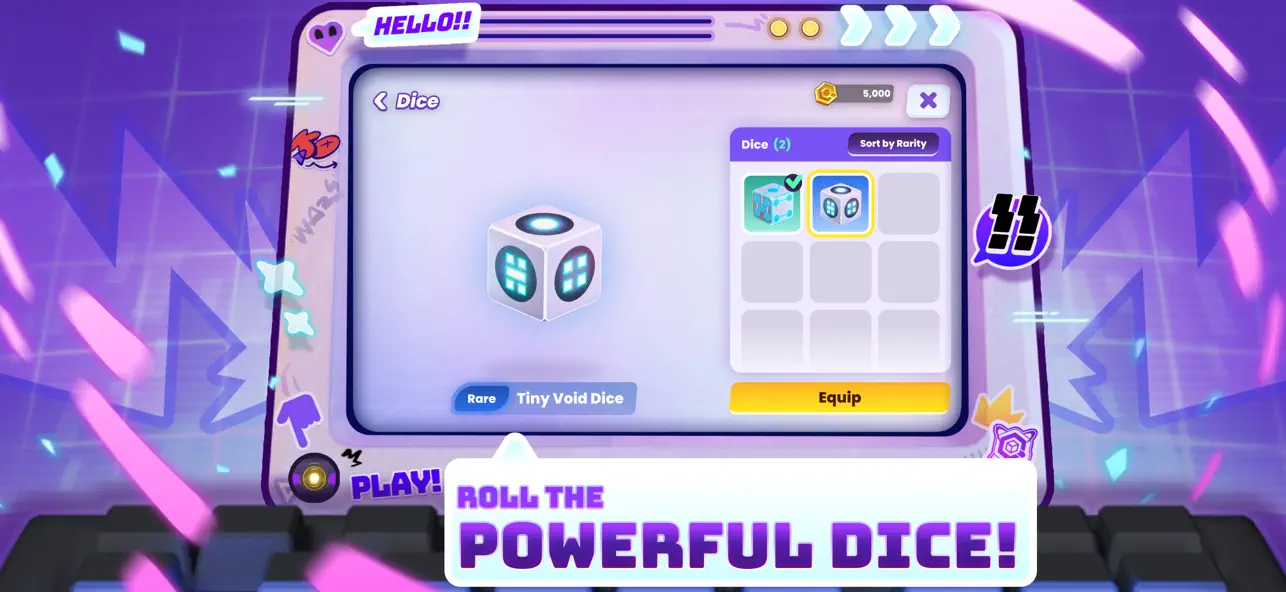
在 Quantum Wars Hack 中擲骰子並精確著陸在你想要的位置,這是一款改進的 iOS 策略遊戲,讓你完全掌控棋盤移動。這個破解版讓你自由選擇著陸空間,將每一回合轉變為精心計算的勝利。非常適合想要掌握數位戰場而不將策略留給運氣的玩家。
- 骰子擲出選擇器(僅在你的回合時開啟 - 對手回合會凍結比賽,你必須關閉/開啟遊戲) → 骰子不會改變,但你會著陸在你想要的任何空間
此應用程式也內建 iGameGod,讓你可以使用 Auto Touch 自動執行重複操作、透過 App Speed Manager 調整遊戲速度、使用 Memory Engine 修改記憶體數值,以及更多強大的 iOS 遊戲工具。
從上方連結下載 Quantum Wars Hack modded IPA。點選安裝按鈕並依照畫面指示在 iPhone、iPad 或 Apple Silicon 上安裝此 iOS 應用程式修改版。
需要更多協助?請查看我們的 iOSGods 應用程式常見問題 以獲得詳細解答與疑難排解。
Step into Quantum Wars!
Roll the dice, make your move, and build your strategy deck to battle players worldwide in this ultimate high tech virtual war! Take on the role of a genius "Data Hunter," unlock the power of the Quantum Key, and prove your skills in a digital battlefield where every decision means victory!
Quantum Wars is the perfect blend of accessible casual fun and deep turn based strategic planning. Whether you want a relaxing match with friends or an intense climb up the ranks in Competitive mode, your adventure starts here!
Highlights you shouldn't miss:
● Casual fun in a thrilling board game: Experience a fresh take on the dice game genre! Travel through an unpredictable data network, collect "Pennies," and have fun with adorable Chibi characters like Bulbbolt or the novice, Rootkit.
● Craft your battle strategy with Skill Cards: Use the dice to predict the future and your skill card deck as your ultimate command! Build powerful combos with countless cards and Gear. Upgrade your character's level to unlock item slots and adapt your strategy to survive every turn.
● Real time Multiplayer PVP Arena: Outsmart Data Hunters worldwide! Steal resources and counter-attack with precision in the virtual world. The more you play, the more challenging it gets the more you win, the more rewarding it feels!
● Rise to the top in Competitive Mode: Prove you are the true master of the Quantum Dimension! Climb the leaderboard in competitive mode, designed for players seeking fame and wanting to prove their skills to the world.
● Dynamic Bosses and Events on the board: Face off against Guardian Bots and villainous bosses like VC-DII, who will alter the board with Hex blocks in real-time! Challenge your decryption skills with Set Zero and survive digital obstacles.
Are you ready, Data Hunter? The Quantum energy source awaits you!
Download Quantum Wars today and journey to the peak of the Quantum Dimension!
Join our community:
https://adisoft.co/games/quantum-wars
Fun games from Adisoft:
If you like Quantum Wars, don't forget to try out Monster Campfire and Duriano, high quality games from the same development team!
PLEASE NOTE
●Quantum Wars is free to download and play.
●There is an in-app purchase system (Gems/Pennies) using real money.
● A network connection is required to play the multiplayer mode.
- 未越獄/受限或已越獄的 iPhone 或 iPad。
- Sideloadly 或替代方案。
- 執行 Windows/macOS/Linux 且已安裝 iTunes 的電腦。
步驟 1: 透過上方連結將已破解的 .IPA 檔案下載到您的電腦。若要從 iOSGods App 下載,請參閱我們的 iOSGods App IPA 下載教學,其中包含影片範例。
步驟 2: 下載 Sideloadly 並將其安裝在您的 Windows 或 Mac 上。
步驟 3: 在電腦上開啟 Sideloadly,連接您的 iOS 裝置,並等待裝置名稱出現在 Sideloadly 中。
步驟 4: 當 Sideloadly 辨識到您的 iOS 裝置後,將下載好的修改版 .IPA 檔案拖曳並放到 Sideloadly 應用程式中。
步驟 5: 輸入您的 Apple Account 電子郵件,然後按下「Start」。系統會要求您輸入密碼,請依指示提供所需資訊。
步驟 6: 等待 Sideloadly 完成已破解 IPA 的旁載/安裝。如果安裝過程中發生問題,請閱讀下方的注意事項。
步驟 7: 安裝完成並在主畫面上看到該應用程式後,您需要前往 設定 → 一般 → 描述檔 / VPN 與裝置管理。進入後,點選您在步驟 6 中輸入的電子郵件,然後點選「信任 [email protected]」。
步驟 8: 現在回到主畫面並開啟新安裝的應用程式,一切應該都能正常運作。您可能需要依照遊戲內破解彈出視窗中的進一步指示操作。
注意: 在 iOS/iPadOS 16 及更新版本上,您必須 啟用開發者模式。若使用免費的 Apple Developer 帳號,您將需要每 7 天重複此程序。如有任何疑問或問題,請閱讀我們的 主題中的 Sideloadly 常見問題區段。