Login necessário
Entre com sua conta iOSGods para continuar.
Entre com sua conta iOSGods para continuar.

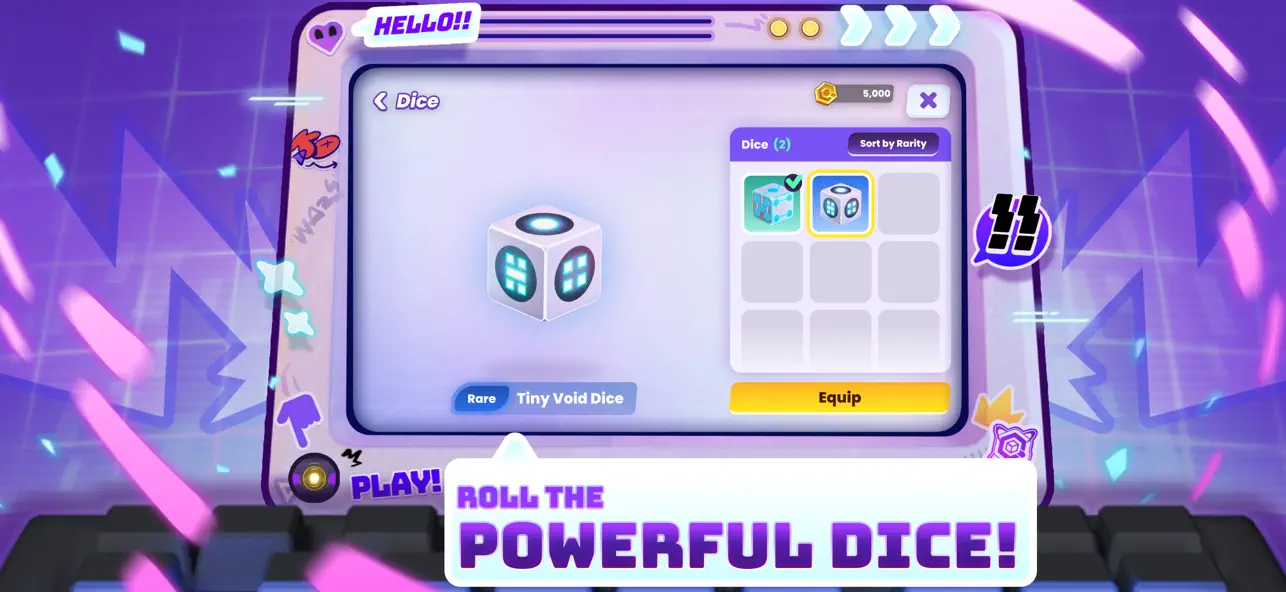
Role os dados e pouse exatamente onde você quer em Quantum Wars Hack, um jogo de estratégia iOS modificado que coloca o controle total sobre seu movimento no tabuleiro em suas mãos. Este hack permite que você escolha seu espaço de pouso livremente, transformando cada turno em uma vitória calculada. Perfeito para jogadores que desejam dominar o campo de batalha digital sem deixar a estratégia ao acaso.
- Seletor de Resultado dos Dados (Ative apenas durante seu turno - O turno dos oponentes congelará a partida e você terá que fechar/abrir o jogo) → Os dados não mudarão, mas você pousará no espaço que quiser
Este app também vem com iGameGod, oferecendo acesso ao Auto Touch para automatizar tarefas repetitivas, App Speed Manager para ajustar a velocidade do jogo, edição de valores com Memory Engine e outras ferramentas avançadas para jogos iOS.
Baixe Quantum Wars Hack modded IPA dos links acima. Toque no botão de instalação e siga as instruções para instalar este hack iOS no seu iPhone, iPad ou Apple Silicon.
Precisa de mais ajuda? Confira nossas Perguntas frequentes sobre o app iOSGods para respostas detalhadas e dicas de solução de problemas.
Step into Quantum Wars!
Roll the dice, make your move, and build your strategy deck to battle players worldwide in this ultimate high tech virtual war! Take on the role of a genius "Data Hunter," unlock the power of the Quantum Key, and prove your skills in a digital battlefield where every decision means victory!
Quantum Wars is the perfect blend of accessible casual fun and deep turn based strategic planning. Whether you want a relaxing match with friends or an intense climb up the ranks in Competitive mode, your adventure starts here!
Highlights you shouldn't miss:
● Casual fun in a thrilling board game: Experience a fresh take on the dice game genre! Travel through an unpredictable data network, collect "Pennies," and have fun with adorable Chibi characters like Bulbbolt or the novice, Rootkit.
● Craft your battle strategy with Skill Cards: Use the dice to predict the future and your skill card deck as your ultimate command! Build powerful combos with countless cards and Gear. Upgrade your character's level to unlock item slots and adapt your strategy to survive every turn.
● Real time Multiplayer PVP Arena: Outsmart Data Hunters worldwide! Steal resources and counter-attack with precision in the virtual world. The more you play, the more challenging it gets the more you win, the more rewarding it feels!
● Rise to the top in Competitive Mode: Prove you are the true master of the Quantum Dimension! Climb the leaderboard in competitive mode, designed for players seeking fame and wanting to prove their skills to the world.
● Dynamic Bosses and Events on the board: Face off against Guardian Bots and villainous bosses like VC-DII, who will alter the board with Hex blocks in real-time! Challenge your decryption skills with Set Zero and survive digital obstacles.
Are you ready, Data Hunter? The Quantum energy source awaits you!
Download Quantum Wars today and journey to the peak of the Quantum Dimension!
Join our community:
https://adisoft.co/games/quantum-wars
Fun games from Adisoft:
If you like Quantum Wars, don't forget to try out Monster Campfire and Duriano, high quality games from the same development team!
PLEASE NOTE
●Quantum Wars is free to download and play.
●There is an in-app purchase system (Gems/Pennies) using real money.
● A network connection is required to play the multiplayer mode.
- iPhone ou iPad sem jailbreak/jailed ou com jailbreak.
- Sideloadly ou alternativas.
- Computador com Windows/macOS/Linux e iTunes instalado.
PASSO 1: Baixe o arquivo .IPA pré-hackeado do link acima para o seu computador. Para baixar pelo iOSGods App, veja nosso Tutorial de download de IPA do iOSGods App, que inclui um exemplo em vídeo.
PASSO 2: Baixe o Sideloadly e instale-o no seu Windows ou Mac.
PASSO 3: Abra o Sideloadly no seu computador, conecte seu dispositivo iOS e aguarde até que o nome do dispositivo apareça no Sideloadly.
PASSO 4: Assim que seu iDevice for reconhecido, arraste o arquivo .IPA modificado que você baixou e solte-o no aplicativo Sideloadly.
PASSO 5: Digite o e-mail da sua Apple Account e pressione “Start”. Em seguida, será solicitada a sua senha. Prossiga e forneça as informações solicitadas.
PASSO 6: Aguarde o Sideloadly finalizar o sideload/instalação do IPA hackeado. Se houver problemas durante a instalação, leia a observação abaixo.
PASSO 7: Quando a instalação estiver concluída e você vir o app na Tela de Início, será necessário acessar Ajustes → Geral → Perfis / Gerenciamento de VPN e Dispositivo. Lá, toque no e-mail que você inseriu no passo 6 e, em seguida, toque em “Confiar em [email protected]”.
PASSO 8: Agora vá para a Tela de Início e abra o app recém-instalado; tudo deve funcionar normalmente. Você pode precisar seguir instruções adicionais específicas no popup do hack dentro do jogo.
OBSERVAÇÃO: No iOS/iPadOS 16 e versões posteriores, você deve ativar o Modo de Desenvolvedor. Para contas Apple Developer gratuitas, será necessário repetir este processo a cada 7 dias. Se tiver dúvidas ou problemas, leia nossa seção de FAQ do Sideloadly no tópico.