需要登入
請使用您的 iOSGods 帳戶登入以繼續。
請使用您的 iOSGods 帳戶登入以繼續。
- Rage/Mana/Aqua (Always Full)
- Skill Points (Increase when used)
- Mutation Points (Increase when used)
- Instant Skills
- No Cool down on skills
此應用程式也內建 iGameGod,讓你可以使用 Auto Touch 自動執行重複操作、透過 App Speed Manager 調整遊戲速度、使用 Memory Engine 修改記憶體數值,以及更多強大的 iOS 遊戲工具。
從上方連結下載 Gigapocalypse Hack modded IPA。點選安裝按鈕並依照畫面指示在 iPhone、iPad 或 Apple Silicon 上安裝此 iOS 應用程式修改版。
需要更多協助?請查看我們的 iOSGods 應用程式常見問題 以獲得詳細解答與疑難排解。
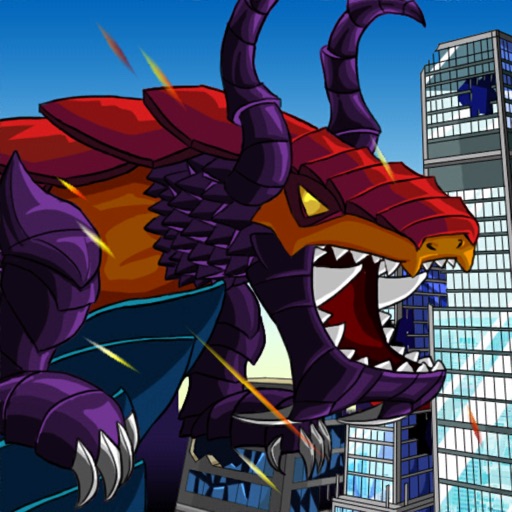
Become a customizable giant monster with manifold skills in this destruction game, inspired by classical Kaijū movies such as “Godzilla” and “King Kong” and the game classic “Rampage”.
As a little kid, picking up your dragon toys, spewing fire, feels powerful and destroying everything is one of the best childhood memories for many of us.
Now you become that giant monster in Gigapocalypse, a 2D pixel art destruction game, inspired by classical Kaijū movies such as “Godzilla” and “King Kong” and the game classic “Rampage”.
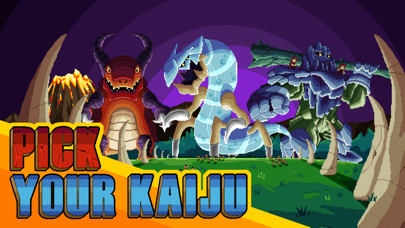
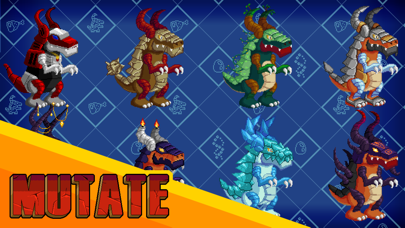
Gigapocalypse features a selection of different “Gigas” from the Prehistoric era, the uncharted outer space and the forgotten history. Each with unique skills, mutations and manifold skins that can be unlocked with level ups.
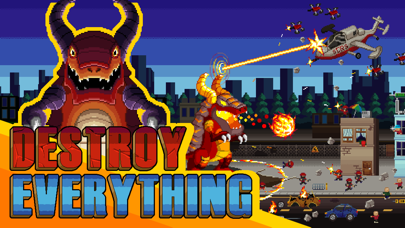
Start your destruction spree and destroy everything on your way through different beautifully detailed pixel style locations. Ever wondered how it looks like when a giant monster destroys a wild west town? Or clashing against the brave Knights Templar? Gigapocalypse has the answer. But beware: Nasty soldiers, wizards, drones and mechs will do everything to stop you!
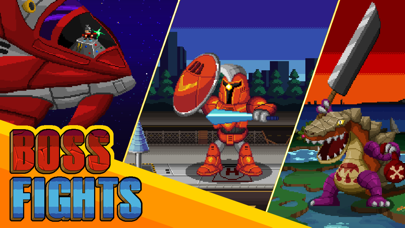
With each try your Giga will become more powerful until you will finally make it to the diversified, epic boss fights that await you at the end of each level.
Complete quests, take care of your Giga in Tamagotchi-style mini games, find secrets to upgrade your Giga and its “home” and unlock cute, but yet lethal pets that accompany you on journey.
Gigapocalypse is loud, punk, metal, anarchy and a lovely homage to the game and movie classics. It´s a game for the kid in all of us.
Features:
• Nine Gigas with unique distinctive abilities
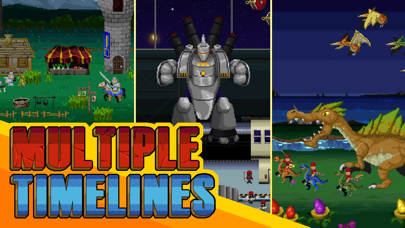
• Six beautifully detailed stages based on earth`s historical and future timeline
• Customize your Giga and define your own destruction style
• Themed enemies and buildings
• Epic and hilarious boss fights
• Unlockable pets, skills and mutations
• Quests and secrets
• Fast paced action with simple controls
• Satisfying visual destruction in cute pixel art style
• Lore based on existing myths and cryptozoology
• Easy to approach, addictive gameplay style
• Heavy-Rock soundtrack – if it´s too loud, you´re too old!
- 未越獄/受限或已越獄的 iPhone 或 iPad。
- Sideloadly 或替代方案。
- 執行 Windows/macOS/Linux 且已安裝 iTunes 的電腦。
步驟 1: 透過上方連結將已破解的 .IPA 檔案下載到您的電腦。若要從 iOSGods App 下載,請參閱我們的 iOSGods App IPA 下載教學,其中包含影片範例。
步驟 2: 下載 Sideloadly 並將其安裝在您的 Windows 或 Mac 上。
步驟 3: 在電腦上開啟 Sideloadly,連接您的 iOS 裝置,並等待裝置名稱出現在 Sideloadly 中。
步驟 4: 當 Sideloadly 辨識到您的 iOS 裝置後,將下載好的修改版 .IPA 檔案拖曳並放到 Sideloadly 應用程式中。
步驟 5: 輸入您的 Apple Account 電子郵件,然後按下「Start」。系統會要求您輸入密碼,請依指示提供所需資訊。
步驟 6: 等待 Sideloadly 完成已破解 IPA 的旁載/安裝。如果安裝過程中發生問題,請閱讀下方的注意事項。
步驟 7: 安裝完成並在主畫面上看到該應用程式後,您需要前往 設定 → 一般 → 描述檔 / VPN 與裝置管理。進入後,點選您在步驟 6 中輸入的電子郵件,然後點選「信任 [email protected]」。
步驟 8: 現在回到主畫面並開啟新安裝的應用程式,一切應該都能正常運作。您可能需要依照遊戲內破解彈出視窗中的進一步指示操作。
注意: 在 iOS/iPadOS 16 及更新版本上,您必須 啟用開發者模式。若使用免費的 Apple Developer 帳號,您將需要每 7 天重複此程序。如有任何疑問或問題,請閱讀我們的 主題中的 Sideloadly 常見問題區段。