Потрібен вхід
Увійдіть у свій обліковий запис iOSGods, щоб продовжити.
Увійдіть у свій обліковий запис iOSGods, щоб продовжити.
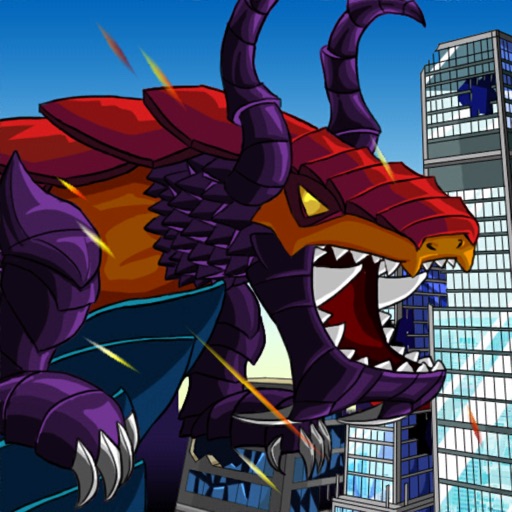
Миттєво максимізуйте силу вашого монстра за допомогою цього Gigapocalypse Mod IPA, який тримає ваші лічильники Ярості, Мани та Води постійно заповненими, дозволяючи вам розв'язувати руйнівні здібності без перерв та управління ресурсами.
Припиніть чекати на скидання перезарядки або гринд очок навичок, ця модифікована версія перетворює гру знищення на чистий, безперервний режим бійні, ідеальний для гравців, які хочуть зосередитися на хаосі та спектаклі розвитку свого кастомізованого Кайджу без звичайних перешкод прогресу.
- Ярість/Мана/Вода (Завжди заповнено) → необмежена доступність ресурсів
- Очки навичок (Збільшуються при використанні) → автоматичне отримання при активації здібності
- Очки мутацій (Збільшуються при використанні) → автоматичне отримання при активації мутації
- Миттєві навички → використання без затримки
- Без перезарядки навичок → здібності готові до негайного використання
Цей застосунок також постачається з iGameGod, який надає доступ до Auto Touch для автоматизації повторюваних дій, App Speed Manager для регулювання швидкості гри, редагування значень за допомогою Memory Engine та інших потужних інструментів для iOS-ігор.
Завантажте Gigapocalypse Hack modded IPA за посиланнями вище. Натисніть кнопку встановлення та дотримуйтесь інструкцій, щоб встановити цей хак iOS на iPhone, iPad або Apple Silicon.
Потрібна додаткова допомога? Перегляньте наш Поширені запитання про застосунок iOSGods для детальних відповідей та порад з усунення несправностей.
Become a customizable giant monster with manifold skills in this destruction game, inspired by classical Kaijū movies such as “Godzilla” and “King Kong” and the game classic “Rampage”.
As a little kid, picking up your dragon toys, spewing fire, feels powerful and destroying everything is one of the best childhood memories for many of us.
Now you become that giant monster in Gigapocalypse, a 2D pixel art destruction game, inspired by classical Kaijū movies such as “Godzilla” and “King Kong” and the game classic “Rampage”.
Gigapocalypse features a selection of different “Gigas” from the Prehistoric era, the uncharted outer space and the forgotten history. Each with unique skills, mutations and manifold skins that can be unlocked with level ups.
Start your destruction spree and destroy everything on your way through different beautifully detailed pixel style locations. Ever wondered how it looks like when a giant monster destroys a wild west town? Or clashing against the brave Knights Templar? Gigapocalypse has the answer. But beware: Nasty soldiers, wizards, drones and mechs will do everything to stop you!
With each try your Giga will become more powerful until you will finally make it to the diversified, epic boss fights that await you at the end of each level.
Complete quests, take care of your Giga in Tamagotchi-style mini games, find secrets to upgrade your Giga and its “home” and unlock cute, but yet lethal pets that accompany you on journey.
Gigapocalypse is loud, punk, metal, anarchy and a lovely homage to the game and movie classics. It´s a game for the kid in all of us.
Features:
• Nine Gigas with unique distinctive abilities
• Six beautifully detailed stages based on earth`s historical and future timeline
• Customize your Giga and define your own destruction style
• Themed enemies and buildings
• Epic and hilarious boss fights
• Unlockable pets, skills and mutations
• Quests and secrets
• Fast paced action with simple controls
• Satisfying visual destruction in cute pixel art style
• Lore based on existing myths and cryptozoology
• Easy to approach, addictive gameplay style
• Heavy-Rock soundtrack – if it´s too loud, you´re too old!
Знімки екрана © їхніх власників · App Store



iOSGods не пов’язана з Apple Inc., Google LLC або розробниками перелічених тут застосунків, не схвалена та не спонсорується ними. Apple, iOS і App Store — торгові марки Apple Inc. Android і Google Play — торгові марки Google LLC. Усі інші назви застосунків, іконки, зображення й торгові марки належать їхнім власникам.
- iPhone або iPad без джейлбрейку/у заводському стані або з джейлбрейком.
- Sideloadly або альтернативи.
- Комп'ютер під керуванням Windows/macOS/Linux із встановленим iTunes.
КРОК 1: Завантажте попередньо зламаний .IPA-файл за посиланням вище на свій комп'ютер. Щоб завантажити з iOSGods App, перегляньте наш Посібник із завантаження IPA в iOSGods App, який містить відеоприклад.
КРОК 2: Завантажте Sideloadly і встановіть його на своєму Windows або Mac.
КРОК 3: Відкрийте Sideloadly на комп'ютері, підключіть свій iOS-пристрій і зачекайте, поки назва пристрою з'явиться у Sideloadly.
КРОК 4: Коли ваш iDevice буде розпізнано, перетягніть завантажений модифікований .IPA-файл і відпустіть його в застосунок Sideloadly.
КРОК 5: Введіть електронну пошту вашого Apple Account, потім натисніть «Start». Після цього вас попросять ввести пароль. Введіть необхідні дані.
КРОК 6: Зачекайте, доки Sideloadly завершить sideload/встановлення зламаного IPA. Якщо під час встановлення виникнуть проблеми, прочитайте примітку нижче.
КРОК 7: Коли встановлення завершено й ви побачите застосунок на головному екрані, перейдіть до Налаштування → Загальні → Профілі / VPN і керування пристроєм. Там натисніть на електронну пошту, яку ви ввели на кроці 6, а потім натисніть «Довіряти [email protected]».
КРОК 8: Тепер перейдіть на головний екран і відкрийте щойно встановлений застосунок — усе має працювати належним чином. Можливо, доведеться виконати додаткові інструкції для конкретного застосунку в спливаючому вікні хака в грі.
ПРИМІТКА: У iOS/iPadOS 16 і пізніших версіях потрібно увімкнути режим розробника. Для безкоштовних облікових записів Apple Developer цей процес доведеться повторювати кожні 7 днів. Якщо у вас є запитання або проблеми, прочитайте наш розділ FAQ зі Sideloadly у темі.
Game Name iOS Mod IPA is an action adventure game enhanced with powerful gameplay boosts and quality-of-life improvements. Win battles faster, earn rewards quicker, and enjoy uninterrupted play without ads.
- Unlimited Gold - spend freely to unlock premium content
- Damage Multiplier - deal significantly more damage in combat
- Defense Multiplier - take less damage and survive longer
- Reward Multiplier - earn more loot from every battle
- Max Level - instantly reach the highest player rank
- No Ads - play without interruptions or advertisements
This app also comes with iGameGod, giving you access to Auto Touch to automate repetitive tasks, App Speed Manager for adjustable gameplay speed, Memory Engine value editing, and more powerful iOS game tools.
Завантажте Game Name Mod IPA за посиланнями вище. Натисніть кнопку встановлення та дотримуйтесь інструкцій, щоб встановити цей хак iOS на iPhone, iPad або Apple Silicon.
Потрібна додаткова допомога Перегляньте наш Поширені запитання про застосунок iOSGods для детальних відповідей та порад з усунення несправностей.
----------------------------------------------------------
--------------------------------------------------