ต้องเข้าสู่ระบบ
เข้าสู่ระบบด้วยบัญชี iOSGods เพื่อดำเนินการต่อ
เข้าสู่ระบบด้วยบัญชี iOSGods เพื่อดำเนินการต่อ
- Rage/Mana/Aqua (Always Full)
- Skill Points (Increase when used)
- Mutation Points (Increase when used)
- Instant Skills
- No Cool down on skills
แอปนี้ยังมาพร้อมกับ iGameGod ซึ่งช่วยให้คุณเข้าถึง Auto Touch สำหรับการทำงานซ้ำ ๆ โดยอัตโนมัติ, App Speed Manager สำหรับปรับความเร็วของเกม, การแก้ไขค่าด้วย Memory Engine และเครื่องมือสำหรับเกม iOS ที่ทรงพลังอื่น ๆ อีกมากมาย
ดาวน์โหลด Gigapocalypse Hack modded IPA จากลิงก์ด้านบน แตะปุ่มติดตั้งและทำตามคำแนะนำบนหน้าจอเพื่อติดตั้งแฮ็กแอป iOS นี้บน iPhone, iPad หรือ Apple Silicon
ต้องการความช่วยเหลือเพิ่มเติม? ดู คำถามที่พบบ่อยของแอป iOSGods สำหรับคำตอบโดยละเอียดและเคล็ดลับการแก้ไขปัญหา
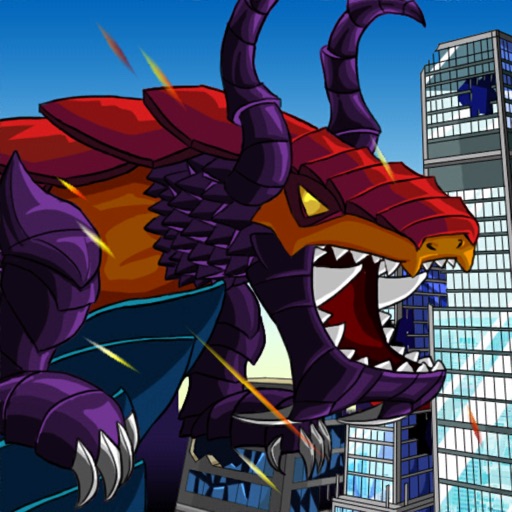
Become a customizable giant monster with manifold skills in this destruction game, inspired by classical Kaijū movies such as “Godzilla” and “King Kong” and the game classic “Rampage”.
As a little kid, picking up your dragon toys, spewing fire, feels powerful and destroying everything is one of the best childhood memories for many of us.
Now you become that giant monster in Gigapocalypse, a 2D pixel art destruction game, inspired by classical Kaijū movies such as “Godzilla” and “King Kong” and the game classic “Rampage”.
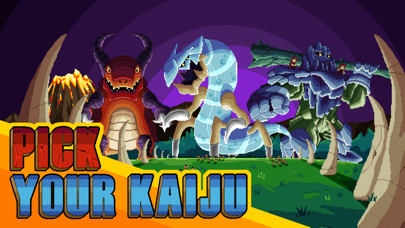
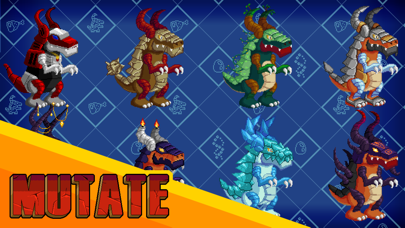
Gigapocalypse features a selection of different “Gigas” from the Prehistoric era, the uncharted outer space and the forgotten history. Each with unique skills, mutations and manifold skins that can be unlocked with level ups.
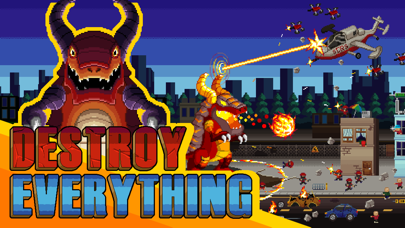
Start your destruction spree and destroy everything on your way through different beautifully detailed pixel style locations. Ever wondered how it looks like when a giant monster destroys a wild west town? Or clashing against the brave Knights Templar? Gigapocalypse has the answer. But beware: Nasty soldiers, wizards, drones and mechs will do everything to stop you!
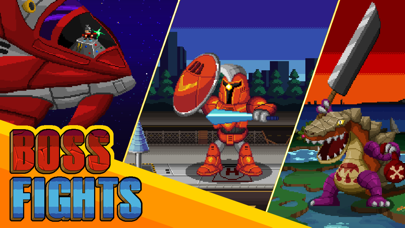
With each try your Giga will become more powerful until you will finally make it to the diversified, epic boss fights that await you at the end of each level.
Complete quests, take care of your Giga in Tamagotchi-style mini games, find secrets to upgrade your Giga and its “home” and unlock cute, but yet lethal pets that accompany you on journey.
Gigapocalypse is loud, punk, metal, anarchy and a lovely homage to the game and movie classics. It´s a game for the kid in all of us.
Features:
• Nine Gigas with unique distinctive abilities
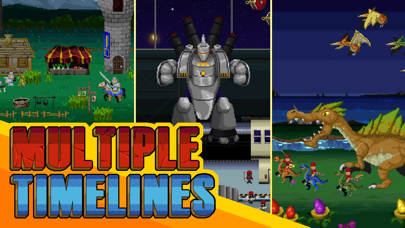
• Six beautifully detailed stages based on earth`s historical and future timeline
• Customize your Giga and define your own destruction style
• Themed enemies and buildings
• Epic and hilarious boss fights
• Unlockable pets, skills and mutations
• Quests and secrets
• Fast paced action with simple controls
• Satisfying visual destruction in cute pixel art style
• Lore based on existing myths and cryptozoology
• Easy to approach, addictive gameplay style
• Heavy-Rock soundtrack – if it´s too loud, you´re too old!
- iPhone หรือ iPad ที่ไม่ได้เจลเบรก/ไม่ได้เจลเบรก หรือเจลเบรกแล้ว
- Sideloadly หรือทางเลือกอื่น
- คอมพิวเตอร์ที่ใช้ Windows/macOS/Linux และติดตั้ง iTunes ไว้
ขั้นตอนที่ 1: ดาวน์โหลดไฟล์ .IPA ที่แฮกไว้ล่วงหน้าจากลิงก์ด้านบนลงในคอมพิวเตอร์ของคุณ หากต้องการดาวน์โหลดจากแอป iOSGods โปรดดู วิธีดาวน์โหลด IPA ในแอป iOSGods ซึ่งมีตัวอย่างวิดีโอประกอบ
ขั้นตอนที่ 2: ดาวน์โหลด Sideloadly แล้วติดตั้งบน Windows หรือ Mac ของคุณ
ขั้นตอนที่ 3: เปิด Sideloadly บนคอมพิวเตอร์ เชื่อมต่ออุปกรณ์ iOS แล้วรอจนกว่าชื่ออุปกรณ์ของคุณจะปรากฏใน Sideloadly
ขั้นตอนที่ 4: เมื่อ iDevice ของคุณถูกตรวจพบแล้ว ให้ลากไฟล์ .IPA ที่ม็อดมาวางลงในโปรแกรม Sideloadly
ขั้นตอนที่ 5: กรอกอีเมล Apple Account ของคุณ จากนั้นกด "Start" ระบบจะถามรหัสผ่าน กรอกข้อมูลที่จำเป็นให้เรียบร้อย
ขั้นตอนที่ 6: รอจนกว่า Sideloadly จะ sideload/ติดตั้งไฟล์ IPA ที่แฮกเสร็จ หากเกิดปัญหาระหว่างติดตั้ง โปรดอ่านหมายเหตุด้านล่าง
ขั้นตอนที่ 7: เมื่อการติดตั้งเสร็จสิ้นและเห็นแอปบนหน้าจอหลักแล้ว ให้ไปที่ การตั้งค่า → ทั่วไป → โปรไฟล์ / VPN และการจัดการอุปกรณ์ จากนั้นแตะที่อีเมลที่คุณกรอกในขั้นตอนที่ 6 แล้วแตะ "เชื่อถือ [email protected]"
ขั้นตอนที่ 8: จากนั้นไปที่หน้าจอหลักและเปิดแอปที่ติดตั้งใหม่ ทุกอย่างควรทำงานได้ปกติ คุณอาจต้องทำตามคำแนะนำเพิ่มเติมเฉพาะแอปในป๊อปอัปของม็อดในเกม
หมายเหตุ: สำหรับ iOS/iPadOS 16 ขึ้นไป คุณต้อง เปิดโหมดนักพัฒนา (Developer Mode) สำหรับบัญชี Apple Developer แบบฟรี คุณต้องทำขั้นตอนนี้ซ้ำทุก 7 วัน หากมีคำถามหรือพบปัญหา โปรดอ่าน หัวข้อ FAQ ของ Sideloadly ในกระทู้