需要登入
請使用您的 iOSGods 帳戶登入以繼續。
請使用您的 iOSGods 帳戶登入以繼續。
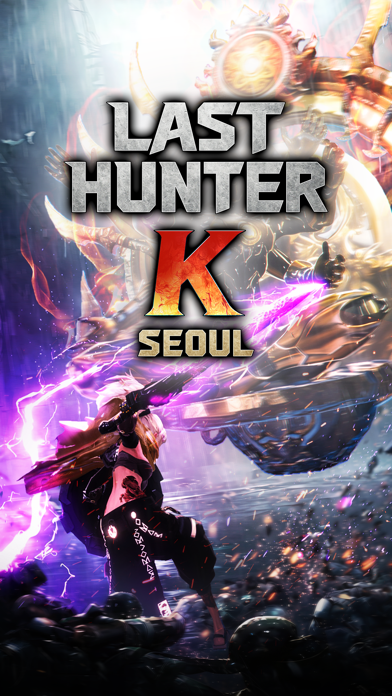
Last Hunter K: Seoul 是一款閃電般快速的動作遊戲,100 秒的完美幀數戰鬥決定勝負,這個 Mod IPA 讓你獲得優勢,以增強傷害、無敵狀態和戰術優勢主宰每場決鬥。
無論你是在掌握遊戲的主機級 1v1 戰鬥,還是想輕鬆通過挑戰,這些破解讓你自訂你的力量等級、提升你的攻擊、強化你的防禦、凍結時間來讀取敵人的模式,或在需要時確保自動獲勝。
- 傷害倍數 → 放大你的攻擊力
- 防禦倍數 → 增加你的傷害抗性
- 無敵模式 → 變得無敵
- 愚蠢敵人 → 降低敵人智能
- 凍結計時器 → 在戰鬥中暫停時間
- 自動獲勝 → 即時勝利
此應用程式也內建 iGameGod,讓你可以使用 Auto Touch 自動執行重複操作、透過 App Speed Manager 調整遊戲速度、使用 Memory Engine 修改記憶體數值,以及更多強大的 iOS 遊戲工具。
從上方連結下載 Last Hunter K : Seoul iOS Mod IPA。點選安裝按鈕並依照畫面指示在 iPhone、iPad 或 Apple Silicon 上安裝此 iOS 應用程式修改版。
需要更多協助?請查看我們的 iOSGods 應用程式常見問題 以獲得詳細解答與疑難排解。
100 秒定勝負,超濃縮的動作戰鬥
極致密度,鍛造壓倒性的沉浸感
凌駕於敵人之上的,是你的反應速度!
告別虛擬搖杆!單手掌控的主機級動作精髓!
從神級時機的招架,到致命的一擊反擊!
指尖輕劃,瞬間引爆極致打擊感
「銘記於心,你的指尖便是最完美的武器」
【遊戲特色】
● 主機級一對一戰鬥
讀懂敵人的動作、閃避、精準反擊。
簡單操作,即可組合出成千上萬種戰術與攻擊組合。
● 武器風格多元
提供單手劍、巨劍、大刀、戰鎚、弓箭等多種武器。
不同的操作習慣,
將為每把武器塑造出風格各異的戰鬥玩法。
● 高度自由的個人化角色
除了戰鬥實力,獵鋒的風格同樣關鍵。
提供涵蓋臉部、體型與圖紋的角色自訂系統,
完整塑造個人化的獵鋒形象。
● 高度擬真的反烏托邦首爾
以核戰後的首爾為背景,
呈現被監控機兵佔領的反烏托邦世界觀。
你將化身為「終結獵鋒」,肩負起拯救與重建城市的使命。
● 對決、競爭與合作
透過即時對決證明你的實力!
獵鋒之間不只是對戰關係,
遇到強大的怪物時,還能合作一起挑戰。
突破手機極限,甚至超越主機的全新動作世代!
《終結獵鋒K:首爾》現在就開戰。
【注意事項】
* 本遊戲含部分付費道具(含稅),購買付費道具時可能會產生額外費用,且依商品性質,部分道具可能無法申請退款。
* 關於遊戲使用之相關條件(合約終止/退款申請等),可查看遊戲內服務使用條款。
※ 若使用非法程式、竄改應用程式或以其他非正常方式進行遊戲,可能根據使用條款受到服務限制、帳號及相關資料刪除或損害賠償等處置。
[Official Community]
- Youtube: https://www.youtube.com/@lasthunterk
- X: https://x.com/last_hunter_k
- Instagram: https://www.instagram.com/last_hunter_k/
- 遊戲相關諮詢:[email protected]

- 未越獄/受限或已越獄的 iPhone 或 iPad。
- Sideloadly 或替代方案。
- 執行 Windows/macOS/Linux 且已安裝 iTunes 的電腦。
步驟 1: 透過上方連結將已破解的 .IPA 檔案下載到您的電腦。若要從 iOSGods App 下載,請參閱我們的 iOSGods App IPA 下載教學,其中包含影片範例。
步驟 2: 下載 Sideloadly 並將其安裝在您的 Windows 或 Mac 上。
步驟 3: 在電腦上開啟 Sideloadly,連接您的 iOS 裝置,並等待裝置名稱出現在 Sideloadly 中。
步驟 4: 當 Sideloadly 辨識到您的 iOS 裝置後,將下載好的修改版 .IPA 檔案拖曳並放到 Sideloadly 應用程式中。
步驟 5: 輸入您的 Apple Account 電子郵件,然後按下「Start」。系統會要求您輸入密碼,請依指示提供所需資訊。
步驟 6: 等待 Sideloadly 完成已破解 IPA 的旁載/安裝。如果安裝過程中發生問題,請閱讀下方的注意事項。
步驟 7: 安裝完成並在主畫面上看到該應用程式後,您需要前往 設定 → 一般 → 描述檔 / VPN 與裝置管理。進入後,點選您在步驟 6 中輸入的電子郵件,然後點選「信任 [email protected]」。
步驟 8: 現在回到主畫面並開啟新安裝的應用程式,一切應該都能正常運作。您可能需要依照遊戲內破解彈出視窗中的進一步指示操作。
注意: 在 iOS/iPadOS 16 及更新版本上,您必須 啟用開發者模式。若使用免費的 Apple Developer 帳號,您將需要每 7 天重複此程序。如有任何疑問或問題,請閱讀我們的 主題中的 Sideloadly 常見問題區段。


![Path of Kings iOS Mod IPA [ Debug Menu ]](https://is1-ssl.mzstatic.com/image/thumb/Purple211/v4/63/d0/71/63d0712a-dc71-638b-573c-1977509e82e9/AppIcon-0-0-1x_U007emarketing-0-8-0-85-220.png/100x100bb.jpg)


![Urban Heat: FPS iOS Mod IPA [ ESP Boxes, Lines ]](https://is1-ssl.mzstatic.com/image/thumb/Purple211/v4/f3/e4/ce/f3e4ce11-df2c-ab33-5b04-58087c134bc7/AppIcon-0-0-1x_U007emarketing-0-8-0-85-220.png/100x100bb.jpg)


![Rapid Reload Hack [ Debug Menu ]](https://is1-ssl.mzstatic.com/image/thumb/Purple221/v4/28/d9/f4/28d9f4ee-28f3-2422-c0bd-24f3240ec696/AppIcon-0-0-1x_U007emarketing-0-8-0-85-220.png/100x100bb.jpg)


