Inicio de sesión requerido
Inicia sesión con tu cuenta de iOSGods para continuar.
Inicia sesión con tu cuenta de iOSGods para continuar.
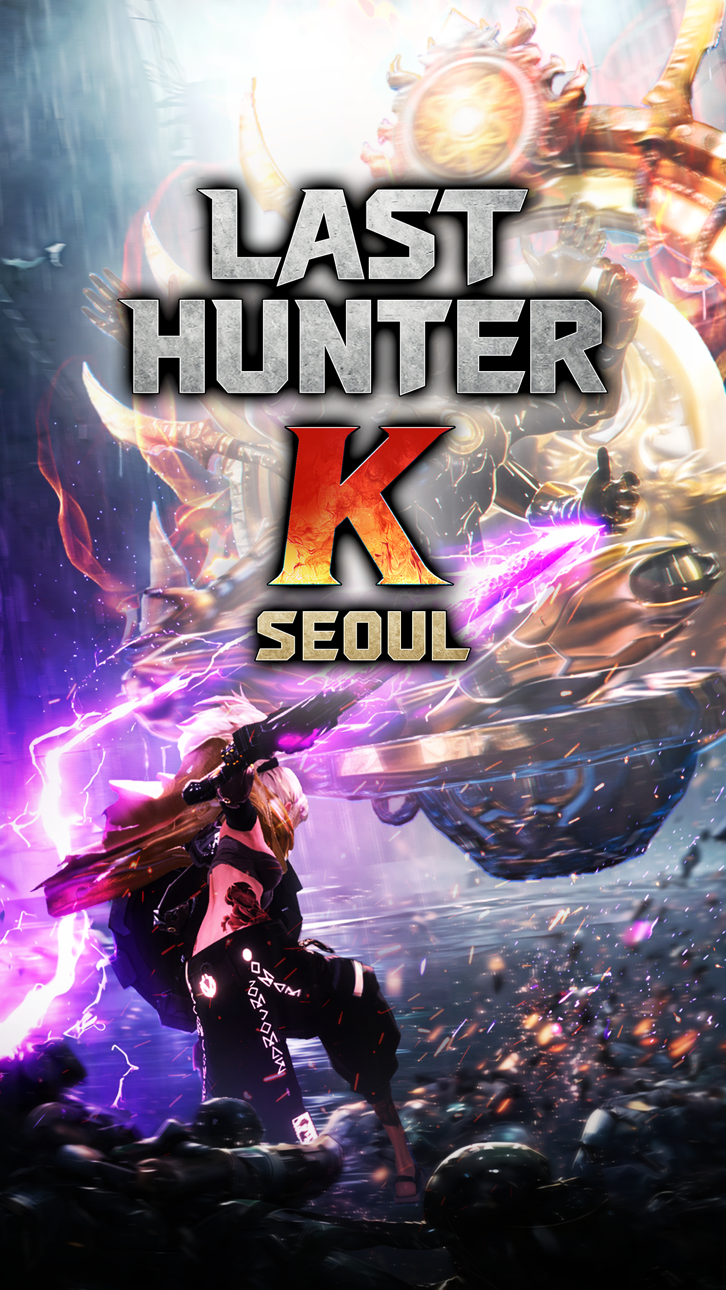
Last Hunter K: Seoul es un juego de acción ultrarrápido donde 100 segundos de combate perfecto deciden la victoria, y este Mod IPA te da la ventaja para dominar cada duelo con daño mejorado, invencibilidad y ventajas tácticas.
Ya sea que estés dominando el combate 1v1 de calidad de consola del juego o buscando superar desafíos sin esfuerzo, estos trucos te permiten personalizar tu nivel de poder, potenciar tus golpes, fortalecer tu defensa, congelar el tiempo para leer los patrones del enemigo o asegurar victorias automáticas cuando las necesites.
- Multiplicador de Daño → amplifica tu poder de ataque
- Multiplicador de Defensa → aumenta tu resistencia al daño
- Modo Dios → conviértete en invencible
- Enemigo Tonto → reduce la inteligencia del enemigo
- Congelar Temporizador → pausa el tiempo en combate
- Victoria Automática → victoria instantánea
Esta app también incluye iGameGod, que te ofrece acceso a Auto Touch para automatizar tareas repetitivas, App Speed Manager para ajustar la velocidad del juego, edición de valores con Memory Engine y más potentes herramientas para juegos de iOS.
Descarga Last Hunter K : Seoul iOS Mod IPA desde los enlaces de arriba. Toca el botón de instalación y sigue las instrucciones para instalar este hack iOS en tu iPhone, iPad o Mac con Apple Silicon.
¿Necesitas más ayuda? Consulta nuestras Preguntas frecuentes de la app iOSGods para respuestas detalladas y consejos de solución de problemas.
Combate de acción ultra-compacto, decidido en solo 100 segundos.
Inmersión absoluta forjada con una densidad extrema.
¿Más fuerte que el enemigo? ¡Tus reflejos son la clave!
¡Olvida el mando virtual! La esencia de la acción de consola en una sola mano.
Desde el parry perfecto hasta el contraataque letal,
Siente el impacto definitivo con un solo deslizamiento.
"Recuerda: la punta de tus dedos es tu arma más perfecta."
[Características del juego]
● Combates 1 vs 1 estilo consola
Lee los movimientos de tus enemigos, esquívalos y contraataca.
Crea miles de combinaciones de ataque con unos pocos controles.
● Estilos de armas únicos
Espadas, mandobles, katanas, martillos, arcos y más.
Tu forma de jugar define un estilo de combate único para cada arma.
● Personalización total
El estilo del Hunter importa tanto como el combate.
Crea tu propio Hunter con rostro, cuerpo y tatuajes tan únicos como tu forma de jugar.
● Una Seúl distópica, pero realista
Tras una guerra nuclear, la ciudad ha caído en manos de los Watchdox.
Conviértete en el último Hunter y salva una Seúl en ruinas.
● Duelo, competencia y cooperación
Demuestra lo fuerte que eres en combates en tiempo real.
Coopera y derriba enemigos en equipo cuando estos sean demasiado fuertes.
Una nueva meta de acción que supera el móvil y alcanza el nivel consola.
¡Vive toda una adrenalina de acción en Last Hunter K: Seoul!
[Aviso]
* Este juego incluye compras dentro de la aplicación (IVA incluido). Al realizar una compra, pueden aplicarse cargos adicionales y algunos artículos podrían no ser reembolsables.
* Las condiciones relacionadas con el uso de este juego (cancelación de contrato, reembolsos, etc.) pueden consultarse en los términos y condiciones dentro del juego.
※ El uso de programas ilegales, la modificación de la aplicación o cualquier método no autorizado puede dar lugar a la suspensión del servicio, eliminación de la cuenta y de la información relacionada, así como a reclamaciones por daños según los términos y condiciones.
[Official Community]
- Youtube: https://www.youtube.com/@lasthunterk
- X: https://x.com/last_hunter_k
- Instagram: https://www.instagram.com/last_hunter_k/
- Consultas sobre el juego: [email protected]
Capturas © sus respectivos dueños · App Store


iOSGods no está afiliado, avalado ni patrocinado por Apple Inc., Google LLC ni por los desarrolladores de las apps que aparecen aquí. Apple, iOS y App Store son marcas comerciales de Apple Inc. Android y Google Play son marcas comerciales de Google LLC. Todos los demás nombres de apps, iconos, imágenes y marcas pertenecen a sus respectivos dueños.

- iPhone o iPad con o sin Jailbreak.
- Sideloadly u otras alternativas.
- Ordenador con Windows/macOS/Linux e iTunes instalado.
PASO 1: Descargue el archivo .IPA pre-modificado desde el enlace de arriba a su ordenador. Para descargarlo desde la iOSGods App, consulte nuestro Tutorial de descarga del IPA desde la iOSGods App, que incluye un ejemplo en vídeo.
PASO 2: Descargue Sideloadly e instálelo en su Windows o Mac.
PASO 3: Abra Sideloadly en su ordenador, conecte su dispositivo iOS y espere hasta que el nombre del dispositivo aparezca en Sideloadly.
PASO 4: Una vez que su iDevice sea reconocido, arrastre el archivo .IPA modificado que descargó y suéltelo en la aplicación Sideloadly.
PASO 5: Introduzca el correo electrónico de su Apple Account y, a continuación, pulse «Start». Le pedirá que introduzca su contraseña. Proporcione la información solicitada.
PASO 6: Espere a que Sideloadly termine de hacer sideload/instalar el IPA modificado. Si surgen problemas durante la instalación, por favor lea la nota a continuación.
PASO 7: Una vez completada la instalación y al ver la app en la pantalla de inicio, deberá ir a Ajustes → General → Perfiles / VPN y Gestión de Dispositivos. Una vez allí, toque el correo electrónico que introdujo en el paso 6 y, después, toque en «Confiar en [email protected]».
PASO 8: Ahora vaya a la pantalla de inicio y abra la app recién instalada; todo debería funcionar correctamente. Es posible que tenga que seguir instrucciones adicionales específicas de cada app dentro del popup del hack en el juego.
NOTA: En iOS/iPadOS 16 y posteriores, debe activar el Modo Desarrollador. Para cuentas gratuitas de Apple Developer, deberá repetir este proceso cada 7 días. Si tiene alguna pregunta o problema, lea nuestra sección de Preguntas Frecuentes de Sideloadly del tema.
Hack Features:
- Inf Coins (Spend)
App Installation Instructions:
---------------------------------------------------------
----------------------------------------------------------
If you require more information or help, please read our Frequently Asked Questions topic on iOSGods.com.
----------------------------------------------------------
--------------------------------------------------


![Family Tree! - Logic Puzzles iOS Mod IPA [ Debug Menu ]](https://is1-ssl.mzstatic.com/image/thumb/Purple221/v4/8c/4e/8f/8c4e8fe5-d8f9-929e-90f1-1f83a05a762d/AppIcon-0-0-1x_U007emarketing-0-8-0-85-220.png/100x100bb.jpg)


![Among Us! iOS Mod IPA [ WallHack ]](https://is1-ssl.mzstatic.com/image/thumb/Purple211/v4/a6/7e/5c/a67e5c64-65f4-bd11-edcc-087936599310/AppIcon-0-0-1x_U007emarketing-0-8-0-85-220.png/100x100bb.jpg)


![Combat Master Mobile iOS Mod IPA [ ESP Boxes, Lines ]](https://is1-ssl.mzstatic.com/image/thumb/Purple211/v4/3b/45/40/3b45408f-5640-7da5-caf7-c67f4ba43938/AppIcon-0-0-1x_U007emarketing-0-8-0-85-220.png/100x100bb.jpg)
