تسجيل الدخول مطلوب
سجّل الدخول بحساب iOSGods للمتابعة.
سجّل الدخول بحساب iOSGods للمتابعة.
- Free iAP (Press cancel when Buy) -- Turn on cheat option inside iOSGods Menu first
يأتي هذا التطبيق أيضًا مع iGameGod، مما يتيح لك الوصول إلى Auto Touch لأتمتة المهام المتكررة، وApp Speed Manager لضبط سرعة اللعب، وتعديل القيم عبر Memory Engine، والمزيد من أدوات ألعاب iOS القوية.
قم بتنزيل Grand Mountain Adventure 2 iOS Mod IPA من الروابط أعلاه. اضغط على زر التثبيت واتبع التعليمات لتثبيت هذا التعديل لـ iOS على iPhone أو iPad أو Apple Silicon.
هل تحتاج إلى مزيد من المساعدة؟ راجع الأسئلة الشائعة لتطبيق iOSGods للحصول على إجابات مفصلة ونصائح لاستكشاف الأخطاء.
Best Mobile Game of the Year - Swedish Game Awards 2025
Best Sports Game of the Year - Pocket Gamer Awards 2025
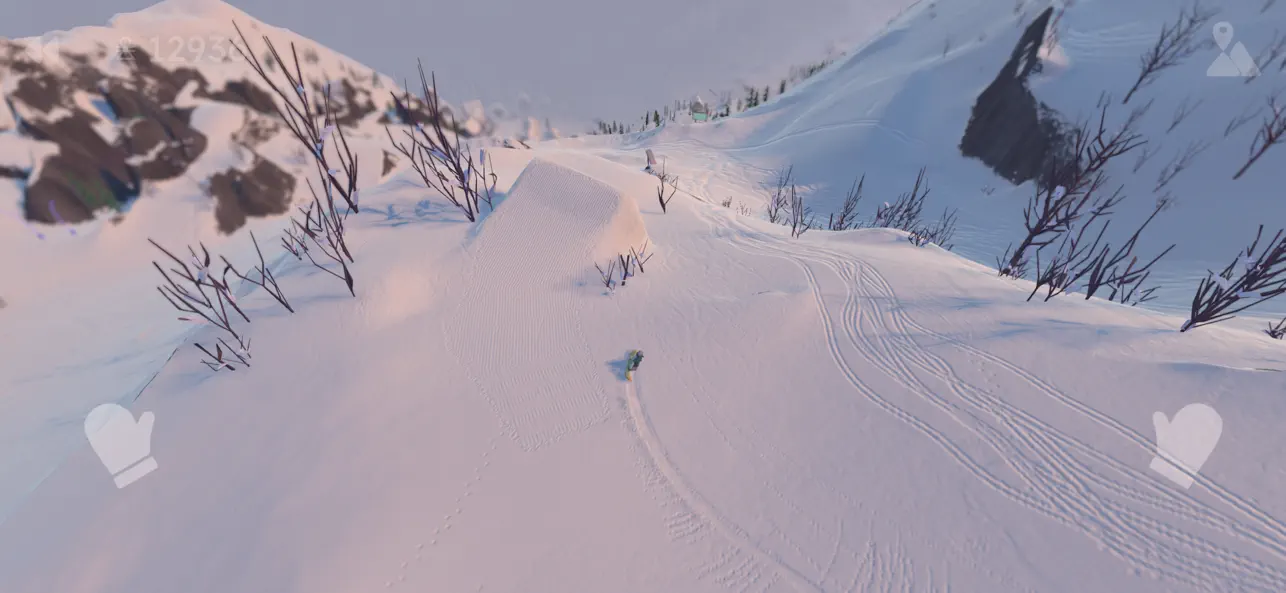
Strap in and drop in. Grab your skis or snowboard and explore massive open-world mountains. With no ads, and no microtransactions. The ultimate skiing and snowboarding adventure, from a series played by over 30 million players worldwide.
MASSIVE EXTREME SPORT PLAYGROUND
Explore non-linear ski resorts with busy slopes, deep forests, steep cliffs, untouched backcountry, and lively Après-Skis. Follow the pistes, ride the lifts, hit the snow park, or freeride down a steep chute. The choice is yours in this winter sports paradise.
HUNDREDS OF CHALLENGES
Slalom, big air, slopestyle, downhill racing, freeride, ski jumping, and much more. The skill-based challenges are easy to pick up, but hard to master, with the legendary Double-Diamond difficulty waiting for true pros.
GO BIG. GET CREATIVE.
Snowparks, massive kickers, and off-piste cliffs are your freestyle playground. Chain tricks and combos off trees, rails, and boxes. Throw corks and rodeos. Nail nose and tail presses for massive multipliers and climb the global leaderboard.
MORE THAN JUST SKIING
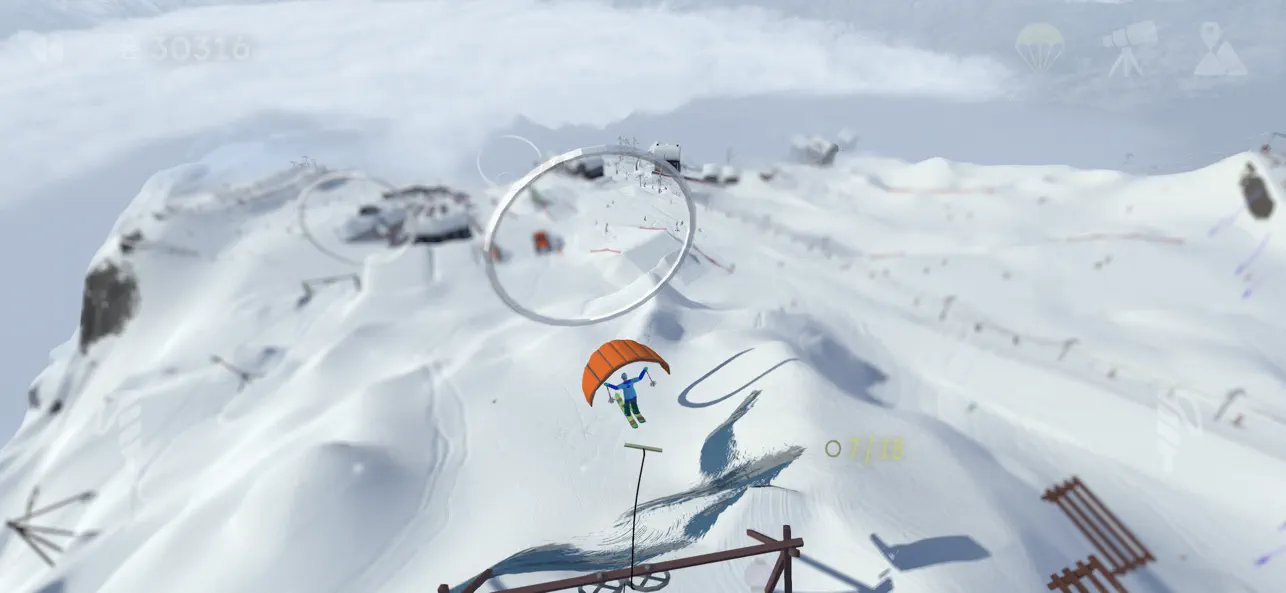
Take a breather and try paragliding, ziplining, longboarding, wakeboarding, speed skiing, or Après-Ski dancing (obviously). Some trials even transform the game into a 2D platformer or a top-down ski adventure.
REALISTIC SKIING SIMULATOR
Ride through deep powder, brave avalanches, and dodge rock falls. The dynamic conditions keep the mountains alive and immersive.
ZEN MODE
Want to just... ski? Turn on Zen Mode for a crowd-free, challenge-free, purely peaceful ride. Just you and the mountain.
UPGRADE YOUR GEAR
Unlock new skis, snowboards, and outfits as you progress. Look great shredding, or at the Après Ski.
FAIR PLAY
No ads. No microtransactions.
Your first mountain is free, then a single purchase to unlock everything. Play it online or fully offline. Full controller support, intuitive touch controls, minimal loading times and zero distractions keep the skiing experience clean and seamless.
COMPETE WITH FRIENDS
Compete in the global leaderboards, challenge your friends via Game Center, or join our friendly Discord to find weekly challenges, post your best runs and get tips.
ABOUT TOPPLUVA
Grand Mountain Adventure is made by three snowboarding brothers from Stockholm, Sweden. Built with a genuine love for the mountains, and a relentless drive to make the most fun winter sports game ever. Praise the pow!

- iPhone أو iPad بجيلبريك أو بدون جيلبريك.
- Sideloadly أو بدائلها.
- كمبيوتر يعمل بنظام Windows/macOS/Linux مع تثبيت iTunes.
الخطوة 1: قم بتنزيل ملف .IPA المعدّل مسبقًا من الرابط أعلاه إلى الكمبيوتر الخاص بك. للتنزيل من تطبيق iOSGods App، اطلع على دليل تنزيل IPA من تطبيق iOSGods App الذي يتضمن مثالًا بالفيديو.
الخطوة 2: قم بتنزيل Sideloadly وتثبيته على جهاز Windows أو Mac.
الخطوة 3: افتح Sideloadly على الكمبيوتر، ووصّل جهاز iOS الخاص بك، وانتظر حتى يظهر اسم جهازك داخل Sideloadly.
الخطوة 4: بمجرد التعرّف على جهاز iDevice الخاص بك، اسحب ملف .IPA المعدّل الذي قمت بتنزيله وأفلِته داخل تطبيق Sideloadly.
الخطوة 5: أدخل البريد الإلكتروني لحساب Apple Account الخاص بك، ثم اضغط على «Start». سيُطلب منك بعد ذلك إدخال كلمة المرور. تابع وأدخل المعلومات المطلوبة.
الخطوة 6: انتظر حتى ينتهي Sideloadly من تحميل/تثبيت ملف IPA المعدّل. في حال واجهت أي مشاكل أثناء التثبيت، يرجى قراءة الملاحظة أدناه.
الخطوة 7: بعد اكتمال التثبيت ورؤية التطبيق على الشاشة الرئيسية، انتقل إلى Settings → General → Profiles / VPN & Device Management. ثم اضغط على البريد الإلكتروني الذي أدخلته في الخطوة 6، ثم اضغط على «الوثوق بـ [email protected]».
الخطوة 8: الآن انتقل إلى الشاشة الرئيسية وافتح التطبيق الذي تم تثبيته للتو وسيعمل كل شيء بشكل صحيح. قد تحتاج إلى اتباع تعليمات إضافية خاصة بكل تطبيق داخل النافذة المنبثقة للتعديل أثناء اللعب.
ملاحظة: بدءًا من iOS/iPadOS 16 وما بعده، يجب تفعيل وضع المطور (Developer Mode). بالنسبة لحسابات Apple Developer المجانية، ستحتاج إلى تكرار هذه العملية كل 7 أيام. إذا كانت لديك أي أسئلة أو مشاكل، يرجى قراءة قسم الأسئلة الشائعة حول Sideloadly في الموضوع.





![[Seven Deadly Sins] 七つの大罪 光と闇の交戦 : グラクロ iOS Mod IPA](https://is1-ssl.mzstatic.com/image/thumb/Purple211/v4/91/9f/fe/919ffe5c-78e4-1cf1-94b4-d389eb3a9bc9/AppIcon-1x_U007emarketing-0-8-0-85-220-0.png/100x100bb.jpg)