Anmeldung erforderlich
Melden Sie sich mit Ihrem iOSGods-Konto an, um fortzufahren.

Hack Features:
- PREMIUM
Laden Sie Flightradar24 | Flight Tracker Modded modded IPA über die obigen Links herunter. Tippen Sie auf den Installations-Button und folgen Sie den Anweisungen, um diese iOS-App auf Ihrem iPhone, iPad oder Apple Silicon zu installieren.
Brauchen Sie mehr Hilfe? In unseren iOSGods App häufig gestellten Fragen finden Sie ausführliche Antworten und Tipps zur Fehlerbehebung.
The world's most popular flight tracker - #1 Travel app in over 150 countries.
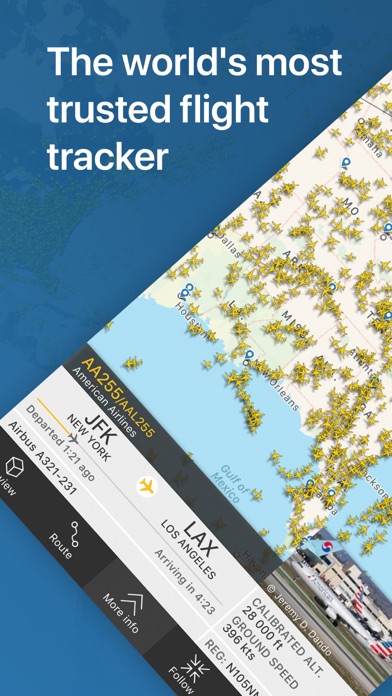
Turn your iPhone or iPad into a live flight tracker and see planes around the world move in real-time on a detailed map. Or point your device at a plane to find out where it’s going and what kind of aircraft it is. Download for free today and discover why millions are already tracking flights and checking flight status with Flightradar24.
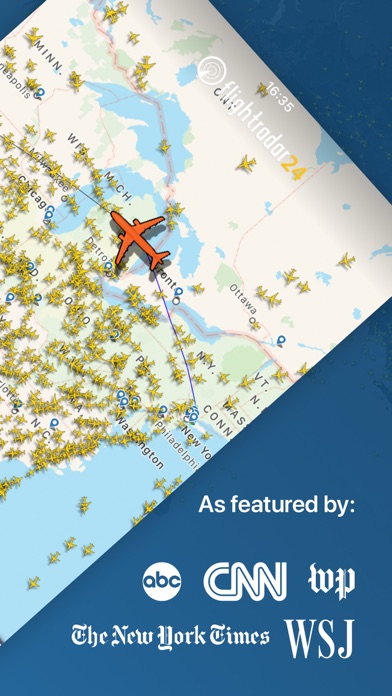
•Watch aircraft move around the world in real-time
•Identify flights overhead & see flight information—including a photo of the actual aircraft—by simply pointing your device at the sky
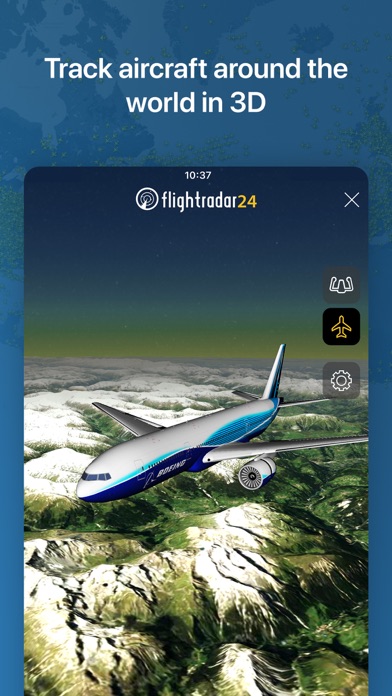
•See what the pilot of an aircraft sees in 3D
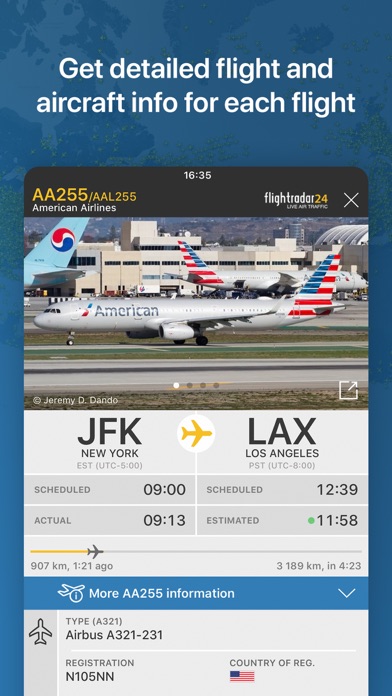
•Tap on a plane for flight details such as route, estimated time of arrival, actual time of departure, aircraft type, speed, altitude, high-resolution photos of the actual aircraft & more.
•See historical data & watch playback of past flights
•Tap on an airport icon for arrival & departure boards, flight status, aircraft on the ground, current delay stats, & detailed weather conditions
•Search for individual flights using flight number, airport, or airline
•Filter flights by airline, aircraft, altitude, speed, & more
•Get a detailed list of all flights in the air in your area on your Apple Watch
Flightradar24 is a free app and includes all the above features. If you want even more great features from Flightradar24 | Flight Tracker there are two upgrade options—Silver & Gold—and each comes with a free trial.
Silver
•90 days of flight history
•More aircraft details, like serial number & age
•More flight details, like vertical speed & squawk
•Filters and alerts to find and track the flights you’re interested in
•Current weather at 3,000+ airports overlaid on the map
Gold
•All the features included in Flightradar24 Silver +
•365 days of flight history
•Detailed live map weather layers for clouds & precipitation
•Aeronautical charts & oceanic tracks showing the pathways flights follow across the sky
•Air traffic control boundaries that show which controllers are responsible for a flight
•Extended Mode S data— even more information about a flight’s altitude, speed, and wind & temperature conditions during flight, when available
If you choose to upgrade to a Silver or Gold subscription, a payment will be charged to your iTunes account at the end of the free trial period. Your account will be charged for renewal within 24 hours prior to the end of the current period. Auto-renewal may be turned off at any time by going to your account settings in the iTunes Store. Silver and Gold upgrade prices are listed in the app as they vary depending on your country and currency. Any unused portion of a free trial period, if offered, will be forfeited when the user purchases a subscription to that publication, where applicable.
HOW IT WORKS
Most aircraft today are equipped with ADS-B transponders that transmit positional data. Flightradar24 has a rapidly growing network of 20,000 ground stations to receive this data that then shows up as aircraft moving on a map in the app. In an expanding number of regions, with the help of multilateration, we’re able to calculate the positions of aircraft that don’t have ADS-B transponders. Coverage is subject to change at any time.
CONNECT WITH FLIGHTRADAR24
We love getting feedback on FR24. Since we’re unable to respond directly to reviews, contact us directly and we’ll be happy to assist if you’re having any issues.
• email ([email protected])
• twitter (@flightradar24)
• Facebook (https://www.facebook.com/Flightradar24)
DISCLAIMER
The use of this app is strictly limited to entertainment purposes. This specifically excludes activities that might endanger yourself or the lives of others. Under no circumstances will the developer of this app be held responsible for incidents resulting from the use of the data or its interpretation or its use contrary to this agreement.
- Nicht-Jailbroken/Jailed oder Jailbroken iPhone oder iPad.
- Sideloadly oder Alternativen.
- Computer mit Windows/macOS/Linux und installiertem iTunes.
SCHRITT 1: Laden Sie die vorinstallierte .IPA-Datei über den obigen Link auf Ihren Computer herunter. Zum Herunterladen aus der iOSGods-App siehe unser iOSGods App IPA Download-Tutorial mit Videobeispiel.
SCHRITT 2: Laden Sie Sideloadly herunter und installieren Sie es auf Ihrem Windows oder Mac.
SCHRITT 3: Öffnen Sie Sideloadly auf Ihrem Computer, verbinden Sie Ihr iOS-Gerät und warten Sie, bis Ihr Gerätename in Sideloadly erscheint.
SCHRITT 4: Sobald Ihr iDevice erkannt wird, ziehen Sie die heruntergeladene gemoddete .IPA-Datei in die Sideloadly-Anwendung.
SCHRITT 5: Geben Sie Ihre Apple-Account-E-Mail ein und drücken Sie „Start". Sie werden dann nach Ihrem Passwort gefragt. Geben Sie die erforderlichen Informationen ein.
SCHRITT 6: Warten Sie, bis Sideloadly das Sideloading/Installieren der gehackten IPA abgeschlossen hat. Bei Problemen während der Installation lesen Sie bitte den Hinweis unten.
SCHRITT 7: Sobald die Installation abgeschlossen ist und die App auf Ihrem Home-Bildschirm angezeigt wird, müssen Sie zu Einstellungen → Allgemein → Profile / VPN & Geräteverwaltung gehen. Tippen Sie dort auf die E-Mail, die Sie in Schritt 6 eingegeben haben, und dann auf „Trust [email protected]".
SCHRITT 8: Gehen Sie nun zu Ihrem Home-Bildschirm und öffnen Sie die neu installierte App – alles sollte einwandfrei funktionieren. Möglicherweise müssen Sie weitere App-spezifische Anweisungen im Hack-Popup im Spiel befolgen.
HINWEIS: iOS/iPadOS 16 und höher: Sie müssen den Entwicklermodus aktivieren. Bei kostenlosen Apple Developer-Accounts müssen Sie diesen Vorgang alle 7 Tage wiederholen. Bei Fragen oder Problemen lesen Sie bitte unsere Sideloadly-FAQ-Sektion im Thema.