تسجيل الدخول مطلوب
سجّل الدخول بحساب iOSGods للمتابعة.
سجّل الدخول بحساب iOSGods للمتابعة.
تتبع الرحلات الجوية المباشرة حول العالم باستخدام Flightradar24، تطبيق تتبع الرحلات الأكثر شهرة في العالم والمتاح الآن كتطبيق معدل لـ iOS. شاهد الطائرات تتحرك في الوقت الفعلي على خرائط مفصلة، وحدد الطائرات فوقك بتوجيه جهازك نحو السماء، والوصول إلى الميزات المتقدمة لفتح تجربة تتبع الرحلات الكاملة بدون قيود.
- متقدم → الوصول الكامل إلى جميع ميزات التتبع
يأتي هذا التطبيق أيضًا مع iGameGod، مما يتيح لك الوصول إلى Auto Touch لأتمتة المهام المتكررة، وApp Speed Manager لضبط سرعة اللعب، وتعديل القيم عبر Memory Engine، والمزيد من أدوات ألعاب iOS القوية.
قم بتنزيل Flightradar24 | Flight Tracker Modded modded IPA من الروابط أعلاه. اضغط على زر التثبيت واتبع التعليمات لتثبيت هذا التعديل لـ iOS على iPhone أو iPad أو Apple Silicon.
هل تحتاج إلى مزيد من المساعدة؟ راجع الأسئلة الشائعة لتطبيق iOSGods للحصول على إجابات مفصلة ونصائح لاستكشاف الأخطاء.
The world's best flight tracker app - #1 Travel app in over 150 countries.
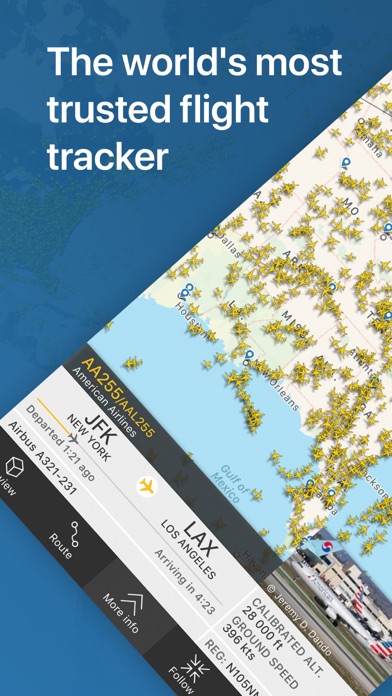
Turn your iPhone or iPad into a live flight tracker and see planes around the world move in real-time on a detailed map. Or point your device at a plane to find out where it’s going and what kind of aircraft it is. Download for free today and discover why millions are already tracking flights and checking flight status with Flightradar24.
• Watch aircraft move around the world in real-time
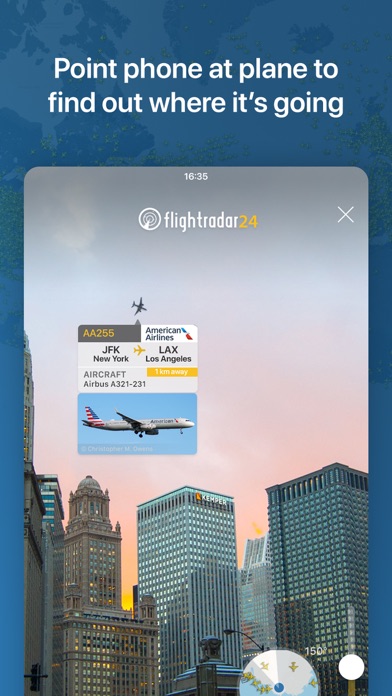
• Identify flights overhead & see flight information—including a photo of the actual aircraft—by simply pointing your device at the sky
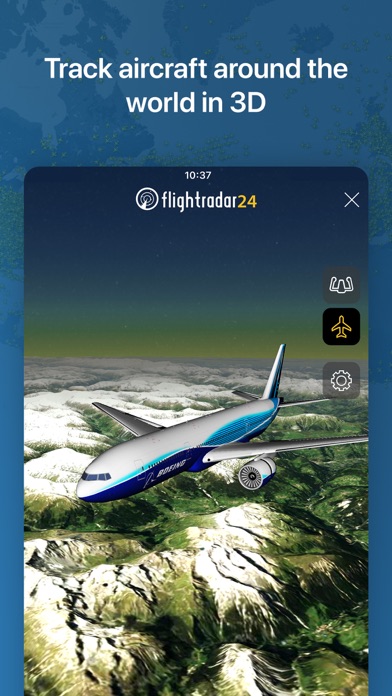
• See what the pilot of an aircraft sees in 3D
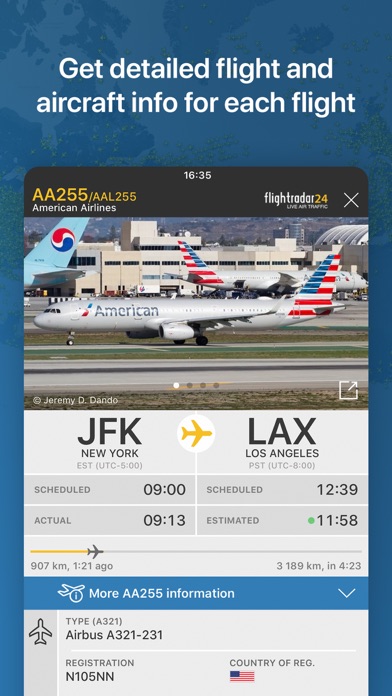
• Tap on a plane for flight details such as route, estimated time of arrival, actual time of departure, aircraft type, speed, altitude, high-resolution photos of the actual aircraft & more.
• See historical data & watch playback of past flights
• Tap on an airport icon for arrival & departure boards, flight status, aircraft on the ground, current delay stats, & detailed weather conditions
• Search and bookmark individual flights using flight number, airport, or airline
• Filter flights by airline, aircraft, altitude, speed, & more
• Get a detailed list of all flights in your area.
• View aircraft in 3D with hundreds of new aircraft and airline liveries added.
Flightradar24 is a free app and includes all the above features. If you want even more great features from Flightradar24 | Flight Tracker there are upgrade options—Silver & Gold—and each comes with a free trial.
SILVER
• 90 days of flight history
• More aircraft details
• More flight details, like vertical speed & squawk
• Filters and alerts to find and track flights
• Current weather at 3,000+ airports overlaid on the map
GOLD
• All the features included in Flightradar24 Silver +
• 365 days of flight history
• Detailed live map weather layers for clouds & precipitation
• Aeronautical charts & oceanic tracks showing the pathways flights follow across the sky
• Air traffic control boundaries that show which controllers are responsible for a flight
• Extended Mode S data— even more information about a flight’s altitude, speed, and wind & temperature conditions
If you choose to upgrade to a Silver or Gold subscription, a payment will be charged to your iTunes account at the end of the free trial period. Your account will be charged for renewal within 24 hours prior to the end of the current period. Auto-renewal may be turned off at any time by going to your account settings in the iTunes Store. Silver and Gold upgrade prices are listed in the app as they vary depending on your country and currency. Any unused portion of a free trial period, if offered, will be forfeited when the user purchases a subscription to that publication, where applicable.
HOW IT WORKS
Most aircraft today are equipped with ADS-B transponders that transmit positional data. Flightradar24 has a rapidly growing network of 50,000 ground stations around the world to receive this data that then shows up as aircraft moving on a map in the app. In an expanding number of regions, with the help of multilateration (MLAT), we’re able to calculate the positions of aircraft that don’t have ADS-B transponders.
CONNECT WITH US
We love getting feedback on FR24. Since we’re unable to respond directly to reviews, you can contact us directly and we’ll be happy to assist.
• Email ([email protected])
• X (@Flightradar24)
• Facebook (@Flightradar24)
• YouTube (@Flightradar24DotCom)
DISCLAIMER
The use of this app is strictly limited to entertainment purposes. This specifically excludes activities that might endanger yourself or the lives of others. Under no circumstances will the developer of this app be held responsible for incidents resulting from the use of the data or its interpretation or its use contrary to this agreement.
Terms of Service: https://www.flightradar24.com/terms-and-conditions
EULA: https://www.apple.com/legal/internet-services/itunes/dev/stdeula

- iPhone أو iPad بجيلبريك أو بدون جيلبريك.
- Sideloadly أو بدائلها.
- كمبيوتر يعمل بنظام Windows/macOS/Linux مع تثبيت iTunes.
الخطوة 1: قم بتنزيل ملف .IPA المعدّل مسبقًا من الرابط أعلاه إلى الكمبيوتر الخاص بك. للتنزيل من تطبيق iOSGods App، اطلع على دليل تنزيل IPA من تطبيق iOSGods App الذي يتضمن مثالًا بالفيديو.
الخطوة 2: قم بتنزيل Sideloadly وتثبيته على جهاز Windows أو Mac.
الخطوة 3: افتح Sideloadly على الكمبيوتر، ووصّل جهاز iOS الخاص بك، وانتظر حتى يظهر اسم جهازك داخل Sideloadly.
الخطوة 4: بمجرد التعرّف على جهاز iDevice الخاص بك، اسحب ملف .IPA المعدّل الذي قمت بتنزيله وأفلِته داخل تطبيق Sideloadly.
الخطوة 5: أدخل البريد الإلكتروني لحساب Apple Account الخاص بك، ثم اضغط على «Start». سيُطلب منك بعد ذلك إدخال كلمة المرور. تابع وأدخل المعلومات المطلوبة.
الخطوة 6: انتظر حتى ينتهي Sideloadly من تحميل/تثبيت ملف IPA المعدّل. في حال واجهت أي مشاكل أثناء التثبيت، يرجى قراءة الملاحظة أدناه.
الخطوة 7: بعد اكتمال التثبيت ورؤية التطبيق على الشاشة الرئيسية، انتقل إلى Settings → General → Profiles / VPN & Device Management. ثم اضغط على البريد الإلكتروني الذي أدخلته في الخطوة 6، ثم اضغط على «الوثوق بـ [email protected]».
الخطوة 8: الآن انتقل إلى الشاشة الرئيسية وافتح التطبيق الذي تم تثبيته للتو وسيعمل كل شيء بشكل صحيح. قد تحتاج إلى اتباع تعليمات إضافية خاصة بكل تطبيق داخل النافذة المنبثقة للتعديل أثناء اللعب.
ملاحظة: بدءًا من iOS/iPadOS 16 وما بعده، يجب تفعيل وضع المطور (Developer Mode). بالنسبة لحسابات Apple Developer المجانية، ستحتاج إلى تكرار هذه العملية كل 7 أيام. إذا كانت لديك أي أسئلة أو مشاكل، يرجى قراءة قسم الأسئلة الشائعة حول Sideloadly في الموضوع.