تسجيل الدخول مطلوب
سجّل الدخول بحساب iOSGods للمتابعة.
Hack Features:
- PREMIUM
قم بتنزيل Piano Academy - Learn Piano Modded modded IPA من الروابط أعلاه. اضغط على زر التثبيت واتبع التعليمات لتثبيت هذا التعديل لـ iOS على iPhone أو iPad أو Apple Silicon.
هل تحتاج إلى مزيد من المساعدة؟ راجع الأسئلة الشائعة لتطبيق iOSGods للحصول على إجابات مفصلة ونصائح لاستكشاف الأخطاء.
Piano Academy is for anyone who's looking to learn the piano from scratch, or for those who have prior knowledge and want to continue learning by practice playing along to their favorite songs.
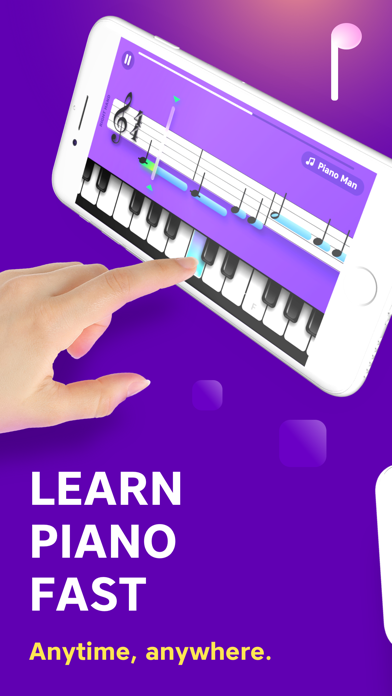
Piano Academy offers an on-screen touch keyboard so you can start playing immediately. The app also supports MIDI connection, and it can even detect the notes you play if you have an acoustic or electronic piano.
MAIN FEATURES
- Watch tutorial videos introduced to you by your personal instructor, teaching you theory topics like notes, the staff, chords, and much more.
- The app listens to every note you play and gives you instant feedback, so you know how to improve.
- Practice playing tons of great tunes by reading real sheet music.
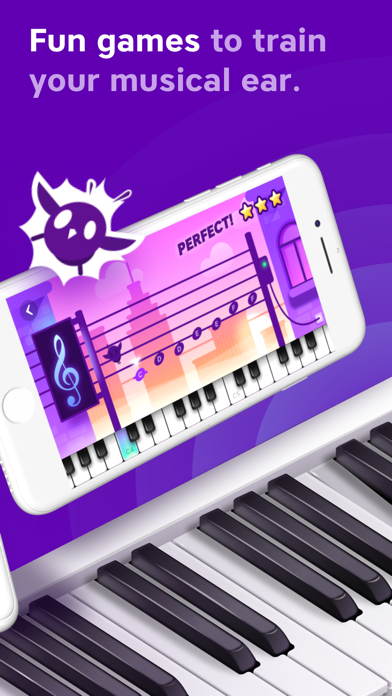
- Play fun games to train your musical hearing, hand-coordination, and sense of rhythm.
WHO IS IT FOR?
Piano Academy is suitable for all ages, from kids to adults.
We have designed and built this app from the very beginning to help transform even the complete beginners into actual pianists.
HOW DOES IT WORK?
We are going to teach you how to read notes, so you'll be able to play while reading sheet music. You'll play tons of amazing classical pieces, as well as contemporary hit-songs on your own.
As you progress, you'll learn to play with both hands, play chords, and much more.
Theory topics are introduced to you by your personal instructor with the aid of animations and walk-through videos.
You will play fun games that are explicitly designed to train your senses, such as musical hearing, hand-coordination, and your sense of rhythm, among other skills.
And the crowning glory is our staff player that shows music notes as you see in real sheet music. The notes are perfectly synced with the background music that will accompany you while playing. The app listens to every note you play and gives you instant feedback, so you know whether you hit the correct note at the right time.
BOTTOM LINE, you're going to have an enriching, rewarding, and challenging experience, and you're going to love it!
UNLIMITED PREMIUM SUBSCRIPTION
- You can subscribe for unlimited access to all features and content offered within Piano Academy.
- Watch all premium tutorials, play all premium games, and practice any of the songs, including premium songs as much as you like from any Apple device and enjoy an ad-free experience.
- Subscriptions are billed monthly or annually at the rate selected, depending on the subscription plan.
- Payment will be charged to iTunes Account at confirmation of purchase
- Subscription automatically renews unless auto-renew is turned off at least 24-hours before the end of the current period.
- The account will be charged for renewal within 24-hours before the end of the current period, and identify the cost of the renewal.
- Subscriptions may be managed by the user and auto-renewal may be turned off by going to the user's Account Settings after purchase.
- No cancellation of the current subscription is allowed during an active subscription period.
- Private Policy - https://www.pianoacademy.app/privacy-policy/
- Terms of Use - https://www.pianoacademy.app/terms-of-use/
ABOUT YOKEE
Yokee Music is the creator of Yokee™, the world's #1 ranked sing-along mobile app, with over 100 million users and the creator of Piano by Yokee, the most successful piano app game available in its genre.
If you're having any issues with the app, please don't hesitate to contact us at [email protected] and we'll be happy to help.
Also, please join the Piano Academy community on Facebook and share your experience with other beginner-piano players like yourself: https://www.facebook.com/YokeePianoAcademy
- iPhone أو iPad بجيلبريك أو بدون جيلبريك.
- Sideloadly أو بدائلها.
- كمبيوتر يعمل بنظام Windows/macOS/Linux مع تثبيت iTunes.
الخطوة 1: قم بتنزيل ملف .IPA المعدّل مسبقًا من الرابط أعلاه إلى الكمبيوتر الخاص بك. للتنزيل من تطبيق iOSGods App، اطلع على دليل تنزيل IPA من تطبيق iOSGods App الذي يتضمن مثالًا بالفيديو.
الخطوة 2: قم بتنزيل Sideloadly وتثبيته على جهاز Windows أو Mac.
الخطوة 3: افتح Sideloadly على الكمبيوتر، ووصّل جهاز iOS الخاص بك، وانتظر حتى يظهر اسم جهازك داخل Sideloadly.
الخطوة 4: بمجرد التعرّف على جهاز iDevice الخاص بك، اسحب ملف .IPA المعدّل الذي قمت بتنزيله وأفلِته داخل تطبيق Sideloadly.
الخطوة 5: أدخل البريد الإلكتروني لحساب Apple Account الخاص بك، ثم اضغط على «Start». سيُطلب منك بعد ذلك إدخال كلمة المرور. تابع وأدخل المعلومات المطلوبة.
الخطوة 6: انتظر حتى ينتهي Sideloadly من تحميل/تثبيت ملف IPA المعدّل. في حال واجهت أي مشاكل أثناء التثبيت، يرجى قراءة الملاحظة أدناه.
الخطوة 7: بعد اكتمال التثبيت ورؤية التطبيق على الشاشة الرئيسية، انتقل إلى Settings → General → Profiles / VPN & Device Management. ثم اضغط على البريد الإلكتروني الذي أدخلته في الخطوة 6، ثم اضغط على «الوثوق بـ [email protected]».
الخطوة 8: الآن انتقل إلى الشاشة الرئيسية وافتح التطبيق الذي تم تثبيته للتو وسيعمل كل شيء بشكل صحيح. قد تحتاج إلى اتباع تعليمات إضافية خاصة بكل تطبيق داخل النافذة المنبثقة للتعديل أثناء اللعب.
ملاحظة: بدءًا من iOS/iPadOS 16 وما بعده، يجب تفعيل وضع المطور (Developer Mode). بالنسبة لحسابات Apple Developer المجانية، ستحتاج إلى تكرار هذه العملية كل 7 أيام. إذا كانت لديك أي أسئلة أو مشاكل، يرجى قراءة قسم الأسئلة الشائعة حول Sideloadly في الموضوع.