Login Diperlukan
Masuk dengan akun iOSGods kamu untuk melanjutkan.
Masuk dengan akun iOSGods kamu untuk melanjutkan.
Pelajari piano dari nol dengan pelajaran interaktif dan deteksi nada real-time di Piano Academy, aplikasi iOS termodifikasi yang membuka fitur premium. Tonton video tutorial dari instruktur pribadi Anda, praktik bermain sesuai lagu favorit Anda di keyboard sentuh layar atau perangkat MIDI yang terhubung, dan dapatkan umpan balik instan saat aplikasi mendengarkan setiap nada yang Anda mainkan. Hack ini menghilangkan paywall sehingga Anda dapat mengakses semua konten premium tanpa batasan langganan.
- Premium Terbuka → akses semua fitur premium tanpa batasan
Aplikasi ini juga dilengkapi dengan iGameGod, yang memberi Anda akses ke Auto Touch untuk mengotomatiskan tugas berulang, App Speed Manager untuk mengatur kecepatan permainan, pengeditan nilai Memory Engine, dan alat permainan iOS lainnya yang lebih canggih.
Unduh Piano Academy - Learn Piano Modded modded IPA dari tautan di atas. Ketuk tombol pasang dan ikuti petunjuk di layar untuk memasang hack iOS ini di iPhone, iPad, atau Apple Silicon.
Butuh bantuan lebih lanjut? Lihat Pertanyaan yang Sering Diajukan untuk Aplikasi iOSGods kami untuk jawaban dan tips lengkap.
The fastest and most fun way to learn to play the piano!
Piano Academy is for anyone looking to learn the piano from scratch or those who have prior knowledge and want to continue learning by practicing playing along with their favorite songs.
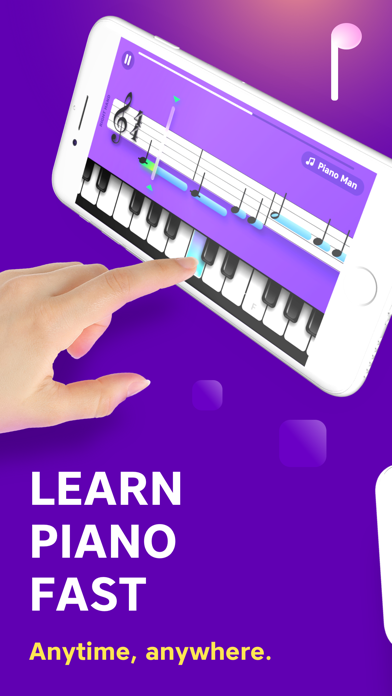
Piano Academy offers an on-screen touch keyboard so you can start playing immediately. The app also supports MIDI connection, and it can even detect the notes you play if you have an acoustic or electronic piano.
MAIN FEATURES
- Watch tutorial videos introduced to you by your private instructor, teaching you theory topics like notes, the staff, chords, and much more.
- The app listens to every note you play and gives you instant feedback, so you know how to improve.
- Practice playing tons of great tunes by reading real sheet music.
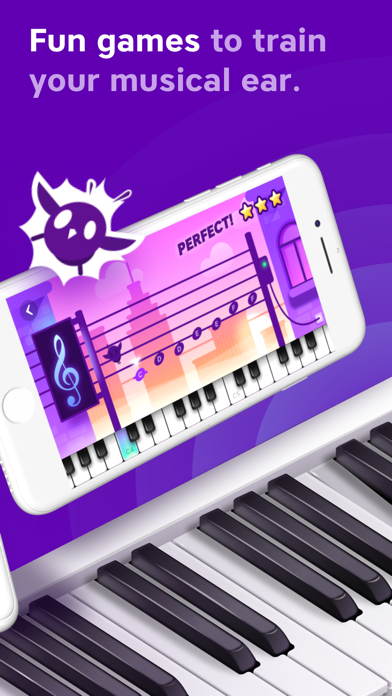
- Play fun games to train your musical hearing, hand coordination, and sense of rhythm.
WHO IS IT FOR?
Piano Academy is suitable for all ages, from kids to adults.
We have designed and built this app from the very beginning to help transform even complete beginners into actual pianists.
HOW DOES IT WORK?
We will teach you how to read notes, so you'll be able to play while reading sheet music. You'll play tons of wonderful classical pieces, as well as contemporary hit songs on your own.
As you progress, you'll learn to play with both hands, play chords, and much more.
Theory topics are introduced to you by your private instructor with the aid of animations and walk-through videos.
You will play fun games designed to train your senses, such as musical hearing, hand-coordination, and your sense of rhythm, among other skills.
And the crowning glory is our staff player that shows music notes as you see in real sheet music. The notes are perfectly synced with the background music that will accompany you while playing. The app listens to every note you play and gives you instant feedback, so you know whether you hit the correct note at the right time.
BOTTOM LINE, you're going to have an enriching, rewarding, and challenging experience, and you're going to love it!
UNLIMITED PREMIUM SUBSCRIPTION
- You can subscribe for unlimited access to all features and content offered within Piano Academy.
- Watch all premium tutorials, play all premium games, and practice any of the songs, including premium songs, as much as you like from any Apple device and enjoy an ad-free experience.
- Subscriptions are billed monthly or annually at the rate selected, depending on the subscription plan.
- Payment will be charged to iTunes Account at confirmation of purchase
- Subscription automatically renews unless auto-renew is turned off at least 24-hours before the end of the current period.
- The account will be charged for renewal within 24-hours before the end of the current period and identify the renewal cost.
- Subscriptions may be managed by the user, and auto-renewal may be turned off by going to the user's Account Settings after purchase.
- No cancellation of the current subscription is allowed during an active subscription period.
- Private Policy - https://www.pianoacademy.app/privacy-policy/
- Terms of Use - https://www.pianoacademy.app/terms-of-use/
ABOUT YOKEE
Yokee Music is the creator of Yokee™, the world's #1 ranked sing-along mobile app, with over 100 million users and the creator of Piano by Yokee, the most successful piano app game available in its genre.
If you're having any issues with the app, please don't hesitate to contact our support team at [email protected]
Also, please join the Piano Academy community on Facebook and let us know what you think: https://www.facebook.com/groups/PianoAcademyCommunity/
- iPhone atau iPad tanpa Jailbreak atau dengan Jailbreak.
- Sideloadly atau alternatifnya.
- Komputer dengan Windows/macOS/Linux dan iTunes terpasang.
LANGKAH 1: Unduh file .IPA yang sudah di-hack dari tautan di atas ke komputer Anda. Untuk mengunduhnya dari iOSGods App, silakan lihat Tutorial Mengunduh IPA dari iOSGods App kami yang dilengkapi contoh video.
LANGKAH 2: Unduh Sideloadly dan pasang di Windows atau Mac Anda.
LANGKAH 3: Buka Sideloadly di komputer Anda, sambungkan perangkat iOS Anda, dan tunggu hingga nama perangkat Anda muncul di Sideloadly.
LANGKAH 4: Setelah iDevice Anda terdeteksi, seret file .IPA yang sudah dimodifikasi dan lepaskan ke dalam aplikasi Sideloadly.
LANGKAH 5: Masukkan email Apple Account Anda, lalu tekan "Start". Anda kemudian akan diminta memasukkan kata sandi. Silakan isi informasi yang diminta.
LANGKAH 6: Tunggu hingga Sideloadly selesai melakukan sideloading/pemasangan IPA yang di-hack. Jika terjadi masalah saat pemasangan, silakan baca catatan di bawah ini.
LANGKAH 7: Setelah pemasangan selesai dan Anda melihat aplikasi di Layar Beranda, Anda perlu masuk ke Pengaturan → Umum → Profil / VPN & Manajemen Perangkat. Setelah itu, ketuk email yang Anda masukkan pada langkah 6, lalu ketuk "Percayai [email protected]".
LANGKAH 8: Sekarang buka Layar Beranda dan jalankan aplikasi yang baru saja dipasang; semuanya seharusnya berjalan normal. Anda mungkin perlu mengikuti petunjuk tambahan per aplikasi yang muncul di popup hack di dalam game.
CATATAN: Pada iOS/iPadOS 16 dan yang lebih baru, Anda harus mengaktifkan Mode Pengembang. Untuk akun Apple Developer gratis, Anda perlu mengulangi proses ini setiap 7 hari. Jika Anda memiliki pertanyaan atau masalah, silakan baca bagian FAQ Sideloadly di topik tersebut kami.