Please read the section "Important Notes" before purchasing or using this app. Returns or credit cannot be granted after purchase.
Also, save data from this app (paid version) cannot be imported to the Apple Arcade version.
• The World of Monster Hunter Stories
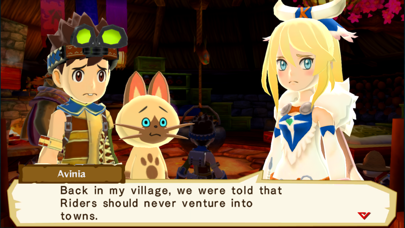
In a world where large monsters roam, and people everywhere make a living hunting, there's a remote village of people who follow a different set of customs. They are the Monster Riders, a people who don't hunt but instead form bonds with monsters.
The monsters that form kinships with Riders, known as "Monsties," possess incredible powers.
Join the adventure and "Ride On!"
• Game Features
- Recruit countless Monsties!
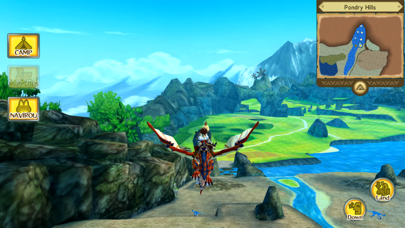
Monsties, and the bonds you form with them, are the backbone of your adventure. Explore vast environments and dungeons to find monster dens, and bring back the eggs you find to hatch new Monsties!
- Fight with your Monsties in Network Battles!
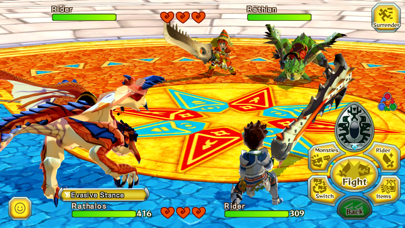
Take your hero and the Monsties you've raised into battles with other Riders! Build a team of your favorites to challenge other players.
- New features for the smartphone version!
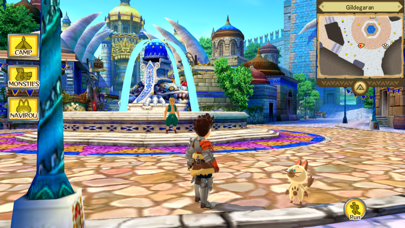
New improvements include beautiful high-resolution graphics, improved user interface, and a new auto-save feature!
• Story
The story begins in a forest near the village of Riders. Three young friends—the hero, Lilia, and Cheval—stumble upon a shining egg.
The trio perform a playful imitation of the Rite of Kinship, only to be shocked when it actually succeeds!
The egg hatches, revealing a baby Rathalos, a flying wyvern also known as "the King of the Skies." The trio affectionately name him "Ratha," and take him back to the village.
A year passes...
The hero receives a Kinship Stone from the Village Chief and officially becomes a Rider. Cheval and Lilia both leave the village, each on their own path. The hero, though separated now from childhood friends, partners up with the cheerful Navirou, and embarks upon a new adventure into the world of hunters.
[Important Notes]
• Compatible Devices (Models / Supported OS)
Please visit the official website for details.
• How to Access the Website
Tap “Developer Website” on this page or access the following link:
https://www.us.capcommobile.com/mhs-device-compatibility
Note: We cannot guarantee the app’s performance or offer refunds if you use a device not listed as compatible.
• Notes on Multiplayer
- Multiplayer (Network Battles, etc.) is available only after a certain amount of game progress.
- Network Battles are only available against other players of the paid iOS version of this app.
- Network Battles are not available against players of the Japanese version of this app.
- Play in an area with a good connection to ensure the best online experience.
- You must sign in to Game Center to use multiplayer features.
• Additional Notes
- To use this app, you must agree to the "Monster Hunter Stories End User License Agreement" (link below) when booting the app for the first time.
https://game.capcom.com/manual/MHST_mobile/global/en/rule.php
- This app features the same story as the handheld console version.
- Several handheld console features, such as certain collaboration contents, amiibo features, local Network Battles, and StreetPass, are NOT available in this version.
- Deleting this app will also erase any stored save data.
- We recommend that you connect to a Wi-Fi network before downloading.
- Battle Party QR codes from the Japanese version will not work in this version.
在 iOS App Store 中查看





![[The Battle Cats JP] にゃんこ大戦争 iOS Mod IPA](https://is1-ssl.mzstatic.com/image/thumb/Purple221/v4/eb/2c/16/eb2c1666-3523-c46d-9a55-958f723f5dd6/AppIcon-0-0-1x_U007epad-0-1-85-220.png/100x100bb.jpg)


