Anmeldung erforderlich
Melde dich mit deinem iOSGods-Konto an, um fortzufahren.
Melde dich mit deinem iOSGods-Konto an, um fortzufahren.
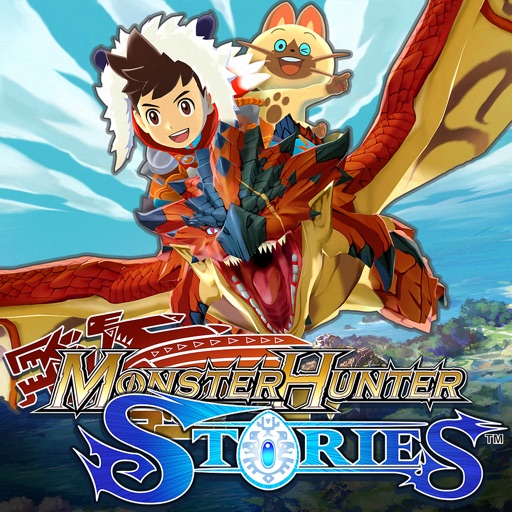
Infinite Coin ermöglicht es dir, frei auszugeben und zu verdienen in diesem Monster Hunter Stories Mod IPA, wodurch der typische Grind entfernt wird, der den Fortschritt normalerweise blockiert. In einer Welt, in der Monster Rider mit mächtigen Monsties eine Bindung eingehen, hält dieser Hack deine Ressourcen im Fluss, damit du dich auf den Aufbau deines Teams und die Erkundung konzentrieren kannst, ohne auf die Ansammlung von Währung zu warten.
- Unendliche Münzen (Gib aus / Verdiene) → Währung fließt frei während du spielst
Diese App wird zusätzlich mit iGameGod geliefert und bietet dir Zugriff auf Auto Touch zur Automatisierung sich wiederholender Aufgaben, App Speed Manager für eine anpassbare Spielgeschwindigkeit, Memory Engine zur Wertbearbeitung und weitere leistungsstarke iOS-Spielwerkzeuge.
Lade Monster Hunter Stories Hack modded IPA über die obigen Links herunter. Tippe auf den Installations-Button und folge den Anweisungen, um diese iOS-App auf deinem iPhone, iPad oder Apple Silicon zu installieren.
Brauchst du mehr Hilfe? In unseren iOSGods App häufig gestellten Fragen findest du ausführliche Antworten und Tipps zur Fehlerbehebung.
Der Abschnitt "Wichtige Hinweise" sollte vor dem Kauf oder Nutzung dieser App gelesen werden. Erstattungen oder Guthaben sind nach dem Kauf nicht möglich.
Speicherdaten dieser App (Bezahlversion) können außerdem nicht in die Apple-Arcade-Version übertragen werden.
• Die Welt von Monster Hunter Stories
Eine Welt, in der sich riesige Monster bewegen und überall Leute von der Jagd leben. Aber einige jagen nicht – in einem entlegenen Dorf folgen die Menschen anderen Traditionen.
Das sind die Monster Rider – jene, die Bindungen mit Monstern eingehen.
Monster, die Bindungen mit Ridern eingehen, sind auch als "Monsties" bekannt und verfügen über unglaubliche Kräfte.
während du eine riesige, aufregende Welt erkundest!
• Spiel-Features
- Rekrutiere zahllose Monsties!
Monsties, und die Bindungen, die du mit ihnen eingehst, sind das Rückgrat deines Abenteuers. Erkunde riesige Umgebungen und Verliese, um Monsterbauten zu finden. Die erhaltenen Eier kannst du ausbrüten und so neue Monsties erhalten!
- Kämpfe mit deinen Monsties in Netzwerk-Kämpfen!
Führe deinen Helden und seine Monsties, die du aufgezogen hast, in den Kampf mit anderen Ridern. Bilde ein Team aus deinen Favoriten, um andere Spieler herauszufordern.
- Neue Funktionen für die Smartphone-Version!
Neue Verbesserungen sind beispielsweise wunderschöne hochauflösende Grafiken, eine verbesserte Benutzeroberfläche sowie eine neue Auto-Speichern-Funktion!
• Geschichte
Die Geschichte beginnt in einem Wald nahe dem Dorf der Rider. Drei junge Freunde (der Held, Lilia und Cheval) finden ein leuchtendes Ei.
Das Trio führt eine spielerische Imitation des Bindungsritus aus und sind überrascht, als es funktioniert!
Als die Eierschale bricht, kommt ein Baby-Rathalos zum Vorschein, ein Flugwyvern. Die drei geben ihm liebevoll den Namen "Ratha" und nehmen ihn mit ins Dorf.
Ein Jahr vergeht...
Der Held bekommt einen Bindungsstein vom Ältesten und wird so zum Rider. Cheval und Lilia verlassen beide das Dorf, jeweils mit eigenen Zielen. Der Held, von seinen Freunden aus Kindertagen getrennt, tut sich mit dem stets gutgelaunten Navirou zusammen und bricht zu einem neuen Abenteuer in der Welt der Monster auf.
[Wichtige Hinweise]
• Kompatible Geräte (Modelle / Unterstütztes OS)
Bitte besuche die offizielle Website für Details.
• Wie man auf die Website zugreift
Tippe “Website des Entwicklers” auf dieser Seite an oder greife auf den folgenden Link zu:
https://www.us.capcommobile.com/mhs-device-compatibility
Hinweis: Wir können die Performance der App nicht garantieren und auch keine Zurückerstattungen anbieten, wenn du ein Gerät benutzt, das nicht als kompatibel aufgeführt wird.
• Anmerkungen zu Mehrspieler
- Mehrspieler (Netzwerk-Kämpfe usw.) ist nur nach einem bestimmten Fortschritt im Spiel verfügbar.
- Netzwerk-Kämpfe sind nur gegen andere Spieler der bezahlten iOS-Version dieser App möglich.
- Netzwerk-Kämpfe sind nicht gegen Spieler der japanischen Version dieser App möglich.
- Spiele in einem Gebiet mit einer guten Verbindung, um eine bestmögliche Online-Erfahrung zu gewährleisten.
- Du musst bei Game Center angemeldet sein, um Mehrspieler-Funktionen nutzen zu können.
• Weitere Anmerkungen
- Um diese App nutzen zu können, musst du dem "Monster Hunter Stories End User License Agreement" zustimmen, wenn du die App zum ersten Mal bootest:
https://game.capcom.com/manual/MHST_mobile/global/en/rule.php
- Diese App erzählt die gleiche Geschichte wie die Version der Handheld-Konsole.
- Einige Funktionen der Handheld-Konsolenversion sind NICHT verfügbar, beispielweise bestimmte Kooperationsinhalte, amiibo-Funktionen, lokale Netzwerk-Kämpfe und StreetPass.
- Wird diese App gelöscht, werden auch alle Speicherdaten gelöscht.
- Wir empfehlen, dass du eine Verbindung mit einem WiFi-Netzwerk herstellst, bevor du mit dem Herunterladen beginnst.
- Kampfgruppen-QR-Codes der japanischen Version funktionieren nicht mit dieser Version.
Screenshots © der jeweiligen Inhaber · App Store


iOSGods ist nicht mit Apple Inc., Google LLC oder den Entwicklern der hier aufgeführten Apps verbunden und wird von ihnen weder unterstützt noch gesponsert. Apple, iOS und App Store sind Marken von Apple Inc. Android und Google Play sind Marken von Google LLC. Alle weiteren App-Namen, Symbole, Grafiken und Marken gehören ihren jeweiligen Inhabern.
- Nicht-Jailbroken/Jailed oder Jailbroken iPhone oder iPad.
- Sideloadly oder Alternativen.
- Computer mit Windows/macOS/Linux und installiertem iTunes.
SCHRITT 1: Lade die vorinstallierte .IPA-Datei über den obigen Link auf deinen Computer herunter. Zum Herunterladen aus der iOSGods-App siehe unser iOSGods App IPA Download-Tutorial mit Videobeispiel.
SCHRITT 2: Lade Sideloadly herunter und installiere es auf deinem Windows oder Mac.
SCHRITT 3: Öffne Sideloadly auf deinem Computer, verbinde dein iOS-Gerät und warte, bis dein Gerätename in Sideloadly erscheint.
SCHRITT 4: Sobald dein iDevice erkannt wird, ziehe die heruntergeladene gemoddete .IPA-Datei in die Sideloadly-Anwendung.
SCHRITT 5: Gib deine Apple-Account-E-Mail ein und drücke „Start". Du wirst dann nach deinem Passwort gefragt. Gib die erforderlichen Informationen ein.
SCHRITT 6: Warte, bis Sideloadly das Sideloading/Installieren der gehackten IPA abgeschlossen hat. Bei Problemen während der Installation lies bitte den Hinweis unten.
SCHRITT 7: Sobald die Installation abgeschlossen ist und die App auf deinem Home-Bildschirm angezeigt wird, musst du zu Einstellungen → Allgemein → Profile / VPN & Geräteverwaltung gehen. Tippe dort auf die E-Mail, die du in Schritt 6 eingegeben hast, und dann auf „Trust [email protected]".
SCHRITT 8: Gehe nun zu deinem Home-Bildschirm und öffne die neu installierte App – alles sollte einwandfrei funktionieren. Möglicherweise musst du weitere App-spezifische Anweisungen im Hack-Popup im Spiel befolgen.
HINWEIS: iOS/iPadOS 16 und höher: Du musst den Entwicklermodus aktivieren. Bei kostenlosen Apple Developer-Accounts musst du diesen Vorgang alle 7 Tage wiederholen. Bei Fragen oder Problemen lies bitte unsere Sideloadly-FAQ-Sektion im Thema.
Game Name iOS Mod IPA is an action adventure game enhanced with powerful gameplay boosts and quality-of-life improvements. Win battles faster, earn rewards quicker, and enjoy uninterrupted play without ads.
- Unlimited Gold - spend freely to unlock premium content
- Damage Multiplier - deal significantly more damage in combat
- Defense Multiplier - take less damage and survive longer
- Reward Multiplier - earn more loot from every battle
- Max Level - instantly reach the highest player rank
- No Ads - play without interruptions or advertisements
This app also comes with iGameGod, giving you access to Auto Touch to automate repetitive tasks, App Speed Manager for adjustable gameplay speed, Memory Engine value editing, and more powerful iOS game tools.
Lade Game Name Mod IPA über die obigen Links herunter. Tippe auf den Installations-Button und folge den Anweisungen, um diese iOS-App auf deinem iPhone, iPad oder Apple Silicon zu installieren.
Brauchst du mehr Hilfe In unseren iOSGods App häufig gestellten Fragen findest du ausführliche Antworten und Tipps zur Fehlerbehebung.
----------------------------------------------------------
--------------------------------------------------


