Потрібен вхід
Увійдіть у свій обліковий запис iOSGods, щоб продовжити.
Увійдіть у свій обліковий запис iOSGods, щоб продовжити.
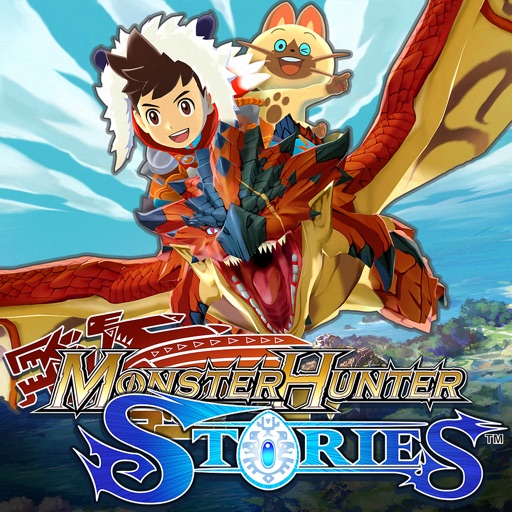
Infinite Coin дозволяє вам вільно витрачати та заробляти в цьому Monster Hunter Stories Mod IPA, усуваючи гринд, який зазвичай гальмує прогрес. У світі, де Вершники Монстрів зв'язуються з потужними Монстіями, цей злам тримає ваші ресурси в постійному потоці, щоб ви могли зосередитися на формуванні своєї команди та дослідженні без очікування накопичення валюти.
- Нескінченна монета (витрачайте деякі / отримуйте деякі) → валюта тече вільно під час гри
Цей застосунок також постачається з iGameGod, який надає доступ до Auto Touch для автоматизації повторюваних дій, App Speed Manager для регулювання швидкості гри, редагування значень за допомогою Memory Engine та інших потужних інструментів для iOS-ігор.
Завантажте Monster Hunter Stories Hack modded IPA за посиланнями вище. Натисніть кнопку встановлення та дотримуйтесь інструкцій, щоб встановити цей хак iOS на iPhone, iPad або Apple Silicon.
Потрібна додаткова допомога? Перегляньте наш Поширені запитання про застосунок iOSGods для детальних відповідей та порад з усунення несправностей.
Please read the section "Important Notes" before purchasing or using this app. Returns or credit cannot be granted after purchase.
Also, save data from this app (paid version) cannot be imported to the Apple Arcade version.
• The World of Monster Hunter Stories
In a world where large monsters roam, and people everywhere make a living hunting, there's a remote village of people who follow a different set of customs. They are the Monster Riders, a people who don't hunt but instead form bonds with monsters.
The monsters that form kinships with Riders, known as "Monsties," possess incredible powers.
Join the adventure and "Ride On!"
• Game Features
- Recruit countless Monsties!
Monsties, and the bonds you form with them, are the backbone of your adventure. Explore vast environments and dungeons to find monster dens, and bring back the eggs you find to hatch new Monsties!
- Fight with your Monsties in Network Battles!
Take your hero and the Monsties you've raised into battles with other Riders! Build a team of your favorites to challenge other players.
- New features for the smartphone version!
New improvements include beautiful high-resolution graphics, improved user interface, and a new auto-save feature!
• Story
The story begins in a forest near the village of Riders. Three young friends—the hero, Lilia, and Cheval—stumble upon a shining egg.
The trio perform a playful imitation of the Rite of Kinship, only to be shocked when it actually succeeds!
The egg hatches, revealing a baby Rathalos, a flying wyvern also known as "the King of the Skies." The trio affectionately name him "Ratha," and take him back to the village.
A year passes...
The hero receives a Kinship Stone from the Village Chief and officially becomes a Rider. Cheval and Lilia both leave the village, each on their own path. The hero, though separated now from childhood friends, partners up with the cheerful Navirou, and embarks upon a new adventure into the world of hunters.
[Important Notes]
• Compatible Devices (Models / Supported OS)
Please visit the official website for details.
• How to Access the Website
Tap “Developer Website” on this page or access the following link:
https://www.us.capcommobile.com/mhs-device-compatibility
Note: We cannot guarantee the app’s performance or offer refunds if you use a device not listed as compatible.
• Notes on Multiplayer
- Multiplayer (Network Battles, etc.) is available only after a certain amount of game progress.
- Network Battles are only available against other players of the paid iOS version of this app.
- Network Battles are not available against players of the Japanese version of this app.
- Play in an area with a good connection to ensure the best online experience.
- You must sign in to Game Center to use multiplayer features.
• Additional Notes
- To use this app, you must agree to the "Monster Hunter Stories End User License Agreement" (link below) when booting the app for the first time.
https://game.capcom.com/manual/MHST_mobile/global/en/rule.php
- This app features the same story as the handheld console version.
- Several handheld console features, such as certain collaboration contents, amiibo features, local Network Battles, and StreetPass, are NOT available in this version.
- Deleting this app will also erase any stored save data.
- We recommend that you connect to a Wi-Fi network before downloading.
- Battle Party QR codes from the Japanese version will not work in this version.
Знімки екрана © їхніх власників · App Store


iOSGods не пов’язана з Apple Inc., Google LLC або розробниками перелічених тут застосунків, не схвалена та не спонсорується ними. Apple, iOS і App Store — торгові марки Apple Inc. Android і Google Play — торгові марки Google LLC. Усі інші назви застосунків, іконки, зображення й торгові марки належать їхнім власникам.
- iPhone або iPad без джейлбрейку/у заводському стані або з джейлбрейком.
- Sideloadly або альтернативи.
- Комп'ютер під керуванням Windows/macOS/Linux із встановленим iTunes.
КРОК 1: Завантажте попередньо зламаний .IPA-файл за посиланням вище на свій комп'ютер. Щоб завантажити з iOSGods App, перегляньте наш Посібник із завантаження IPA в iOSGods App, який містить відеоприклад.
КРОК 2: Завантажте Sideloadly і встановіть його на своєму Windows або Mac.
КРОК 3: Відкрийте Sideloadly на комп'ютері, підключіть свій iOS-пристрій і зачекайте, поки назва пристрою з'явиться у Sideloadly.
КРОК 4: Коли ваш iDevice буде розпізнано, перетягніть завантажений модифікований .IPA-файл і відпустіть його в застосунок Sideloadly.
КРОК 5: Введіть електронну пошту вашого Apple Account, потім натисніть «Start». Після цього вас попросять ввести пароль. Введіть необхідні дані.
КРОК 6: Зачекайте, доки Sideloadly завершить sideload/встановлення зламаного IPA. Якщо під час встановлення виникнуть проблеми, прочитайте примітку нижче.
КРОК 7: Коли встановлення завершено й ви побачите застосунок на головному екрані, перейдіть до Налаштування → Загальні → Профілі / VPN і керування пристроєм. Там натисніть на електронну пошту, яку ви ввели на кроці 6, а потім натисніть «Довіряти [email protected]».
КРОК 8: Тепер перейдіть на головний екран і відкрийте щойно встановлений застосунок — усе має працювати належним чином. Можливо, доведеться виконати додаткові інструкції для конкретного застосунку в спливаючому вікні хака в грі.
ПРИМІТКА: У iOS/iPadOS 16 і пізніших версіях потрібно увімкнути режим розробника. Для безкоштовних облікових записів Apple Developer цей процес доведеться повторювати кожні 7 днів. Якщо у вас є запитання або проблеми, прочитайте наш розділ FAQ зі Sideloadly у темі.
Game Name iOS Mod IPA is an action adventure game enhanced with powerful gameplay boosts and quality-of-life improvements. Win battles faster, earn rewards quicker, and enjoy uninterrupted play without ads.
- Unlimited Gold - spend freely to unlock premium content
- Damage Multiplier - deal significantly more damage in combat
- Defense Multiplier - take less damage and survive longer
- Reward Multiplier - earn more loot from every battle
- Max Level - instantly reach the highest player rank
- No Ads - play without interruptions or advertisements
This app also comes with iGameGod, giving you access to Auto Touch to automate repetitive tasks, App Speed Manager for adjustable gameplay speed, Memory Engine value editing, and more powerful iOS game tools.
Завантажте Game Name Mod IPA за посиланнями вище. Натисніть кнопку встановлення та дотримуйтесь інструкцій, щоб встановити цей хак iOS на iPhone, iPad або Apple Silicon.
Потрібна додаткова допомога Перегляньте наш Поширені запитання про застосунок iOSGods для детальних відповідей та порад з усунення несправностей.
----------------------------------------------------------
--------------------------------------------------


