Connexion requise
Connectez-vous avec votre compte iOSGods pour continuer.
Connectez-vous avec votre compte iOSGods pour continuer.

Les munitions infinies et le mode dieu dans DEAD TRIGGER 2: Zombie Games iOS Mod IPA transforment le jeu de tir à la première personne en une expérience de destruction de zombies inarrêtable où vous ne manquez jamais de balles et survivez à chaque rencontre.
Arrêtez de gérer les ressources et commencez à dominer l'apocalypse : avec ce Mod IPA modifié, vous traverserez sans effort les 33 champs de bataille et plus de 600 scénarios sans la corvée, ce qui vous permet de vous concentrer uniquement sur l'action et la stratégie qui rendent ce tireur primé légendaire.
- Munitions Infinies → ne manquez jamais de balles
- Pas de Rechargement → tirez continuellement sans interruption
- Mode Dieu → ne subissez aucun dégât des zombies
- Consommable Infini → soins et objets de soutien illimités
- Meilleure Visée → précision de ciblage améliorée
Cette app est également livrée avec iGameGod, qui vous donne accès à Auto Touch pour automatiser les tâches répétitives, App Speed Manager pour ajuster la vitesse de jeu, à l'édition de valeurs avec Memory Engine, et à d'autres outils puissants pour les jeux iOS.
Téléchargez DEAD TRIGGER 2: Zombie Games iOS Mod IPA depuis les liens ci-dessus. Appuyez sur le bouton d'installation et suivez les instructions pour installer ce hack iOS sur votre iPhone, iPad ou Apple Silicon.
Besoin de plus d'aide ? Consultez notre FAQ de l'app iOSGods pour des réponses détaillées et des conseils de dépannage.
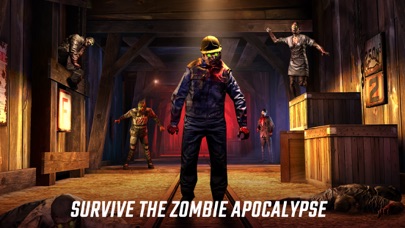
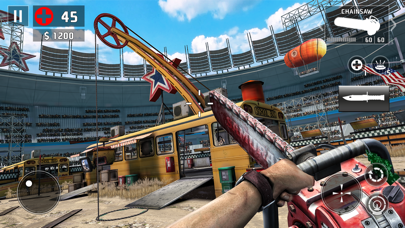
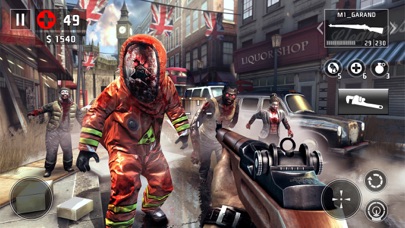
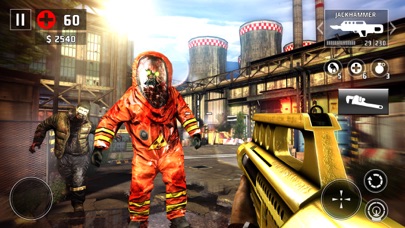
Luttez pour survivre à une apocalypse de zombies dans ce jeu de tir à la première personne palpitant. Faites votre choix parmi un arsenal d'armes déjanté et affrontez les morts-vivants du monde entier à travers des environnements terrifiants. Plus de 60 millions de joueurs luttent déjà pour le futur de l'humanité. Et vous, prendrez-vous les armes ?
"Des heures de plaisir, qu'il s'agisse de longues sessions ou de petites parties rapides." - Gamezebo.com
"Ce jeu améliore encore tout ce qui a fait le succès du premier opus." - ArcadeSushi.com
UN CONTENU GIGANTESQUE SANS CESSE MIS À JOUR. DES HISTOIRES EN ÉVOLUTION.
L'univers de Dead Trigger 2 est en constante expansion. Chaque mise à jour apporte son lot de nouveau contenu pour rendre votre expérience de jeu toujours plus agréable.
• Combattez à travers 10 régions et 33 environnements différents.
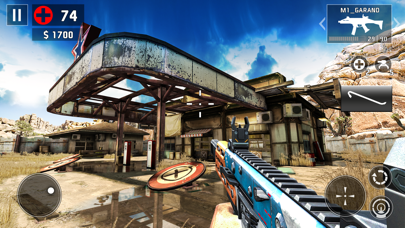
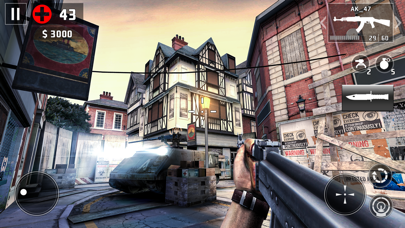
• Empoignez votre annihilateur de zombies préféré parmi 50 types d'armes. Devenez un vrai tireur d'élite et abattez les zombies d'une seule balle en pleine tête !
• Plongez au cœur de l'action avec plus de 600 scénarios de jeu, dont la Campagne solo, les Missions globales et les Quêtes annexes. Décrochez des succès, pulvérisez les défis et gagnez de la monnaie en jeu exclusive.
DES GRAPHISMES À VOUS DONNER LA BAVE AUX LÈVRES
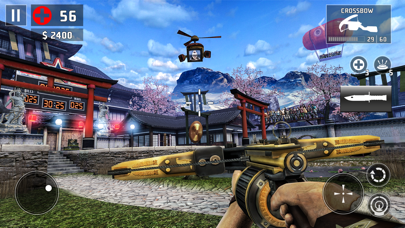
Préparez-vous à être soufflés par des graphismes repoussant les limites du réalisme, avec des reflets sur l'eau en temps réel, une végétation dynamique, et une animation ragdoll améliorée. Explorez des lieux variés et massacrez du zombie dans des environnements allant des mines abandonnées d'Afrique aux ruelles de Shanghai. L'apocalypse n'a jamais été si belle à voir !
DES MÉCANIQUES À VOUS DÉCROCHER LA MÂCHOIRE
• Des ennemis sans pitié - Certains zombies ne font pas long feu face à un tireur d'élite, mais il vous faudra plus d'une balle pour exterminer leurs redoutables boss. Préparez-vous à affronter Kamikaze, Vomitron et d'autres puissants zombies, tout bien décidés à vous exterminer de façon créative.
• Des armes redoutables - Saisissez-vous d'armes au corps-à-corps comme le Gros marteau, le Moteur de bateau ou la Machette. Nos préférées ? Essayez donc les grenades poulets, les fusées poulets, sans oublier la mitraillette spéciale montée sur poulet. Vous allez les adorer…
• Développement du scénario en temps réel - Rejoignez la Résistance mondiale et tenez-vous à jour des derniers développements du jeu au niveau international, où les actions d'un seul joueur peuvent directement influencer le cours de la guerre. Plongez dans différents types d'opérations dans les modes Histoire, Mission globale et Quêtes annexes.
DES TONNES DE FONCTIONNALITÉS
• Des tournois avec de vrais prix - Faites parler la poudre ! Affrontez des joueurs du monde entier dans l'Arène, où les règles des combats de gladiateurs changent chaque semaine, et devenez une légende dans la nouvelle arène du Purgatoire…
• Le doigt est plus fort que le flingue - Faites votre choix entre le système de ciblage tactile développé spécialement pour les joueurs occasionnels ou le joystick virtuel amélioré pour les vétérans des FPS. Et si vous êtes plutôt du genre console, bonne nouvelle : Dead Trigger 2 est compatible avec les manettes MOGA.
• Explorez votre cachette personnelle et rencontrez l'Armurier, le Scientifique, le Trafiquant et l'Ingénieur. Ces PNJ vous aideront dans votre quête pour la survie en déverrouillant de nouvelles armes et de nouveaux gadgets incroyables.
- iPhone ou iPad avec ou sans Jailbreak.
- Sideloadly ou alternatives.
- Ordinateur sous Windows/macOS/Linux avec iTunes installé.
ÉTAPE 1: Téléchargez le fichier .IPA pré-modifié depuis le lien ci-dessus sur votre ordinateur. Pour le télécharger depuis l'iOSGods App, consultez notre Tutoriel de téléchargement de l'IPA depuis l'iOSGods App qui comprend un exemple en vidéo.
ÉTAPE 2: Téléchargez Sideloadly et installez-le sur votre Windows ou Mac.
ÉTAPE 3: Ouvrez Sideloadly sur votre ordinateur, connectez votre appareil iOS et attendez que le nom de votre appareil apparaisse dans Sideloadly.
ÉTAPE 4: Une fois votre iDevice reconnu, glissez le fichier .IPA modifié que vous avez téléchargé et déposez-le dans l'application Sideloadly.
ÉTAPE 5: Saisissez l'adresse e-mail de votre Apple Account, puis appuyez sur « Start ». Il vous sera ensuite demandé d'entrer votre mot de passe. Fournissez les informations requises.
ÉTAPE 6: Attendez que Sideloadly termine le sideloading/l'installation de l'IPA modifié. En cas de problème durant l'installation, veuillez lire la remarque ci-dessous.
ÉTAPE 7: Une fois l'installation terminée et l'app visible sur votre écran d'accueil, vous devez aller dans Réglages → Général → Profils / VPN et gestion de l'appareil. Là, appuyez sur l'adresse e-mail saisie à l'étape 6, puis appuyez sur « Faire confiance à [email protected] ».
ÉTAPE 8: Allez maintenant sur votre écran d'accueil et ouvrez l'app nouvellement installée ; tout devrait fonctionner correctement. Vous devrez peut-être suivre des instructions supplémentaires propres à chaque app, dans la fenêtre du hack en jeu.
REMARQUE : À partir d'iOS/iPadOS 16, vous devez activer le mode Développeur. Pour les comptes Apple Developer gratuits, vous devrez répéter ce processus tous les 7 jours. Pour toute question ou problème, lisez notre section FAQ Sideloadly du sujet.





![[Puzzle & Dragons JP] パズル&ドラゴンズ Hack](https://is1-ssl.mzstatic.com/image/thumb/Purple211/v4/ca/88/05/ca880549-d75e-5b3d-321e-b111dbb2fcda/AppIcon-0-0-1x_U007emarketing-0-8-0-85-220.png/100x100bb.jpg)


