تسجيل الدخول مطلوب
سجّل الدخول بحساب iOSGods للمتابعة.
Hack Features
- AI Won't Pass
قم بتنزيل eFootball™ iOS Mod IPA من الروابط أعلاه. اضغط على زر التثبيت واتبع التعليمات لتثبيت هذا التعديل لـ iOS على iPhone أو iPad أو Apple Silicon.
هل تحتاج إلى مزيد من المساعدة؟ راجع الأسئلة الشائعة لتطبيق iOSGods للحصول على إجابات مفصلة ونصائح لاستكشاف الأخطاء.
■ "eFootball™" - An Evolution from "PES"
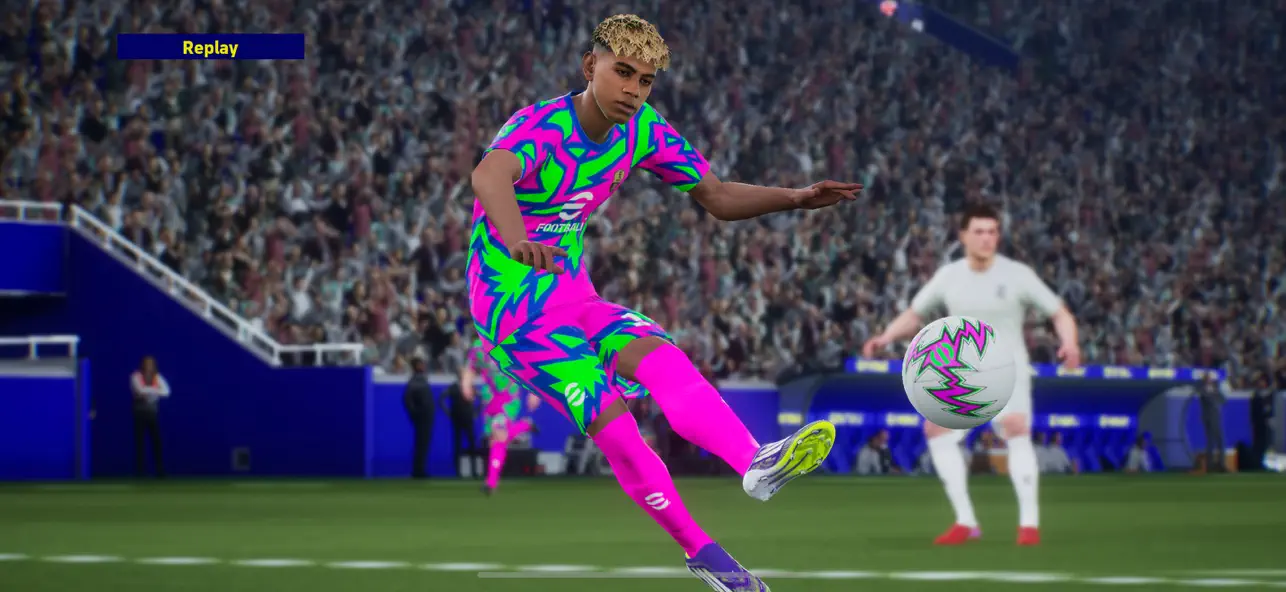
It's an all-new era of digital soccer: "PES" has now evolved into "eFootball™"! And now you can experience the next generation of soccer gaming with "eFootball™"!
■ Welcoming Newcomers
After downloading, you can learn the basic controls of the game via a step-by-step tutorial that includes practical demonstrations! Complete them all, and receive Lionel Messi!
We have also added the Smart Assist setting to help users enjoy the fun and excitement of playing matches.
Without entering complex commands, get past the opposing defense with a brilliant dribble or pass, then score a goal with a powerful shot.
[Ways of Playing]
■Start Off With Your Favorite Team
Whether it's a club or national side from Europe, the Americas, Asia, or elsewhere around the world, begin a new game with the team you support!
■ Sign Players
After creating your team, it's time to get some signings in! From current superstars to soccer legends, sign players and take your team to new heights!
■ Playing Matches
Once you have built a team with your favorite players, it's time to take them to the field.
From testing your skills against the AI, to competing for ranking in Online Matches, enjoy eFootball™ the way you like!
■ Player Development
Depending on Player Types, signed players can be further developed.
Level up players by putting them in matches or using in-game items, then spend the Progression Points acquired to increase Player Stats.
In case you prefer to customize a player to fit your personal preferences, you have the option to allocate the Progression Points manually.
When in doubt about how to develop the player, you can use the [Recommended] function to automatically allocate his Points.
Develop your players to your exact liking!
[For More Fun]
■ Weekly Live Updates
The Live Update is the feature that reflects player transfers and match achievements from soccer in real life.
Take note of the Live Updates released each week, adjust your squad, and make your mark out on the field.
■ Customize a Stadium
Choose your favorite Stadium Elements, such as Tifos and Giant Props, and watch them appear at your stadium during the matches you play.
Add color to the game by arranging your stadium however you like!
*Users with one of the following nations as their Country/Region of Residence will not have access to loot boxes that require eFootball™ Coins as payment.
Belgium, Brazil (users under 18 years of age)
[For the Latest News]
New features, modes, events, and gameplay improvements will be continuously implemented.
For more information, see the official eFootball™ website.
[Downloading the Game]
Approximately 3.2 GB of free storage space is required to download and install eFootball™.
Please make sure you have enough free space before beginning the download.
We also recommend that you use a Wi-Fi connection to download the base game and any of its updates.
[Online Connectivity]
An internet connection is required to play eFootball™. We also strongly recommend playing with a stable connection to ensure you get the most out of the game.
- iPhone أو iPad بجيلبريك أو بدون جيلبريك.
- Sideloadly أو بدائلها.
- كمبيوتر يعمل بنظام Windows/macOS/Linux مع تثبيت iTunes.
الخطوة 1: قم بتنزيل ملف .IPA المعدّل مسبقًا من الرابط أعلاه إلى الكمبيوتر الخاص بك. للتنزيل من تطبيق iOSGods App، اطلع على دليل تنزيل IPA من تطبيق iOSGods App الذي يتضمن مثالًا بالفيديو.
الخطوة 2: قم بتنزيل Sideloadly وتثبيته على جهاز Windows أو Mac.
الخطوة 3: افتح Sideloadly على الكمبيوتر، ووصّل جهاز iOS الخاص بك، وانتظر حتى يظهر اسم جهازك داخل Sideloadly.
الخطوة 4: بمجرد التعرّف على جهاز iDevice الخاص بك، اسحب ملف .IPA المعدّل الذي قمت بتنزيله وأفلِته داخل تطبيق Sideloadly.
الخطوة 5: أدخل البريد الإلكتروني لحساب Apple Account الخاص بك، ثم اضغط على «Start». سيُطلب منك بعد ذلك إدخال كلمة المرور. تابع وأدخل المعلومات المطلوبة.
الخطوة 6: انتظر حتى ينتهي Sideloadly من تحميل/تثبيت ملف IPA المعدّل. في حال واجهت أي مشاكل أثناء التثبيت، يرجى قراءة الملاحظة أدناه.
الخطوة 7: بعد اكتمال التثبيت ورؤية التطبيق على الشاشة الرئيسية، انتقل إلى Settings → General → Profiles / VPN & Device Management. ثم اضغط على البريد الإلكتروني الذي أدخلته في الخطوة 6، ثم اضغط على «الوثوق بـ [email protected]».
الخطوة 8: الآن انتقل إلى الشاشة الرئيسية وافتح التطبيق الذي تم تثبيته للتو وسيعمل كل شيء بشكل صحيح. قد تحتاج إلى اتباع تعليمات إضافية خاصة بكل تطبيق داخل النافذة المنبثقة للتعديل أثناء اللعب.
ملاحظة: بدءًا من iOS/iPadOS 16 وما بعده، يجب تفعيل وضع المطور (Developer Mode). بالنسبة لحسابات Apple Developer المجانية، ستحتاج إلى تكرار هذه العملية كل 7 أيام. إذا كانت لديك أي أسئلة أو مشاكل، يرجى قراءة قسم الأسئلة الشائعة حول Sideloadly في الموضوع.